
STRICH SBA-10 Mini Bass Amplifier User Manual
Model: SBA-10
1. Introduction
The STRICH SBA-10 is a compact and portable mini bass amplifier designed for practice and personal use. Featuring dual 5W subwoofers, it delivers clear bass tones in a small form factor. This amplifier includes both Clean and Drive channels, Bluetooth connectivity, an AUX input, and a headphone output for versatile practice options. Its rechargeable battery ensures portability for extended use.

Image 1.1: The STRICH SBA-10 Mini Bass Amplifier, showcasing its compact design and control panel.
2. Package Contents
Ensure all items are present in the package:
- 1 x STRICH SBA-10 Electric Bass Amp
- 1 x USB Charging Cable
- 1 x User Manual
3. Product Features
- Compact and Portable Design: Features 2x5W subwoofers in a small size (17.20 x 9.20 x 12.60 CM / 6.77 x 3.62 x 4.96 INCH), ideal for desktop use and easy transport.
- Long Battery Life: Equipped with a 3000mAh battery, providing up to 4 hours of continuous operation.
- Dual Channels: Switch between CLEAN and DRIVE channels for varied sound textures.
- Independent Volume Control: Separate volume controls for Bluetooth/AUX input and instrument input allow for balanced mixing of background music and instrument sound.
- Headphone Output: A 1/8" (3.5mm) headphone jack enables private practice sessions.
- Enhanced Bass: Utilizes a professional low-frequency algorithm and specialized bass speaker for optimal bass instrument performance.
- Durable Construction: Built with hard material edges and rubber pads for stability and protection.
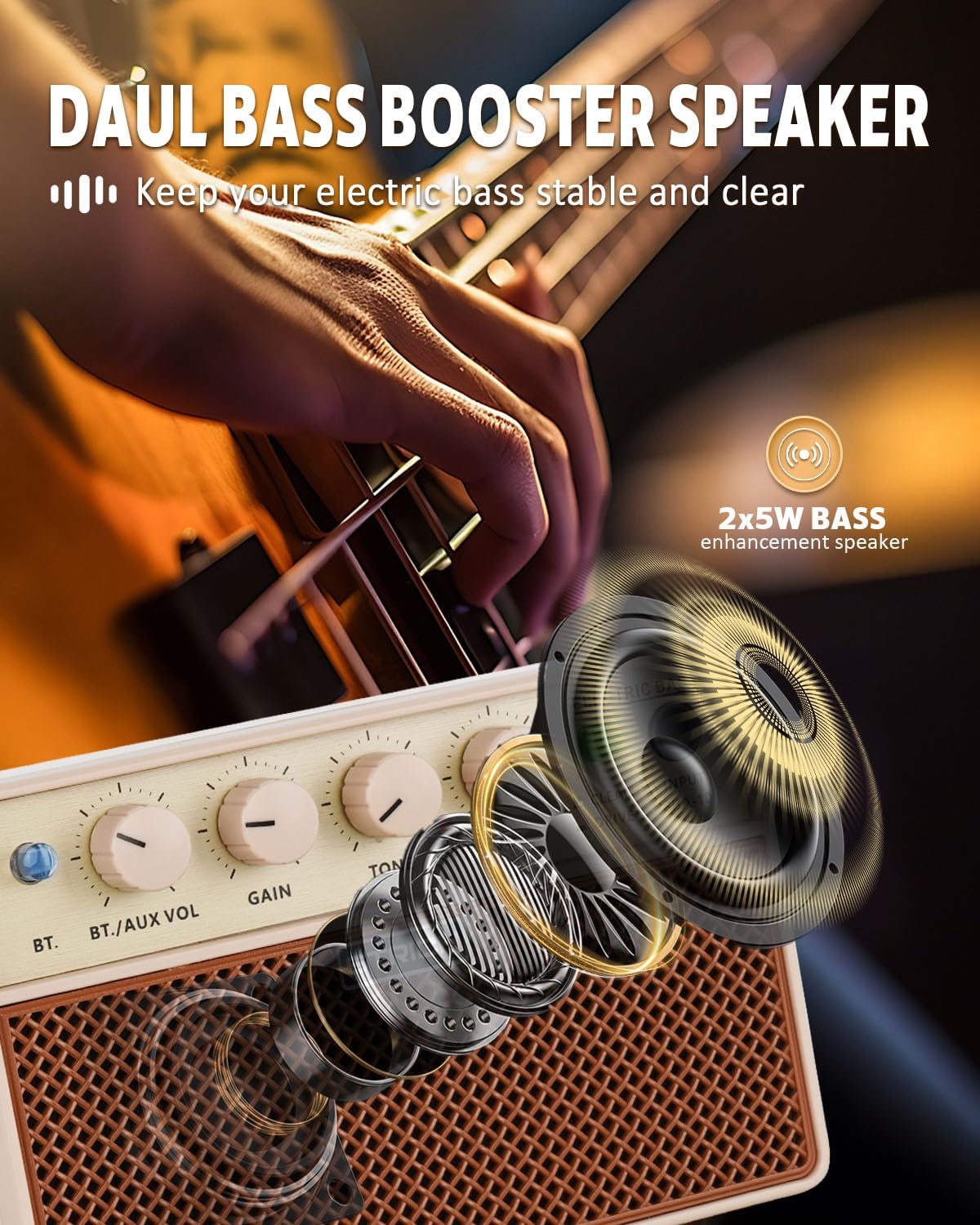
Image 3.1: Diagram illustrating the dual bass booster speaker system of the SBA-10.
4. Controls and Connections

Image 4.1: Detailed diagram of the SBA-10 amplifier's front panel controls and rear panel ports.
Front Panel Controls:
- BT Button: Activates Bluetooth pairing mode.
- BT./AUX VOL Knob: Adjusts the volume level for Bluetooth and AUX input audio.
- GAIN Knob: Controls the input signal gain for your instrument.
- TONE Knob: Adjusts the tonal characteristics of your instrument's sound. Turning clockwise brightens the tone, counter-clockwise warms it.
- POWER VOL Knob: Functions as the master volume control for the amplifier and also serves as the power ON/OFF switch.
- CLEAN/DRIVE Switch: Toggles between the clean instrument tone and the overdriven (distorted) tone.
- INPUT Jack: 1/4" (6.35mm) input for connecting your bass guitar or other instrument.
Rear Panel Ports:
- 5V DC Charging Port: USB-C port for charging the internal battery.
- 1/8" Headphone Output: 3.5mm jack for connecting headphones.
- 1/8" Audio Input (AUX): 3.5mm jack for connecting external audio sources.
5. Setup
5.1 Initial Charging
Before first use, fully charge the SBA-10 amplifier. Connect the provided USB charging cable to the 5V DC Charging Port on the rear of the amplifier and to a standard USB power adapter (not included). The charging indicator light will show the charging status.
5.2 Connecting Your Instrument
Plug your bass guitar or other instrument into the INPUT jack on the front panel using a standard 1/4" instrument cable.
6. Operating Instructions
6.1 Powering On/Off
To power on the amplifier, rotate the POWER VOL knob clockwise until it clicks and the power indicator light illuminates. To power off, rotate the POWER VOL knob counter-clockwise until it clicks off.
6.2 Channel Selection
Use the CLEAN/DRIVE switch to select your desired sound:
- CLEAN: Provides a normal, uncolored instrument tone.
- DRIVE: Produces an overdriven or distorted tone, suitable for rock music and other genres requiring saturation.

Image 6.1: Illustration of the two working modes, Clean and Drive, available on the SBA-10 amplifier.
6.3 Adjusting Sound
- GAIN: Adjust the GAIN knob to control the input sensitivity and the amount of overdrive (especially in Drive mode).
- TONE: Use the TONE knob to shape the frequency response of your instrument.
- POWER VOL: Adjust the POWER VOL knob for the overall output volume of the amplifier.
6.4 Bluetooth Connectivity
The SBA-10 allows you to connect a Bluetooth device to play backing tracks or music.
- Press the BT button on the front panel. The Bluetooth indicator light will flash, indicating pairing mode.
- On your device (smartphone, tablet, etc.), enable Bluetooth and search for "SBA-10".
- Select "SBA-10" to pair. Once connected, the Bluetooth indicator light will remain solid.
- Adjust the volume of the Bluetooth audio using the BT./AUX VOL knob.

Image 6.2: Diagram showing how to connect a smartphone via Bluetooth to the SBA-10 amplifier.
6.5 Using AUX Input
To connect an external audio source via cable:
- Connect your audio device (e.g., MP3 player, laptop) to the 1/8" Audio Input (AUX) on the rear panel using a 3.5mm audio cable.
- Adjust the volume of the AUX audio using the BT./AUX VOL knob.
6.6 Headphone Use
For silent practice, plug your headphones into the 1/8" Headphone Output on the rear panel. The internal speakers will automatically mute when headphones are connected.

Image 6.3: A musician practicing with headphones connected to the SBA-10 amplifier, demonstrating quiet practice capability.
7. Charging the Battery
The SBA-10 features a built-in 3000mAh lithium battery. When the battery is low, the power indicator light may change color or flash. To charge:
- Connect the USB charging cable to the 5V DC Charging Port on the rear of the amplifier.
- Connect the other end of the USB cable to a compatible USB power source (e.g., wall adapter, computer USB port).
- The charging indicator will show the charging status. A full charge typically provides 3-4 hours of continuous use.

Image 7.1: Visual representation of the SBA-10's 3000mAh battery, indicating 3-4 hours of continuous play time.
8. Maintenance
- Clean the amplifier with a soft, dry cloth. Do not use abrasive cleaners or solvents.
- Avoid exposing the amplifier to extreme temperatures, humidity, or direct sunlight.
- Do not block the ventilation openings.
- Store the amplifier in a dry, cool place when not in use.
9. Troubleshooting
| Problem | Possible Cause | Solution |
|---|---|---|
| No sound from amplifier | Amplifier is off; Volume is too low; Instrument cable faulty; Instrument not connected; Headphones connected. | Turn on amplifier and increase POWER VOL; Check instrument cable and connection; Disconnect headphones. |
| Bluetooth not connecting | Bluetooth not enabled on device; Amplifier not in pairing mode; Device too far. | Ensure Bluetooth is on and press BT button on amp; Move device closer to amplifier. |
| Low battery life | Battery not fully charged; High volume usage. | Fully charge the amplifier; Reduce volume for longer battery life. |
| Distorted sound (in Clean mode) | GAIN knob set too high; Faulty instrument or cable. | Reduce GAIN; Check instrument and cable. |
10. Specifications
| Feature | Specification |
|---|---|
| Model Number | SBA-10 |
| Output Wattage | 2 x 5 Watts (10W total) |
| Power Source | Battery Powered (3000mAh Lithium Battery) |
| Battery Life | 3-4 hours continuous use |
| Product Dimensions | 3.74 x 6.54 x 4.49 inches (9.5 x 16.6 x 11.4 cm) |
| Item Weight | 1.41 pounds (0.64 kg) |
| Connector Type | 1/4" Instrument Input, 3.5mm AUX Input, 3.5mm Headphone Output, USB-C Charging Port |
| Material Type | PVC |
| Compatible Devices | Bass Guitar, Double Bass, other electric instruments |
11. Warranty and Support
STRICH is committed to providing quality products and customer satisfaction.
- Warranty Services: The STRICH SBA-10 amplifier comes with up to a 12-month warranty from the date of purchase. Please retain your proof of purchase for warranty claims.
- Return Policy: A 30-day free return policy is available for eligible purchases.
- Customer Support: For any inquiries, technical assistance, or warranty claims, please contact STRICH customer service. We aim to provide a prompt response to email chat assistant requests within 24 hours.
For further assistance, please visit the official STRICH website or contact your retailer.

Image 11.1: Overview of STRICH customer care services, including prompt response, warranty, and return policy.
