
Introduction
This manual provides detailed instructions for the setup, operation, and maintenance of your Weilisi Large Ring Light with 72-inch Tripod. Please read this manual thoroughly before use to ensure proper functionality and to maximize your product's lifespan. This device is designed to provide versatile and high-quality illumination for various applications, including photography, video recording, makeup application, and live streaming.
Package Contents
Verify that all components listed below are included in your package:
- 1 x Large Ring Light
- 1 x Tripod Stand
- 1 x Flexible Phone Holder
- 1 x Wireless Remote Control
- 1 x Lighting Controller (Wired)
- 1 x DC Adapter
- 1 x Instruction Manual (this document)

Figure 1: All components included in the package.
Setup Instructions
Follow these steps to assemble your Weilisi Large Ring Light:
- Assemble the Tripod Stand: Loosen the switch knob on the tripod base. Press the center axis down to extend the legs, then tighten the switch knob to secure the tripod.
- Adjust Tripod Height: Loosen the buckle locks on the tripod pole. Lift the pole to your desired height (from 13.5 inches to 72 inches) and then securely fasten the buckle locks.
- Attach the Ring Light: Align the 1/4-inch screw on top of the tripod stand with the mounting hole on the bottom of the ring light. Rotate the ring light clockwise to secure it. Tighten the light knob to ensure stability.
- Adjust Ring Light Angle: The ring light head can be adjusted 180 degrees vertically. Loosen the adjustment knob on the side of the ring light head, tilt to the desired angle, and then tighten the knob. The light head can also rotate 360 degrees horizontally by loosening the knob where it connects to the tripod.
- Install Phone Holder: Attach the flexible phone holder to the designated slot on the tripod pole. The phone holder supports 360-degree rotation and accommodates phones from 2.49 to 3.74 inches wide.
- Connect Power: Plug the DC adapter into the power input port on the ring light, then connect the adapter to a standard electrical outlet.

Figure 2: Step-by-step assembly guide for the ring light and tripod.

Figure 3: Flexible phone holder attachment.
Operating Instructions
Your Weilisi Ring Light offers various lighting options for optimal results.
- Power On/Off: Use the power button on the wired lighting controller or the wireless remote to turn the light on or off.
- Adjust Brightness: The light has 10 brightness levels (10%-100%). Use the '+' and '-' buttons on either remote control to increase or decrease brightness.
- Adjust Color Temperature: Select from 3 color temperatures: White (6500K), Warm (2700K), and Natural (4500K). Use the color temperature buttons on the remote controls to cycle through these modes.
- Wireless Remote Control: The included wireless remote allows for convenient control of the light's functions from a distance, ideal for selfies and video recording. Ensure the remote is paired with your device if using for phone camera control.

Figure 4: Wired and wireless remote controls with function diagram.

Figure 5: Using the wireless remote for hands-free operation.
Key Features
- Full-Screen & High Brightness: Upgraded ring light panel design provides a maximum illumination of 6500K 8700Lux at 0.3m, ensuring wider, softer, and uniform lighting.
- Adjustable Tripod Stand: Constructed from premium aluminum, the tripod extends from 13.5 inches to 72 inches (light head top) with a quick-flip knob for easy adjustment and enhanced stability.
- Multifunctional Lighting: Offers 3 color temperatures (White, Warm, Natural; 2700K-6500K) and 10 brightness levels (10%-100%), with a Color Rendering Index (CRI) of >95+ for natural and true color reproduction.
- Flexible Ringlight Head: The light head can be adjusted 180 degrees vertically and rotated 360 degrees horizontally, allowing for illumination from various angles.
- 360° Rotatable Phone Holder: Compatible with phones ranging from 2.49 to 3.74 inches (e.g., iPhone Mini/Pro/Pro Max, Galaxy Ultra, Google Pixel), enabling versatile shooting angles.
- Dual Remote Control: Includes both a wired lighting controller and a wireless remote for convenient brightness and color temperature adjustments, as well as remote photo/video capture.
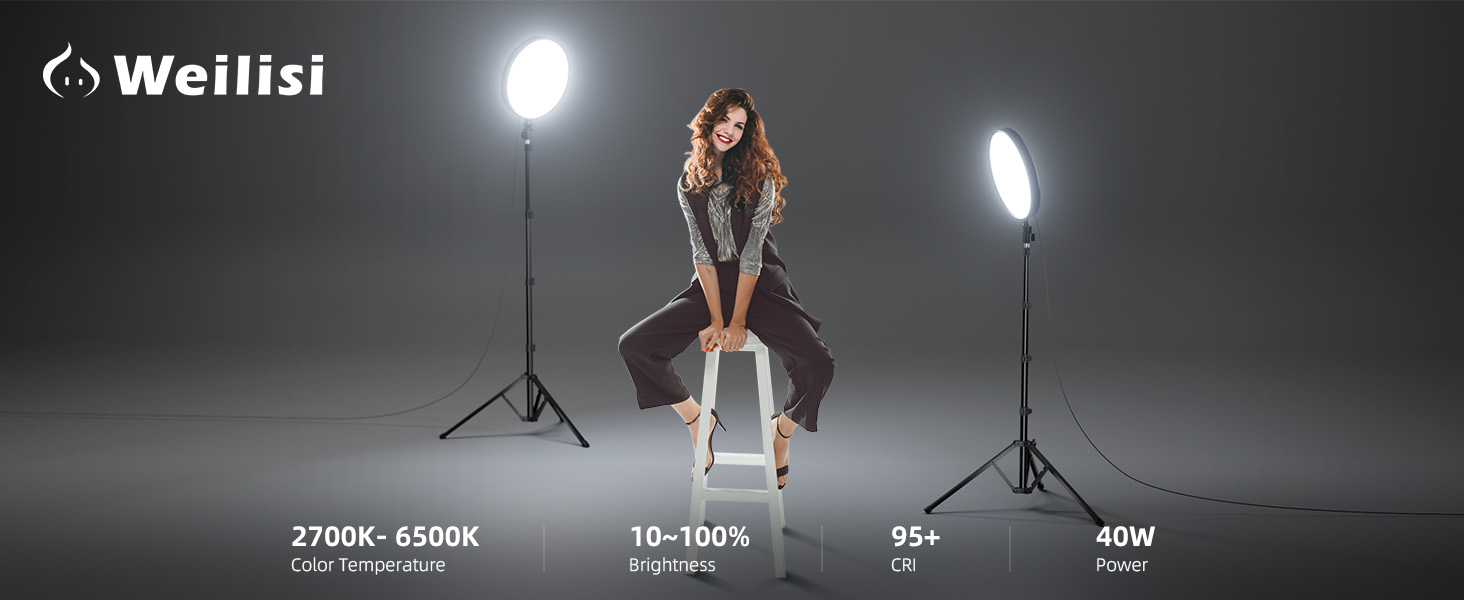
Figure 6: Full-screen brighter illumination for various tasks.

Figure 7: Demonstration of 3 light modes and 10 brightness levels.
Applications
The Weilisi Large Ring Light is suitable for a wide range of uses:
- Zoom meetings and video conferencing
- Video recording and live streaming (TikTok, YouTube)
- Professional photography and selfies
- Makeup application and barber services
- Studio lighting and webcam illumination
- As a tall LED floor lamp or book lamp

Figure 8: Ideal for makeup application.
Figure 9: Functions as a comfortable book lamp.
Maintenance
To ensure the longevity and optimal performance of your ring light, follow these maintenance guidelines:
- Cleaning: Gently wipe the ring light and tripod stand with a soft, dry cloth. Avoid using abrasive cleaners or solvents, as these can damage the finish or electronic components.
- Storage: When not in use, collapse the tripod and store the ring light in a cool, dry place away from direct sunlight and excessive humidity.
- Cable Care: Avoid bending or crimping the power cable excessively. Always unplug the adapter by grasping the plug, not the cable.
Troubleshooting
If you encounter any issues with your Weilisi Large Ring Light, refer to the following common solutions:
| Problem | Possible Cause | Solution |
|---|---|---|
| Light does not turn on | Power adapter not connected or faulty; outlet not working. | Ensure the DC adapter is securely plugged into both the light and a working power outlet. Test the outlet with another device. |
| Remote control not responding | Batteries are low or depleted; remote not paired (wireless). | Replace batteries in the wireless remote. Ensure the wireless remote is properly paired according to its specific instructions. |
| Light flickers or dims unexpectedly | Unstable power supply; loose connection. | Check all cable connections. Try plugging the light into a different power outlet. |
Specifications
Detailed technical specifications for the Weilisi Large Ring Light (Model PL402):
| Feature | Detail |
|---|---|
| Brand | Weilisi |
| Model Number | PL402 |
| Product Dimensions | 72"L x 72"W x 72"H (fully extended) |
| Adjustable Height | 13.5" to 72" |
| Screen Size (Ring Light Diameter) | 13 inches |
| Lighting Model | White, Natural, Warm |
| Light Source | LED |
| Dimming Range | 10%-100% (10 levels) |
| Color Temperature | 2700K-6500K (3 modes) |
| CRI (Color Rendering Index) | >95+ |
| Power | 40W |
| Connectivity Technology | Ring Light Tripod for iPhone |
| Hardware Interface | USB (for phone holder connection, not power) |
| Compatible Devices | iPhone Mini/ Pro/ Pro Max, Galaxy Ultra, Google Pixel, and other smartphones (2.49" to 3.74" wide), cameras, and devices with 1/4" screw mount |
| Water Resistance Level | Not Water Resistant |
| Built-In Media | 1*DC Adapter, 1*Flexible Phone Holder, 1*Large Ring Light, 1*Tripod Stand, 2*Remote Control (Wireless Remote + Lighting Controller) |
Warranty Information
The Weilisi Large Ring Light (Model PL402) comes with a 3-Year Warranty from the date of purchase. This warranty covers manufacturing defects and malfunctions under normal use. Please retain your proof of purchase for warranty claims. For detailed terms and conditions, refer to the warranty card included in your package or contact customer support.
Customer Support
For any questions, technical assistance, or warranty claims, please contact Weilisi Customer Support through the retailer's platform or visit our official website. Our support team is available to assist you with any inquiries regarding your product.