
VECELO CD1-DC-FBN-KBC30
VECELO 43-Inch Computer Desk with Shelves Instruction Manual
Model: CD1-DC-FBN-KBC30
Brand: VECELO
1. Introduction
Thank you for choosing the VECELO 43-Inch Computer Desk. This manual provides detailed instructions for the assembly, operation, and maintenance of your new desk. Please read this manual thoroughly before assembly and retain it for future reference.

Image: The VECELO 43-inch computer desk, featuring a walnut finish and metal frame, shown in a modern home office environment with a laptop and chair.
2. Safety Information
- Always read and follow all instructions carefully before assembly and use.
- Ensure all parts and screws are firmly attached before placing items on the desk or using it.
- Do not exceed the maximum weight capacity of 100 lbs (45.36 kg).
- Keep small parts and packaging materials away from children to prevent choking hazards.
- Assemble the desk on a soft, clean surface to prevent scratches.
- If any parts are missing or damaged, do not proceed with assembly. Contact customer support immediately.
3. Package Contents
Before beginning assembly, verify that all components listed below are present and undamaged. All necessary tools for assembly are included.
Components:
- Desktop Panel
- Metal Frame Legs
- Storage Shelf Panels (2)
- Adjustable Small Wooden Board (for computer tower)
- Hardware Pack (screws, bolts, adjustable feet)
- Assembly Tools (e.g., Allen wrench)
- Instruction Manual
4. Setup and Assembly
Assembly is designed to be quick and easy, typically taking approximately 15 minutes. Follow these steps carefully.
Step 1: Prepare the Workspace
Clear an open area and lay out all components on a soft, clean surface to prevent damage.
Step 2: Assemble the Frame
Attach the metal frame legs together using the provided hardware. Ensure all connections are secure but do not fully tighten screws until the desk is fully assembled.
Step 3: Attach the Desktop
Carefully place the desktop panel onto the assembled frame. Align the pre-drilled holes and secure the desktop to the frame using the appropriate screws.
Step 4: Install Storage Shelves
The two storage shelves can be installed on either the left or right side of the desk, according to your preference. Secure them to the metal frame using the provided hardware. The small wooden board for a computer tower can be adjusted and mounted in the holes above the shelves to create space for larger items.

Image: This diagram illustrates four possible assembly methods, demonstrating the flexibility of placing the storage shelves on either side of the desk.

Image: The detachable shelf feature allows for space adjustment, providing convenience and flexibility in desk configuration.
Step 5: Adjust Table Legs
The desk features adjustable table legs. Turn the screws at the bottom of the legs to fine-tune the height and ensure stability on uneven surfaces.

Image: Fine adjustment of the table's height can be achieved by turning the screws on the adjustable table legs.
Step 6: Final Tightening
Once all components are in place and aligned, fully tighten all screws. Do not overtighten.
5. Operating and Features
The VECELO computer desk is designed for versatility and functionality in various settings.
Storage Shelves
Utilize the two open storage shelves for organizing books, office supplies, or small electronic devices. The flexible design allows you to position these shelves on either side of the desk during assembly to best suit your workspace layout.
Computer Tower Space
The adjustable small wooden board above the shelves can be repositioned to create adequate space for a computer tower, ensuring efficient use of your desk area.
Durable Desktop
The desktop is made from premium particle board with a durable laminate finish, making it scratch-resistant, impact-resistant, and waterproof. This design helps protect against spills and daily wear.

Image: A close-up view of the desk surface, emphasizing its simple and modern design, sturdy construction, and waterproof desktop material.
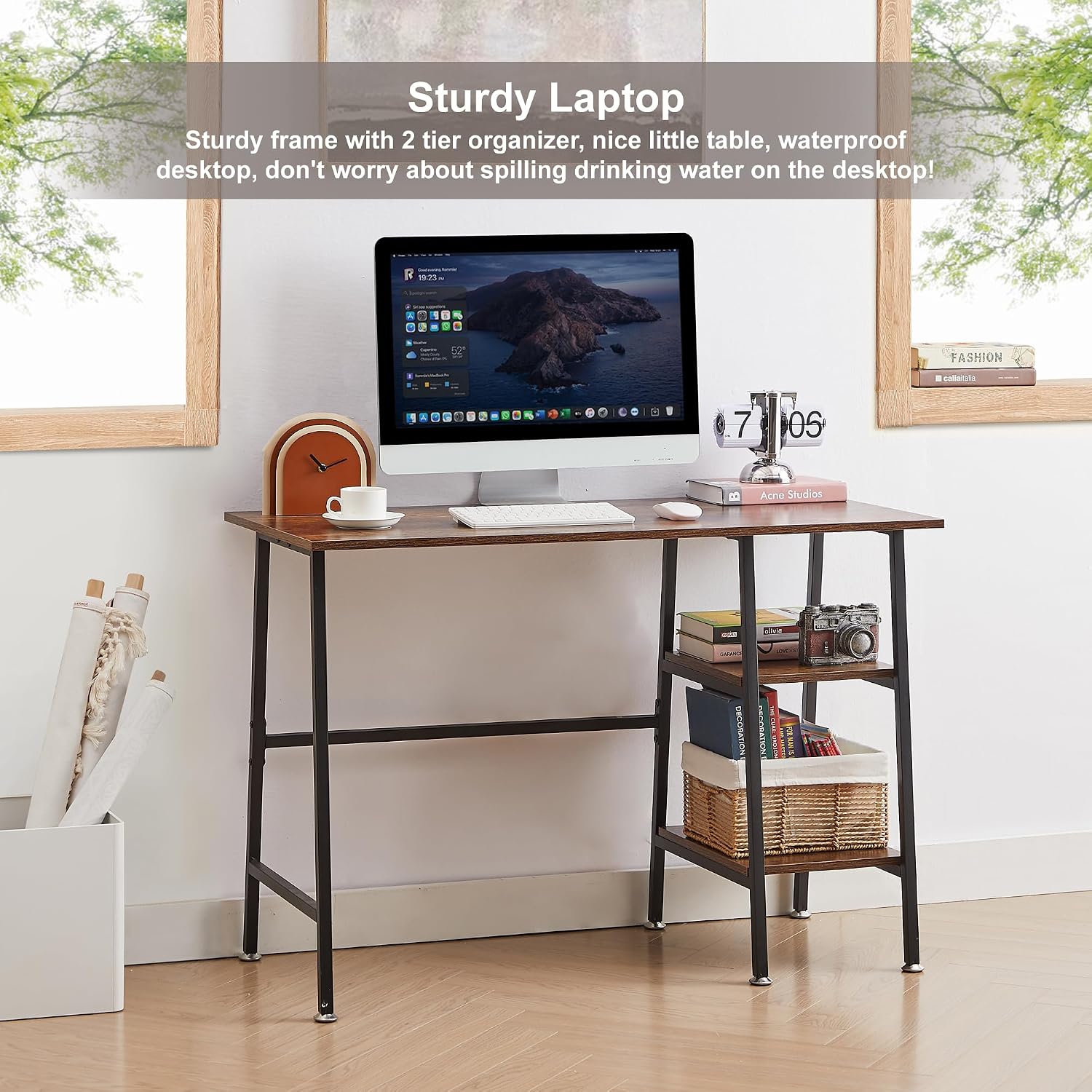
Image: The desk provides a sturdy frame with a two-tier organizer, offering a reliable surface for a laptop or monitor without concern for spills.
6. Maintenance
To ensure the longevity and appearance of your VECELO desk, follow these simple maintenance guidelines:
- Cleaning: Wipe the desk surface and frame with a damp cloth. Avoid using harsh chemicals or abrasive cleaners, which can damage the finish.
- Spills: Although the desktop is waterproof, promptly wipe up any spills to prevent potential damage or staining.
- Inspection: Periodically check all screws and connections to ensure they remain tight. Retighten if necessary to maintain stability.
- Placement: Avoid placing hot items directly on the desktop. Use coasters or protective pads.
7. Troubleshooting
Desk is Wobbly
- Solution: Ensure all screws are fully tightened. Check the adjustable feet on the bottom of the legs and adjust them to compensate for uneven flooring.
Missing or Damaged Parts
- Solution: Do not attempt to assemble the desk with missing or damaged parts. Contact VECELO customer support immediately for assistance and replacement parts.
Difficulty Assembling
- Solution: Review the assembly instructions carefully. Ensure you are using the correct hardware for each step. If issues persist, contact customer support.
8. Specifications
| Feature | Detail |
|---|---|
| Model Number | CD1-DC-FBN-KBC30 |
| Dimensions (W x D x H) | 43 inches x 20 inches x 30 inches (109.2 cm x 50.8 cm x 76.2 cm) |
| Material | Premium MDF, Particle Board, Durable Laminate, Powder-Coated Metal |
| Color | Walnut |
| Maximum Weight Capacity | 100 lbs (45.36 kg) |
| Number of Shelves | 2 (open, adjustable placement) |
| Shelf Height | 10 inches (25.4 cm) |
| Special Features | Adjustable shelves, adjustable table legs, waterproof desktop, scratch-resistant, rust-resistant |
| Assembly Time | Approximately 15 minutes |
| Recommended Assembly Persons | 1 |

Image: Detailed dimensions of the VECELO 43-inch computer desk, including overall width (43in), depth (20in), height (30in), and shelf dimensions (12in wide, 10in and 12in height between shelves).
9. Warranty and Support
Warranty Information
This VECELO product comes with a 1-Year Manufacturer's Warranty covering parts and labor against defects in materials and workmanship under normal use.
Customer Support
If you encounter any problems with your product, including issues with assembly, missing parts, or damage, please do not hesitate to contact VECELO customer support. We are committed to resolving any issues and will replace parts free of charge if necessary.
For support, please refer to the contact information provided on your purchase receipt or the VECELO official website.
Related documentsCD1-DC-FBN-KBC30


Ask a question about this manual
Ask about setup, troubleshooting, compatibility, parts, safety, or missing instructions. Manuals+ will review the question and use this page’s manual context to help answer it.