
Introduction
Thank you for choosing the deli 4V Cordless Electric Screwdriver. This powerful and versatile tool is designed for various tasks, including light fixtures, home furnishings, electronics, and general repairs. Featuring a 3.6V rechargeable battery with a 1500mAh capacity, USB-C charging, and a high 5 N.m torque, this screwdriver offers efficiency and convenience for everyday use. This manual provides essential information for safe operation, setup, maintenance, and troubleshooting. Please read it thoroughly before using the product.
Safety Instructions
Always follow basic safety precautions when using electric tools to reduce the risk of fire, electric shock, and personal injury.
- Keep Work Area Clean: Cluttered areas invite injuries.
- Avoid Dangerous Environments: Do not use power tools in damp or wet locations, or expose them to rain. Keep work area well lit.
- Keep Children Away: All visitors should be kept at a safe distance from the work area.
- Dress Properly: Do not wear loose clothing or jewelry. They can be caught in moving parts. Wear non-slip footwear. Wear hair covering to contain long hair.
- Wear Eye Protection: Always wear safety glasses.
- Secure Work: Use clamps or a vise to hold work when practical. It's safer than using your hand and frees both hands to operate the tool.
- Do Not Overreach: Keep proper footing and balance at all times.
- Maintain Tools With Care: Keep tools sharp and clean for better and safer performance. Follow instructions for lubricating and changing accessories.
- Disconnect Tools: Disconnect the tool from the power source before servicing, when changing accessories, or when not in use.
- Avoid Accidental Starting: Ensure the switch is in the off position before plugging in.
- Check for Damaged Parts: Before further use of the tool, a guard or other part that is damaged should be carefully checked to determine that it will operate properly and perform its intended function.
- Use Correct Accessory: Do not use accessories not specifically designed for this tool.
- Never Force the Tool: It will do the job better and safer at the rate for which it was designed.
Package Contents
Verify that all items listed below are included in your package. If any items are missing or damaged, please contact customer support.
- deli 5 N.m Power Screwdriver (Model EDL-DP04-E3B1)
- 10x S2 Alloy Steel Bits
- 1x 60mm Magnetic Extension Rod
- 1x USB-A to USB-C Charging Cable
- 1x User Manual
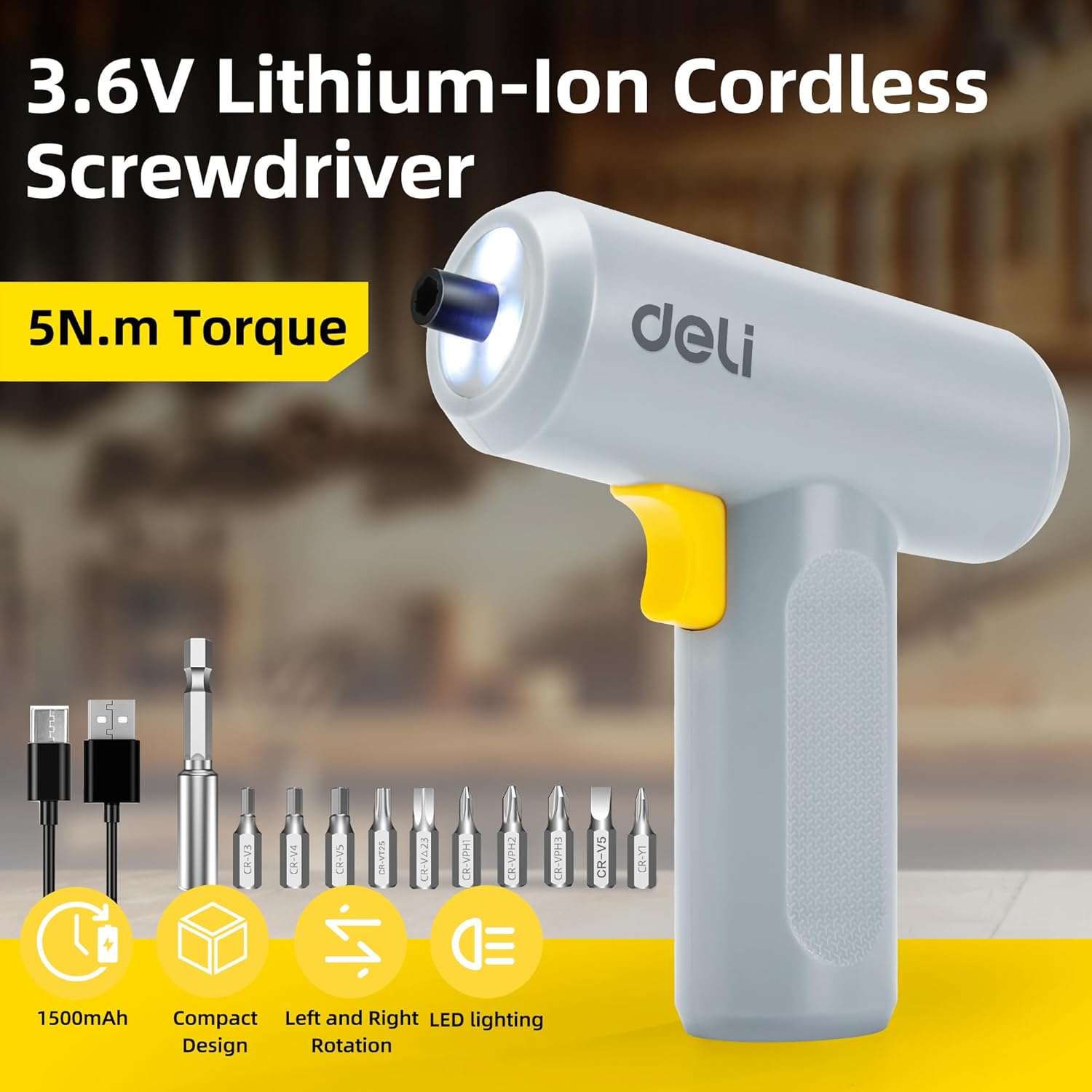
Image: The deli electric screwdriver shown with its complete set of accessories, including the 10 S2 steel bits, magnetic extension rod, and USB-C charging cable.
Product Overview
Familiarize yourself with the components and features of your deli electric screwdriver.

Image: A detailed diagram highlighting the key components of the deli electric screwdriver, including the magnetic chuck, circular LED light, two-way start button, 1500mAh battery, USB-C fast charging port, and its ergonomic design.
- Magnetic Chuck: Securely holds screwdriver bits.
- Circular LED Light: Illuminates the work area, especially useful in narrow or dimly lit spaces.
- Two-Way Start Button: Allows for easy forward and reverse rotation with a single control.
- 1500mAh Battery: High-capacity lithium-ion battery for extended use.
- USB-C Fast Charging Port: Convenient and modern charging interface.
- Ergonomic and Minimalist Design: Provides a comfortable and secure grip for safe operation.
Setup
1. Charging the Screwdriver
Before first use, fully charge the screwdriver's internal battery.
- Locate the USB-C charging port on the bottom of the screwdriver handle.
- Connect the provided USB-A to USB-C charging cable to the screwdriver.
- Plug the USB-A end of the cable into a compatible USB power adapter (not included), computer USB port, or power bank.
- The charging indicator light (if present, typically near the charging port) will illuminate to show charging status. Refer to the indicator behavior for full charge status.
- A full charge can power the screwdriver to drive approximately 300 screws.
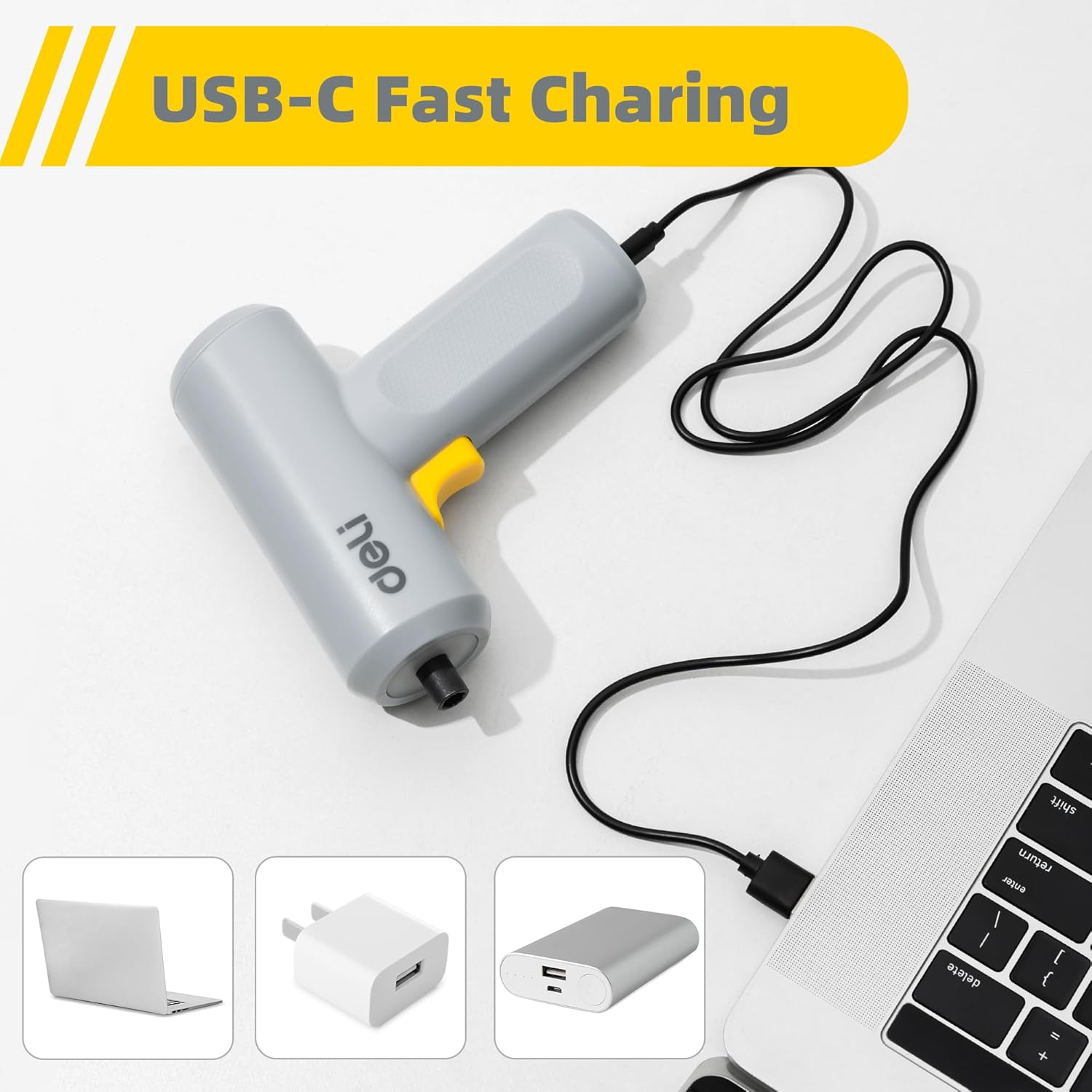
Image: The deli electric screwdriver being charged via its USB-C port, demonstrating its compatibility with various USB power sources such as laptops, wall adapters, and power banks.

Image: An illustrative view of the screwdriver's internal battery, highlighting its 1500mAh capacity and the capability to drive up to 300 screws per charge.
2. Installing Screwdriver Bits
The screwdriver uses a magnetic chuck for quick and secure bit changes.
- Select the appropriate S2 alloy steel bit for your task from the included set.
- Insert the hex end of the bit directly into the magnetic chuck at the front of the screwdriver. The magnetic chuck will hold the bit firmly in place.
- For hard-to-reach areas, first insert the selected bit into the 60mm magnetic extension rod, then insert the extension rod into the screwdriver's magnetic chuck.
- To remove a bit, simply pull it straight out from the chuck.

Image: The deli electric screwdriver positioned next to its assortment of S2 steel bits and the extension rod, illustrating the circular LED light at the front.
Operating Instructions
1. Powering On and Direction Control
The screwdriver features an innovative two-way start button for intuitive operation.
- To drive screws (forward rotation), press the "R" (Right/Forward) side of the two-way button.
- To remove screws (reverse rotation), press the "L" (Left/Reverse) side of the two-way button.
- Release the button to stop the screwdriver.

Image: A close-up view of the screwdriver's yellow two-way start button, clearly marked with 'L' for reverse and 'R' for forward rotation.
2. Using the LED Light
The screwdriver is equipped with a circular LED light that automatically illuminates when the screwdriver is in operation.
- The three LEDs form a ring light strip around the chuck, providing clear visibility of your work area.
- This feature is particularly useful when working in dimly lit conditions or in confined spaces.
Image: The deli electric screwdriver with its circular LED light activated, illustrating how it illuminates the work area, especially in tight or dark spots.
Maintenance
- Cleaning: Regularly wipe the screwdriver body with a soft, dry cloth. Do not use harsh chemicals or abrasive cleaners. Ensure no liquids enter the tool.
- Bit Care: Keep the S2 steel bits clean and free from debris. Store them in a dry place to prevent rust. Replace worn or damaged bits to ensure optimal performance and prevent damage to screw heads.
- Battery Storage: If storing the screwdriver for an extended period, ensure the battery is partially charged (around 50%) and store it in a cool, dry place. Avoid storing it in extreme temperatures. Recharge periodically to maintain battery health.
- General Inspection: Periodically check the screwdriver for any signs of damage, loose parts, or wear. Do not operate a damaged tool.
Troubleshooting
| Problem | Possible Cause | Solution |
|---|---|---|
| Screwdriver does not turn on. | Battery is depleted. | Charge the screwdriver using the provided USB-C cable. |
| Screwdriver lacks power or stops during use. | Low battery charge. | Recharge the battery fully. |
| Bit slips in the chuck. | Bit not fully inserted or chuck is dirty. | Ensure the bit is fully inserted. Clean the magnetic chuck if necessary. |
| Screws are stripped or damaged. | Incorrect bit size or excessive force. | Use the correct bit size for the screw head. Apply appropriate pressure and avoid over-tightening. |
| LED light does not turn on. | Screwdriver not operating or malfunction. | Ensure the screwdriver is powered on. If the issue persists, contact customer support. |
Specifications
| Feature | Specification |
|---|---|
| Brand | deli |
| Model Number | EDL-DP04-E3B1 |
| Voltage | 4 Volts (DC) |
| Battery Type | Lithium Ion |
| Battery Capacity | 1500 mAh |
| Max Torque | 5 Newton Meters (N.m) |
| No-Load Speed | 250 RPM |
| Chuck Size | 0.25 Inches (Hex) |
| Charging Port | USB-C |
| Material | Acrylonitrile Butadiene Styrene (ABS), Alloy Steel |
| Included Components | 10 S2 Steel Bits, Magnetic Extension Rod, USB-A to USB-C Charging Cable |
Warranty and Support
For warranty information or technical support, please refer to the warranty card included with your product or contact the manufacturer directly. Keep your purchase receipt as proof of purchase.
Manufacturer: deli
For further assistance, you may visit the official deli store online: deli Official Store


