
1. Introduction
Thank you for choosing the OLEVS Men's Chronograph Quartz Watch. This manual provides essential information for the proper setup, operation, and maintenance of your timepiece. Please read it carefully to ensure optimal performance and longevity of your watch.
2. Product Features
- Chronograph Function: Features three multi-function subdials for 60 seconds, 60 minutes, and moon phase tracking.
- Multi-Calendar Display: Includes a date window for convenient date reference.
- Quartz Movement: Ensures stable and accurate timekeeping.
- Durable Construction: Stainless steel case and strap with a butterfly double buckle for comfortable wear.
- Adjustable Bracelet: Comes with a free stainless steel strap adjustment tool to customize fit.
- Luminous Display: High-definition luminous pointers and markers absorb light energy for readability in dark environments.
- Water Resistance: Rated for 30 meters (3 ATM) for daily waterproof needs.
3. Setup Instructions
3.1 Time and Date Setting
- Setting the Time: Pull the crown (middle knob) out to the second click position. Rotate the crown to set the hour and minute hands to the correct time. Push the crown back in to the normal position.
- Setting the Date: Pull the crown out to the first click position. Rotate the crown clockwise or counter-clockwise (depending on the movement) to set the correct date. Push the crown back in to the normal position. Avoid setting the date between 9 PM and 3 AM, as this may interfere with the automatic date change mechanism.
3.2 Bracelet Adjustment
Your watch comes with a strap adjustment tool. To adjust the length of the stainless steel bracelet:
- Identify the pins on the side of the bracelet links that need to be removed.
- Place the bracelet in the adjustment tool with the pin facing the tool's pusher.
- Slowly turn the screw on the tool to push the pin out.
- Remove the desired number of links.
- Reassemble the bracelet by inserting the pins back into the links and gently tapping them into place.

Image: OLEVS Men's Chronograph Quartz Watch with blue dial and stainless steel band, accompanied by a band adjustment tool.
4. Operating Instructions
4.1 Chronograph Function
The chronograph allows for precise timing of events.
- Start/Stop: Press the upper pusher (button above the crown) to start the chronograph. Press it again to stop.
- Reset: While the chronograph is stopped, press the lower pusher (button below the crown) to reset all chronograph hands to zero.
4.2 Moon Phase Display
The moon phase subdial indicates the current phase of the moon. This is typically set in conjunction with the time and date, and will advance automatically once set correctly.
4.3 Luminous Display
The watch hands and markers are coated with a luminous material. Exposure to light (natural or artificial) will charge this material, allowing the time to be read in low-light conditions. The intensity and duration of the glow depend on the exposure time and light source.

Image: Diagram illustrating the functions of the OLEVS watch's chronograph, moon phase, calendar, and time setting.

Image: Close-up of the OLEVS watch dial showing the luminous hands and markers in the dark.
5. Maintenance
5.1 Water Resistance
This watch is water resistant to 30 meters (3 ATM). This means it is suitable for daily use and can withstand splashes or brief immersion in water. It is not suitable for showering, bathing, swimming, or diving. Avoid exposing the watch to hot water, as this can compromise the water resistance seals.
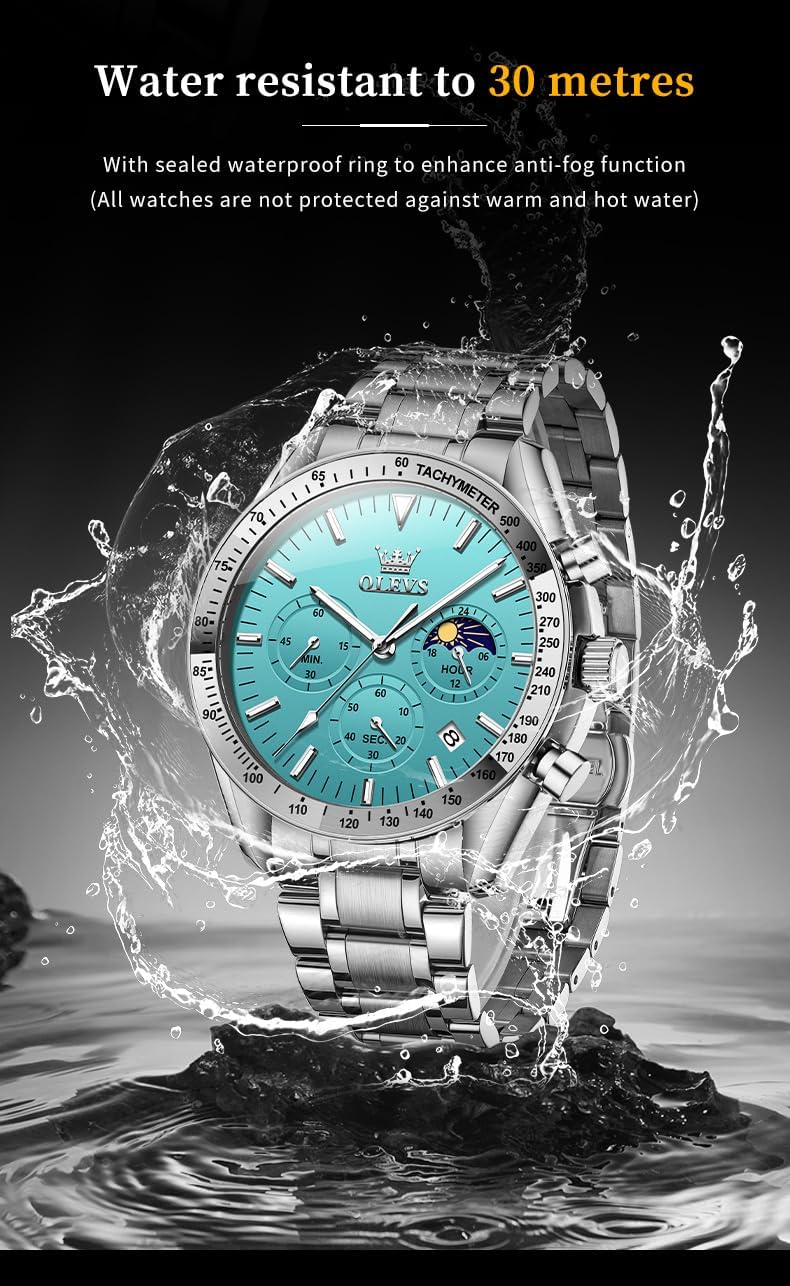
Image: OLEVS watch with water splashing around it, illustrating its water resistance.
5.2 Cleaning
To maintain the appearance of your watch, wipe the case and bracelet regularly with a soft, dry cloth. For stainless steel, a slightly damp cloth can be used, followed by a dry cloth. Avoid using chemical cleaners or abrasive materials.
5.3 Battery Replacement
The watch is powered by a quartz movement, which uses a battery. The battery life typically ranges from 1 to 3 years. When the watch stops or the second hand begins to jump erratically, it indicates a low battery. Battery replacement should be performed by a qualified watch technician to ensure proper sealing and function.
6. Troubleshooting
- Watch not running: Check if the crown is pushed in completely. If it is, the battery may need replacement.
- Incorrect time/date: Refer to the 'Time and Date Setting' section to reset. Ensure the crown is pushed in after setting.
- Chronograph not resetting to zero: This may require a specific reset procedure for the chronograph movement, or professional adjustment.
- Condensation under crystal: This indicates a loss of water resistance. Avoid further contact with water and seek professional service immediately.
7. Specifications
| Feature | Detail |
|---|---|
| Model Number | YPF-S-G5529G-JL |
| Movement | Original Quartz Movement |
| Case Diameter | 42mm |
| Dial Thickness | 12mm |
| Strap Material | Stainless Steel |
| Strap Width | 20mm |
| Wearing Length | 19cm (Adjustable) |
| Mirror Material | High Hardness Coated Glass |
| Waterproofing | 30 meters (3 ATM) |
| Weight | 115g |
8. Warranty and Support
OLEVS provides a 30-day free return guarantee for this watch. If you encounter any issues during the use of your OLEVS watch, please contact customer support for assistance. We are committed to providing a satisfactory solution.
For further inquiries or support, please refer to the contact information provided with your purchase or visit the official OLEVS store online.
Note: Protection plans may be available for extended coverage. Please check your purchase details for options.


