1. Introduction
This instruction manual provides detailed guidance for the installation, use, and maintenance of your bojioderf Phone Case and Tempered Glass Screen Protector for the Foxx Foxxd A55 smartphone. Please read this manual thoroughly to ensure proper installation and optimal protection for your device.
2. Package Contents
Verify that all items listed below are included in your package:
- 1 x bojioderf Phone Case for Foxx Foxxd A55
- 1 x Tempered Glass Screen Protector
- 1 x Adhesive Metal Finger Ring Support (may be pre-attached or separate)
3. Product Features
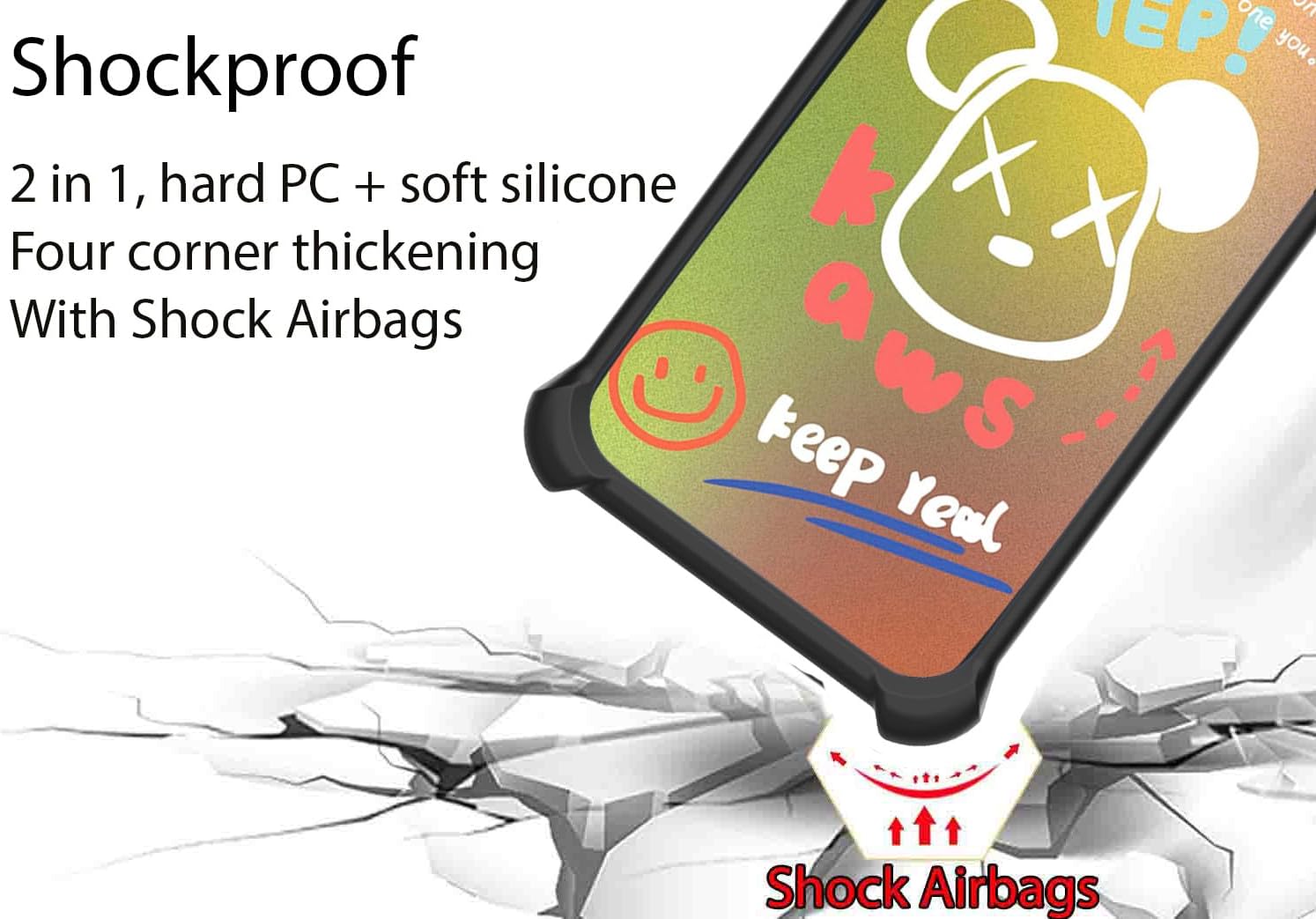
- Dual-Layer Protection: Features a hard PC (Polycarbonate) back panel combined with a soft silicone frame for comprehensive device protection.
- Shock Airbags: Equipped with four-corner shock airbags designed to absorb impact from drops and bumps.
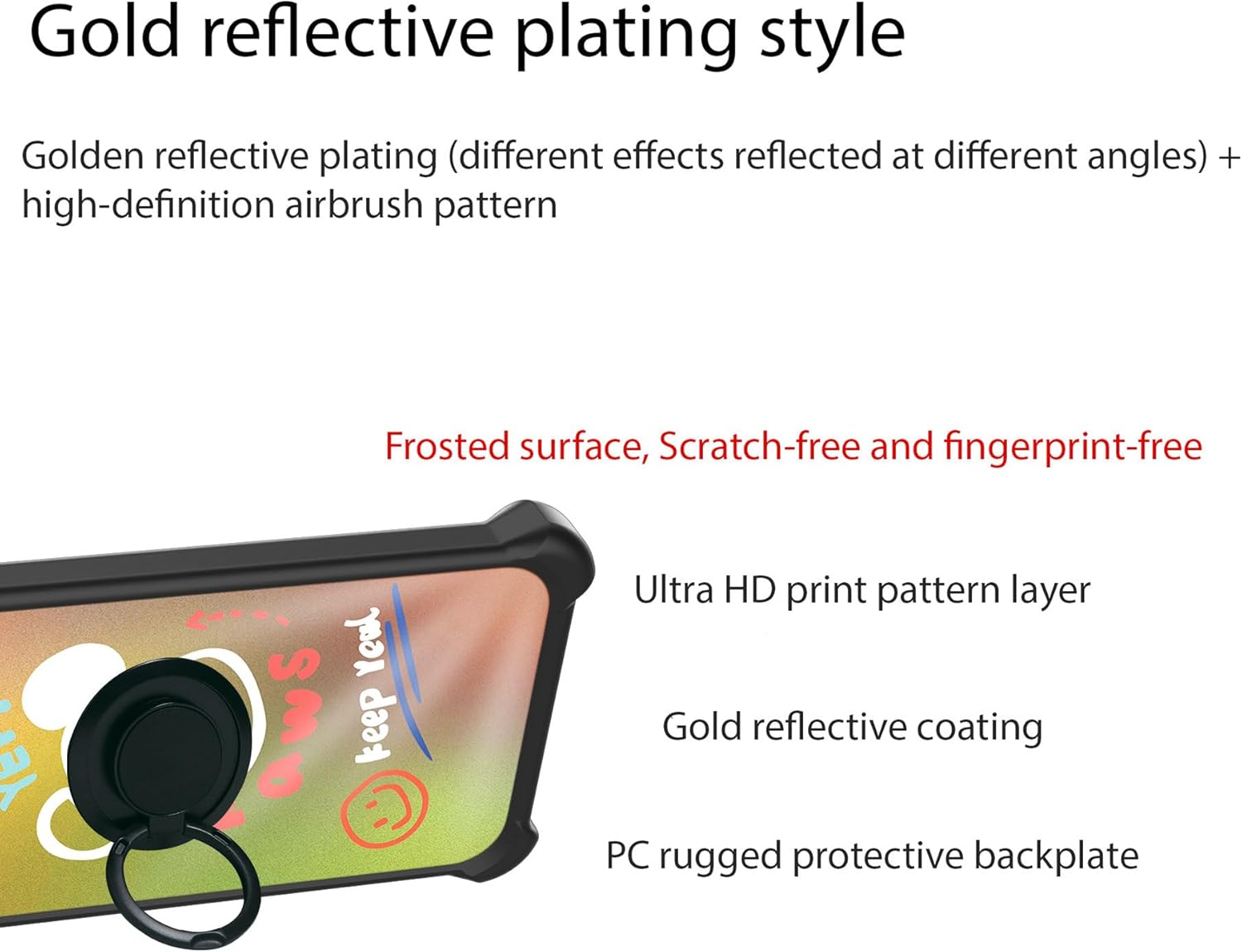
- Multi-Layer Back Panel: The back panel consists of four layers: a solid PC base, an ultra-high definition pattern layer, a special process layer, and a clear, scratch-resistant surface layer.
- Frosted Surface: Provides a delicate tactile feel and is designed to be scratch-free and fingerprint-resistant.
- Golden Reflective Light Effect: The case features a golden reflective plating style that creates different visual effects depending on the viewing angle.
- Raised Edges: The case design includes raised edges around the camera and screen to provide enhanced protection when the phone is placed on flat surfaces.
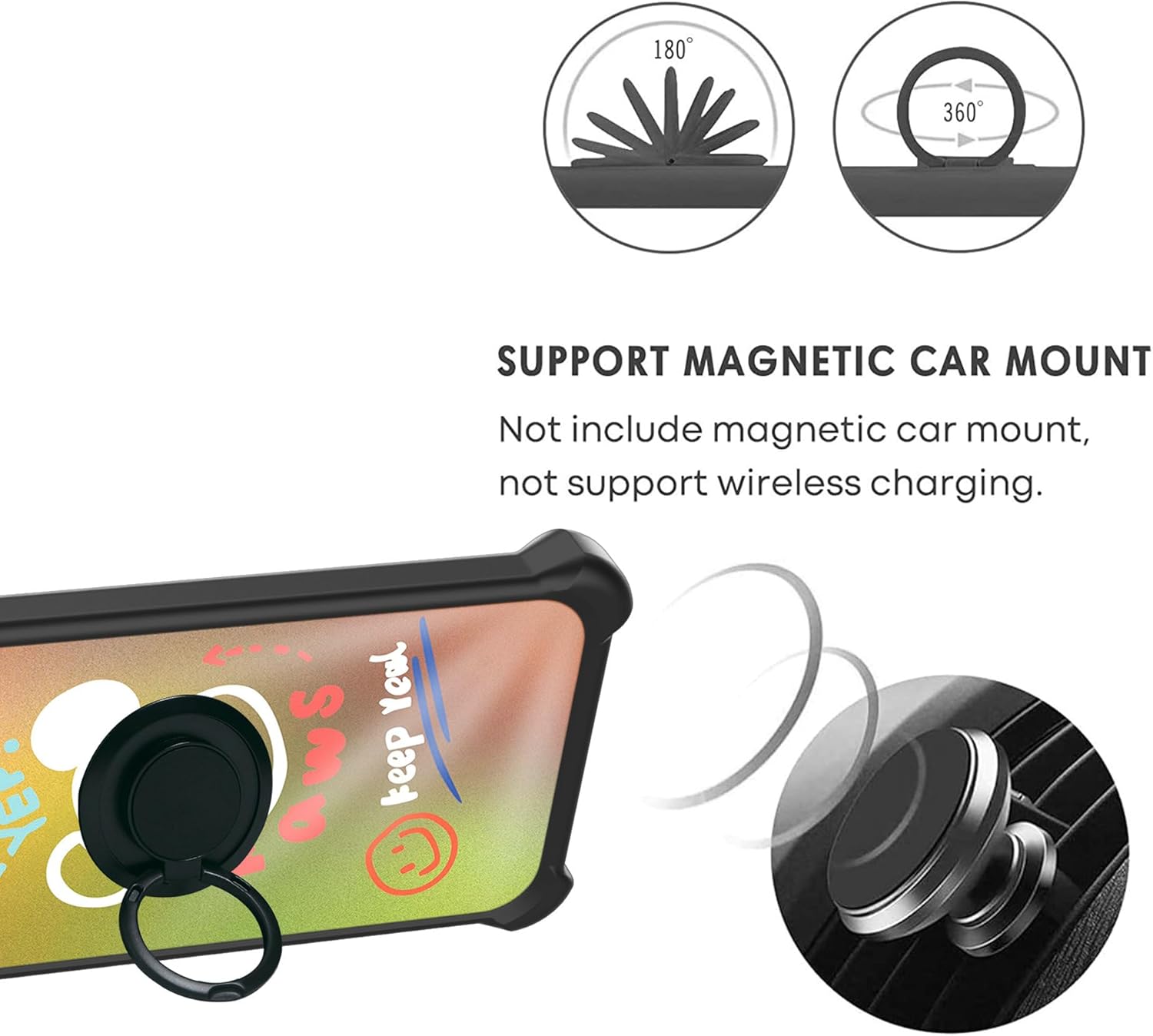
- Integrated Ring Support: An adhesive metal finger ring support offers 360-degree rotation and can function as a kickstand or a secure grip. It is also compatible with magnetic car mounts.
- Tempered Glass Screen Protector: Included for additional screen protection, featuring 9H hardness, shatterproof design, perfect adhesion, 99.9% super transparency, and anti-fingerprint properties.

4. Setup and Installation
4.1 Installing the Tempered Glass Screen Protector
Follow these steps carefully to install the screen protector:
- Clean the Screen: Use the provided cleaning wipes (if included) or a microfiber cloth to thoroughly clean your phone's screen. Ensure there is no dust, smudges, or fingerprints.
- Remove Dust: Use a dust-absorber sticker (if included) to remove any remaining dust particles from the screen.
- Align the Protector: Carefully peel off the protective film from the adhesive side of the tempered glass. Align the screen protector with your phone's screen, ensuring the cutouts for the speaker and camera are correctly positioned.
- Apply: Once aligned, gently lower the screen protector onto the screen. It will adhere automatically.
- Remove Bubbles: If any bubbles appear, gently push them towards the edges of the screen using a clean cloth or a squeegee card (if included).


4.2 Installing the Phone Case
- Insert Phone: Gently place your Foxx Foxxd A55 phone into the soft silicone frame of the case, starting with one side and then pressing the other side in.
- Ensure Fit: Make sure all corners and edges of the phone are securely seated within the case.
4.3 Attaching the Finger Ring Support (if separate)
If your finger ring support is not pre-attached to the case, follow these steps:
- Clean Surface: Ensure the back surface of the phone case (or your phone directly, if preferred) is clean and dry.
- Peel Adhesive: Remove the protective film from the adhesive side of the metal finger ring support.
- Attach: Carefully position the ring support in your desired location on the back of the case. Press firmly for at least 30 seconds to ensure strong adhesion.
- Allow to Set: For best results, allow the adhesive to set for a few hours before actively using the ring support.
5. Operating Instructions
5.1 Using the Finger Ring Support
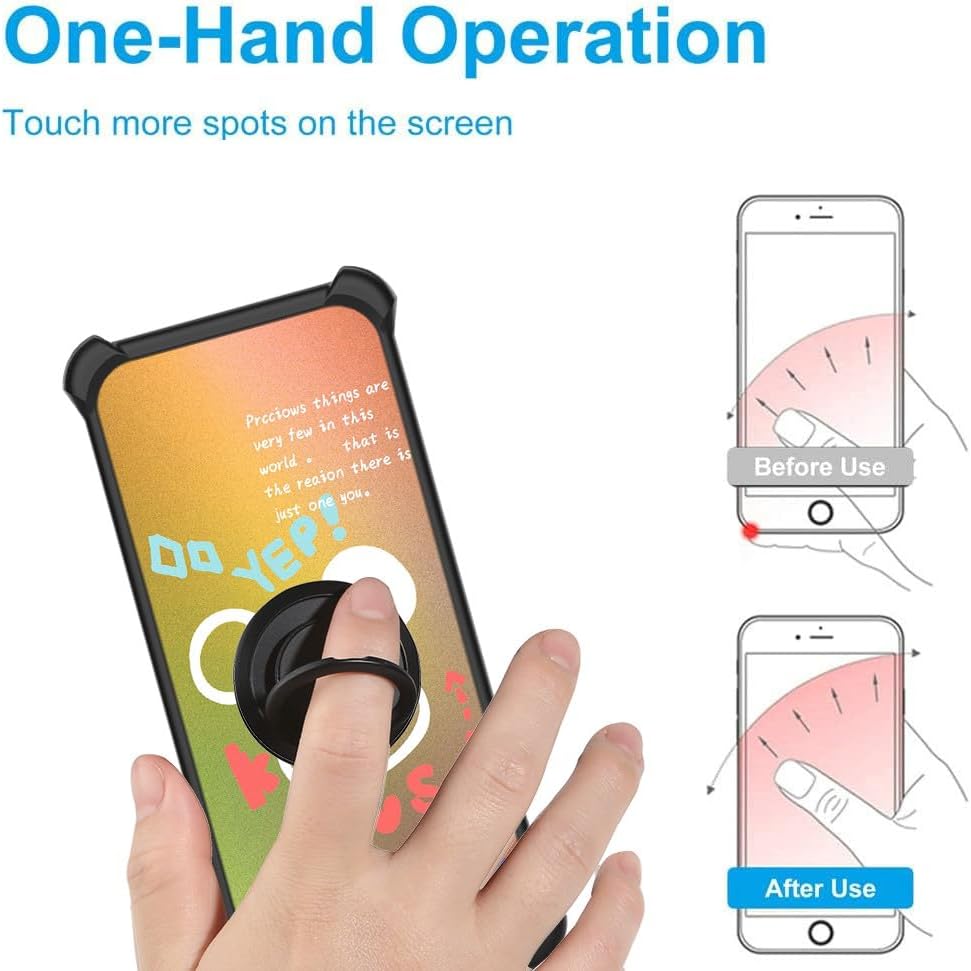
- Secure Grip: Slide your finger through the ring for a more secure hold on your phone, reducing the risk of accidental drops.
- Kickstand Function: Rotate the ring to a desired angle and prop your phone up on a flat surface for hands-free viewing of videos or video calls. The ring supports 360-degree rotation and 180-degree flip for versatile positioning.
- One-Hand Operation: The ring allows for easier reach across the entire screen, improving one-handed usability.
5.2 Magnetic Car Mount Compatibility
The metal plate integrated into the finger ring support allows for compatibility with magnetic car mounts. Simply attach your phone (with the case and ring support) to a magnetic car mount (not included) for secure in-car navigation or hands-free use.
Note: This product does not include a magnetic car mount. Wireless charging may be affected or prevented by the metal ring support. It is recommended to remove the case or use a wired charger for wireless charging functionality.
6. Maintenance and Care
- Cleaning the Case: Wipe the phone case with a soft, damp cloth to remove dust and smudges. For tougher stains, a mild soap solution can be used, followed by wiping with a clean, dry cloth. Avoid harsh chemicals or abrasive materials.
- Cleaning the Screen Protector: Use a microfiber cloth to gently wipe the screen protector. For smudges, a screen cleaner spray designed for electronics can be used.
- Avoid Extreme Conditions: Do not expose the case or screen protector to extreme temperatures or direct sunlight for prolonged periods, as this may affect material integrity.
7. Troubleshooting
- Screen Protector Bubbles: If bubbles appear after installation, try gently lifting the nearest edge of the protector and reapplying it slowly, pushing the air out with a clean cloth. Small bubbles often disappear within 24-48 hours.
- Ring Holder Loosening: If the adhesive on the ring holder begins to loosen, ensure the surface is clean and dry. Reapply pressure or consider using a stronger adhesive if necessary.
- Case Fit Issues: Ensure your phone model is indeed Foxx Foxxd A55. If the case does not fit correctly, double-check the model number of your device.
8. Specifications
| Feature | Detail |
|---|---|
| Product Dimensions | 0.39 x 0.39 x 0.39 inches |
| Item Weight | 2.46 ounces |
| Special Features | 360 Rotating Ring, Car Magnetic Fixing, Finger ring + support + car bracket magnetic suction |
| Form Factor | Solid protection with support |
| Color (Variant) | DJH-XXX |
| Manufacturer | GX23A17 BOJ-DJ |
| Included Components | 1*Phone Case, 1*Tempered Glass Screen Protector |
9. Warranty and Support
For warranty information or technical support, please refer to the contact details provided with your purchase or visit the official bojioderf website. Keep your purchase receipt as proof of purchase for any warranty claims.


