
TYLT 4955R
TYLT Bell Portable Magnetic Bluetooth Speaker
User Manual
Introduction
This manual provides detailed instructions for the setup, operation, maintenance, and troubleshooting of your TYLT Bell Portable Magnetic Bluetooth Speaker. Please read this manual thoroughly before using the device to ensure proper functionality and to maximize your user experience.
The TYLT Bell is a compact and versatile portable speaker designed for high-quality audio on the go. It features a magnetic attachment system, Bluetooth connectivity, and a built-in microphone for hands-free calls.
Package Contents
- TYLT Bell Portable Magnetic Bluetooth Speaker
- Charging Cable (USB-C)
- User Manual
Setup
1. Charging the Speaker
Before first use, fully charge your TYLT Bell speaker. Connect the provided USB-C charging cable to the charging port on the speaker and the other end to a USB power adapter (not included) or a computer's USB port.

Image: The TYLT Bell speaker shown connected to a charging cable, demonstrating the charging port location. The speaker is magnetically attached to the back of a smartphone.
The LED indicator will show charging status (e.g., red for charging, blue for fully charged, refer to LED indicator section for details).
2. Powering On/Off
To power on the speaker, press and hold the power button (marked with a power icon) for approximately 3 seconds until you hear an audible prompt and the LED indicator lights up. To power off, press and hold the power button again for 3 seconds.

Image: A close-up view of the TYLT Bell speaker's top surface, highlighting the power button (right) and Bluetooth pairing button (left) icons.
3. Bluetooth Pairing
- Ensure the speaker is powered on and within 1 meter (3 feet) of your Bluetooth-enabled device (smartphone, tablet, etc.).
- The speaker will automatically enter pairing mode when first powered on, indicated by a flashing blue LED. If it doesn't, press and hold the Bluetooth button (marked with a Bluetooth icon) for 3 seconds to enter pairing mode.
- On your device, go to Bluetooth settings and search for available devices.
- Select "TYLT Bell" from the list of found devices.
- Once paired, the LED indicator will turn solid blue, and you will hear a confirmation tone.
The speaker will automatically attempt to reconnect to the last paired device when powered on, if that device is within range and has Bluetooth enabled.
4. Magnetic Attachment
The TYLT Bell features a strong magnetic base for secure attachment to compatible magnetic surfaces. This allows for flexible positioning, such as on the back of a magnetic phone case, a metal desk, or a refrigerator.

Image: The TYLT Bell speaker shown attached to the back of a smartphone, illustrating its magnetic mounting capability.
Ensure the surface is clean and flat for optimal magnetic adhesion.
Operating Instructions
Audio Playback
Once paired, audio from your connected device will automatically play through the TYLT Bell speaker. Control playback (play/pause, skip tracks) directly from your connected device.
Hands-Free Calls
The built-in microphone allows for hands-free calling. When a call comes in, the speaker will ring. To answer a call, briefly press the power button. To end a call, briefly press the power button again. To reject an incoming call, press and hold the power button for 2 seconds.
Voice Assistant Activation
To activate your device's voice assistant (e.g., Siri, Google Assistant), double-press the power button. The speaker's microphone will then pick up your commands.
LED Indicator Status
| LED Status | Meaning |
|---|---|
| Flashing Blue | Pairing Mode |
| Solid Blue | Connected / Paired |
| Solid Red | Charging |
| LED Off (while charging) | Fully Charged |
| Flashing Red | Low Battery |
Maintenance
Cleaning
Wipe the speaker with a soft, dry, lint-free cloth. Do not use abrasive cleaners, solvents, or spray directly onto the speaker. Avoid exposing the speaker to excessive moisture.
Storage
When not in use for extended periods, store the speaker in a cool, dry place away from direct sunlight and extreme temperatures. It is recommended to charge the speaker at least once every three months to maintain battery health.
Troubleshooting
| Problem | Possible Cause | Solution |
|---|---|---|
| Speaker does not power on. | Low battery. | Charge the speaker fully. |
| Cannot pair with Bluetooth device. | Speaker not in pairing mode; device Bluetooth off; too far from speaker. | Ensure speaker is in pairing mode (flashing blue LED). Turn on Bluetooth on your device. Move device closer to speaker (within 1 meter). Forget "TYLT Bell" from your device's Bluetooth list and try pairing again. |
| No sound or distorted sound. | Volume too low; speaker not connected; audio source issue. | Increase volume on both speaker and connected device. Ensure speaker is successfully paired and connected. Try playing audio from a different source or application. |
| Magnetic attachment is weak. | Surface is not magnetic or has a thick non-magnetic layer. | Ensure you are attaching to a truly magnetic surface. Remove any non-magnetic cases or covers from your device if attaching directly. |
Specifications
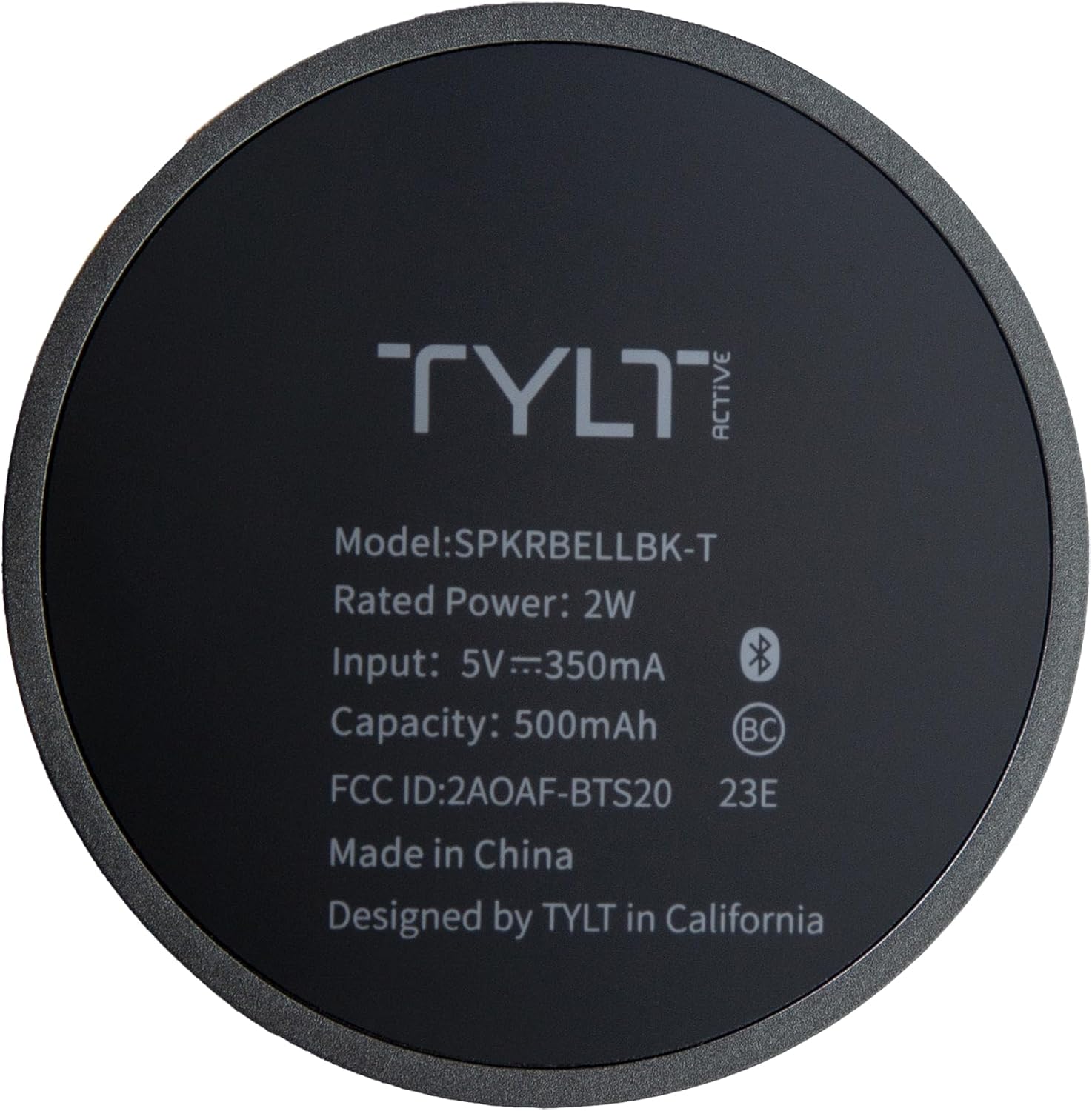
Image: The underside of the TYLT Bell speaker, displaying its model number (SPKRBELLBK-T), rated power (2W), input (5V=350mA), capacity (500mAh), FCC ID, and manufacturing details.
| Feature | Detail |
|---|---|
| Model Name | TYLT Bell (Model: 4955R / SPKRBELLBK-T) |
| Connectivity | Bluetooth |
| Speaker Type | Woofer |
| Special Features | Portable, Lightweight, Built-in Microphone, Magnetic Attachment |
| Dimensions (D x W x H) | 1.8" x 2.5" x 1.8" (4.57 cm x 6.35 cm x 4.57 cm) |
| Weight | 4.8 ounces (136 grams) |
| Power Source | Battery Powered |
| Input Voltage | 5V=350mA |
| Battery Capacity | 500mAh |
| Speaker Maximum Output Power | 5 Watts |
| Frequency Response | 20 KHz |
| Color | Black |
| Material | Plastic |
| UPC | 849944086042 |
Note: Specifications are subject to change without notice.
Warranty and Support
The TYLT Bell Portable Magnetic Bluetooth Speaker comes with a Limited Warranty. For specific warranty terms and conditions, please refer to the warranty card included with your product or visit the official TYLT website.
For technical support, troubleshooting assistance, or to inquire about warranty claims, please contact TYLT Customer Service:
- Website: Visit the TYLT Store on Amazon (for general product information)
- Refer to product packaging or included documentation for direct support contact information.
Please have your product model number (4955R) and proof of purchase ready when contacting support.
Ask a question about this manual
Ask about setup, troubleshooting, compatibility, parts, safety, or missing instructions. Manuals+ will review the question and use this page’s manual context to help answer it.