
1. Product Overview
The Olimpia Splendid UNICO EVO 25 PVAN is a monobloc inverter air conditioner designed for both cooling and heating (heat pump version). It eliminates the need for an external unit, requiring only two holes on the exterior wall for air intake and exhaust. This model utilizes R290 natural refrigerant, known for its low environmental impact.
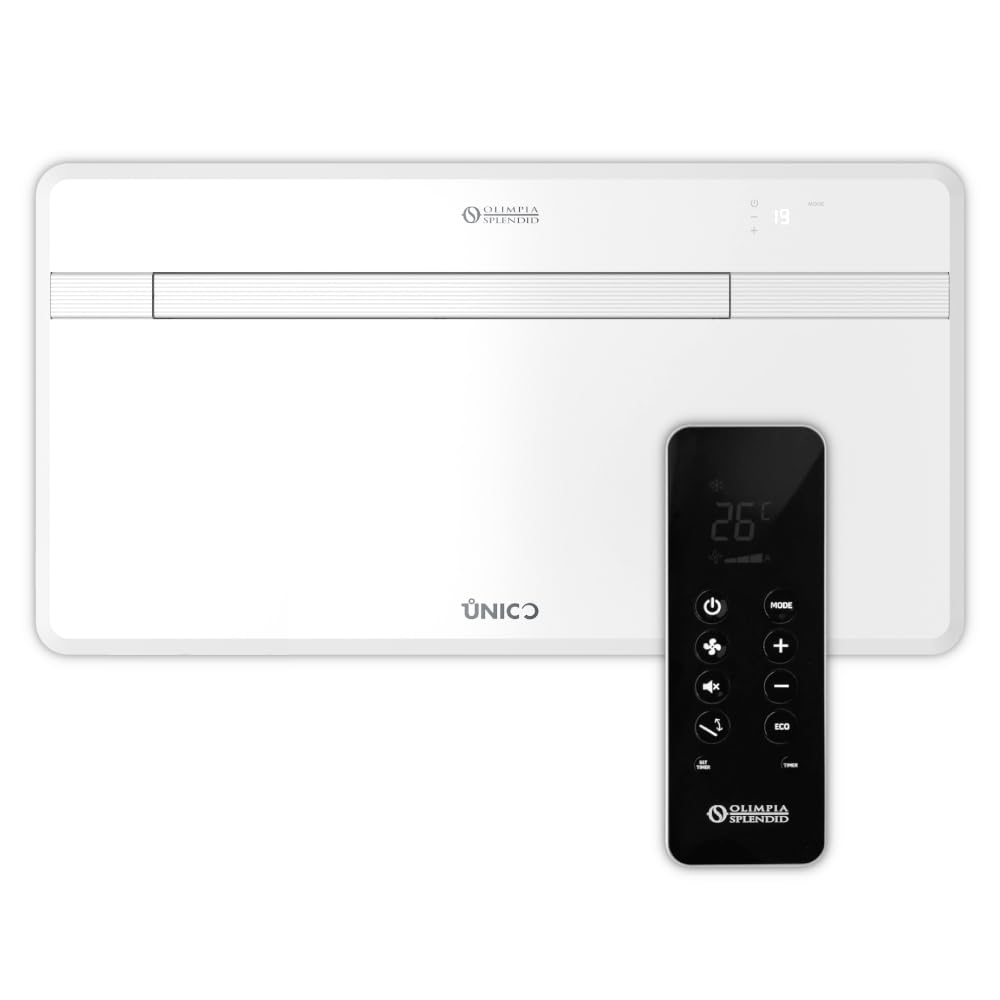
Image Description: Front view of the Olimpia Splendid UNICO EVO 25 PVAN monobloc air conditioner, showing its sleek white design and the Olimpia Splendid logo.
2. Important Safety Information
Read all instructions carefully before installation and use. Keep this manual for future reference.
- This appliance can be used by children aged 8 years and above and persons with reduced physical, sensory or mental capabilities or lack of experience and knowledge if they have been given supervision or instruction concerning use of the appliance in a safe way and understand the hazards involved.
- Children shall not play with the appliance. Cleaning and user maintenance shall not be made by children without supervision.
- Ensure the power supply matches the specifications on the rating label.
- Do not block air inlets or outlets.
- Do not insert objects into the appliance.
- In case of malfunction, disconnect power immediately and contact qualified service personnel.
- Installation must be performed by qualified personnel in accordance with local regulations.
- The appliance contains R290 refrigerant. Installation, servicing, and repair must be carried out by personnel certified to handle flammable refrigerants.
3. Key Product Features
- Monobloc Design: No outdoor unit required, maintaining external aesthetics.
- Heat Pump Functionality: Provides both cooling and heating.
- R290 Refrigerant: Environmentally friendly with very low Global Warming Potential (GWP).
- Slim Profile: Only 18 cm thick for minimal intrusion.
- Optimized Air Diffusion: Wide flap ensures even air distribution.
- Advanced Filtration: Electrostatic filter for dust and activated carbon filter for odors.
- Quiet Operation: Maximum 30 dB(A) in Silent Mode.
- Integrated Controls: On-board touch display, remote control, and integrated WiFi for smart control.
- BMS Compatibility: RS485 port for external Building Management Systems (Modbus RTU).
- Sustainable Packaging: 100% recyclable, 98% plastic-free.

Image Description: The remote control for the UNICO EVO 25 PVAN air conditioner, featuring buttons for power, mode, fan speed, mute, swing, ECO, and timer settings, along with a digital display.
4. Setup and Installation
Installation of the UNICO EVO 25 PVAN unit requires professional assistance due to the need for wall drilling and electrical connections.
4.1. Site Selection
- Choose an interior wall suitable for supporting the unit's weight.
- Ensure sufficient space around the unit for air circulation and maintenance.
- Avoid locations exposed to direct sunlight or heat sources.
- The unit requires two external holes (160-202 mm diameter) for air intake and exhaust.
4.2. Mounting the Unit
Follow the detailed mounting template provided with the product. Securely fasten the mounting bracket to the wall.
4.3. Electrical Connection
Connect the unit to a dedicated power outlet according to local electrical codes. This must be done by a qualified electrician.
4.4. Condensate Drain
The unit is designed for automatic condensate evaporation in cooling mode. For heating mode or high humidity conditions, a condensate drain connection may be required. The unit can be configured for "SOLO FREDDO" (cooling only) or "SOLO CALDO" (heating only) if condensate drainage is not available for the respective function.

Image Description: The Olimpia Splendid UNICO EVO 25 PVAN air conditioner mounted on a grey wall in a modern room, demonstrating its discreet integration into the living space.
5. Operating Instructions
The UNICO EVO 25 PVAN can be operated via the on-board touch controls, the supplied remote control, or through the integrated WiFi via a smartphone application.
5.1. On-Board Controls
The backlit display on the unit allows for basic control of power, mode, and temperature settings.
5.2. Remote Control Operation
Point the remote control towards the unit's receiver.
- Power Button (⏻): Turns the unit ON/OFF.
- Mode Button (MODE): Cycles through operating modes: Auto, Cooling, Heating, Fan, Dehumidification.
- Temperature Adjustment (+/-): Increases or decreases the set temperature.
- Fan Speed Button (💨): Adjusts fan speed (Low, Medium, High, Auto).
- Mute Button (🔇): Activates/deactivates Silent Mode for reduced noise.
- Swing Button (⇆): Controls the air flap movement for optimal air distribution.
- ECO Button (ECO): Activates energy-saving mode.
- SET TIMER / TIMER: Sets or cancels the operating timer.
5.3. WiFi Control
Download the dedicated Olimpia Splendid app from your smartphone's app store. Follow the in-app instructions to connect your UNICO EVO 25 PVAN to your home WiFi network for remote control and advanced features.
6. Maintenance
Regular maintenance ensures optimal performance and longevity of your air conditioner.
6.1. Filter Cleaning
The unit is equipped with an electrostatic filter and an activated carbon filter.
- Turn off and unplug the unit before cleaning.
- Open the front panel to access the filters.
- Remove the filters and clean them with a vacuum cleaner or wash them with lukewarm water and mild detergent.
- Allow filters to dry completely before reinserting.
- Clean filters every 2-4 weeks, depending on usage and air quality.
6.2. Exterior Cleaning
Wipe the exterior casing with a soft, damp cloth. Do not use abrasive cleaners or solvents.
6.3. Seasonal Maintenance
- Before long periods of inactivity (e.g., end of season), run the unit in fan-only mode for a few hours to dry the internal components.
- Ensure the air intake and exhaust grilles are clear of obstructions.
7. Troubleshooting
Before contacting technical support, refer to the following common issues and solutions.
| Problem | Possible Cause | Solution |
|---|---|---|
| Unit does not turn on | No power supply | Check power cord connection and circuit breaker. |
| Unit not cooling/heating effectively | Dirty filters | Clean or replace air filters. |
| Blocked air inlets/outlets | Ensure grilles are clear. | |
| Temperature setting incorrect | Adjust desired temperature. | |
| Unusual noise | Loose components | Contact qualified service personnel. |
| Water leakage | Blocked condensate drain | Check and clear condensate drain if applicable. |
| Remote control not working | Dead batteries | Replace batteries. |
| Obstruction between remote and unit | Ensure clear line of sight. |
If the problem persists, contact Olimpia Splendid customer support or a qualified technician.
8. Technical Specifications
- Model: UNICO EVO 25 PVAN
- Product Code: 02455
- Dimensions (W x H x D): 101.5 cm x 54 cm x 18 cm
- Cooling Capacity: 2.1 kW
- Energy Efficiency Class (Cooling): Up to A+
- Refrigerant: R290 (GWP=3)
- Noise Level (Min): 30 dB(A) (Silent Mode)
- Filter Type: Electrostatic, Activated Carbon
- Power Source: AC Adapter (Standard electrical connection)
- Special Features: Heating, WiFi, Remote Control, BMS (Modbus RTU)
Note: Specifications are subject to change without notice. Refer to the product label for exact details.
9. Warranty and Support
Your Olimpia Splendid UNICO EVO 25 PVAN air conditioner is covered by a manufacturer's warranty. Please refer to the warranty card included with your product for specific terms and conditions.
For technical assistance, spare parts, or warranty claims, please contact Olimpia Splendid customer service or visit their official website.
Olimpia Splendid Official Website: www.olimpiasplendid.it
Customer Service: Refer to your local dealer or the contact information provided in the warranty documentation.
10. Product Videos
No official product videos from the seller were available for embedding based on the provided data.


