
1. Introduction
This manual provides essential information for the proper installation, operation, and maintenance of your Yoidesu KDB0412HB TV CPU Cooling Fan. Please read these instructions carefully before proceeding with installation to ensure optimal performance and longevity of the product. This cooling fan is designed to replace the original fan in compatible television models, providing efficient heat dissipation to maintain stable TV operation.
2. Safety Information
- Always disconnect the television from the power source before attempting any installation or maintenance.
- Handle electronic components with care to avoid damage from static electricity. Consider using an anti-static wrist strap.
- If you are not comfortable with electronic repairs, seek assistance from a qualified technician.
- Ensure all connections are secure before restoring power to the television.
3. Product Overview
The Yoidesu KDB0412HB TV CPU Cooling Fan is a high-performance replacement component designed for specific television models. It features a 3-pin power connector for reliable operation and is constructed from durable aluminum alloy and ABS materials. Its primary function is to dissipate heat generated by the TV's CPU, preventing overheating and ensuring stable performance.

Image 3.1: The Yoidesu KDB0412HB TV CPU Cooling Fan. This image shows the fan unit with its attached 3-pin power cable, highlighting its compact design and standard connector.
3.1. Key Features
- Compatibility: Specifically designed for HU7580, HU8500, HU8550, HU8590, HU9000, HU9800, HU7500, HU7505, HU7590, HU8200, HU8205, HU8280, HU8290, HU8700, HU8800 series televisions.
- Silent Operation: Engineered for low noise and efficient heat dissipation, contributing to a comfortable viewing experience.
- 3-Pin Power Connector: Ensures a stable power supply and effective heat management during continuous operation.
- Durable Construction: Made from high-quality aluminum alloy and ABS materials for long-term reliability.

Image 3.2: The cooling fan shown alongside a television, illustrating its intended application and listing compatible TV models. This image emphasizes the fan's specific design for various HU series televisions.
4. Setup and Installation
The installation of the Yoidesu KDB0412HB cooling fan requires opening the television casing. Due to the complexity and potential risks involved, it is recommended that installation be performed by a qualified technician. If you choose to proceed yourself, exercise extreme caution.
4.1. General Installation Steps (Consult TV Service Manual for Specifics)
- Power Disconnection: Ensure the television is completely unplugged from the power outlet.
- Access TV Interior: Carefully remove the back panel of your television. Refer to your TV's service manual for precise instructions on how to open the casing without causing damage.
- Locate Old Fan: Identify the existing CPU cooling fan within the television.
- Disconnect Old Fan: Gently disconnect the 3-pin power connector of the old fan from the motherboard.
- Remove Old Fan: Unscrew or unclip the old fan from its mounting points.
- Install New Fan: Position the Yoidesu KDB0412HB fan in the same location as the old fan. Secure it using the original screws or clips.
- Connect New Fan: Connect the 3-pin power connector of the new fan to the corresponding port on the motherboard. Ensure the connection is firm and correctly oriented.
- Reassemble TV: Carefully reattach the back panel of the television, ensuring all screws are tightened and no cables are pinched.
- Power On: Plug the television back into the power outlet and power it on to verify fan operation.

Image 4.1: An angled view of the cooling fan, clearly showing the 3-pin connector. This image is useful for identifying the correct connection type during installation.
5. Operating Instructions
The Yoidesu KDB0412HB TV CPU Cooling Fan operates automatically once installed and the television is powered on. It is designed to regulate the internal temperature of the TV's CPU by drawing heat away from critical components. The fan's silent design ensures that its operation does not interfere with your viewing experience.
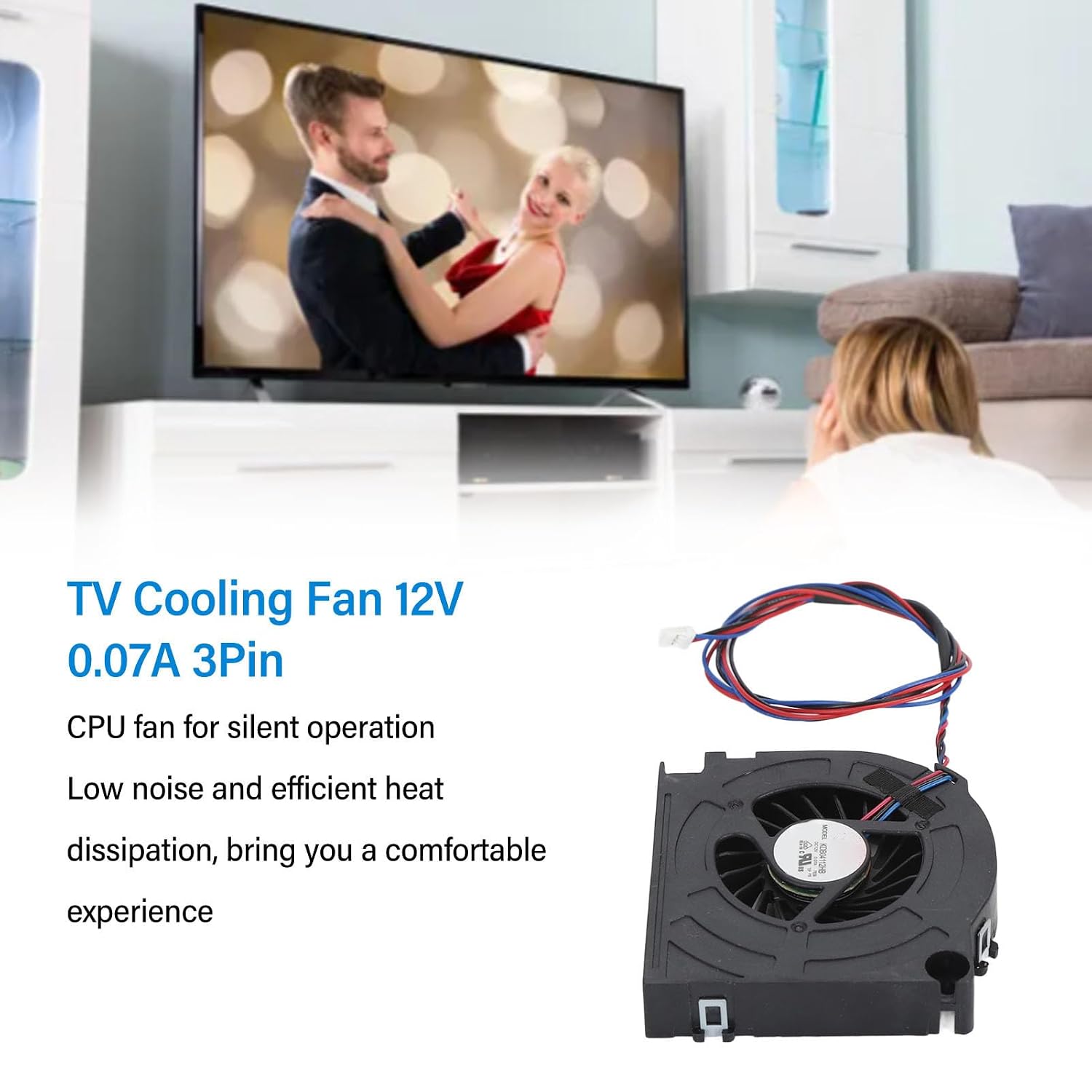
Image 5.1: The cooling fan depicted in a home setting with a television, emphasizing its silent operation. This image highlights the fan's ability to provide efficient cooling without generating disruptive noise.
6. Maintenance
Regular maintenance is crucial for the optimal performance and lifespan of your cooling fan. Since the fan is located inside the television, maintenance should be performed with caution.
- Dust Removal: Periodically (e.g., once a year), with the TV unplugged and the back panel removed, gently clean any accumulated dust from the fan blades and surrounding areas using compressed air or a soft brush. Avoid touching the fan blades directly with your fingers.
- Inspection: While cleaning, inspect the fan for any signs of wear, damage, or obstruction. Ensure the fan spins freely.
7. Troubleshooting
If you encounter issues with your cooling fan, refer to the following common problems and solutions:
| Problem | Possible Cause | Solution |
|---|---|---|
| Fan not spinning | Loose connection, power issue, fan failure | Check 3-pin connector for secure fit. Ensure TV is receiving power. If still not spinning, the fan may need replacement. |
| Unusual noise from fan | Dust accumulation, obstruction, bearing wear | Disconnect power and clean fan blades. Check for any foreign objects. If noise persists, consider replacement. |
| TV overheating warning | Fan not functioning effectively, blocked airflow | Ensure fan is spinning and clean. Verify TV vents are not blocked. If issues persist, professional diagnosis is recommended. |
8. Specifications
Detailed technical specifications for the Yoidesu KDB0412HB TV CPU Cooling Fan:

Image 8.1: The underside of the cooling fan, showing the model number KDB0412HB and other electrical ratings. This image confirms the specific model and its technical details.
- Item Type: TV CPU Cooling Fan
- Model: KDB0412HB
- Material: Aluminum Alloy, ABS
- Power Connection: 3 Pin
- Voltage: 12 Volts
- Current: 0.07 Amperes
- Cooling Method: Forced Air
- Compatible Devices: Specific TV Models (HU7580, HU8500, HU8550, HU8590, HU9000, HU9800, HU7500, HU7505, HU7590, HU8200, HU8205, HU8280, HU8290, HU8700, HU8800 series)
- Manufacturer: Yoidesu
- ASIN: B0CX9F7K5K
- Item Model Number: Yoidesugwhoqgd8xr
9. Warranty and Support
For warranty information or technical support regarding your Yoidesu KDB0412HB TV CPU Cooling Fan, please refer to the documentation provided with your purchase or contact Yoidesu customer service directly. Keep your purchase receipt as proof of purchase.