
1. Introduction
Thank you for choosing Music Hero TWS Rash Wireless Earbuds. These earbuds are designed for convenience and high-quality audio, featuring True Wireless Stereo (TWS) technology, touch controls, and an integrated microphone. This manual provides detailed instructions for setup, operation, and maintenance to ensure optimal performance.
2. Package Contents
Please check the package for the following items:
- Music Hero TWS Rash Wireless Earbuds (Left and Right)
- 200 mAh Wireless Charging Case
- USB-A to USB-C Charging Cable
- User Manual (this document)
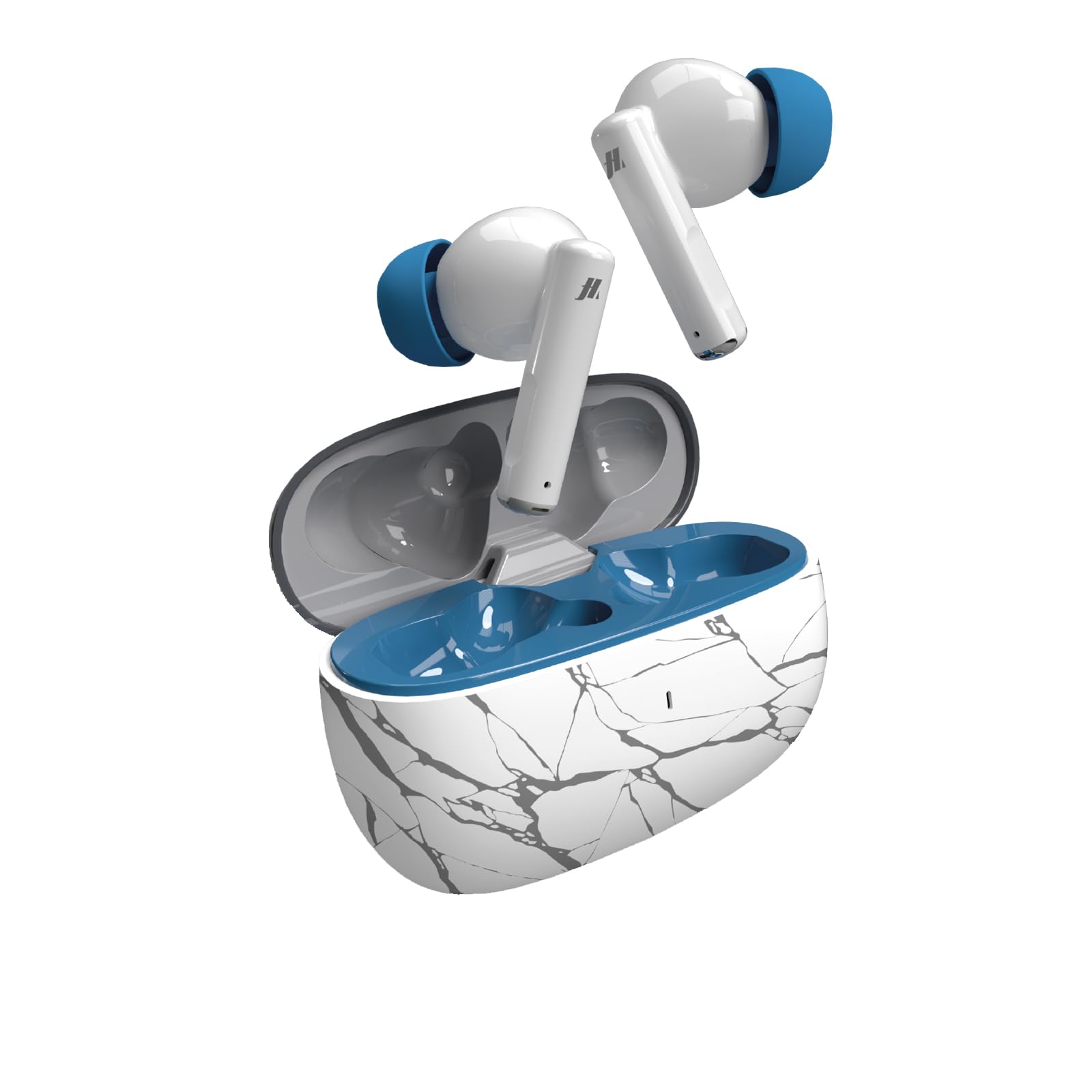
Image: Music Hero TWS Rash Wireless Earbuds and their charging case, displayed within their retail packaging.
3. Setup
3.1 Charging the Charging Case
- Connect the provided USB-A to USB-C charging cable to the charging port on the case.
- Connect the other end of the cable to a USB power source (e.g., wall adapter, computer USB port).
- The charging indicator on the case will show charging status. A full charge takes approximately 1 hour.
3.2 Charging the Earbuds
- Place the earbuds into their respective slots in the fully charged charging case.
- The earbuds will automatically begin charging. The charging case will indicate the charging status of the earbuds.
- A full charge for the earbuds takes approximately 1 hour.
3.3 Pairing with Your Device
- Ensure the earbuds are charged.
- Open the charging case. The earbuds will automatically power on and enter pairing mode.
- On your smartphone, tablet, or laptop, enable Bluetooth.
- Search for available Bluetooth devices and select "TWS RASH" from the list.
- Once connected, you will hear a confirmation tone, and the earbuds will be ready for use.
- The TWS technology ensures a stable connection up to 10 meters (33 feet) away from your device.

Image: A pair of Music Hero TWS Rash wireless earbuds, removed from their charging case, showcasing their in-ear design.
4. Operating Instructions
4.1 Power On/Off
- Power On: Open the charging case, and the earbuds will automatically power on.
- Power Off: Place the earbuds back into the charging case and close the lid. They will automatically power off and begin charging.
4.2 Touch Controls
The TWS Rash earbuds feature integrated touch controls for easy management of music, calls, and voice assistant functions without needing to access your connected device.
| Action | Function |
|---|---|
| Single Tap (Left/Right Earbud) | Play/Pause Music, Answer/End Call |
| Double Tap (Left Earbud) | Previous Track |
| Double Tap (Right Earbud) | Next Track |
| Triple Tap (Left/Right Earbud) | Activate Voice Assistant |
| Long Press (Left/Right Earbud) | Reject Call |
| Volume Control | Adjust volume via connected device. |
4.3 Making and Receiving Calls
The integrated microphone allows for clear communication during calls and voice recordings. Use the touch controls as described above to manage calls.
5. Maintenance
- Cleaning: Gently wipe the earbuds and charging case with a soft, dry, lint-free cloth. Do not use abrasive cleaners or immerse in liquids.
- Storage: When not in use, store the earbuds in their charging case to protect them and keep them charged. Store in a cool, dry place away from extreme temperatures.
- Water Resistance: These earbuds are not water-resistant. Avoid exposure to water or excessive moisture.
6. Troubleshooting
- Earbuds not pairing: Ensure both earbuds are charged and placed in the case. Open the case, then check your device's Bluetooth settings to reconnect. If issues persist, try forgetting the device on your phone and re-pairing.
- Only one earbud working: Place both earbuds back into the charging case, close the lid, wait a few seconds, then open it again. This often re-syncs them.
- Charging issues: Verify the charging cable is securely connected to both the case and the power source. Ensure the power source is active. Clean the charging contacts on the earbuds and inside the case if necessary.
- No sound: Check the volume level on both your connected device and the earbuds. Ensure the earbuds are properly paired and selected as the audio output device.
7. Specifications
| Feature | Specification |
|---|---|
| Brand | MUSIC HERO |
| Model Name | TWS RASH |
| Model Number | MHTWSRASHBTB |
| Connectivity Technology | Wireless (Bluetooth) |
| Bluetooth Version | 4.0 |
| Wireless Range | Up to 10 meters (33 feet) |
| Earbud Placement | In-ear |
| Control Method | Touch |
| Integrated Microphone | Yes |
| Charging Case Capacity | 200 mAh |
| Earbud Playback Time | Up to 3 hours |
| Charging Time (Earbuds/Case) | Approximately 1 hour |
| Frequency Range | 20 Hz - 20,000 Hz |
| Weight | 95 Grams (total) |
| Material | Plastic |
| Water Resistance | No |
8. Warranty and Support
The Music Hero TWS Rash Wireless Earbuds come with a 2-year manufacturer's warranty from the date of purchase. This warranty covers manufacturing defects under normal use.
For warranty claims, technical support, or any questions regarding your product, please refer to the contact information provided on the product packaging or the official Music Hero website.