
LawnMaster VBRM601YCM
LawnMaster OcuMow Perimeter Wire Free Robot Lawn Mower Instruction Manual
Model: VBRM601YCM
Brand: LawnMaster
Introduction
The LawnMaster OcuMow Perimeter Wire Free Robot Lawn Mower is designed to simplify your lawn maintenance. Utilizing advanced optical navigation technology, this robot mower efficiently navigates your lawn without the need for perimeter wires or complex app setups. It is ideal for small lawns, offering obstacle avoidance and a 'No Go' function for restricted areas.

Figure 1: LawnMaster OcuMow Robot Lawn Mower
Setup Guide
Unboxing and Initial Inspection
Carefully remove all components from the packaging. Ensure all listed items are present: Robot mower, 1 x MX 24V MAX* battery, 24V quick battery charger, 33 ft magnetic strip, and 12pcs magnetic strip pegs, extra 3pcs blades.
Video 1: Unboxing and initial setup of the LawnMaster OcuMow Robot Lawn Mower.
Battery Installation and Charging
Insert the MX 24V MAX* battery into the designated compartment on the mower. Use the provided 24V quick battery charger to fully charge the battery before first use. The battery must be fully recharged to resume operation for larger areas.
'No Go' Function Setup
Use the included 33-feet of magnetic wires and pegs to create virtual fences. This prevents the robot mower from entering forbidden areas such as flower beds or delicate landscaping. Set up is easy with no power source or digging required.
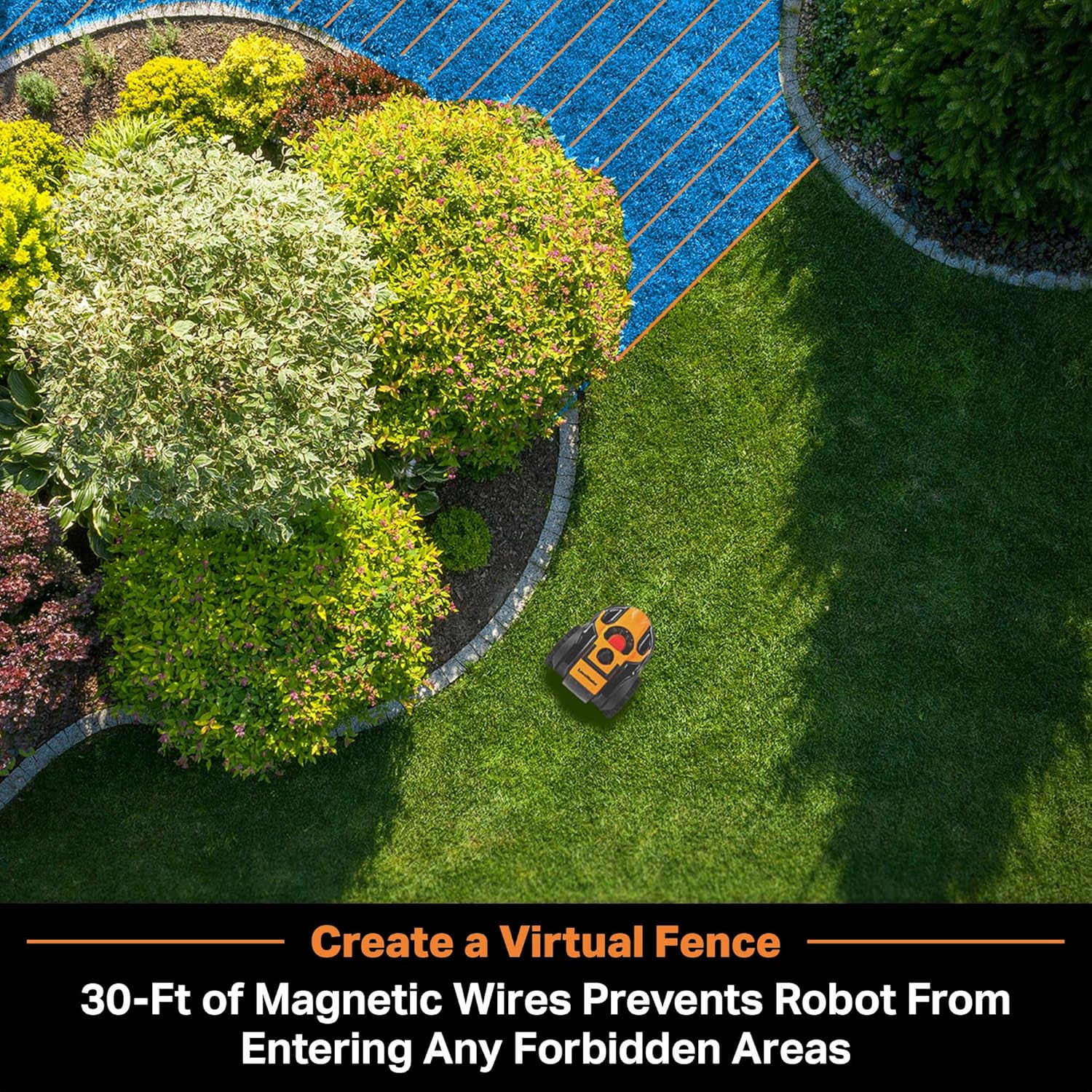
Figure 2: Setting up 'No Go' zones with the magnetic strip.
Lawn Preparation for Best Results
A clearly defined edge around the full perimeter of your lawn (such as paving or gravel, or a raised edge at least 2.3 inches high) is required to prevent the mower from leaving the grass. Adjustment of the lawn edges may be required. As with other robot mowers, a grass trimmer is needed to trim the lawn edges.

Figure 3: Examples of ideal lawn edges for optimal mower performance.
Operating Instructions
Optical Navigation Technology
The OcuMow uses sensors and a wide-angle, high dynamic range camera to identify grass even under extreme contrast lighting situations. This allows the robot to navigate around your lawn efficiently, taking the guesswork out of yard work.

Figure 4: Optical Navigation Technology in action.
Obstacle Avoidance
Two ultrasonic sensors detect obstacles and automatically re-direct the robot mower to avoid obstacles as small as 6-inches. This ensures smooth operation and prevents collisions.
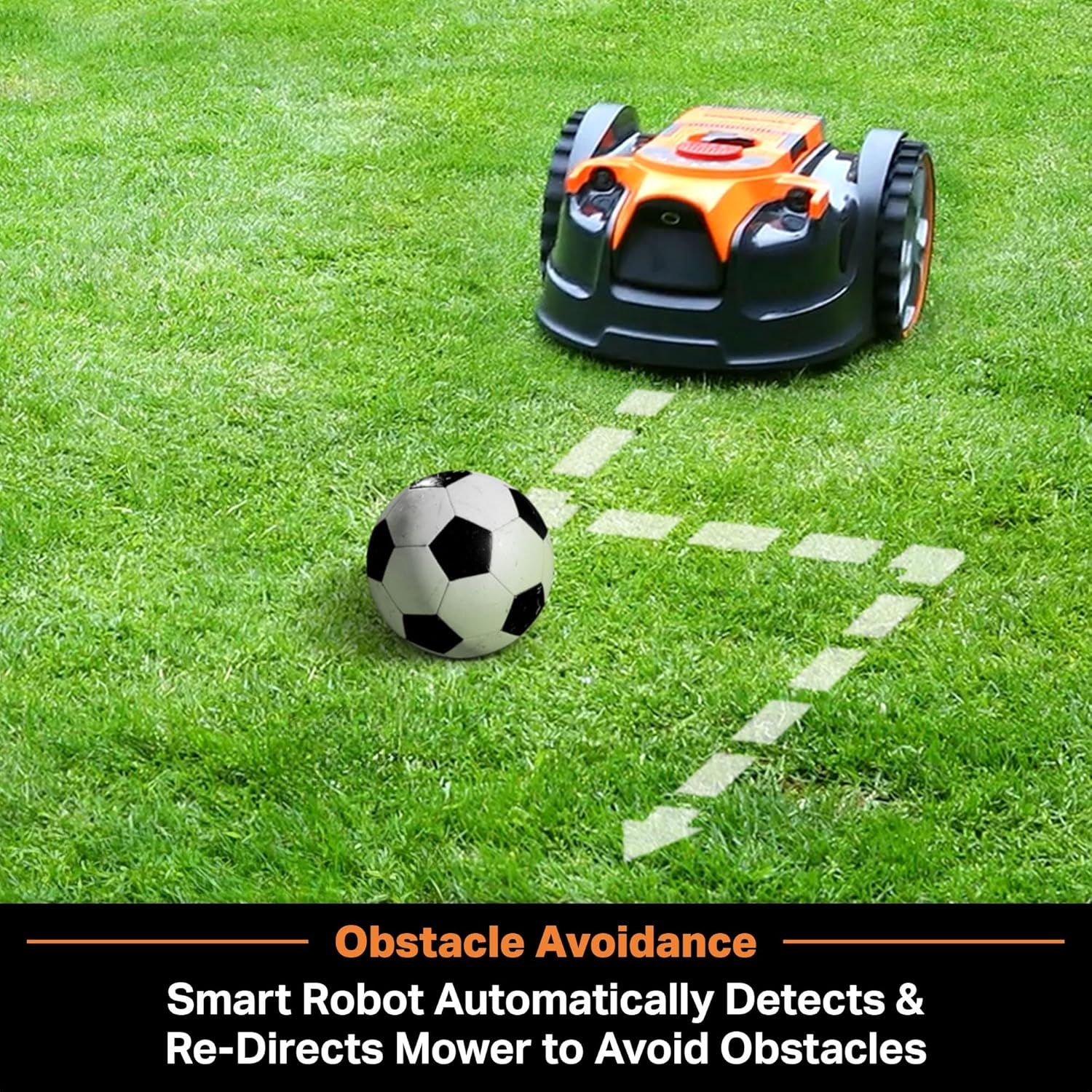
Figure 5: Obstacle avoidance in action.
Drop and Mow Function
There is no need for an outdoor power socket or app setup. Simply set the robot mower on an appropriately sized lawn, push the start button, and let it get to work. It will mow for up to 3 hours covering 2000 square feet while dropping small clippings on the lawn to feed the grass. For a larger yard, extra batteries can be purchased separately.

Figure 6: Mowing area coverage with the 24V battery system.
Slope Handling
Deep tread wheels and a powerful drive system allow the OcuMow to climb up to a 35% (19°) slope, handling complex lawns with ease.
Maintenance
Blade Replacement
The robot mower includes extra blades. Refer to the user guide for detailed instructions on how to safely replace the blades. Regular blade inspection and replacement ensure optimal cutting performance.
Cleaning and Storage
After each use, ensure the mower is clean from grass clippings and debris. Store the robot mower in a dry, protected area. It is compact in size for easy storage in small spaces.
Troubleshooting
Common issues and their solutions:
- Q1: Why does it get stuck in pits while operating?
A1: The OcuMow works best on even lawns. Fill holes or level uneven spots to prevent the robot from getting stuck. - Q2: Why does OcuMow
leave stripes on the lawn?
A2: Check if grass height exceeds 2.5 inches or if it's your first use. Stripes are normal initially but will reduce with continued use. - Q3: Is the mower noisy?
A3: Don't disturb your neighbors - OcuMow is on average 28% quieter than gas mowers at only 68dB.
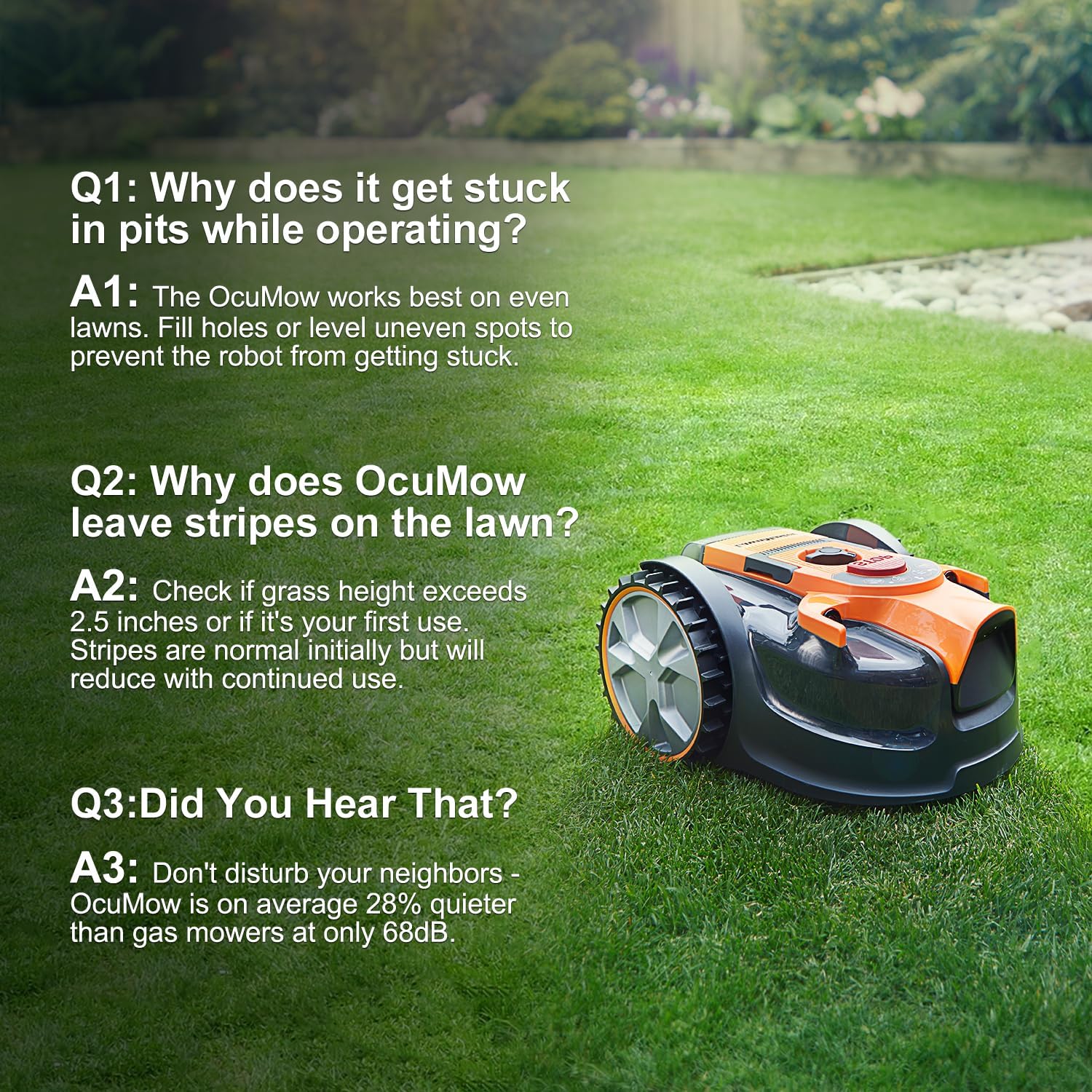
Figure 7: Common troubleshooting questions and answers.
Specifications
| Feature | Detail |
|---|---|
| Brand | LawnMaster |
| Model Number | VBRM601YCM |
| Power Source | Battery Powered (1 x MX 24V MAX* Lithium Ion battery included) |
| Material | Plastic |
| Color | Orange |
| Item Weight | 13.4 Pounds |
| Cutting Width | 6 Inches |
| Cutting Heights | 4 positions (1-inch – 2.5-inch) |
| Operation Mode | Automatic (Drop and Mow) |
| Product Dimensions | 22"D x 14.5"W x 10"H |
| Slope Capability | Up to 35% (19°) |
| Noise Level | Approx. 68dB |
| Included Accessories | 24V quick battery charger, 33 ft magnetic strip, 12pcs magnetic strip pegs, extra 3pcs blades |
*Note: Mowing up to 2000 sq ft requires additional charging. Battery must be fully recharged to resume operation.
Attention: If you need to purchase the battery pack separately, please search on Amazon: B0CTQPN6Y7
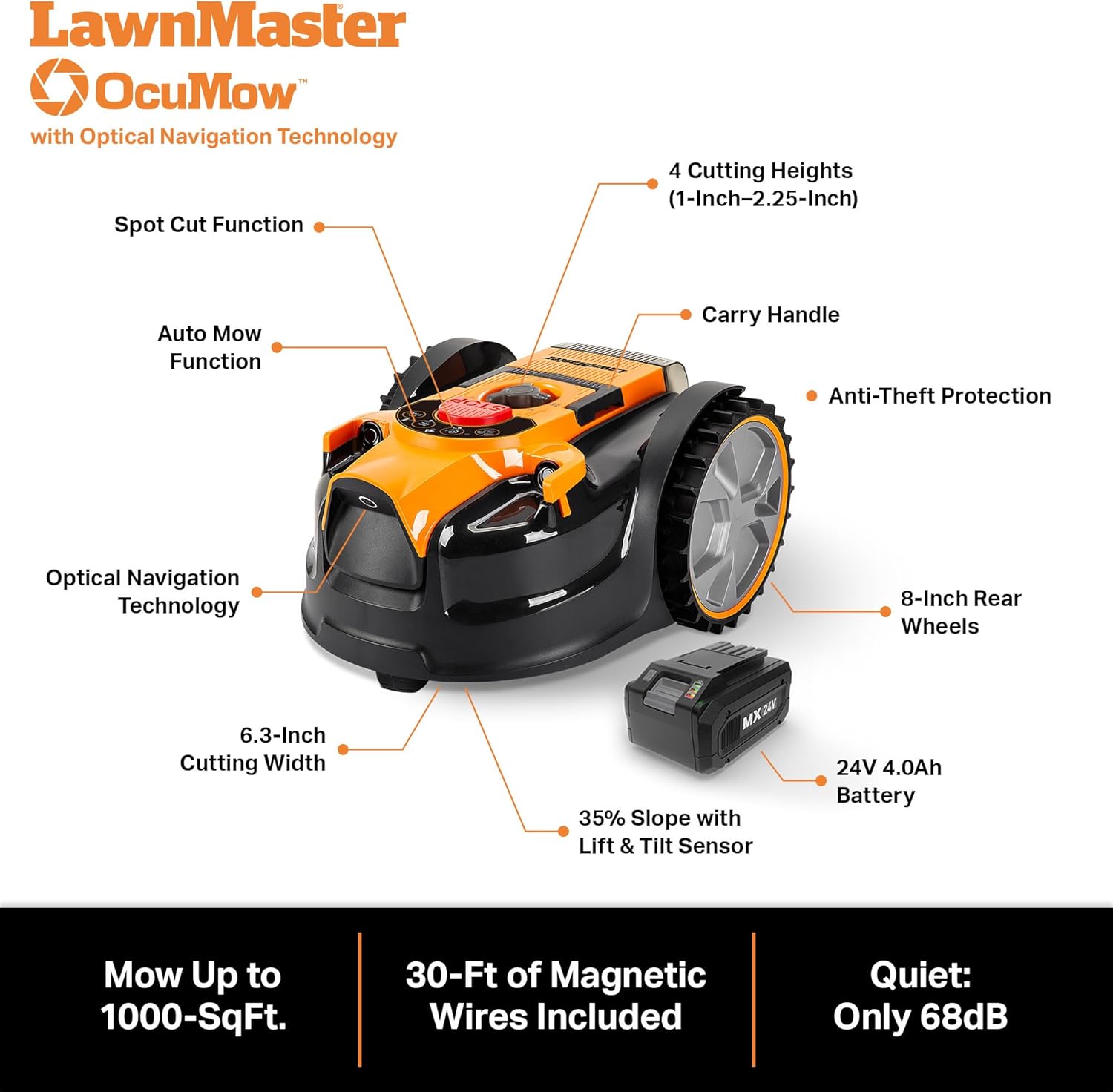
Figure 8: Detailed features and specifications of the LawnMaster OcuMow .
Warranty and Support
The LawnMaster OcuMow Robot Lawn Mower comes with a standard manufacturer's warranty. Please refer to the warranty card included in your packaging for specific terms and conditions. For technical support, replacement parts, or additional accessories, please visit the official LawnMaster store or contact customer service.
For additional batteries, search Amazon for: B0CTQPN6Y7
Related documentsVBRM601YCM


Ask a question about this manual
Ask about setup, troubleshooting, compatibility, parts, safety, or missing instructions. Manuals+ will review the question and use this page’s manual context to help answer it.