
Introduction
Thank you for choosing the AKCISOT 10-Inch Silent Wall Clock. This manual provides detailed instructions for setting up, operating, and maintaining your new clock. Please read these instructions carefully before use to ensure optimal performance and longevity of your product.
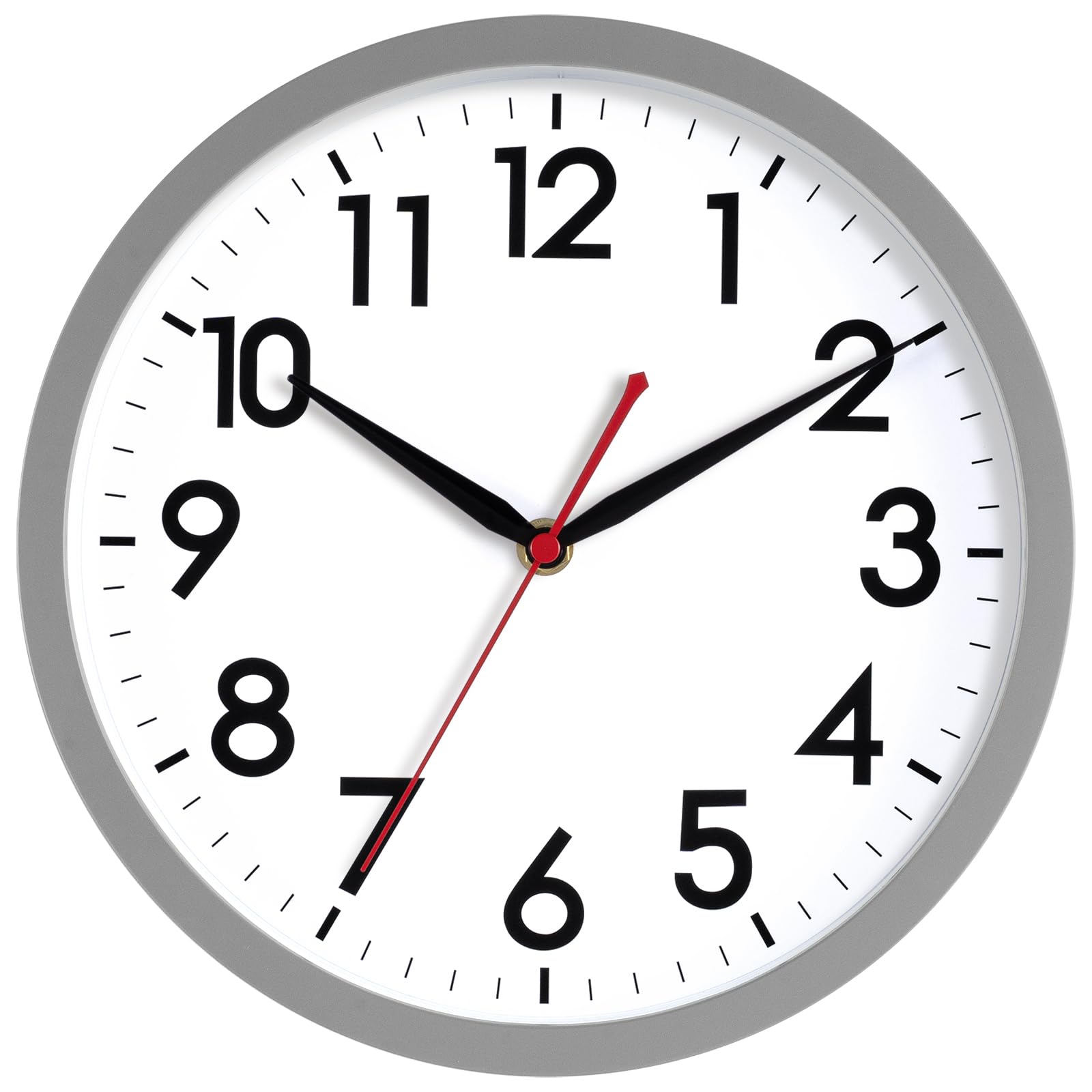
Figure 1: Front view of the AKCISOT 10-Inch Silent Wall Clock.
Product Features
- Silent Non-Ticking Movement: Ensures a quiet environment.
- Easy-to-Read Display: Large numerals for clear visibility.
- Durable Construction: Made with an ABS plastic frame.
- Battery Operated: Requires one AA battery (not included).
- Versatile Placement: Suitable for various indoor settings including offices, homes, bathrooms, kitchens, bedrooms, schools, and living rooms.

Figure 2: Overview of key features including the silent quartz movement and easy-to-read design.
Setup Instructions
1. Battery Installation
- Locate the battery compartment on the back of the clock.
- Insert one AA battery (not included) into the compartment, ensuring the positive (+) and negative (-) terminals align correctly.
- Close the battery compartment cover securely.

Figure 3: Back of the clock with the battery compartment and hanging mechanism.
2. Setting the Time
- Locate the time adjustment knob on the back of the clock, usually near the battery compartment.
- Gently turn the knob in either direction until the clock hands display the correct time.
- Avoid forcing the hands directly, as this may damage the movement.
3. Mounting the Clock
- Choose a suitable location on a wall for mounting.
- Use a nail or screw (not included) appropriate for your wall type. The clock includes one hook for hanging.
- Hang the clock securely using the integrated hanging slot on the back.

Figure 4: Example of the clock mounted in an office environment.
Operating Instructions
Once the battery is installed and the time is set, your AKCISOT wall clock will begin operating automatically. The silent sweep movement ensures that the second hand moves continuously without producing any ticking sound, providing a quiet environment.
The large, bold numerals and clear minute marks on the clock face are designed for easy readability from a distance.

Figure 5: Close-up of the clock face for clear time reading.
Maintenance
Cleaning
To clean your clock, gently wipe the surface with a soft, dry cloth. Avoid using abrasive cleaners or solvents, as these may damage the finish or the clock face.
Battery Replacement
Replace the AA battery annually or when the clock begins to lose time. When replacing the battery, carefully remove the old battery by sliding it out. Avoid bending the metal contact tabs inside the battery compartment to prevent connection issues. Insert a new AA battery, ensuring correct polarity.
Troubleshooting
| Problem | Possible Cause | Solution |
|---|---|---|
| Clock not running or running slowly. | Depleted battery or incorrect battery installation. | Replace the AA battery with a fresh one, ensuring correct positive (+) and negative (-) alignment. Check that the metal contact tabs in the battery compartment are not bent and are making proper contact. |
| Time is inaccurate. | Battery is low or time was not set correctly. | Replace the battery. Re-set the time using the adjustment knob on the back of the clock. |
| Clock hands are stuck. | Obstruction or damage to the clock mechanism. | Ensure no foreign objects are obstructing the hands. If the issue persists, contact customer support. |
Specifications
- Brand: AKCISOT
- Model Number: AKCISOT367
- Color: F_gray (Gray)
- Display Type: Analog
- Style: Modern
- Special Feature: Silent Clock
- Product Dimensions: 10"W x 1.97"H
- Power Source: Battery Powered (1x AA battery, not included)
- Room Type: Bathroom, Bedroom, Home Office, Kitchen, Living Room
- Shape: Round
- Indoor/Outdoor Usage: Indoor, Outdoor (Note: "Outdoor" usage should imply sheltered outdoor areas, not exposed to direct elements, as per typical clock design)
- Mounting Type: Wall Mount
- Watch Movement: Quartz
- Item Weight: 14.08 ounces
- Material Type: Plastic
- Frame Material: Plastic
Warranty and Support
This product is provided without an explicit warranty. For any questions, concerns, or support needs regarding your AKCISOT wall clock, please refer to the retailer's return policy or contact the seller directly through the platform where the purchase was made.
For additional information or to explore other AKCISOT products, please visit the official AKCISOT Store.