
Amazon Kindle Colorsoft 16 GB (newest model)
Amazon Kindle Colorsoft 16 GB User Manual
Model: Kindle Colorsoft (1st Generation)
Brand: Amazon
1. Introduction
The Amazon Kindle Colorsoft is a state-of-the-art e-reader designed to enhance your reading experience with its vibrant color display and advanced features. This manual provides essential information on setting up, operating, maintaining, and troubleshooting your device to ensure optimal performance and enjoyment.
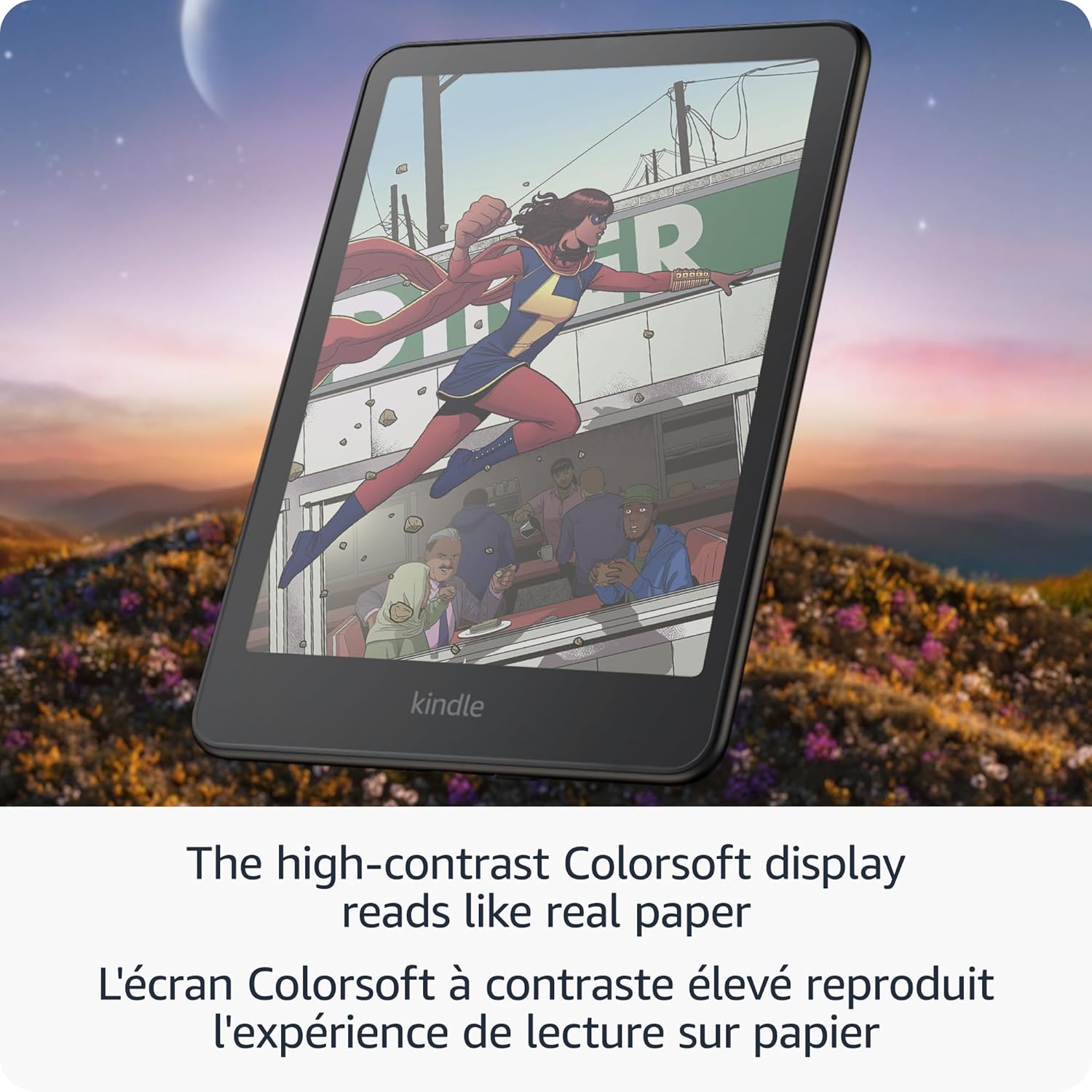
Experience reading in color with the new 7-inch Colorsoft display, offering high contrast and paper-like color that brings book covers and content to life. Highlight text in various colors and enjoy comfortable reading in any light with the adjustable warm light feature. Designed for marathon reading, a single charge can last up to eight weeks.

Front view of the Amazon Kindle Colorsoft, displaying a book cover in color.
2. Getting Started
2.1 What's in the Box
- Kindle Colorsoft device
- USB-C charging cable
- Quick Start Guide
2.2 Initial Charge
Before first use, it is recommended to fully charge your Kindle Colorsoft. A full charge takes less than 2.5 hours with a 9W USB power adapter (not included).
2.3 Wi-Fi Connection
To download content and access online features, connect your Kindle Colorsoft to a Wi-Fi network. The device supports 2.4 GHz and 5.0 GHz networks with WEP, WPA, WPA2, WPA3, and OWE security.
2.4 System Requirements
No computer is required to download content; the device is fully wireless.

A hand holding the Kindle Colorsoft, showcasing its vibrant color display with a book cover.
3. Operation
3.1 Display Features
- Colorsoft Display: The 7-inch Colorsoft display offers 300 ppi for black and white text and 150 ppi for color, optimized for a paper-like reading experience.
- Adjustable Warm Light: Adjust the display from white to amber to read comfortably in bright sunlight or in dark environments.
- Page Color Feature: Invert black text and white background inside books for comfortable reading while still displaying colorful images and covers.
The Kindle Colorsoft display showing adjustable brightness and warm light settings.
3.2 Reading Experience
- Long Battery Life: A single charge lasts up to eight weeks, based on a half hour of reading per day with wireless off and the light setting at 13.
- Distraction-Free Reading: Your Kindle is designed for reading, free from ads, social media, notifications, or other distracting applications.

A person comfortably reading on the Kindle Colorsoft in a living room setting, demonstrating extended battery life.
3.3 Content Management
- Massive Selection: Instantly access over 15 million titles in the Kindle Store worldwide.
- Storage: 16 GB of on-device storage holds thousands of books. Free cloud storage is available for all Amazon content.
- Supported Formats: Kindle format 8 (AZW3), Kindle (AZW), TXT, PDF, unprotected MOBI, PRC natively; PDF, DOCX, DOC, HTML, EPUB, TXT, RTF, JPEG, GIF, PNG, BMP through conversion.

A collage of various colorful book covers, illustrating the vast selection available on the Kindle Store.
3.4 Accessibility Features
- VoiceView Screen Reader: Available over Bluetooth audio, provides spoken feedback for navigating your device and reading books with text-to-speech (English only).
4. Care and Maintenance
4.1 Waterproofing
The Kindle Colorsoft is waterproof (IPX8 rated), tested to withstand immersion in 2 meters of fresh water for 60 minutes. This makes it suitable for reading by the pool or in the bath. Ensure the USB-C port is dry before charging.
4.2 Cleaning
To clean your device, use a soft, lint-free cloth. Avoid abrasive cleaners or solvents that may damage the screen or casing.
5. Troubleshooting
If you encounter issues with your Kindle Colorsoft, consider the following general troubleshooting steps:
- Restart Device: Hold the power button for 40 seconds until the device restarts.
- Check Wi-Fi Connection: Ensure your device is connected to a stable Wi-Fi network.
- Charge Battery: Verify that the device has sufficient battery charge.
- Software Update: Check for available software updates in the device settings.
For more detailed assistance, refer to the online Kindle User Guide or contact Amazon Customer Service.
6. Technical Specifications
| Feature | Specification |
|---|---|
| Display | Amazon's 7” Colorsoft display technology with built-in light, 300 ppi B&W, 150 ppi colour, optimized font technology and 16-level gray scale. |
| Size | 127.6 x 176.7 x 7.8 mm (5 x 7 x 0.3”) |
| Weight | 215 g (7.6 oz) |
| System Requirements | None; fully wireless |
| On-Device Storage | 16 GB |
| Cloud Storage | Free cloud storage for all Amazon content |
| Battery Life | Up to eight (8) weeks on a single charge |
| Charge Time | Less than 2.5 hours with a 9 W USB power adapter |
| Wi-Fi Connectivity | Supports 2.4 GHz and 5.0 GHz networks (WEP, WPA, WPA2, WPA3, OWE) |
| Accessibility Features | VoiceView screen reader (English only) |
| Content Formats Supported | Kindle format 8 (AZW3), Kindle (AZW), TXT, PDF, unprotected MOBI, PRC natively; PDF, DOCX, DOC, HTML, EPUB, TXT, RTF, JPEG, GIF, PNG, BMP through conversion. |
| Waterproofing | IPX8 rated (2 meters fresh water for 60 minutes) |
| Available Colours | Black |
| Generation | Kindle Colorsoft (1st generation) – 2025 release |
7. Warranty and Support
Your Kindle Colorsoft comes with a 1-year limited warranty and service. Use of Kindle is subject to the terms found on the Amazon website.
7.1 Documentation
Further information about Kindle devices can be found in the Quick Start Guide included with your device and the comprehensive Kindle User Guide available online.
7.2 Software Security Updates
This device receives guaranteed software security updates until at least four years after it is last available for purchase as a new unit on Amazon websites.
Related documentsKindle Colorsoft 16 GB (newest model)

Ask a question about this manual
Ask about setup, troubleshooting, compatibility, parts, safety, or missing instructions. Manuals+ will review the question and use this page’s manual context to help answer it.