
Deity BF1
Deity BF1 Butterfly Antenna Wireless Microphone Systems Instruction Manual
Model: BF1
Introduction
The Deity BF1 Butterfly Antenna is designed to enhance the performance of wireless microphone systems in various professional audio environments, including film sets and stage applications. This manual provides essential information for the proper setup, operation, and maintenance of your BF1 antennas to ensure optimal signal reception and system reliability.
The BF1 features an ultra-wideband design, covering frequencies from 470MHz to 1GHz, and an omnidirectional pickup pattern for versatile signal acquisition. Its rugged construction and compact design make it suitable for demanding production conditions.
What's in the Box
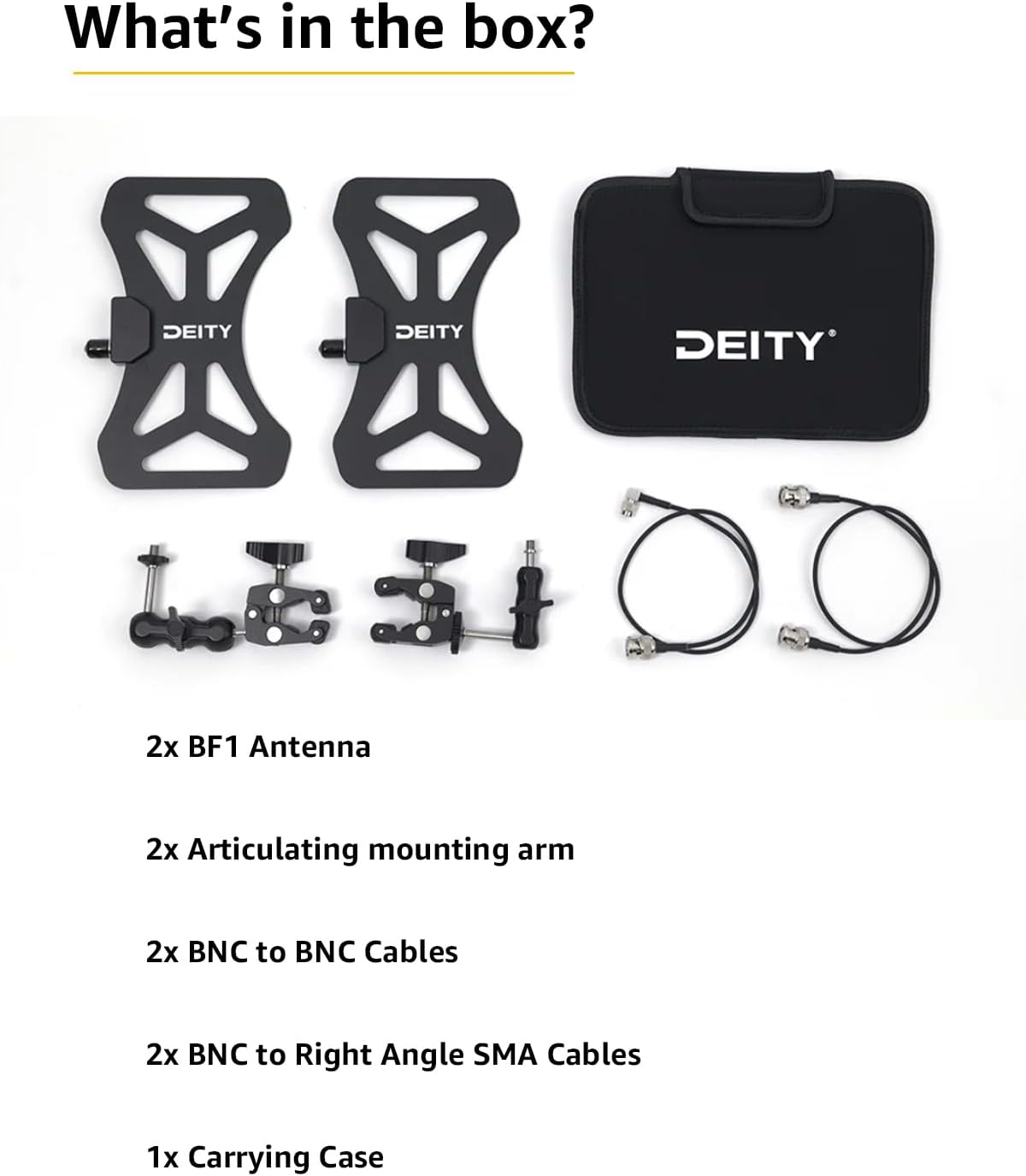
Image: Contents of the Deity BF1 Butterfly Antenna kit.
- 2x BF1 Antenna
- 2x Articulating mounting arm
- 2x BNC to BNC Cables
- 2x BNC to Right Angle SMA Cables
- 1x Carrying Case
Product Features
- Ultra Wideband Design: Operates across a frequency range of 470MHz-1GHz, providing broad compatibility with various wireless systems.
- Omnidirectional Pickup Pattern: Ensures consistent signal reception from all directions, simplifying placement.
- Rugged Build Quality: Constructed for durability in professional environments.
- CNC Metal Mount: Provides a secure and stable mounting solution.
- 50 Ohm BNC Connector: Standard connector type for reliable signal transmission.
- Compact Design: Facilitates easy transport and discreet placement.
Setup Instructions
- Unpack Components: Carefully remove all items from the carrying case. Verify that all listed components are present.
- Attach Mounting Arm: Secure the articulating mounting arm to the back of each BF1 antenna. Ensure it is tightened firmly but do not overtighten.
- Mount Antennas: Attach the articulating mounting arms to your desired location, such as a light stand, C-stand, or equipment bag. Position the antennas to provide a clear line of sight to the wireless microphone transmitters.
- Connect Cables: Use the provided BNC to BNC cables to connect the BF1 antennas to your wireless receiver or antenna distribution system. If your receiver uses SMA connectors, use the BNC to Right Angle SMA cables. Ensure all connections are secure.
- Power On System: Once connections are made, power on your wireless microphone system and check for proper signal reception.
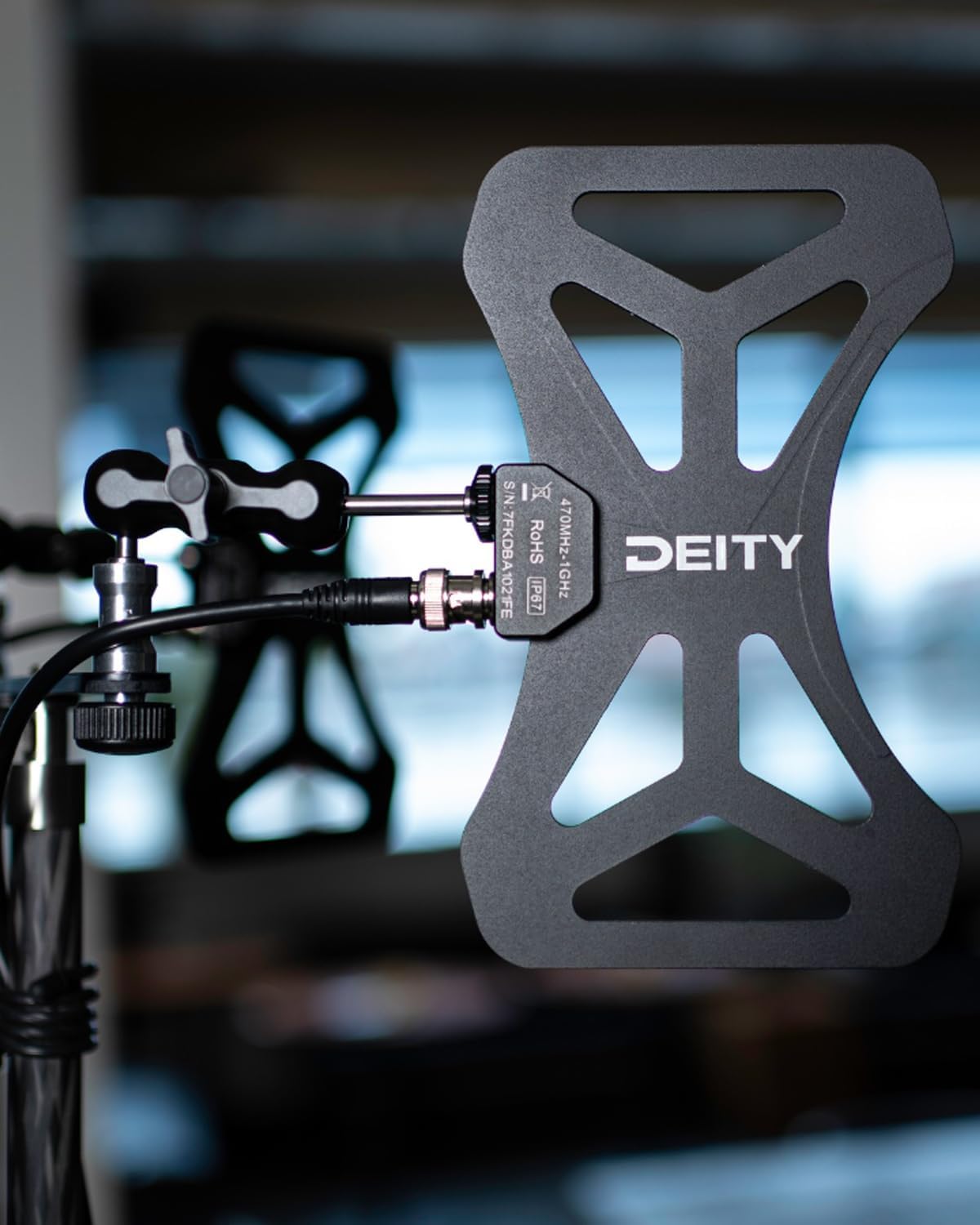
Image: Deity BF1 Butterfly Antenna mounted on a rig.
Operating Guidelines
The Deity BF1 antennas are passive and do not require external power. Their primary function is to receive RF signals from your wireless microphone transmitters and relay them to your receiver or distribution system.
- Placement: For optimal performance, position the antennas as high as possible and with a clear line of sight to the transmitters. Avoid obstructions like walls, metal objects, or large crowds.
- Orientation: Due to their omnidirectional pattern, precise orientation is less critical than with directional antennas, but experimentation with angles can sometimes yield minor improvements in challenging RF environments.
- Frequency Range: Ensure your wireless microphone system operates within the 470MHz-1GHz frequency range supported by the BF1 antennas.
Video: An overview of the Deity BF1 Butterfly Antenna Wireless Microphone Systems, demonstrating its features and application.
Maintenance
To ensure the longevity and optimal performance of your Deity BF1 Butterfly Antennas, follow these maintenance guidelines:
- Cleaning: Wipe the antennas with a soft, dry cloth. Avoid using harsh chemicals or abrasive materials.
- Storage: Store the antennas and accessories in the provided carrying case when not in use to protect them from dust, moisture, and physical damage.
- Cable Inspection: Regularly inspect all cables for signs of wear, kinks, or damage. Replace damaged cables immediately to prevent signal loss or interference.
- Connector Care: Keep BNC connectors clean and free of debris. Ensure they are securely fastened during use.
Troubleshooting
If you encounter issues with your Deity BF1 Butterfly Antennas, consider the following troubleshooting steps:
- Poor Signal Reception:
- Ensure a clear line of sight between antennas and transmitters.
- Check for potential RF interference sources (e.g., Wi-Fi routers, LED lights, other wireless devices).
- Verify all cable connections are secure and undamaged.
- Confirm the wireless system's operating frequency is within the BF1's supported range.
- No Signal:
- Double-check all cable connections from the antennas to the receiver/distribution system.
- Test with different cables if available to rule out cable failure.
- Ensure the wireless receiver is powered on and functioning correctly.
- Intermittent Signal:
- Relocate antennas to a different position to avoid multipath interference.
- Check for loose connections.
- Monitor the RF environment for transient interference.
Specifications

Image: Two Deity BF1 Butterfly Antennas.
| Feature | Detail |
|---|---|
| Item Weight | 1.76 pounds |
| Package Dimensions | 10 x 7.48 x 2.32 inches |
| Item Model Number | Deity BF1 |
| Color | Black |
| Compatible Devices | Microphone Systems |
| Connector Type | 50 Ohm BNC Connector |
| Antenna Type | Radio (Omnidirectional) |
| Frequency Range | 470MHz-1GHz |
| Manufacturer | Deity |
| Number of Items | 1 (Kit includes 2 antennas) |
Warranty and Support
Deity products are designed for reliability and performance. For warranty information, technical support, or service inquiries, please refer to the official Deity website or contact your authorized dealer. Keep your purchase receipt as proof of purchase for warranty claims.
Online Resources: Visit the Deity Store on Amazon for additional product information and support.
Related documentsBF1


Ask a question about this manual
Ask about setup, troubleshooting, compatibility, parts, safety, or missing instructions. Manuals+ will review the question and use this page’s manual context to help answer it.