
1. Introduction
This manual provides essential information for the safe and efficient operation of your LivePure Capri Series LP150THP True HEPA Tabletop Air Purifier. This device is designed to improve indoor air quality by filtering airborne particles. Please read these instructions thoroughly before use and retain them for future reference.

Image 1: LivePure Capri Series LP150THP Air Purifier, Sage color.
2. Important Safety Instructions
To reduce the risk of fire, electric shock, or injury, observe the following safety precautions:
- Read all instructions before operating the air purifier.
- Always unplug the air purifier before moving, cleaning, or performing any maintenance.
- Do not operate the unit with a damaged cord or plug. If the cord or plug is damaged, contact customer support.
- Keep the power cord away from heated surfaces.
- Do not use the air purifier in wet or damp environments, such as bathrooms.
- Do not insert objects into any openings.
- Ensure the air intake and outlet are not blocked.
- This appliance is not intended for use by persons (including children) with reduced physical, sensory, or mental capabilities, or lack of experience and knowledge, unless they have been given supervision or instruction concerning use of the appliance by a person responsible for their safety.
- Children should be supervised to ensure they do not play with the appliance.
3. Product Overview
The LivePure Capri Series LP150THP Air Purifier utilizes a two-stage filtration system to capture airborne particles and odors.
3.1 Components
- Main Air Purifier Unit
- Coconut Carbon Pre-Filter (installed)
- True HEPA Filter (installed)
- Power Cord
3.2 Filtration System
The unit features a two-stage filtration process:
- Coconut Carbon Pre-Filter: This filter acts as the first layer, capturing larger particles such as dust, pet dander, and pollen. It also assists in reducing odors from cooking, smoke, and pets. This filter is cleanable.
- True HEPA Filter: This filter captures 99.97% of airborne particles as small as 0.3 microns, including smoke, dust, pollen, pet hair and dander, mold spores, and dust mites. This filter is cleanable.

Image 2: Diagram illustrating the two-stage filtration system with Coconut Carbon Pre-Filter and True HEPA Filter.

Image 3: Visual representation of the air purifier capturing particles like pet hair, dust, pollen, mold spores, smoke, odors, and bacteria.
3.3 Control Panel
The control panel features touch controls for various functions.

Image 4: Close-up of the control panel showing On/Off Power, Filter Indicator Light, Fan Speed & Sleep Mode, LED Accent Light, and Timer buttons.
4. Setup
Follow these steps to set up your air purifier:
- Unpack: Carefully remove the air purifier from its packaging. Retain packaging materials for future storage or transport.
- Filter Check: The filters are typically pre-installed. Ensure the Coconut Carbon Pre-Filter and True HEPA Filter are correctly seated within the unit. Refer to Section 6.2 for filter installation details if needed.
- Placement: Place the air purifier on a firm, level surface. Ensure there is adequate space (at least 6 inches) around the unit for proper air circulation. Do not place it directly against a wall or under furniture that may obstruct airflow.
- Connect Power: Plug the power cord into a standard electrical outlet.
5. Operating Instructions
The LivePure Capri Series LP150THP features touch controls for easy operation.
- Power On/Off: Press the Power button (
 ) to turn the unit on or off.
 - Fan Speed & Sleep Mode: Press the Fan Speed button () to cycle through fan speeds (1, 2, 3, Turbo) and activate Sleep Mode. Sleep Mode operates at the lowest fan speed for quiet operation.
- LED Accent Light: Press the Accent Light button () to turn the accent light on or off, and to cycle through available color options (Red, Purple, Orange, Blue, Green).
- Timer: Press the Timer button (
 ) to set the operating time for 2, 4, or 8 hours. The unit will automatically turn off after the selected duration.
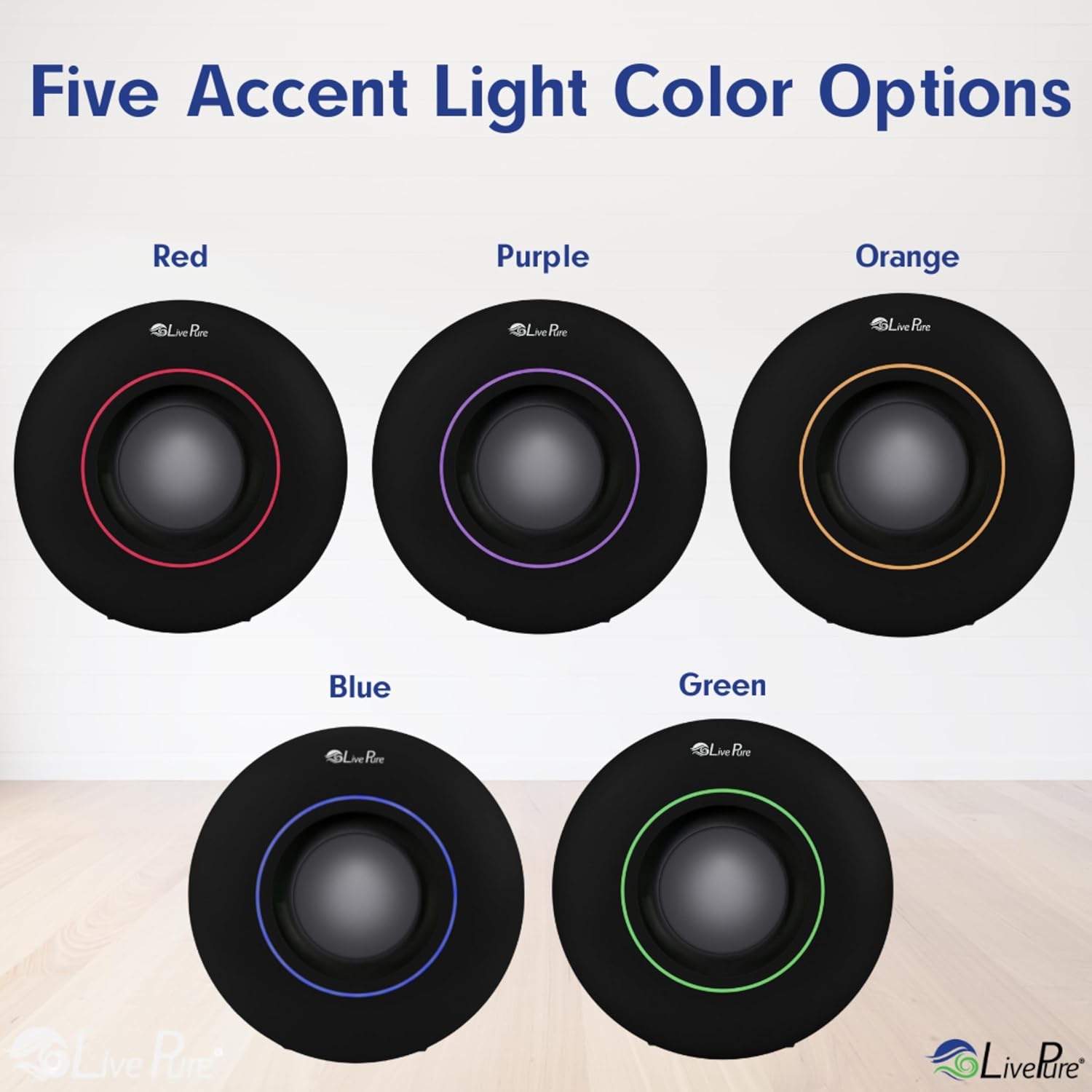
Image 5: Display of the five available accent light color options: Red, Purple, Orange, Blue, and Green.
6. Maintenance
Regular maintenance ensures optimal performance and extends the life of your air purifier. Always unplug the unit before cleaning or performing maintenance.
6.1 Filter Cleaning Indicator
The unit is equipped with a Filter Cleaning Indicator light. When this light illuminates, it indicates that the filters require cleaning.
6.2 Filter Cleaning and Replacement
Both the Coconut Carbon Pre-Filter and True HEPA Filter are permanent and cleanable. Do not immerse filters in water.
- Unplug the Air Purifier: Ensure the unit is disconnected from the power outlet.
- Remove Front Panel: Gently pull the front panel forward to detach it from the unit.
- Remove Filters: Pull the old filter assembly forward to remove it from the unit.
- Clean Pre-Filter: The Coconut Carbon Pre-Filter should be cleaned approximately every 3 months. Use a brush attachment on your vacuum cleaner to remove accumulated dust and debris.
- Clean True HEPA Filter: The True HEPA filter should be cleaned approximately every 6-12 months (or more frequently depending on air quality and usage). Use a brush attachment on your vacuum cleaner to remove accumulated dust and debris.
- Insert New Pre-Filter (if replacing): If replacing the pre-filter, insert the new pre-filter onto the front of the HEPA filter and secure it by pressing down on the velcro.
- Reinstall Filters: Place the cleaned or new filter assembly back into the unit, ensuring the pre-filter faces outwards.
- Replace Front Panel: Align the front panel and press it back onto the unit until it clicks securely into place.

Image 6: Four-step visual guide demonstrating how to remove the front panel, remove filters, install a new pre-filter, and replace the filter assembly and front panel.
6.3 Exterior Cleaning
Wipe the exterior surface of the air purifier with a soft, damp cloth. Do not use abrasive cleaners or solvents.
7. Troubleshooting
If you encounter issues with your air purifier, refer to the following common problems and solutions:
| Problem | Possible Cause | Solution |
|---|---|---|
| Unit does not turn on | Not plugged in; Power outlet malfunction; Damaged power cord. | Ensure unit is securely plugged in; Test outlet with another device; Contact customer support if cord is damaged. |
| Reduced airflow or poor purification | Clogged filters; Air intake/outlet blocked. | Clean or replace filters as per maintenance instructions; Ensure clear space around the unit. |
| Unusual noise | Loose filters; Obstruction in fan. | Check that filters are securely installed; Unplug and inspect for any foreign objects. |
| Filter Cleaning Indicator remains on after cleaning | Indicator not reset. | Refer to specific instructions for resetting the filter indicator (usually involves pressing and holding the filter button). |
If the problem persists after attempting these solutions, please contact LivePure customer support.
8. Specifications
Technical details for the LivePure Capri Series LP150THP Air Purifier:
- Model: LP150THP
- Product Dimensions (D x W x H): 11.02" x 7.08" x 11.02"
- Weight: 4.25 Pounds
- Filtration Type: True HEPA, Coconut Carbon Pre-Filter
- Controller Type: Touch control
- UPC: 810067453806

Image 7: Diagram showing the product dimensions: 11.02 inches depth, 7.08 inches width, and 11.02 inches height.
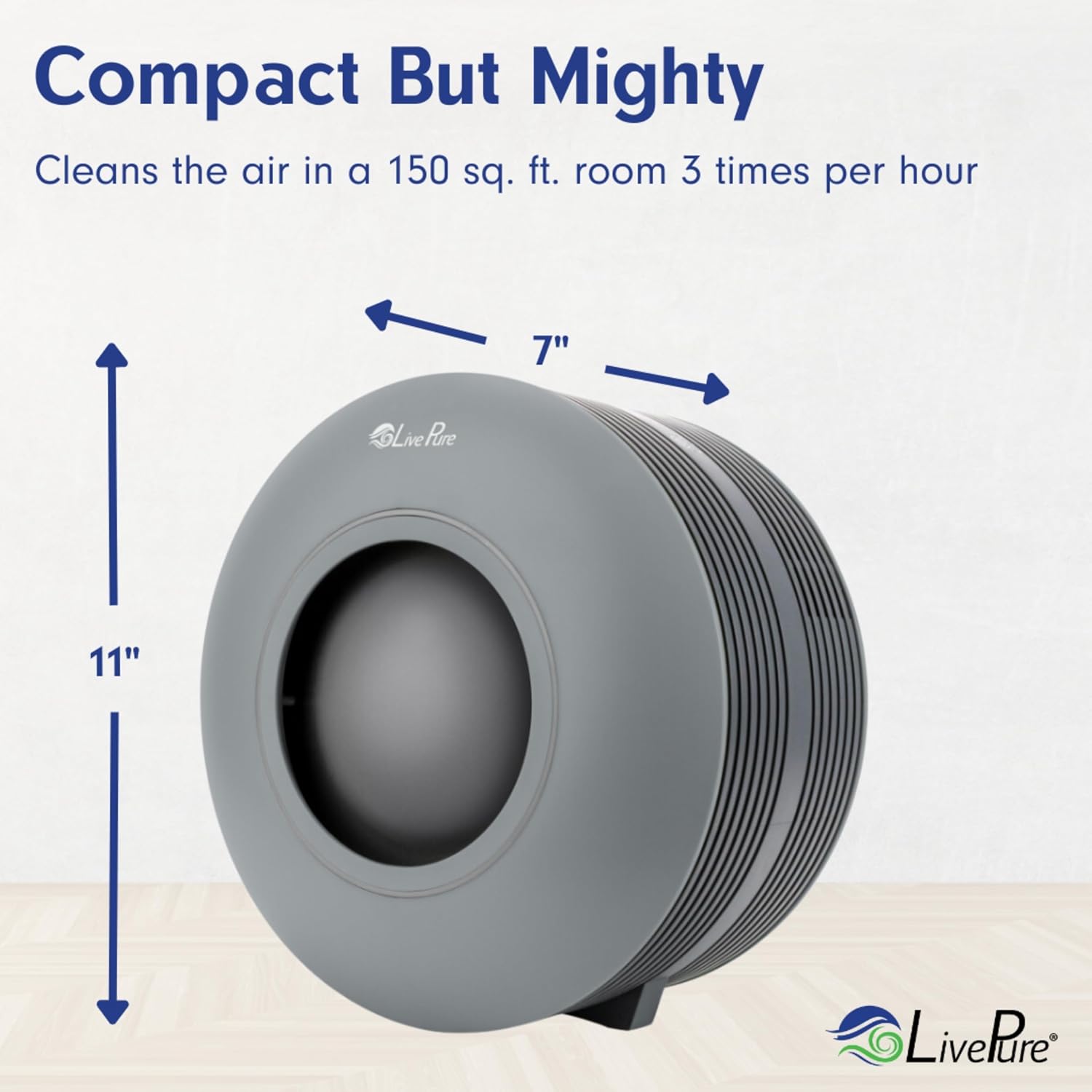
Image 8: The air purifier is compact, measuring 11 inches in height and 7 inches in width, and is capable of cleaning the air in a 150 sq. ft. room 3 times per hour.

Image 9: Room Size Chart indicating air exchange rates per hour for various room sizes: Bedroom (10'x15'x8') 3.1, Kitchen (20'x16'x8') 1.5, Bathroom (10'x10'x8') 4.6, Living Room (20'x20'x8') 1.1, Bedroom (10'x20'x8') 2.3.
9. Warranty and Support
For warranty information or technical support, please contact LivePure customer service. Details regarding warranty coverage are typically provided with your purchase documentation.
Manufacturer: LivePure
Please visit the official LivePure website or your retailer's support page for the most current contact information.
