
Walfront WALFRONT47605q1f9g-11
Walfront Smart Circuit Breaker 100A User Manual
Model: WALFRONT47605q1f9g-11
1. Introduction
This manual provides essential information for the safe and effective use of your Walfront Smart Circuit Breaker 100A. Please read this manual thoroughly before installation and operation.
Product Overview
The Walfront Smart Circuit Breaker is a 2P 100A device designed for smart home applications, featuring integrated Bluetooth and Wi-Fi connectivity for remote control via a mobile application. It offers robust protection against overloads and short circuits, ensuring the safety and longevity of your electrical systems.

Figure 1: Front view of the Walfront Smart Circuit Breaker 100A.
Key Features
- Remote Control Function: Equipped with connectivity, this smart circuit breaker allows you to remotely control and monitor your electrical devices using a smartphone or other smart devices.
- Built-in Antenna: With an integrated antenna, this smart circuit breaker ensures stable transmission and reception while maintaining a simple appearance, minimizing interference.
- Exceptional Performance: With a high voltage withstand capacity of 6000V, this circuit breaker effectively enhances the lifespan of your devices, even under overvoltage conditions.
- Durability: This smart circuit breaker has undergone rigorous testing for electromagnetic interference, including electrical transient immunity tests and electrostatic discharge. It meets standard requirements and remains undamaged.
- Easy Installation: Designed for simple and hassle-free installation, it can be seamlessly integrated into your existing electrical panel.

Figure 2: The circuit breaker highlighting its integrated WiFi antenna for stable connectivity.
2. Specifications
The following table details the technical specifications of the Walfront Smart Circuit Breaker 100A.
| Specification | Value |
|---|---|
| Item Type | 2P Circuit Breaker |
| Material | PA66 Flame Retardant |
| Rated Frequency | 50/60Hz |
| Number of Poles | 2P |
| Pollution Degree | 2 |
| Grade | IP20 |
| Installation Category | II, III |
| Designated Working Temperature | -25°C to +65°C |
| Rack Rated Current | 80A-125A |
| Rated Current | 100A |
| Short Circuit Breaking Capacity | 6kA |
| Rated Impulse Withstand Voltage | 6kV |
| Mechanical Life | Over 10000 Times |
| Electrical Life | Over 6000 Times |
| EMC Performance | Complies with GB/T 18449 |
| Withstand Capability | Complies with GB/T 17626.5 Voltage 4.0KV |
| Salt Spray | Complies with GB/T 2423.17 48h |
| Dustproof Performance | Complies with GB 4208 8h |
| Maximum Wiring Capacity | Up to 50mm² |
| Tightening Torsion | 4 to 5Nm |

Figure 3: Dimensional drawing of the circuit breaker with measurements in millimeters and inches.
3. Setup and Installation
Proper installation is crucial for the safe and reliable operation of your smart circuit breaker. It is recommended that installation be performed by a qualified electrician.
Physical Installation
- Preparation: Ensure the main power supply to the electrical panel is turned off before beginning installation. Verify with a voltage tester.
- Mounting: The circuit breaker is designed for DIN rail mounting. Securely clip the device onto the DIN rail within your electrical panel.
- Wiring: Connect the incoming and outgoing electrical wires to the appropriate terminals. Ensure all connections are tight, with a tightening torsion of 4 to 5Nm, to prevent loose connections and overheating. The maximum wiring capacity is up to 50mm².
- Safety Lock: Utilize the mechanical lock feature to secure the breaker in the OFF position during maintenance or repair. Pull out the yellow safety lock when repair is needed.
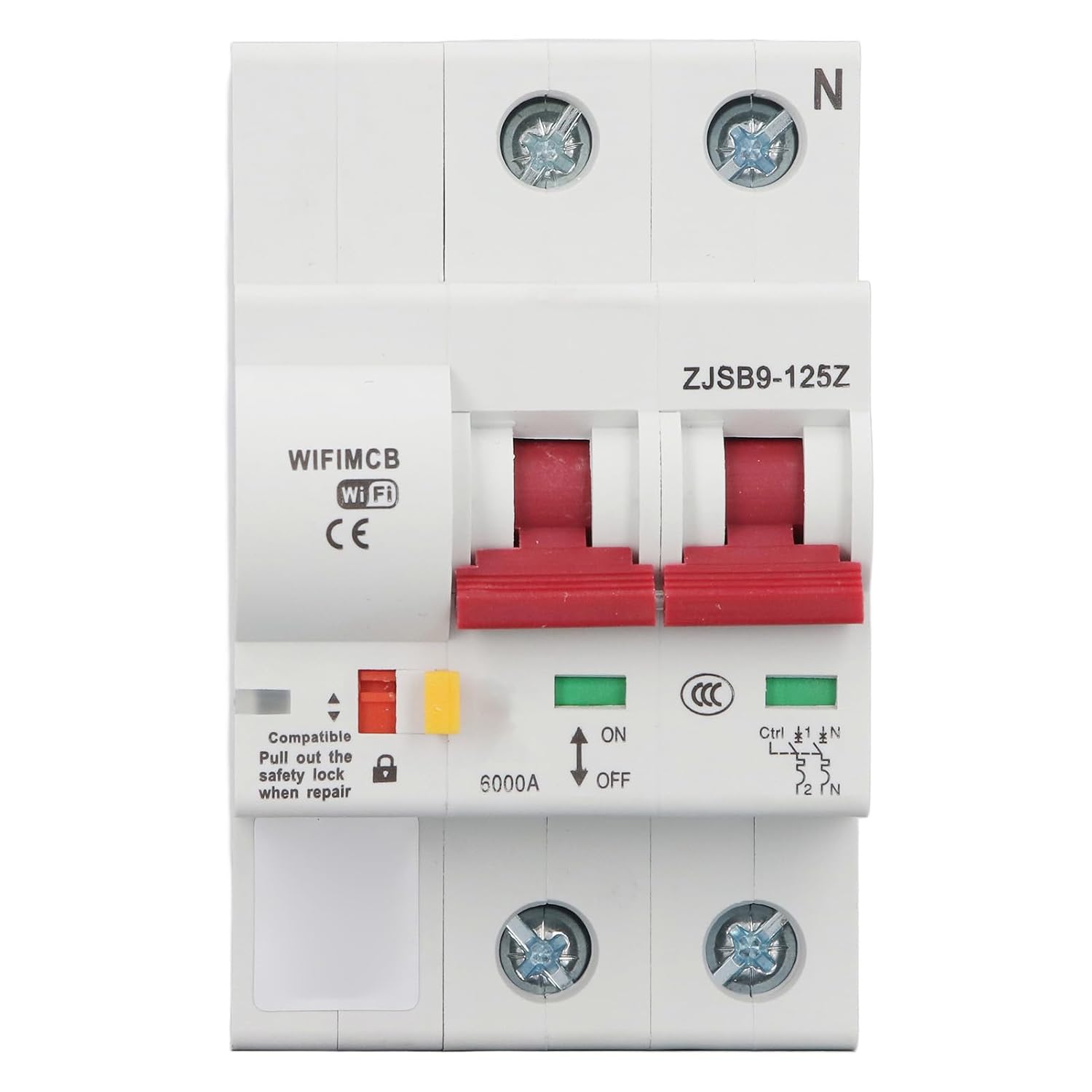
Figure 4: Detailed front view showing the ON/OFF switch, safety lock, and indicator lights.

Figure 5: Side view of the circuit breaker, illustrating its compact design for panel integration.
App Pairing and Configuration (TUYA App)
To utilize the smart features, download the TUYA Smart app on your smartphone and follow the in-app instructions to pair the circuit breaker. Ensure your Wi-Fi network is active and stable during the pairing process.
4. Operating Instructions
The Walfront Smart Circuit Breaker offers both manual and remote operation capabilities.
Manual Operation
- Turning ON/OFF: Use the physical switch on the front of the circuit breaker to manually turn the connected circuit ON or OFF. The green indicator light signifies ON, and the red signifies OFF.
- Mechanical Lock: The mechanical lock can be engaged to prevent accidental operation, ensuring safety during maintenance.
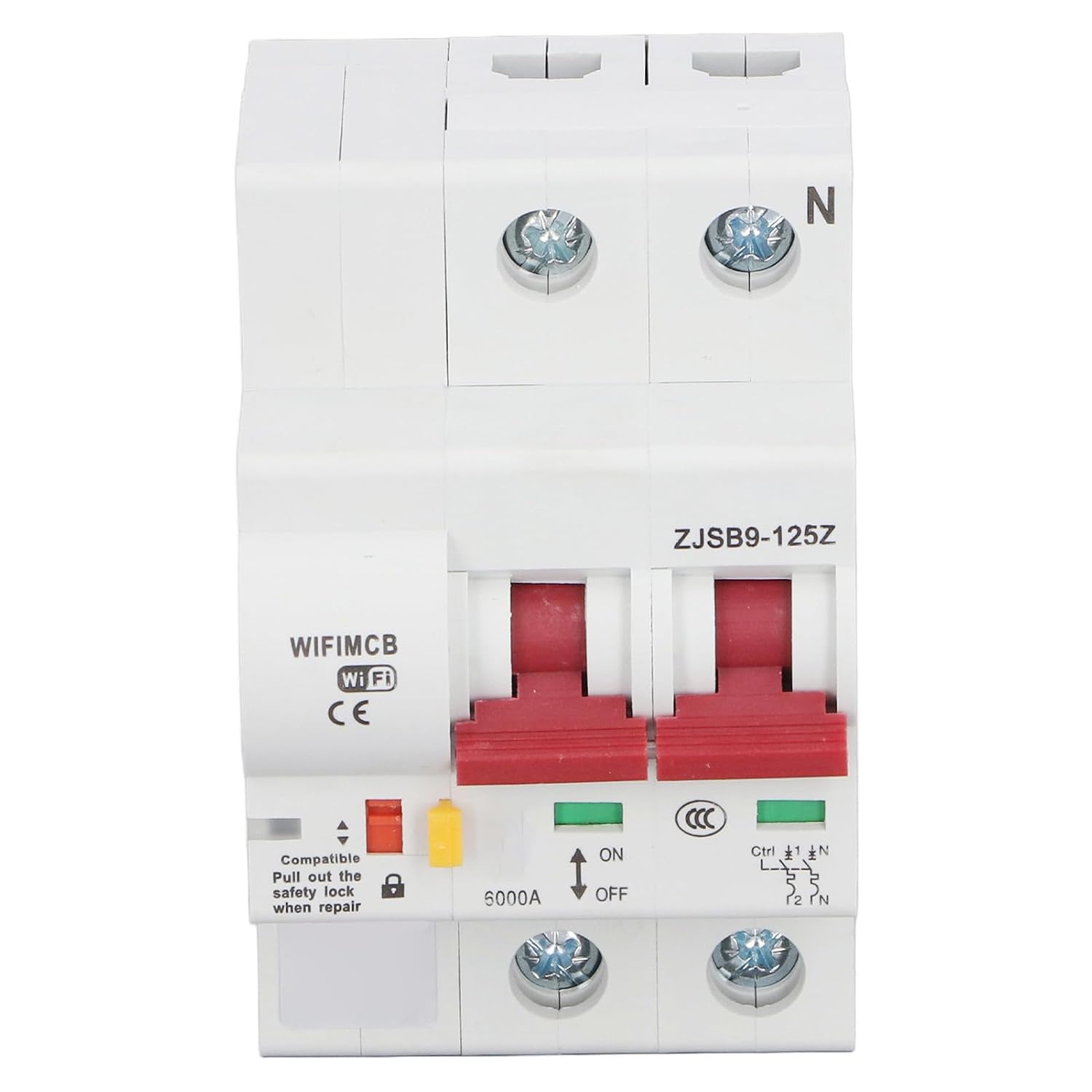
Figure 6: The circuit breaker's front panel showing the ON/OFF switch and status indicators.
Smart Functions (via TUYA App)
- Remote Opening and Closing: Control the circuit breaker remotely from anywhere using the TUYA app on your smartphone.
- Overload Function: The breaker automatically trips in case of an overload to protect connected devices and wiring.
- Short Circuit Function: Provides immediate protection by tripping the circuit in the event of a short circuit.
- LED Indicator Light: Monitor the status of the circuit breaker through the LED indicator, which can be viewed remotely via the app.
- Timing Control Function: Schedule the circuit breaker to turn ON or OFF at specific times, automating your electrical devices.
- Sharing Control Function: Share control of the circuit breaker with other family members or authorized users through the app.
5. Maintenance
The Walfront Smart Circuit Breaker is designed for durability and requires minimal maintenance. However, regular checks can ensure optimal performance and safety.
- Visual Inspection: Periodically inspect the circuit breaker for any signs of physical damage, discoloration, or loose connections.
- Cleaning: Ensure the device is free from dust and debris. Use a dry, soft cloth for cleaning. Do not use liquid cleaners.
- Connection Check: If accessible and safe to do so (with power off), periodically check the tightness of the wiring terminals.
- Firmware Updates: Check the TUYA app for any available firmware updates for the device to ensure you have the latest features and security enhancements.
Always ensure power is disconnected before performing any physical maintenance or inspection.
6. Troubleshooting
If you encounter issues with your Walfront Smart Circuit Breaker, refer to the following common troubleshooting steps:
- Device Not Responding:
- Check if the circuit breaker is manually switched ON.
- Verify the power supply to the circuit breaker.
- Ensure the Wi-Fi network is active and the device is within range.
- Restart the circuit breaker by cycling its power (turn off, wait 10 seconds, turn on).
- App Connectivity Issues:
- Ensure your smartphone has a stable internet connection.
- Verify that the TUYA app is updated to the latest version.
- Try re-pairing the device with the app if connectivity is lost.
- Check your router settings to ensure no firewall or security settings are blocking the device.
- Breaker Trips Frequently:
- This indicates an overload or short circuit condition. Disconnect some devices from the circuit or inspect wiring for faults.
- If the issue persists, consult a qualified electrician.
- LED Indicator Not Working:
- Ensure the device is powered on.
- If the device functions otherwise, the LED might be faulty. Contact support.
For issues not covered here, please refer to the TUYA app's help section or contact Walfront customer support.
7. Warranty and Support
Walfront products are manufactured to high-quality standards. While specific warranty details are typically provided at the point of purchase or within the product packaging, general support information is available.
Protection Plans
Extended protection plans may be available for your product, offering additional coverage beyond the standard manufacturer's warranty. Please check your purchase documentation for details on available 3-Year or 4-Year Protection Plans, or comprehensive plans like 'Complete Protect'.
Manufacturer Information
Brand: Walfront
Manufacturer: WALFRONT
For further assistance, technical support, or warranty claims, please refer to the contact information provided with your product packaging or visit the official Walfront store online: Walfront Store.
Ask a question about this manual
Ask about setup, troubleshooting, compatibility, parts, safety, or missing instructions. Manuals+ will review the question and use this page’s manual context to help answer it.