
MOSEN MUSIC MSP-45WH
MOSEN 88-Key Digital Piano Keyboard Instruction Manual
Model: MSP-45WH
Introduction
This manual provides detailed instructions for the setup, operation, and maintenance of your MOSEN 88-key digital piano keyboard. Designed for musicians of all skill levels, from beginners to intermediate players, this feature-rich instrument offers a realistic playing experience with its high-quality semi-weighted keys and versatile functionalities.
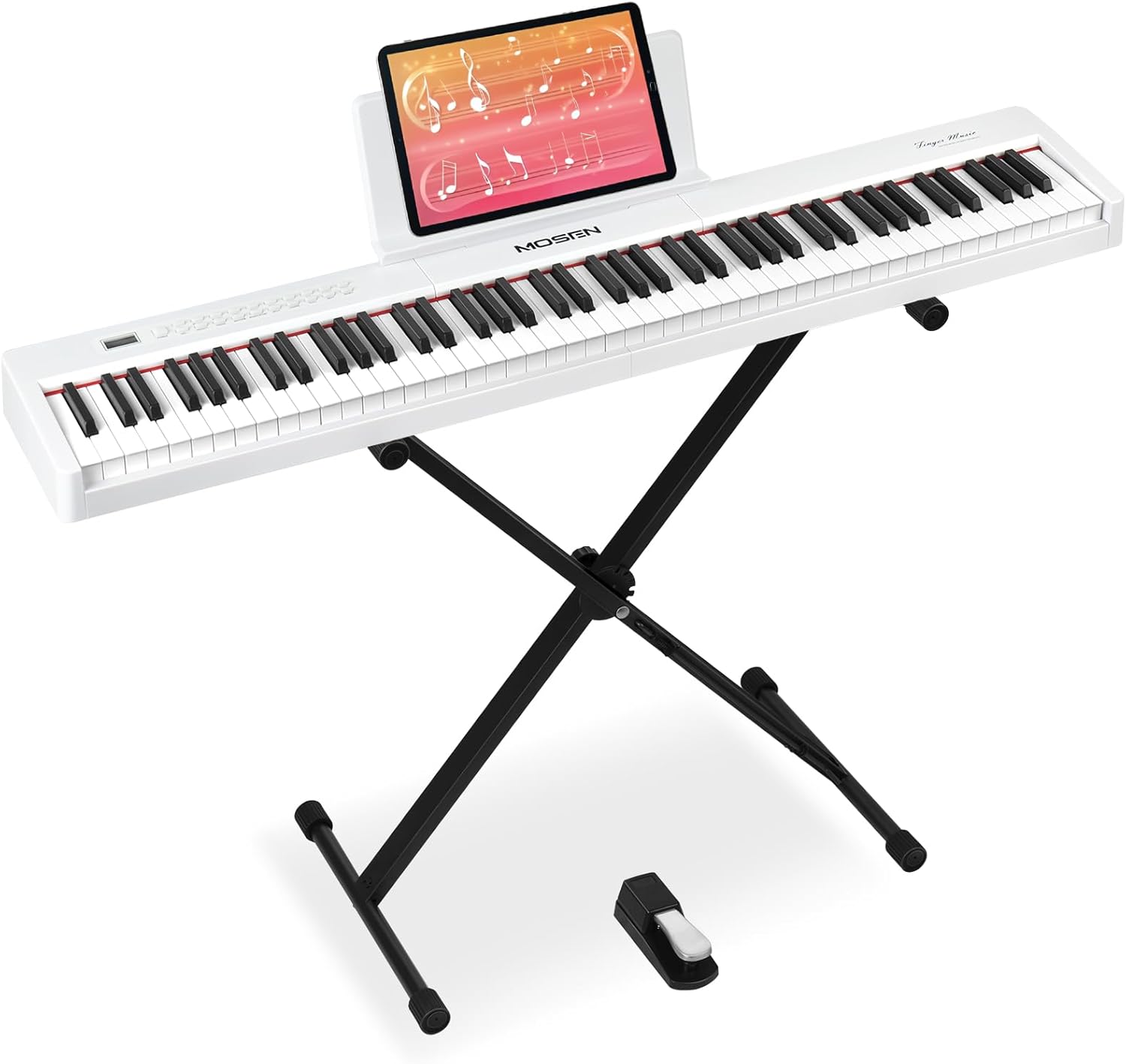
Figure 1: MOSEN 88-Key Digital Piano Keyboard (White)
The MOSEN 88-key digital piano keyboard, shown here in white, includes a sturdy stand and a sustain pedal, providing a complete setup for immediate use.
Setup
Follow these steps to assemble and prepare your digital piano for use:
- Unpacking: Carefully remove all components from the packaging. Ensure all parts listed in the packing list are present.
- Stand Assembly: Assemble the keyboard stand according to the included diagram. Ensure all screws are tightened securely for stability.
- Keyboard Placement: Place the digital piano securely on the assembled stand.
- Sustain Pedal Connection: Connect the sustain pedal cable to the designated 'PEDAL' jack on the rear of the keyboard.
- Power Connection: Connect the DC power supply to the 'USB/DC5V' port on the keyboard and plug it into a suitable power outlet. Alternatively, the unit can be powered by batteries (not included).

Figure 2: Assembled Digital Piano in a Home Setting
The digital piano is designed for easy assembly and compact storage, making it suitable for various living spaces.
Operating Instructions
Your MOSEN digital piano offers a wide range of features to enhance your musical experience. Familiarize yourself with the control panel and connectivity options.
Control Panel Overview

Figure 3: Digital Piano Control Panel
The control panel provides access to 88 keys, 380 sounds, and 128 rhythms, allowing for extensive musical exploration.
- Power On/Off: Press the 'POWER' button to turn the unit on or off.
- Volume Control: Use the 'VOL+' and 'VOL-' buttons to adjust the master volume.
- Tone Selection: Press the 'TONE' button and use the 'SELECT+' or 'SELECT-' buttons to browse through 380 different tones.
- Rhythm Selection: Press the 'RHYTHM' button and use the 'SELECT+' or 'SELECT-' buttons to choose from 128 rhythms. Use 'START/STOP' to begin or end the rhythm.
- Demo Songs: Press the 'DEMO' button to play one of the 88 built-in demo songs.
- Metronome: Activate the metronome function for timing assistance during practice.
- Recording Function: Use the 'REC' button to start recording your performance. Press 'PLAY' to listen to your recorded track. 'RESET' clears the recording.
- Dual Mode (Split Keyboard): Press the 'SPLIT' button to divide the 88 keys into two independent sections, allowing two players to use the keyboard simultaneously or for a single player to use different sounds on each half.
- Adjustable Touch Response: The semi-weighted keys offer adjustable touch response, mimicking the feel of a grand piano where sound sensitivity changes with key pressure.
Connectivity
The MOSEN digital piano provides various connectivity options for diverse musical applications:
- Headphone Jack (3.5mm): Connect headphones for private practice. This mutes the internal speakers.
- Audio Input/Output Jack (RCA): Connect external audio devices or output the piano's sound to an amplifier or mixing console.
- USB/MIDI Port: Connect the piano to a computer or other MIDI-compatible devices for music production, recording, or using the piano as a MIDI controller with standard MIDI software.
- Sustain Pedal Input: For connecting the included sustain pedal.

Figure 4: Connectivity Ports
The rear panel features essential ports for power, headphones, audio input/output, and USB/MIDI connectivity.
Maintenance
Proper care will ensure the longevity and optimal performance of your digital piano:
- Cleaning: Use a soft, dry cloth to wipe the surface of the piano. For stubborn dirt, slightly dampen the cloth with water. Avoid using abrasive cleaners, solvents, or waxes.
- Storage: When not in use for extended periods, store the piano in a dry, dust-free environment. If possible, cover it with a dust cover.
- Temperature and Humidity: Avoid exposing the piano to extreme temperatures or humidity, as this can damage internal components and the keyboard finish.
- Handling: Always handle the piano with care. Avoid dropping it or subjecting it to strong impacts.
Troubleshooting
If you encounter issues with your digital piano, refer to the following common problems and solutions:
| Problem | Possible Cause | Solution |
|---|---|---|
| No sound from speakers/headphones | Volume too low; headphones connected; external audio device connected; power issue. | Increase volume; disconnect headphones/external devices; ensure power supply is secure and unit is on. |
| Keys not responding or inconsistent response | Dust/debris under keys; internal electronic issue. | Gently clean around keys; if problem persists, contact customer support. |
| Unit does not power on | Power adapter not connected properly; faulty power outlet; internal power issue. | Check power connections; try a different outlet; ensure power button is fully depressed. If issue persists, contact customer support. |
| Sustain pedal not working | Pedal cable not fully inserted; faulty pedal. | Ensure pedal cable is securely connected; test with another compatible pedal if available. |
If the problem persists after attempting these solutions, please contact MOSEN MUSIC customer support for further assistance.
Specifications
| Feature | Description |
|---|---|
| Model Name | MSP-45 |
| Number of Keys | 88 |
| Key Type | Semi-weighted |
| Tones | 380 |
| Rhythms | 128 |
| Demo Songs | 88 |
| Connectivity Technology | Auxiliary, Headphone, RCA, USB/MIDI |
| Power Source | Battery or DC Power Supply |
| Item Weight | 20.4 pounds |
| Dimensions (approx.) | 120-130 cm x 30-40 cm x 20-30 cm |
Warranty and Support
MOSEN MUSIC is committed to providing excellent customer service. For any inquiries or support needs, please refer to the following:
- 24 Hours Global Service: Assistance is available around the clock.
- Local Warehouse Delivery: Efficient delivery services are provided from local warehouses.
- Return Policy: Enjoy a 30-day free return policy for your peace of mind.
For specific warranty details or to initiate a support request, please visit the official MOSEN MUSIC store or contact their customer service directly via the contact information provided on their website.
Related documentsMSP-45WH


Ask a question about this manual
Ask about setup, troubleshooting, compatibility, parts, safety, or missing instructions. Manuals+ will review the question and use this page’s manual context to help answer it.