
1. Introduction and Overview
The Anker SOLIX C800 Portable Power Station with 200W Solar Panel is designed to provide reliable power for various applications, including outdoor camping, RVs, road trips, and emergency power outages. This system features a 768Wh LiFePO4 battery, delivering 1200W (1600W peak) output. It supports fast recharging and offers multiple output ports for diverse device compatibility.
Key features include:
- High Power Output: Capable of powering multiple appliances with 768Wh capacity and 1200W rated power, supporting up to 1600W with SurgePad technology.
- Multiple Ports: Features 10 output ports for simultaneous charging of various devices.
- Built-in Storage: Convenient compartment for storing small accessories like cables and chargers.
- Long-Lasting Battery: Utilizes InfiniPower technology with LiFePO4 batteries, offering over 3,000 charge cycles for a 10-year lifespan.
- UltraFast Recharging: Recharges in approximately 58 minutes when UltraFast mode is activated via the Anker app.
- Solar Recharging: Supports up to 300W solar input, recharging to 80% in about 2.3 hours.
2. What's in the Box
Upon unpacking, verify that all components are present:
- Anker SOLIX C800 Portable Power Station
- Anker SOLIX PS200 (200W) Solar Panel
- Anker solar charging cable
- AC charging cable
- Car charging cable
- Digital manual
- 5-year warranty card
Note: The C800 Portable Power Station and 200W Solar Panel may be shipped separately. If you receive one item before the other, please refer to the package QR code for delivery status of remaining items.
3. Setup
3.1 Initial Charge
Before first use, fully charge the Anker SOLIX C800 Power Station using the provided AC charging cable. Plug the AC charging cable into the power station's AC input port and then into a wall outlet. The display will indicate charging progress. For optimal battery health, it is recommended to fully charge the unit before its initial use.
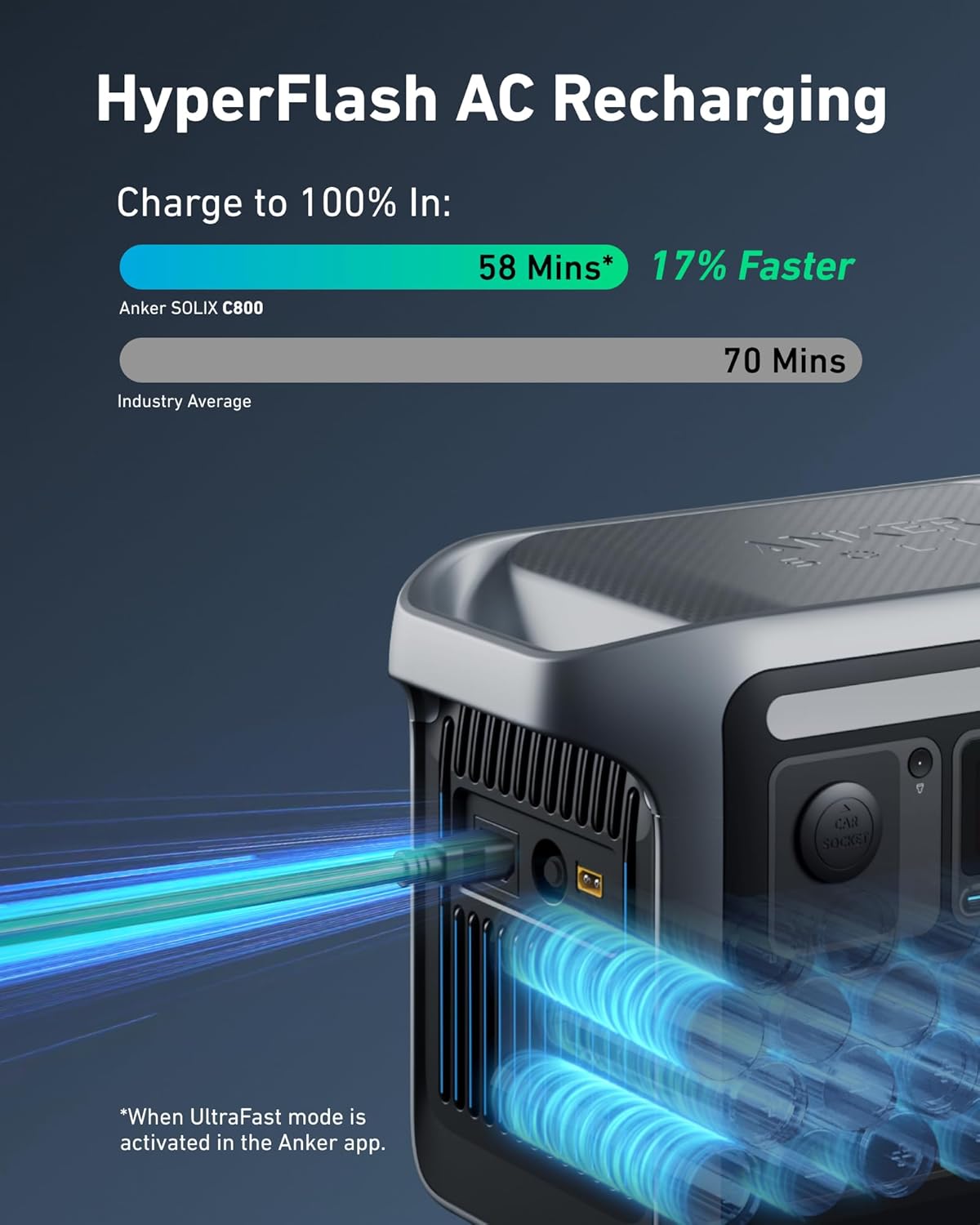
Image: The Anker SOLIX C800 Power Station being recharged via AC, highlighting the HyperFlash charging speed.
3.2 Solar Panel Setup
To charge the power station using the solar panel:
- Unfold the Anker SOLIX PS200 Solar Panel and place it in direct sunlight.
- Locate the MC4 ports behind your solar panel.
- Use the provided solar charging cable to connect the MC4 ports to the XT-60 solar charging converter.
- Connect the XT-60 converter to the XT-60 port on your power station.
- Adjust the solar panel's angle using its built-in stand (30°, 40°, 50°, or 80°) to maximize sunlight exposure for efficient charging.

Image: Step-by-step diagram illustrating the connection process for the solar panel to the power station.

Image: Illustration of the solar panel's adjustable stand, showing optimal angles for sunlight capture.
4. Operating Instructions
4.1 Powering On/Off
Press and hold the main power button on the front panel to turn the power station on or off. The display screen will illuminate, showing the battery level and output information.
4.2 Connecting Devices
The Anker SOLIX C800 offers various output ports:
- AC Outlets: Five standard AC outlets for household appliances. Press the AC button to activate.
- USB-A Ports: Two USB-A ports (24W total) for charging smaller devices.
- USB-C Ports: Two USB-C ports (100W and 30W) for fast charging compatible devices.
- Car Outlet: One 120W car outlet for automotive accessories. Press the Car Socket button to activate.
Simply plug your devices into the appropriate ports. The display will show the current power output for each active port.
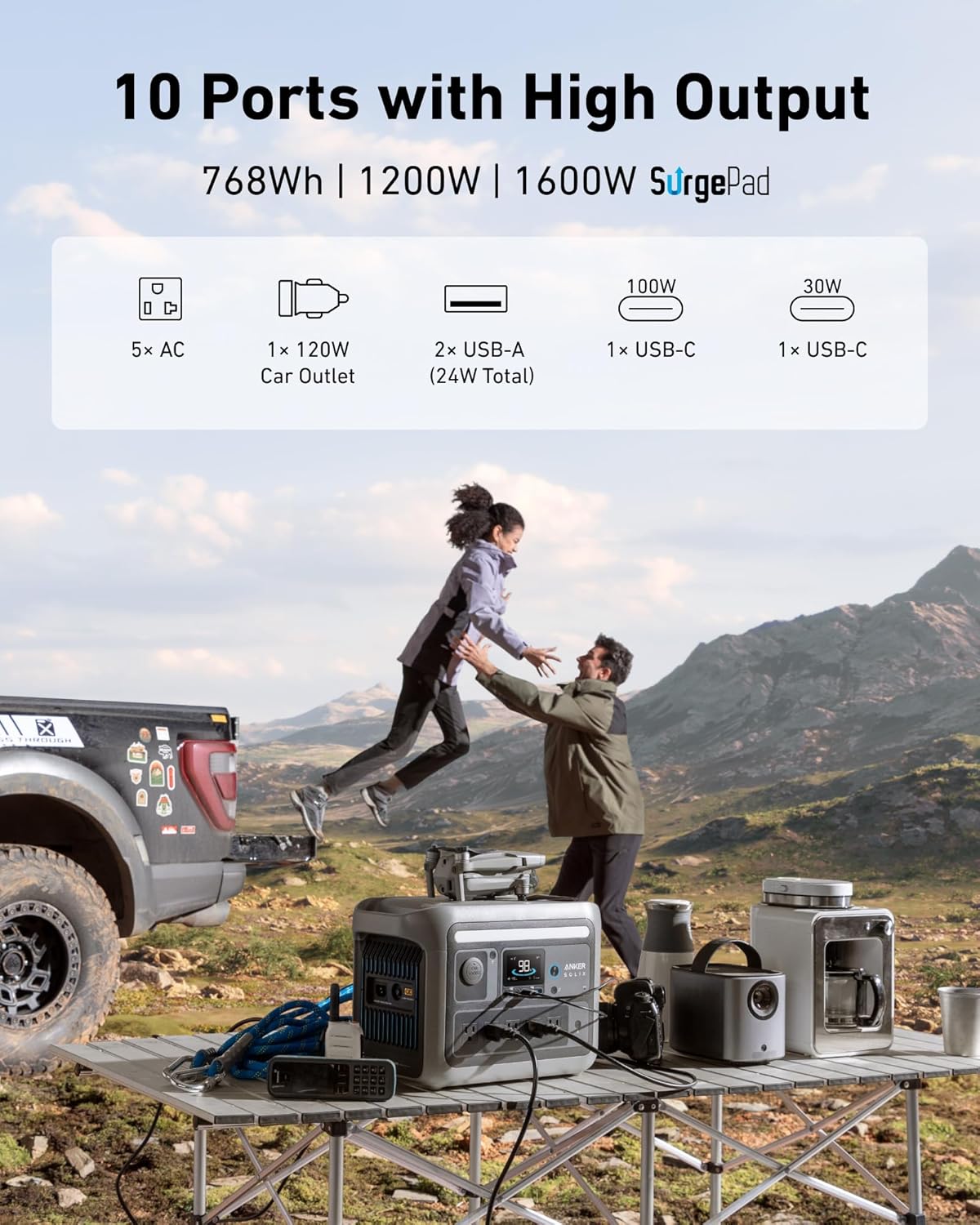
Image: Front panel of the Anker SOLIX C800, displaying its 10 output ports including AC, USB-A, USB-C, and car socket.

Image: The power station in an outdoor setting, demonstrating its capability to power high-wattage appliances.
4.3 Using the Built-in Storage
The power station includes a built-in storage compartment. Lift the top cover to access this area, ideal for keeping small items like charging cables, adapters, or small devices organized and secure.
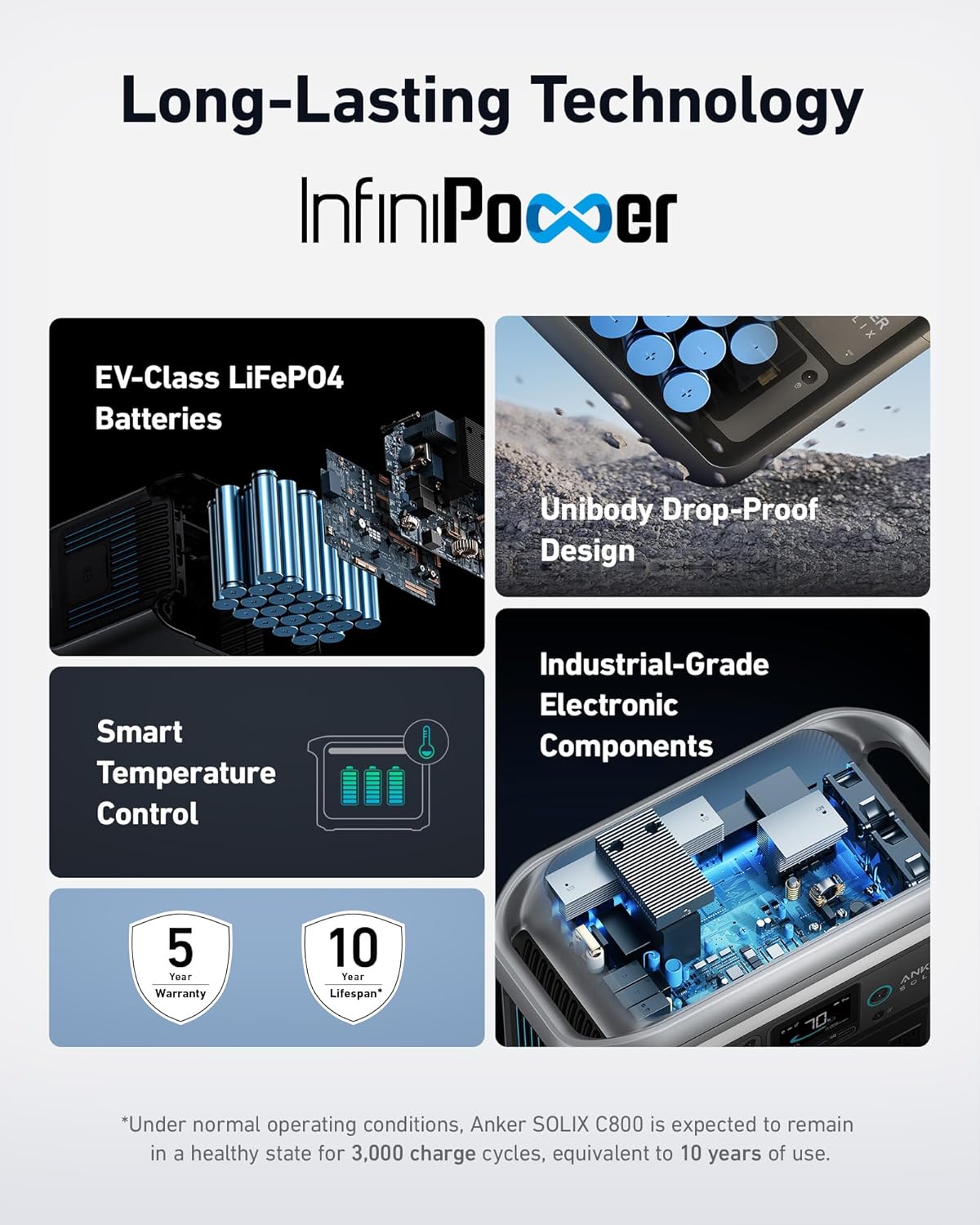
Image: The Anker SOLIX C800 with its top storage compartment open, showing space for accessories.

Image: A detailed view of the built-in storage area, including its dimensions (Length 7.3 in / 186 mm, Depth 1.8 in / 45 mm, Width 5.9 in / 149 mm).

Image: A user neatly storing cables and small devices in the power station's integrated storage.
4.4 Anker App Integration
The Anker SOLIX C800 can be managed via the Anker app. Download the app from your device's app store. The app allows you to monitor battery status, control output ports, and activate features like UltraFast charging mode for quicker recharges.
5. Maintenance
5.1 Battery Care
The Anker SOLIX C800 uses LiFePO4 batteries, known for their longevity. To ensure maximum lifespan (up to 10 years or 3,000 cycles):
- Avoid extreme temperatures. Store the unit in a cool, dry place.
- Recharge the unit at least once every 3-6 months if not in regular use to maintain battery health.
- Do not fully discharge the battery frequently. Aim to keep the charge above 20% when possible.

Image: Visual representation of Anker's InfiniPower technology, highlighting EV-class LiFePO4 batteries, unibody drop-proof design, smart temperature control, and industrial-grade electronic components for extended lifespan.
5.2 Cleaning and Storage
- Wipe the exterior with a soft, dry cloth. Do not use abrasive cleaners or solvents.
- Ensure all ports are free of dust and debris.
- When storing, ensure the unit is charged to at least 50% and stored in a dry, well-ventilated area away from direct sunlight and extreme temperatures.
6. Troubleshooting
- Unit Not Turning On: Ensure the battery is charged. If not, connect to an AC outlet for charging.
- No Output from Ports: Verify that the specific output (AC, USB, Car Socket) is activated by pressing its respective button. Check if the device connected requires more power than the port can supply.
- Slow Solar Charging: Ensure the solar panel is in direct sunlight and angled optimally. Check all cable connections for security. Dust or debris on the solar panel can reduce efficiency; clean as needed.
- Overload Protection: If the unit shuts down, it may be due to an overload. Disconnect some devices and restart the power station. The SurgePad technology allows for higher peak loads but continuous high-wattage use beyond rated capacity can trigger protection.
- App Connectivity Issues: Ensure Bluetooth is enabled on your mobile device and the power station is within range. Restart both the app and the power station if issues persist.
7. Specifications
| Feature | Specification |
|---|---|
| Brand | Anker |
| Model Number | A1753 |
| Wattage (Rated) | 1200 Watts |
| Wattage (Peak with SurgePad) | 1600 Watts |
| Battery Capacity | 768Wh |
| Battery Type | LiFePO4 (Lithium Iron Phosphate) |
| Power Source | Solar Powered, Battery Powered |
| Total Power Outlets | 10 |
| AC Charging Time (UltraFast) | 58 minutes (to full charge) |
| Solar Charging Time (to 80%) | 2.3 hours (with 300W solar input) |
| Item Weight | 23.1 Pounds |
| Material Type | Plastic, Metal, Lithium Iron Phosphate (LiFePO4) |
| Special Feature | Portable |
8. Warranty and Support
The Anker SOLIX C800 Portable Power Station and 200W Solar Panel come with a 5-year warranty. For technical support, troubleshooting assistance, or warranty claims, please contact Anker customer service through their official website or the contact information provided in your product packaging.
Additional protection plans may be available for purchase:
- 4-Year Protection Plan: One-time payment of $93.99.
- Complete Protect: Monthly billing of $16.99, covering all eligible past and future purchases.
For more details on these plans, please refer to the product's purchase page or contact the seller.


