
Introduction
This manual provides essential instructions for the safe and proper operation, setup, and maintenance of your Carrera RC Nintendo Mario Kart Quad 1:40 Scale remote control vehicle. Please read this manual thoroughly before first use and retain it for future reference.

Image: The Carrera RC Mario Kart Quad featuring Mario on the vehicle, alongside its black remote control with red joysticks.
Safety Information
Warning: Choking Hazard - Small Parts. Not for children under 3 years.
- Always operate the vehicle in a safe environment, away from people, pets, and obstacles.
- Do not operate near water or in wet conditions.
- Keep fingers, hair, and loose clothing away from moving parts.
- Adult supervision is recommended for children operating this toy.
- Use only the specified batteries and charging equipment.
Package Contents
Verify that all items listed below are included in your package:
- 1:40 Scale RC Quad (Mario Kart Quad)
- Remote Controller
- USB Cable
- Rechargeable LiPo-Akku Battery (for vehicle)
- 2 AAA Batteries (for controller)

Image: The product box for the Carrera RC Mario Kart Quad, showing the vehicle and remote control inside.
Setup
1. Controller Battery Installation
- Locate the battery compartment on the back of the remote controller.
- Open the battery compartment cover.
- Insert 2 AAA batteries, ensuring correct polarity (+/-).
- Close the battery compartment cover securely.

Image: The black Carrera RC remote control with two red joysticks and a power indicator light.
2. Vehicle Battery Charging
- The vehicle uses a rechargeable 3.7V LiPo-Akku battery.
- Connect the included USB charging cable to the vehicle's charging port.
- Connect the other end of the USB cable to a powered USB port (e.g., computer, USB wall adapter).
- The charging indicator light will show the charging status. A full charge takes approximately 25 minutes.
- Once fully charged, disconnect the USB cable.
3. Pairing the Vehicle and Controller
- Ensure both the vehicle and controller have fresh or fully charged batteries.
- Turn on the vehicle's power switch.
- Turn on the remote controller.
- The vehicle and controller will automatically attempt to pair using 2.4GHz technology. A successful connection is indicated by a solid light on both devices.
- If pairing fails, turn both devices off and repeat the process.
Operating Instructions
Controller Functions
- Left Joystick: Controls forward and backward movement.
- Right Joystick: Controls left and right steering.
- The vehicle features full-function steering for precise control.
Driving Tips
- Start by practicing in an open, clear area to get accustomed to the controls.
- The vehicle can reach speeds of up to 3.1 mph (5 km/h).
- The 2.4GHz technology allows up to 16 RC cars to be driven simultaneously without interference.
- Expected running time on a full charge is approximately 8 minutes.
- Avoid driving on rough terrain, sand, or through water to prevent damage.

Front View
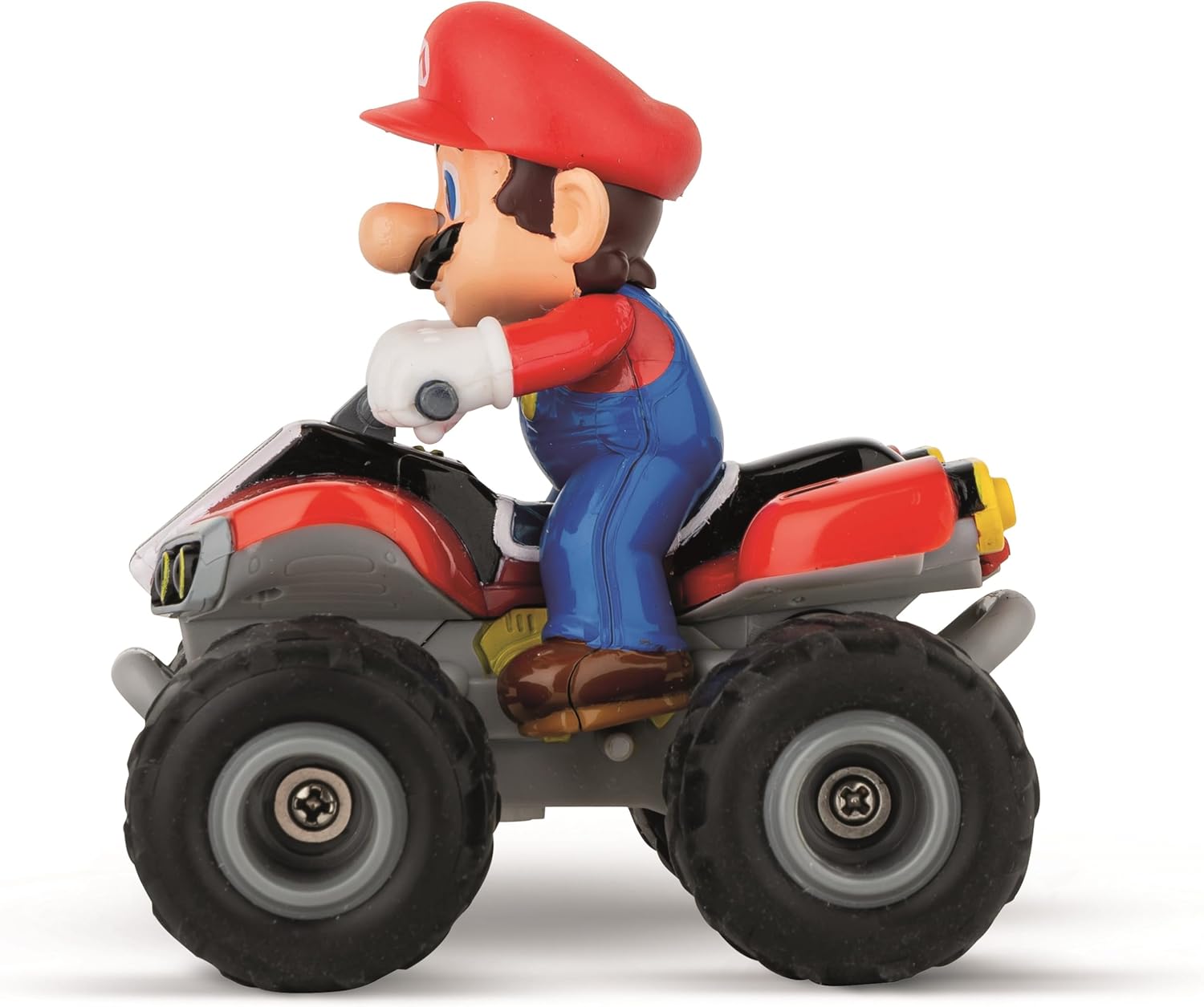
Side View

Rear View
Images: Various views of the Mario Kart Quad, showcasing its design from the front, side, and rear.
Maintenance
- Cleaning: Use a soft, dry cloth to clean the vehicle and controller. Do not use water or chemical cleaners.
- Storage: When not in use, store the vehicle and controller in a cool, dry place, away from direct sunlight. Remove batteries from the controller if storing for extended periods.
- Battery Care: Do not overcharge the LiPo-Akku battery. Allow it to cool down before recharging.
Troubleshooting
| Problem | Possible Cause | Solution |
|---|---|---|
| Vehicle does not move. |
|
|
| Poor control range or interference. |
|
|
| Vehicle runs for a short time. |
|
|
Specifications
| Feature | Detail |
|---|---|
| Model Number | 370400020 |
| Scale | 1:40 |
| Control Frequency | 2.4 GHz |
| Max Speed | 3.1 mph (5 km/h) |
| Vehicle Battery | 3.7V Rechargeable LiPo-Akku |
| Controller Batteries | 2 x AAA (included) |
| Charging Time | Approx. 25 minutes |
| Running Time | Approx. 8 minutes |
| Product Dimensions | 3.1 x 3.1 x 3.1 inches |
| Item Weight | 10.2 ounces |
| Recommended Age | 6 years and up |
Warranty and Support
This product is covered by a manufacturer's warranty. Please refer to the warranty card included in your product packaging for specific terms and conditions. For technical support or inquiries, please contact Carrera customer service through their official website or the contact information provided with your purchase.
For additional information or to view other Carrera products, visit the official Carrera Store: Carrera Store on Amazon.


