
1. Product Overview
The KEF Kube 8 MIE is a compact yet powerful 8-inch powered subwoofer designed to deliver deep and precise bass. It features a 300 Watt Class D amplifier and KEF's proprietary Music Integrity Engine (MIE) for optimized performance. This manual provides essential information for setting up, operating, and maintaining your subwoofer.

Figure 1: Front view of the KEF Kube 8 MIE Subwoofer.
Key Features
- Compact 8-inch woofer with 300 Watt Class D Amplifier.
- KEF’s proprietary DSP (Digital Signal Processing) algorithms ensure that every component of the subwoofer works in perfect harmony. Features such as iBX Intelligent Bass Extension provide even deeper and precise bass at any listening level.
- The Kube features a front-firing long throw driver with a large cone area and high excursion, delivering higher output at lower frequencies. Its efficient and cool-running 300W Class D RMS amplifier further enhances performance.
- Kube offers versatile connection options, including KEF SmartConnect and speaker level inputs, making connecting into any system a breeze.
- 3 room position EQ options - The intuitive preset options ensure excellent performance from Kube no matter where in the room it is placed.
2. Package Contents
Ensure all items are present and in good condition upon unpacking:
- 1 Kube 8 MIE Subwoofer
- Power Cable
- Instruction Manual (this document)
3. Setup Guide
Placement
The placement of your Kube 8 MIE subwoofer significantly impacts its performance. Consider the following guidelines:
- Room Position EQ: The Kube 8 MIE features three room position EQ options (Room, Wall, Corner) to optimize bass response based on its location. Experiment with these settings for the best sound.
- Free Space: Placing the subwoofer away from walls and corners can provide a more balanced bass response.
- Near a Wall: Placing it near a wall can increase bass output. Use the 'Wall' EQ setting.
- In a Corner: Corner placement maximizes bass output. Use the 'Corner' EQ setting.
- In a Cabinet: If placing inside a cabinet, ensure adequate ventilation and use the 'Cabinet' EQ setting.
- Apartment Mode: For reduced bass output in shared living spaces, utilize the 'Apartment' EQ setting.
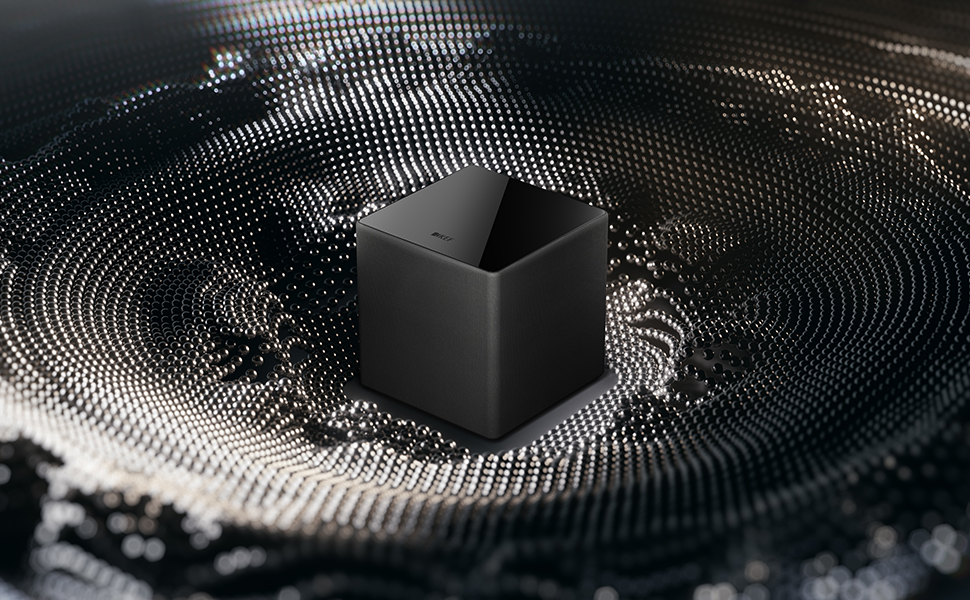
Figure 2: Example placement of the KEF Kube 8 MIE Subwoofer in a room.
Connections
The Kube 8 MIE offers various input options for seamless integration with your audio system.

Figure 3: Rear panel connections and controls.
- Line Level Input (RCA): Connect your receiver or pre-amplifier's LFE (Low-Frequency Effects) output or stereo RCA outputs to the Kube's Line Input.
- Speaker Level Input: For amplifiers without dedicated subwoofer outputs, connect directly to your main amplifier's speaker terminals using the provided speaker level input.
- KEF SmartConnect: This feature automatically detects whether a mono LFE or stereo RCA input is connected and adjusts the subwoofer's gain accordingly.
- Power Connection: Connect the supplied power cable to the AC input on the subwoofer and then to a wall outlet.
Initial Configuration
- After connecting, turn on the subwoofer using the I/O switch.
- Set the Crossover frequency. A common starting point is 80Hz, but adjust to blend seamlessly with your main speakers.
- Adjust the Volume control to match the output level of your main speakers.
- Select the appropriate Room Position EQ setting based on your subwoofer's placement.
- Adjust the Phase control (0° or 180°) to achieve the most coherent bass response with your main speakers.
4. Operation
Controls
The rear panel of your Kube 8 MIE subwoofer features several controls for fine-tuning its performance:
- Volume: Adjusts the overall output level of the subwoofer.
- Crossover: Sets the upper frequency limit for the subwoofer. Frequencies above this point will be handled by your main speakers.
- Phase (0°/180°): Adjusts the phase of the subwoofer's output relative to your main speakers. Set to the position that provides the strongest and most coherent bass.
- EQ (Room Position): Selects preset equalization curves optimized for different room placements (Room, Wall, Corner, Cabinet, Apartment).
- Mode (Auto Wake Up/Always On/12V Trigger): Controls how the subwoofer powers on/off.


Figure 4: Detailed view of EQ and Mode switches.
Room Position EQ
The Kube 8 MIE features five DSP-controlled room position settings to ensure optimal performance regardless of placement:
- Room: For placement in open spaces, away from walls.
- Wall: For placement near a single wall.
- Corner: For placement in a room corner.
- Cabinet: For placement inside a cabinet or enclosed space.
- Apartment: Reduces overall bass output to minimize disturbance in shared living environments.
Auto Wake Up
The 'Mode' switch allows you to configure the subwoofer's power state:
- Auto Wake Up: The subwoofer will automatically turn on when an audio signal is detected and enter standby mode after a period of inactivity.
- Always On: The subwoofer remains powered on continuously.
- 12V Trigger: For integration with home automation systems, the subwoofer can be turned on/off via a 12V trigger signal.
5. Care and Maintenance
- Cleaning: Use a soft, dry cloth to clean the subwoofer's cabinet. Avoid abrasive cleaners or solvents.
- Placement: Do not place the subwoofer in direct sunlight, near heat sources, or in areas with high humidity.
- Ventilation: Ensure adequate airflow around the amplifier panel to prevent overheating.
- Handling: Handle the subwoofer with care to avoid damage to the driver or cabinet.
6. Troubleshooting
- No Sound:
- Check if the subwoofer is powered on and the power cable is securely connected.
- Verify that the audio input cables are correctly connected to both the subwoofer and your source device.
- Ensure the volume control on the subwoofer and your source device is not set to minimum.
- If using 'Auto Wake Up' mode, ensure an audio signal is present.
- Distorted Sound:
- Reduce the volume level on the subwoofer or your source device.
- Check for loose connections or damaged cables.
- Ensure the subwoofer is not placed too close to walls or corners without appropriate EQ settings.
- Weak Bass:
- Increase the volume level on the subwoofer.
- Adjust the Crossover frequency to a higher setting.
- Experiment with the Phase control (0° or 180°).
- Try different Room Position EQ settings.
7. Technical Specifications
| Feature | Specification |
|---|---|
| Brand | KEF |
| Model Name | Kube8MIE |
| Speaker Type | Subwoofer |
| Speaker Size | 8 Inches |
| Woofer Diameter | 8 Inches |
| Speaker Maximum Output Power | 300 Watts |
| Connectivity Technology | RCA, Wired |
| Audio Output Mode | Stereo |
| Special Feature | Bass Boost, Hi Res Audio |
| Product Dimensions | 12.2"D x 11.5"W x 11.5"H |
| Item Weight | 20.7 pounds (9.4 Kilograms) |
| Color | Black |
| Material | Metal |
| Control Method | Touch |
| Power Source | Corded Electric |
| Manufacturer | KEF |
| Item Model Number | SP4073B0CA |
| UPC | 637203050282 |
8. Warranty and Support
The KEF Kube 8 MIE Subwoofer comes with a limited warranty. Please refer to the warranty card included in your package for specific terms and conditions. For technical support, troubleshooting assistance, or warranty claims, please visit the official KEF website or contact their customer service department.
Online Resources:
- KEF Official Website: www.kef.com
- Product Support Page: Refer to the KEF website for the specific support page for the Kube 8 MIE model.
9. Official Product Video
Video: KEF Subwoofer Range Overview. This video provides a general overview of the KEF subwoofer range, including design and technology highlights relevant to the Kube series.


