
Jesebang BD86
Jesebang Wireless Earbuds User Manual
Model: BD86 | Brand: Jesebang
1. Introduction
Thank you for choosing Jesebang Wireless Earbuds. These earbuds are designed to provide a superior audio experience with advanced features such as Bluetooth 5.3 connectivity, Environmental Noise Cancellation (ENC) for clear calls, and a long-lasting battery. This manual will guide you through the setup, operation, and maintenance of your new earbuds.
2. What's in the Box
- 1 x Fast Charging Case
- 2 x Wireless Headsets (Earbuds)
- 1 x Type-C Charging Cable
- 1 x Instruction Manual

3. Product Overview
Familiarize yourself with the components of your Jesebang Wireless Earbuds and charging case.

- Mic 1 & Mic 2: For voice input during calls.
- LED Indicator: Shows earbud status (e.g., charging, connected).
- Charging PIN: Connects earbuds to the case for charging.
- LED Dual Digital Display: Shows battery levels for both earbuds and the charging case.
- Type-C Input: Port for charging the case.
4. Setup
4.1 Charging Your Earbuds and Case
Before first use, fully charge both the earbuds and the charging case. Use the provided Type-C charging cable.
- Earbud Charging Time: Approximately 1 hour for a full charge.
- Case Charging Time: Approximately 1 hour for a full charge.
- Earbud Playtime: Up to 6 hours on a single charge.
- Total Playtime with Case: Up to 30 hours.


4.2 Pairing with Your Device
The Jesebang BD86 earbuds utilize advanced Bluetooth 5.3 technology for a stable and fast connection.
- Ensure the earbuds are charged.
- Open the charging case. The earbuds will automatically enter pairing mode.
- On your device (smartphone, tablet, laptop), go to Bluetooth settings.
- Search for available devices and select "BD86" from the list.
- Once connected, you will hear a confirmation tone, and the LED indicator on the earbuds will change.
The Bluetooth range is up to 15 meters (approximately 49 feet).

5. Operating Your Earbuds
5.1 Smart Touch Controls
The BD86 earbuds feature high-sensitivity touch controls for easy management of your audio and calls.

| Gesture | Function |
|---|---|
| Tap L/R Earbud (x1) | Answer Call |
| Tap L/R Earbud (x2) | Play/Pause Music |
| Tap L/R Earbud (2 seconds) | Reject Call / Switch Song (Next/Previous) |
| Tap L/R Earbud (x3) | Activate Voice Assistant (Siri, Google Assistant) |
| Tap L/R Earbud (5 seconds) | Power On/Off |
5.2 Immersive Sound and Call Clarity
Equipped with 14.2mm dynamic drivers, these headphones deliver rich, balanced audio. The integrated ENC noise reduction technology ensures your voice is crystal clear during calls by suppressing up to 95% of background noise.

5.3 Comfortable Fit
Weighing just 3.3 grams each, these wireless earphones feature an ultra-light and ergonomic design, ensuring comfort even during prolonged wear. They are designed to fit snugly without causing discomfort.

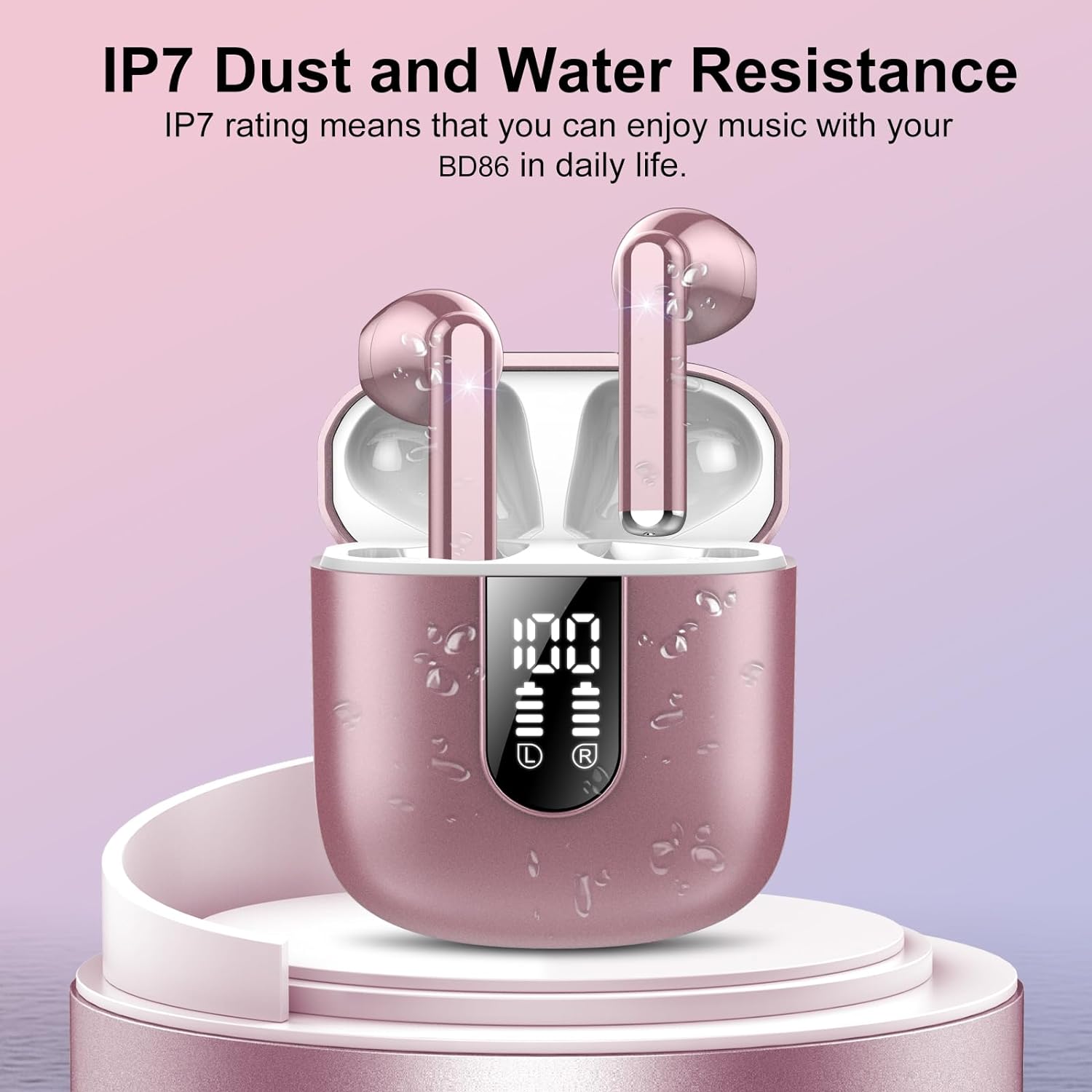
5.4 IP7 Waterproof Rating
The earbuds feature a sealed shell and an IP7 waterproof rating, providing effective protection against sweat and rain. This makes them suitable for workouts and outdoor activities.
6. Maintenance
To ensure the longevity and optimal performance of your Jesebang Wireless Earbuds, follow these maintenance guidelines:
- Cleaning: Regularly wipe the earbuds and charging case with a soft, dry, lint-free cloth. For stubborn dirt, slightly dampen the cloth with water. Do not use harsh chemicals or abrasive materials.
- Charging Contacts: Periodically clean the charging pins on the earbuds and inside the case with a dry cotton swab to ensure good connection.
- Storage: When not in use, store the earbuds in their charging case to protect them from dust and damage. Store in a cool, dry place away from extreme temperatures.
- Avoid Water Exposure: While IP7 rated, avoid submerging the earbuds in water or exposing them to high-pressure water jets. Dry them thoroughly if they get wet.
- Battery Care: To preserve battery health, avoid fully draining the battery frequently. Charge them regularly.
7. Troubleshooting
If you encounter any issues with your earbuds, please refer to the following common problems and solutions:
| Problem | Possible Solution |
|---|---|
| Earbuds not pairing with device |
|
| No sound from one or both earbuds |
|
| Charging case not charging |
|
| Poor call quality |
|
| Touch controls not responding |
|
8. Specifications
| Feature | Detail |
|---|---|
| Model Name | BD86 |
| Connectivity Technology | Wireless (Bluetooth) |
| Bluetooth Version | 5.3 |
| Bluetooth Range | 15 Meters |
| Audio Driver Type | Dynamic Driver |
| Audio Driver Size | 14.2 Millimeters |
| Frequency Range | 20 Hz - 20,000 Hz |
| Battery Life (Earbuds) | 6 Hours (single charge) |
| Carrying Case Battery Life | 30 Hours (total playtime) |
| Carrying Case Battery Capacity | 300 Milliamp Hours |
| Charging Time (Earbuds) | 1 Hour |
| Charging Time (Case) | 1 Hour |
| Water Resistance Level | IP7 Waterproof |
| Control Type | Touch Control |
| Item Weight | 3.2 ounces |
| Product Dimensions | 2.17 x 1.77 x 0.71 inches |
| Compatible Devices | Cellphones, Telephones, Laptops |
9. Warranty and Support
Jesebang stands behind the quality of its products.
- Warranty: Your Jesebang Wireless Earbuds come with a 2-year warranty from the date of purchase. Please retain your proof of purchase for warranty claims.
- Customer Service: For any inquiries, technical support, or warranty claims, please contact Jesebang customer service. We aim to provide a 24-hour customer service response.
- Online Support: Visit the official Jesebang Store on Amazon for more information and support: Jesebang Store
Related documentsBD86

Ask a question about this manual
Ask about setup, troubleshooting, compatibility, parts, safety, or missing instructions. Manuals+ will review the question and use this page’s manual context to help answer it.