Product Overview
The PETGUGU PF2 Automatic Pet Feeder is designed to provide a convenient and healthy feeding solution for your cats and dogs. Featuring a 3.5L capacity, video and voice call capabilities, and app-based data monitoring, this feeder ensures customized and timely feeding while preserving food freshness. Its advanced design includes a ceramic bowl for hygiene and easy removal for cleaning.


Setup Guide
Follow these steps to set up your PETGUGU PF2 Automatic Pet Feeder and connect it to the mobile application.
- Download the App: Scan the QR code or search for "Petgugu" in your device's app store (App Store or Google Play) to download and install the Petgugu APP.
- Enable Bluetooth and Wi-Fi: Ensure your phone's Bluetooth is turned on. Verify that your phone is connected to a 2.4GHz Wi-Fi network, as the device only supports 2.4GHz Wi-Fi.
- Open Petgugu APP: Launch the Petgugu application on your smartphone.
- Add Device: On the device page within the app, click on the "Add Device" option.
- Initiate Pairing: Long press the network distribution button on the feeder until the indicator light blinks, signaling it's ready for pairing.
- Connect via App: The app should auto-search and find the device. Click "Add" when the "Pet Automatic Feeder" appears.
- Enter Wi-Fi Password: Fill in the account password for the 2.4GHz Wi-Fi network your phone is currently connected to. Click "Next step" to start the network connection.
- Complete Setup: Once the connection is successful, click "Done" to complete the distribution network setup. Then, click on "Pet Automatic Feeder" to access its features.

Feeder Tray Calibration
To ensure accurate feeding, calibrate the feeder tray:
- Go to the "Settings" button in the upper right corner of the Pet Automatic Feeder page.
- Click on "Feeder tray calibration".
- Pick up the empty food bowl from the feeder base.
- Put the empty food bowl back into the feeder base.
- Click "Calibration" in the app. The calibration should succeed.
Operating Instructions
Intelligent Feeding via App
The mobile app allows you to manage your pet's feeding schedule with precision.
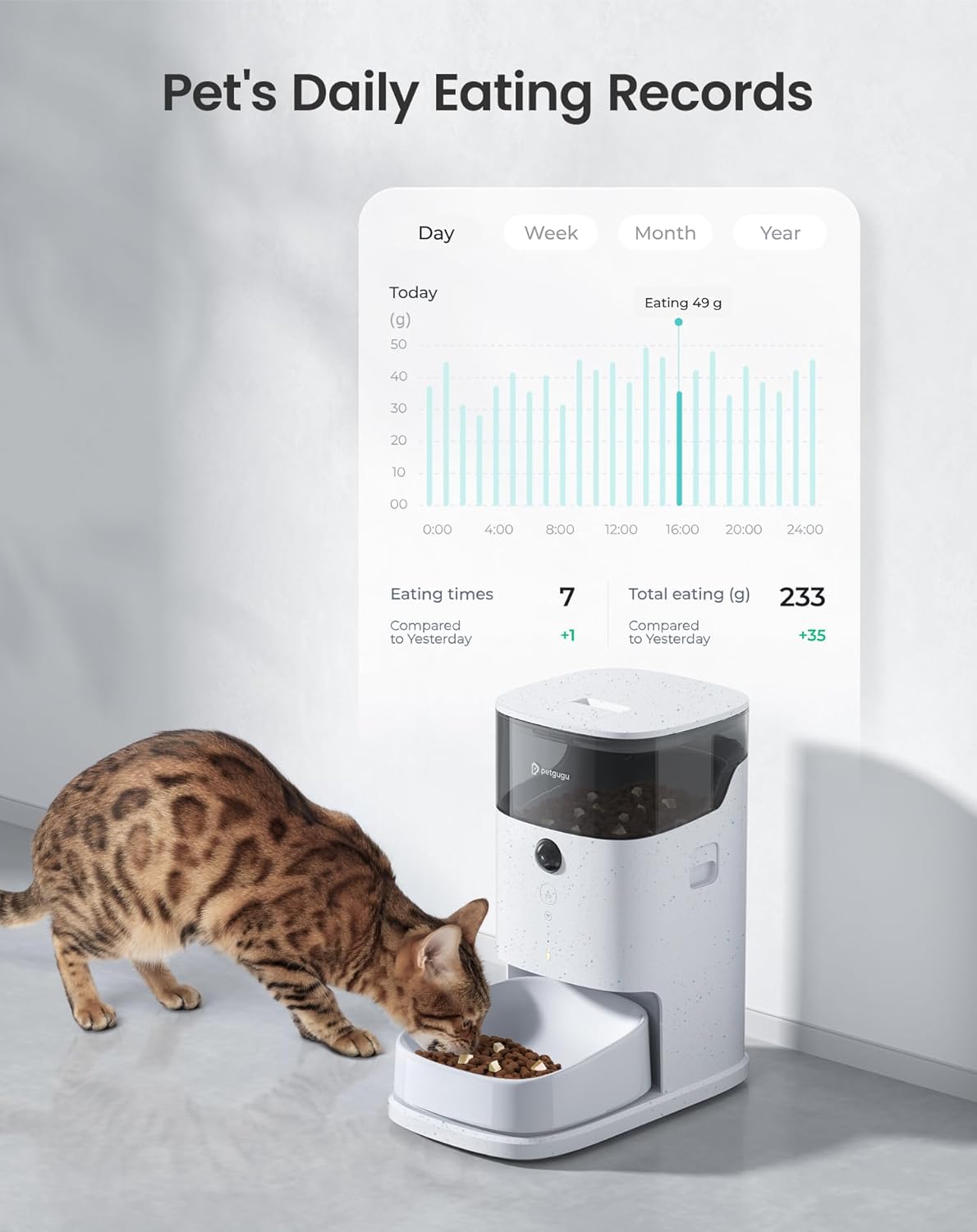
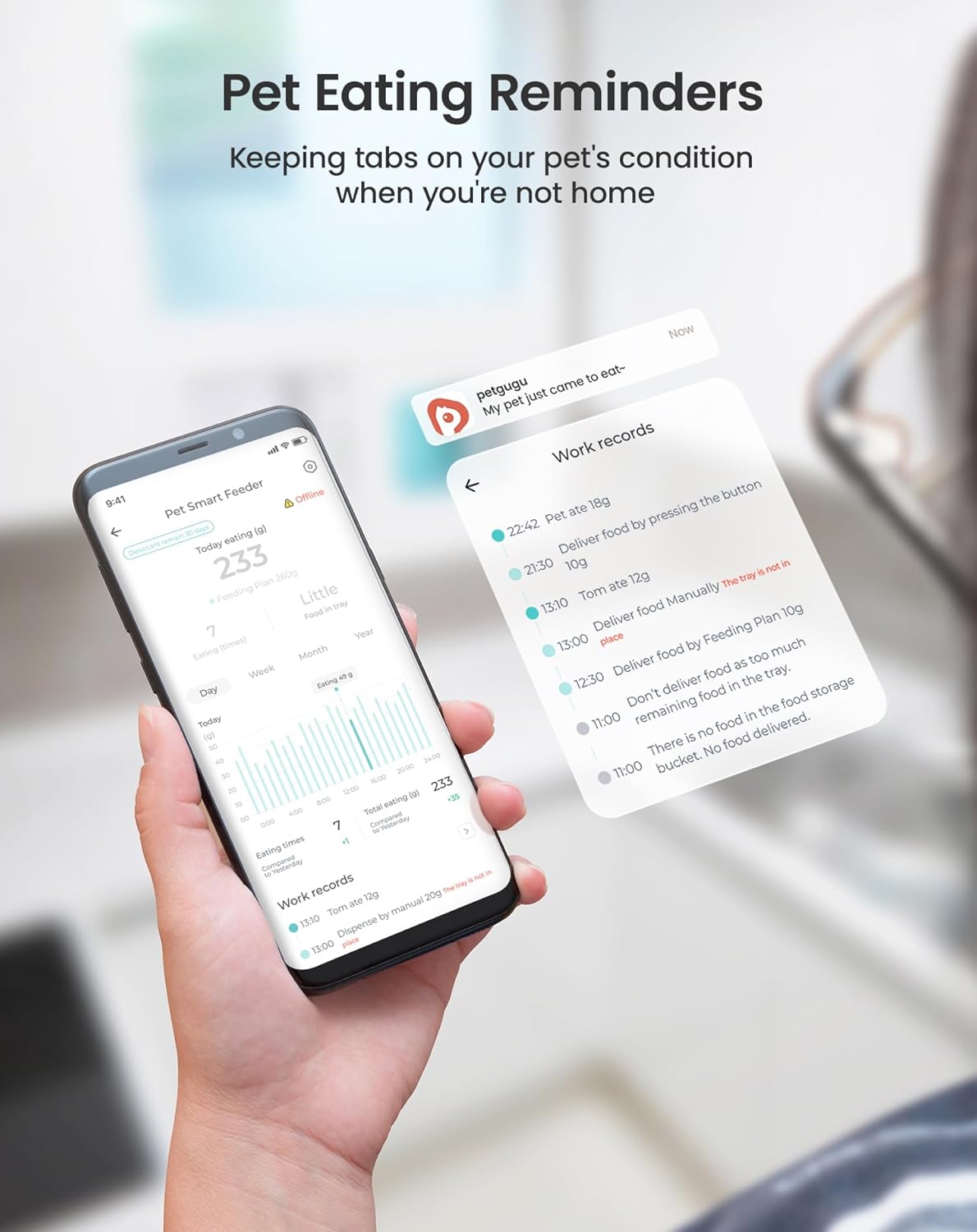
- View Feeding Data: Monitor feeding times, frequency, and quantities. Compare and evaluate feeding data to understand your pet's eating habits.
- Set Feeding Plans: Create precise, scientific feeding plans with programmed doses. You can add up to 10 feeding plans per day.



Remote Interaction and Monitoring
The feeder is equipped with features for remote interaction and monitoring of your pet.
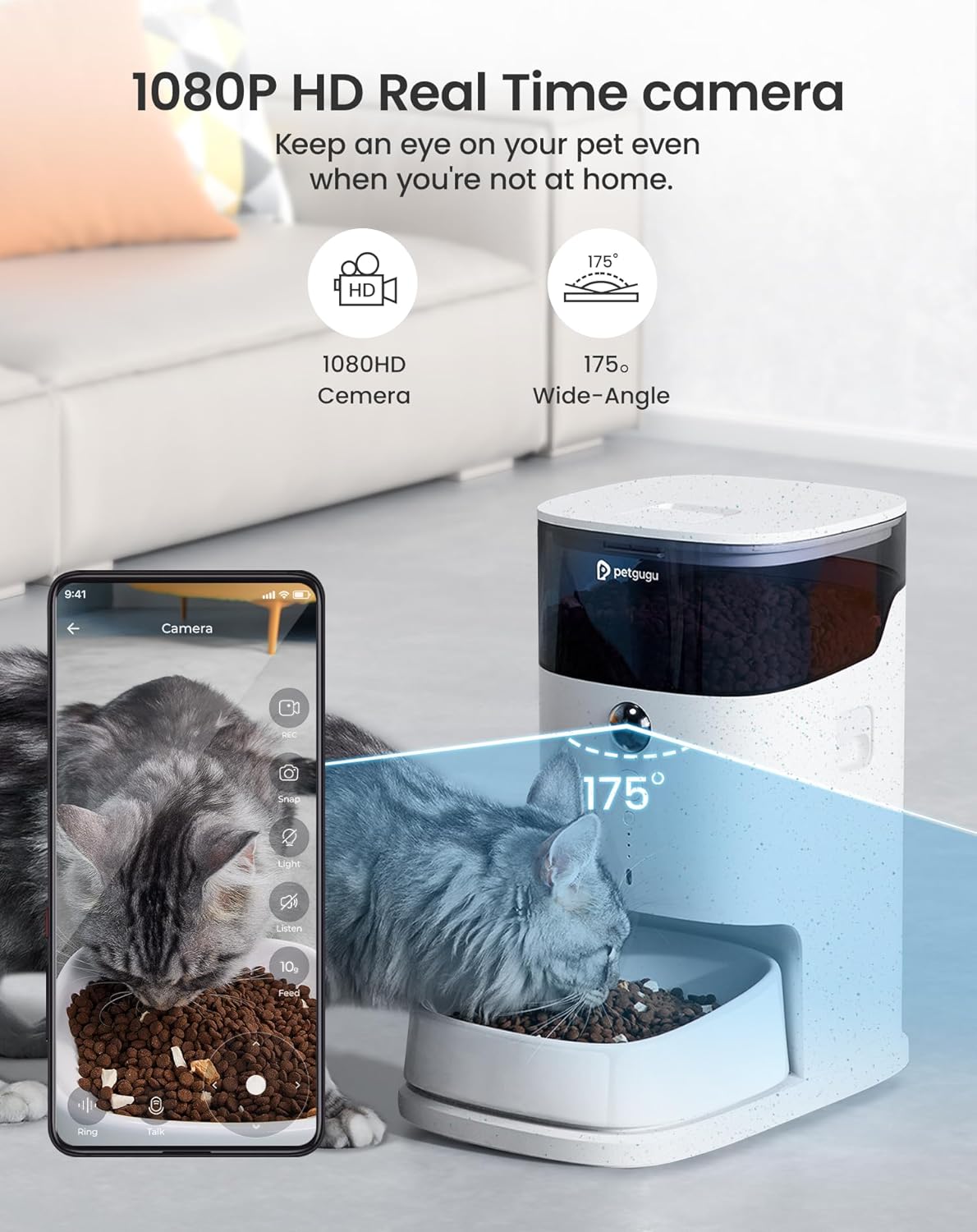
- 175° Rotating Camera: The 1080p HD camera allows you to capture your pet's feeding activities and monitor them remotely.
- Two-Way Voice Communication: Interact with your pet remotely using the voice communication feature. You can record up to 4 customized voices in addition to the system's voice.
- Video Recording: Record videos of up to 60 seconds.
- Account Sharing: Share the app's account with family members so they can also participate in monitoring and interacting with your pet.


Maintenance
Freshness Preservation
The PETGUGU PF2 feeder incorporates triple freshness preservation technology to keep food fresh.
- Food-Grade Seal: Ensures the food remains sealed and protected from air.
- Special Drying Compartment: Helps absorb moisture to prevent spoilage.
- Sealed Food Outlet: Minimizes exposure to air during dispensing.

Cleaning and Safety
For optimal hygiene and safety, regular cleaning and proper handling are recommended.
- Removable Ceramic Bowl: The ceramic bowl can be easily removed for thorough cleaning, promoting a healthy feeding environment.
- Disassemblable Components: All components of the feeder can be disassembled for comprehensive cleaning.
- Anti-Spill Mechanism: Designed to prevent food spills.
- Child Safety Lock: The kibble dispenser is equipped with a child safety lock.
- Durable Charging Cable: The charging cable is made of high-quality nylon, designed to be resistant to wear and tear and biting.


Specifications
| Feature | Detail |
|---|---|
| Model Name | PF2-02 |
| Capacity | 3.5 Liters (approx. 1.8 kg of pet food) |
| Dimensions (LxWxH) | 13.6 x 8.2 x 14.4 inches |
| Item Weight | 9.46 Pounds |
| Material | Acrylonitrile Butadiene Styrene (ABS) |
| Target Species | Cat, Dog |
| Camera | 1080p HD, 175° rotating |
| Connectivity | 2.4GHz Wi-Fi (5GHz not supported) |
| Recommended Kibble Size | 5 to 12 mm diameter |
| Power Source | AC adapter, supports mobile power supply (not included) |
| Special Features | Feeding Schedule, Food Grade Material, Smart App, Two Way Audio, Child Safety Lock |

Troubleshooting
If you encounter issues with your PETGUGU PF2 feeder, refer to the following common solutions:
- Feeder Not Connecting to Wi-Fi:
- Ensure your Wi-Fi network is 2.4GHz. The feeder does not support 5GHz networks.
- Verify that your phone is connected to the same 2.4GHz Wi-Fi network during setup.
- Check if the Wi-Fi password entered in the app is correct.
- Ensure the feeder is within range of your Wi-Fi router.
- Try restarting your Wi-Fi router and the feeder.
- Food Not Dispensing:
- Check if the food hopper is empty.
- Ensure the kibble size is within the recommended range (5-12mm). Larger kibble may cause blockages.
- Verify that the feeder tray is properly calibrated. Recalibrate if necessary.
- Check the app for any error messages or notifications regarding dispensing issues.
- Ensure there are no foreign objects obstructing the food outlet.
- Camera or Voice Issues:
- Ensure the feeder is powered on and connected to Wi-Fi.
- Check your phone's internet connection.
- Verify app permissions for camera and microphone access.
- Restart the app or the feeder if the camera feed is not loading.
- Inaccurate Feeding Data:
- Ensure the feeder tray is calibrated correctly.
- Avoid placing the feeder on uneven surfaces that might affect the weighing scale.
- Power Outage:
- The feeder can be connected to a mobile power supply (power bank) to prevent food shortages during power cuts. This is an optional backup.
Warranty and Support
PETGUGU is committed to providing quality products and excellent customer service.
- Warranty: This product comes with a 24-month warranty.
- Customer Service: For any inquiries or support, please contact our 7/24 hour customer service.
- Online Resources: Visit the official PETGUGU Store for more information and products.


