
NOYAFA JMS19
NOYAFA JMS19 Gas Detector Instruction Manual
5-in-1 Gas Monitor: H2S, O2, CO, LEL, Temperature
1. Introduction
Thank you for choosing the NOYAFA JMS19 Gas Detector. This industrial-grade device is designed for accurate and reliable detection of multiple gases, ensuring safety in various environments. This manual provides essential information on the operation, maintenance, and troubleshooting of your gas detector. Please read it thoroughly before use to ensure proper and safe operation.
The JMS19 can detect the following gases:
- Carbon Monoxide (CO)
- Oxygen (O2)
- Hydrogen Sulfide (H2S)
- Combustible Gases (LEL)
2. Safety Information
Always adhere to the following safety guidelines to prevent injury or damage to the device:
- Do not attempt to open or modify the device. Internal components are not user-serviceable.
- Ensure the device is charged using the provided cable and a compatible power source.
- Avoid exposing the device to extreme temperatures, direct sunlight, or corrosive substances.
- The device is designed to detect gas concentrations. It is not a substitute for proper ventilation or safety procedures.
- In case of an alarm, immediately follow your facility's safety protocols for gas leaks.
- Regularly check the device for any signs of damage or malfunction.
3. Product Overview
3.1 Device Components
The NOYAFA JMS19 Gas Detector features a robust design with an intuitive interface.
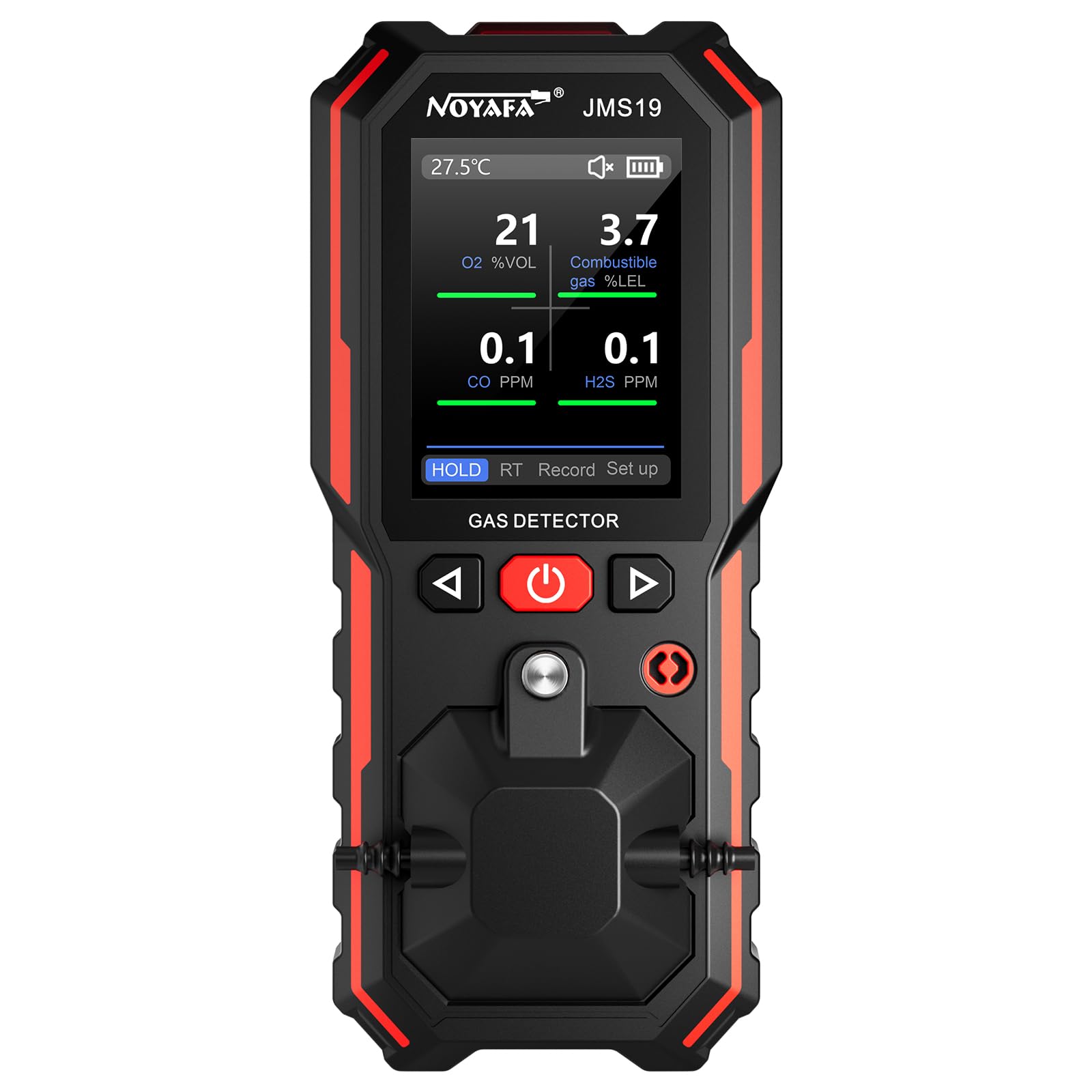
Figure 3.1: Front view of the NOYAFA JMS19 Gas Detector.
- LCD Display: Large, backlit screen for clear real-time gas concentration and temperature readings.
- Control Buttons: Intuitive buttons for navigation, power, and function selection.
- Gas Sensors: Integrated high-quality sensors for accurate detection of H2S, O2, CO, and LEL.
- Alarm Indicators: Visual (LED), audible (buzzer), and vibration alerts.
- Crocodile Clip: Durable stainless steel clip for easy attachment to clothing or equipment.
- USB Charging Port: For recharging the internal lithium-ion battery.
3.2 Display Elements
The digital LCD display provides comprehensive information at a glance:
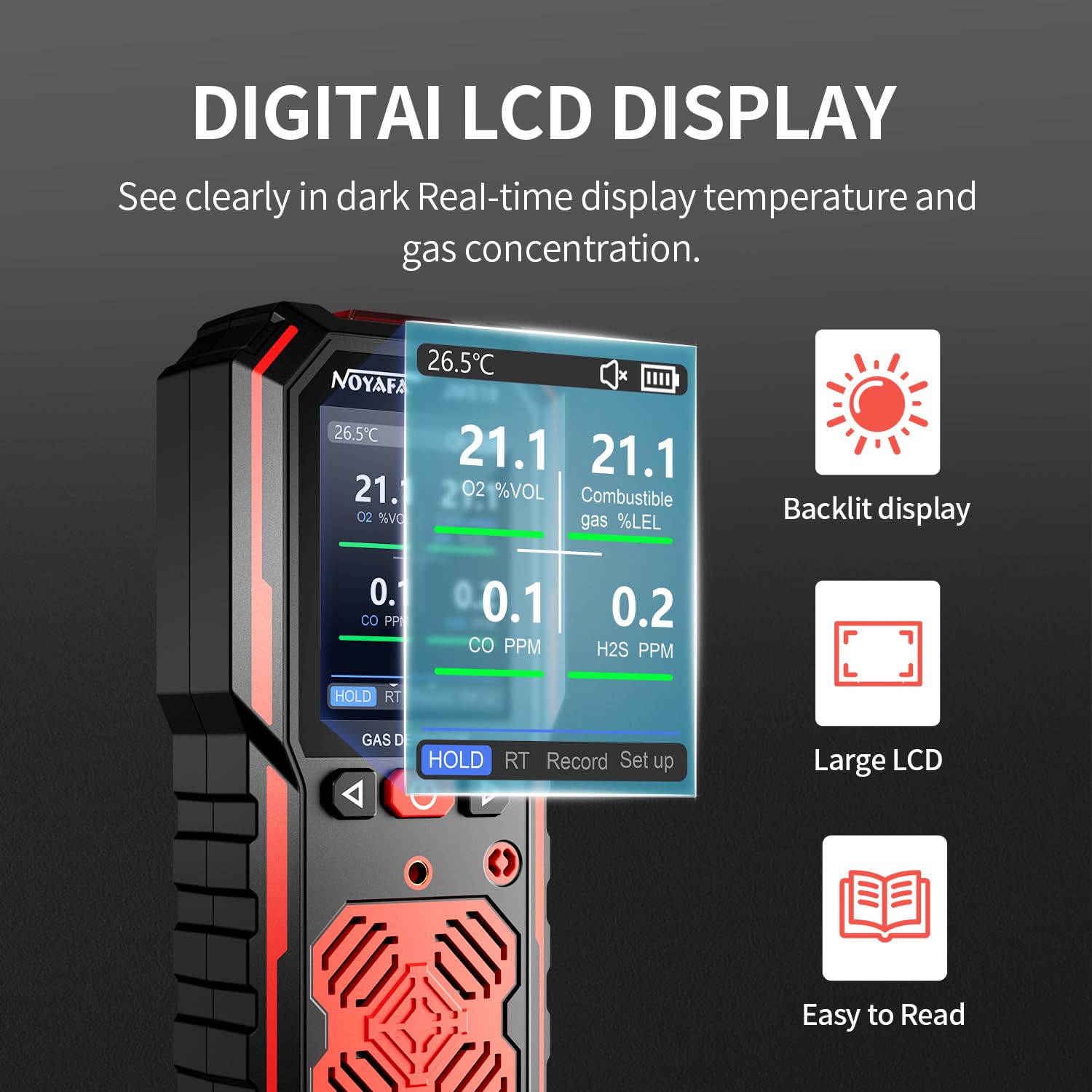
Figure 3.2: Detailed view of the LCD display.
- Temperature Display: Real-time ambient temperature.
- Battery Indicator: Shows current battery level.
- Gas Concentration Readings: Displays current levels for O2 (%VOL), Combustible Gas (%LEL), CO (PPM), and H2S (PPM).
- Alarm Status: Icons or indicators for active alarms.
- Function Indicators: Shows active modes like HOLD, RT (Real-time), Record, and Setup.
4. Setup
4.1 Initial Charging
Before first use, fully charge the device. Connect the provided USB charging cable to the device's charging port and a standard USB power adapter (not included). The battery indicator on the display will show charging status and will be full when charging is complete.
4.2 Powering On/Off
- Power On: Press and hold the power button (usually the central button) for a few seconds until the display illuminates and the device performs a self-test.
- Power Off: Press and hold the power button again until the device powers down.
4.3 Automatic Calibration
The NOYAFA JMS19 features an automatic calibration function. The device is factory calibrated and will perform self-calibration upon startup, ensuring accurate data without manual intervention. For optimal performance, ensure the device is in a clean air environment during startup for initial calibration.
5. Operating Instructions
5.1 Real-time Monitoring
Once powered on, the device will immediately begin real-time monitoring of the four gases and display their concentrations on the LCD. The temperature will also be shown.
5.2 Alarm Indications
When gas concentrations exceed preset safe limits, the device will activate its multi-tiered alarm system:
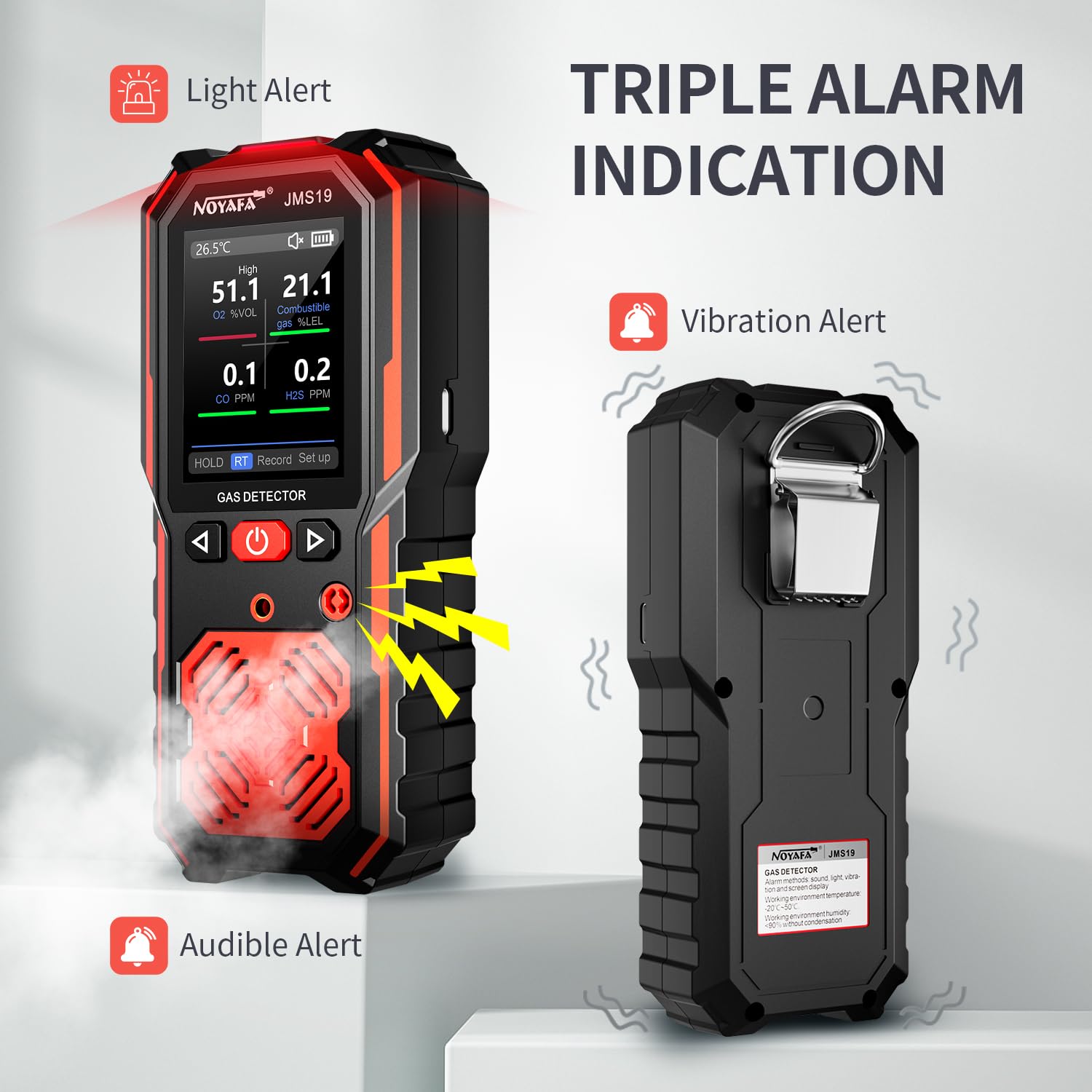
Figure 5.1: Triple Alarm Indication.
- Audible Alert: A loud beeping sound.
- Vibration Alert: The device will vibrate.
- Visual Alert: An alarm light (LED) will flash, and the display may show an alarm indicator.
In case of an alarm, evacuate the area immediately and follow emergency procedures.
5.3 Data Hold Function
Press the 'HOLD' button to freeze the current readings on the display. This allows you to record or analyze specific measurements without them changing. Press 'HOLD' again to return to real-time monitoring.
5.4 Data Storage and Review
The device automatically stores alarm records. You can access the menu to view, browse, and delete historical data. This feature is useful for tracking gas concentration trends over time.

Figure 5.2: Data Storage and Review.
5.5 Applications
The NOYAFA JMS19 is suitable for a wide range of applications where gas detection is critical:
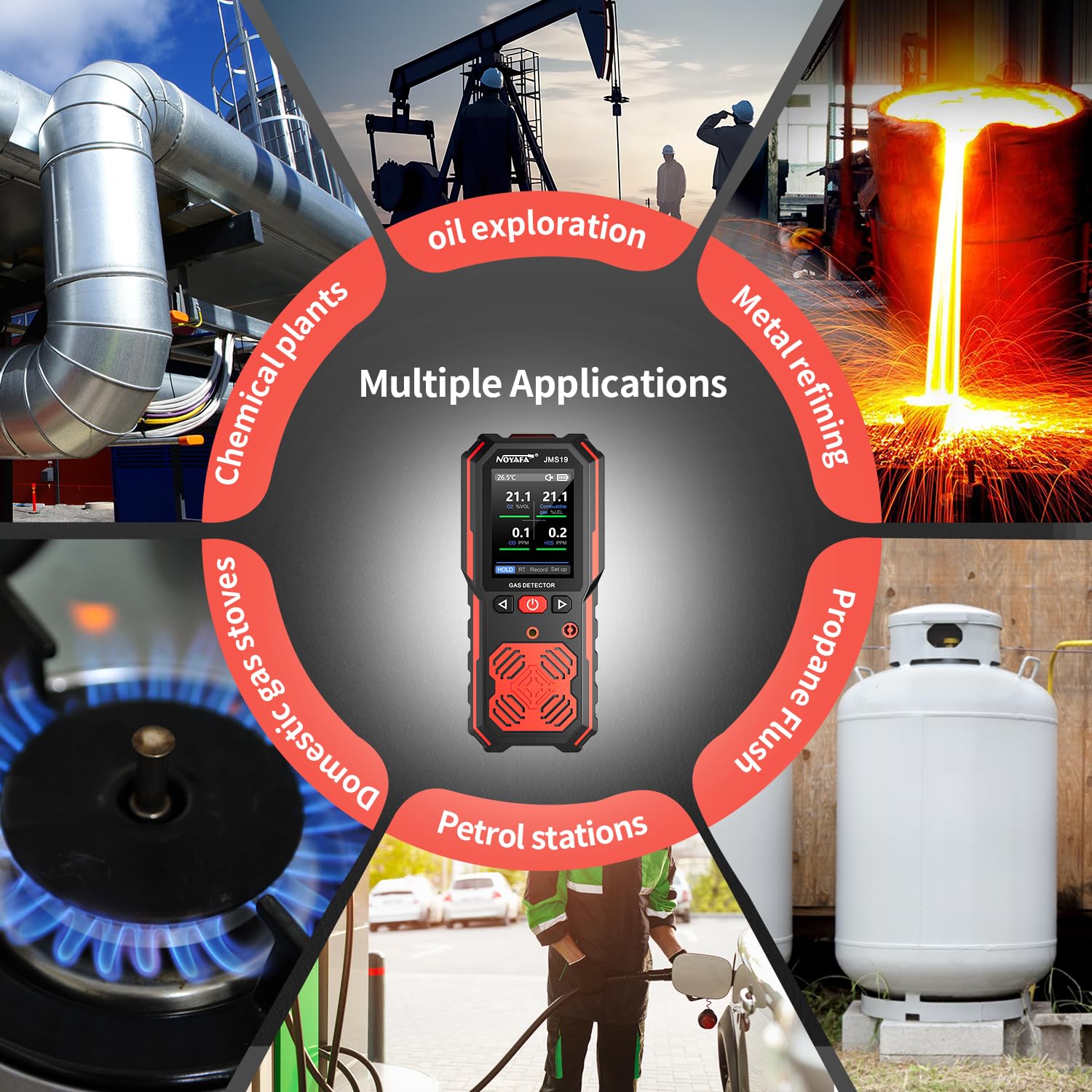
Figure 5.3: Multiple Applications.
- Natural gas pipelines
- Propane tanks and gas fireplaces
- Basements and confined spaces
- Firefighting and rescue operations
- Tunnels and underground works
- Chemical plants and industrial facilities
6. Maintenance
6.1 Cleaning
Wipe the device with a soft, dry cloth. Do not use abrasive cleaners or solvents, as they may damage the casing or display. Ensure the sensor areas are kept clear of dust and debris.
6.2 Battery Care
To prolong battery life, avoid fully discharging the battery frequently. Recharge the device when the low battery indicator appears. If storing the device for an extended period, charge it to approximately 50% and recharge every few months.
6.3 Calibration
While the device features automatic calibration, professional calibration may be required periodically depending on usage and industry standards. Refer to local regulations for recommended calibration intervals.
7. Troubleshooting
If you encounter issues with your NOYAFA JMS19 Gas Detector, please refer to the following common problems and solutions:
| Problem | Possible Cause | Solution |
|---|---|---|
| Device does not power on | Low battery; Power button not held long enough | Charge the device fully; Press and hold the power button for 3-5 seconds. |
| Alarm sounds continuously | High gas concentration detected; Sensor malfunction | Evacuate the area immediately; Move to a clean air environment to see if the alarm clears. If not, contact support. |
| Inaccurate or fluctuating readings | Sensor obstruction; Environmental interference; Sensor aging | Ensure sensors are clean and unobstructed; Avoid strong air currents or chemical fumes; Consider professional calibration or sensor replacement if issues persist. |
| Display is blank or unreadable | Low battery; Device malfunction; Extreme temperature | Charge the device; Restart the device; Move to an environment within operating temperature range. |
If the problem persists after attempting these solutions, please contact NOYAFA customer support.
8. Specifications
| Feature | Specification |
|---|---|
| Model Number | JMS19 |
| Detected Gases | H2S, O2, CO, LEL (Combustible Gas) |
| Detection Range (LEL) | 0-100% LEL |
| Detection Range (H2S) | 0-100 PPM |
| Detection Range (CO) | 0-1000 PPM |
| Detection Range (O2) | 0-30% VOL |
| Response Time | T < 30s |
| Alarm Method | Vibration, Audible, Visual (Light) |
| Power Source | Battery Powered (1 Lithium Ion battery included) |
| Product Dimensions | 10.16 x 7.62 x 2.54 cm |
| Item Weight | 300 g |
| Operating Humidity | 95% (non-condensing) |
| Material | High-strength ABS |
9. Warranty and Support
9.1 Warranty Information
The NOYAFA JMS19 Gas Detector comes with a 1-year warranty from the date of purchase. This warranty covers manufacturing defects and malfunctions under normal use. It does not cover damage caused by misuse, accidents, unauthorized modifications, or improper maintenance.
9.2 Customer Support
For technical assistance, warranty claims, or any questions regarding your NOYAFA JMS19 Gas Detector, please contact our customer support team:
- Email: noyafa123@outlook.com
- Online Store: Visit the NOYAFA Store on Amazon for more products and information.
Please have your product model number (JMS19) and purchase details ready when contacting support.
Related documentsJMS19


Ask a question about this manual
Ask about setup, troubleshooting, compatibility, parts, safety, or missing instructions. Manuals+ will review the question and use this page’s manual context to help answer it.