
1. Introduction
This manual provides detailed instructions for the installation, operation, and maintenance of your VINGLI 19-inch Sand Pool Filter System. Please read this manual thoroughly before attempting to install or operate the system to ensure safe and efficient use. Proper installation and maintenance are crucial for optimal performance and longevity of the product.
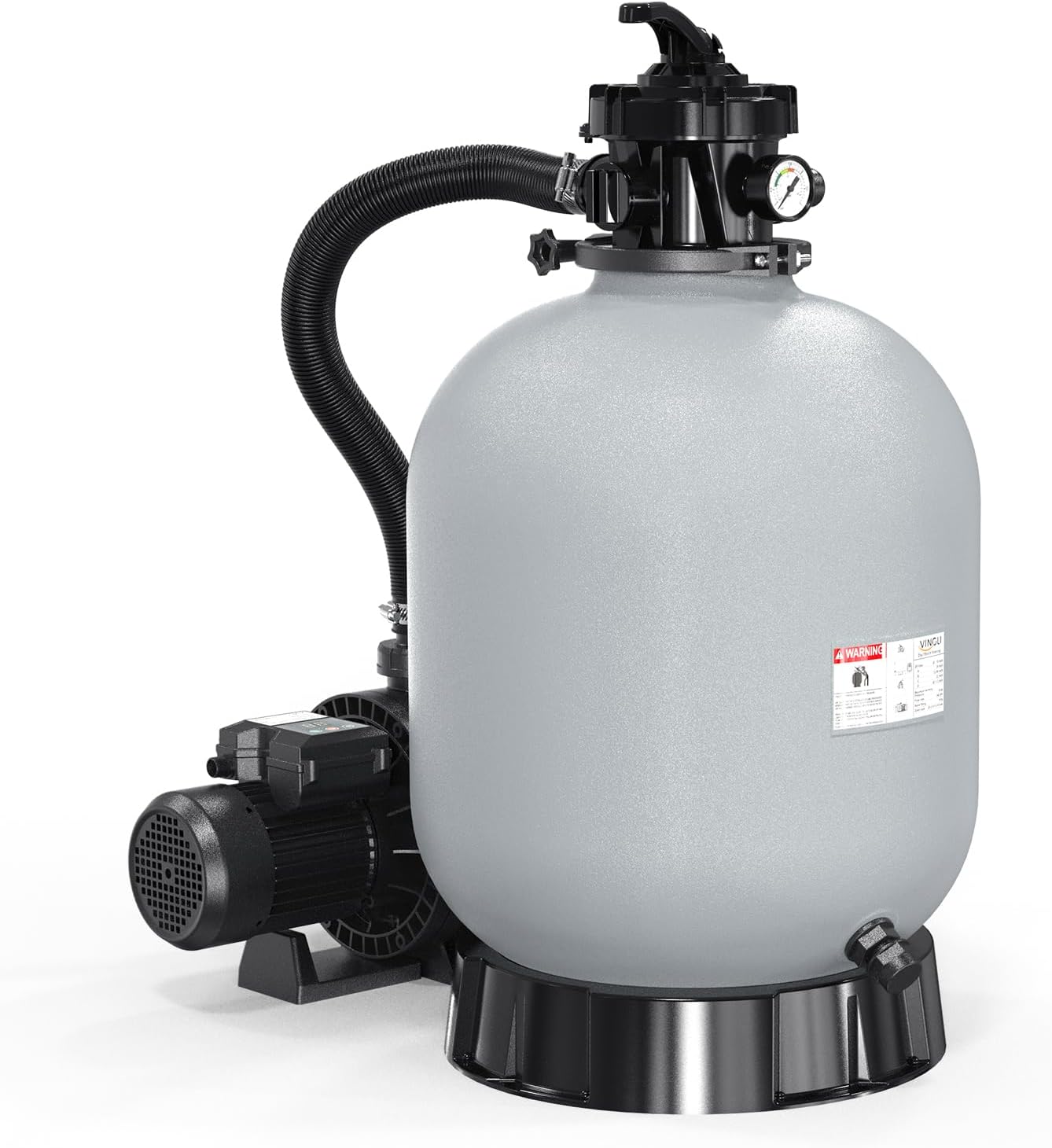
Figure 1.1: Overview of the VINGLI 19-inch Sand Pool Filter System, showing the sand tank, pump, and multi-port valve.
2. Safety Information
Always adhere to the following safety precautions to reduce the risk of injury, electric shock, fire, or property damage. This product is designed for use with swimming pools. Ensure all electrical connections comply with local codes and standards.
- Electrical Safety: Ensure the power supply matches the pump's requirements (115V). Use a Ground Fault Circuit Interrupter (GFCI) for all electrical connections. Do not operate the pump if the power cord is damaged.
- Water Safety: Never operate the pump dry. Ensure the pump is primed with water before starting. Keep children away from the pool equipment area.
- Pressure Safety: The filter operates under pressure. Never attempt to open the filter or multi-port valve while the pump is running. Always turn off the pump and relieve pressure before servicing.
- Chemical Safety: Handle pool chemicals with care. Do not mix different chemicals. Follow manufacturer's instructions for chemical storage and use.
- Installation: Ensure the filter system is installed on a level, solid surface capable of supporting its weight when filled with sand and water.
3. Package Contents
Verify that all components are present and undamaged before beginning installation. If any parts are missing or damaged, contact VINGLI customer support.
- Sand Filter Tank (19-inch)
- 1HP Pool Pump
- Multi-Port Valve
- Pressure Gauge
- Connecting Hoses and Clamps
- Base Plate
- Instruction Manual
4. Setup and Installation
Follow these steps carefully for proper assembly and installation of your VINGLI sand filter system.
4.1 Choosing a Location
Select a level, solid surface as close to the pool as possible. Ensure adequate drainage and protection from direct sunlight or extreme weather conditions. The location should allow for easy access for maintenance and servicing.
4.2 Assembling the Base and Pump
- Place the base plate on the chosen level surface.
- Secure the pump to the base plate using the provided hardware.
4.3 Filling the Filter Tank with Sand
The VINGLI 19-inch filter tank requires approximately 132 lbs of filter sand (No. 20 silica sand, 0.45-0.55mm). Filter balls can also be used as an alternative.
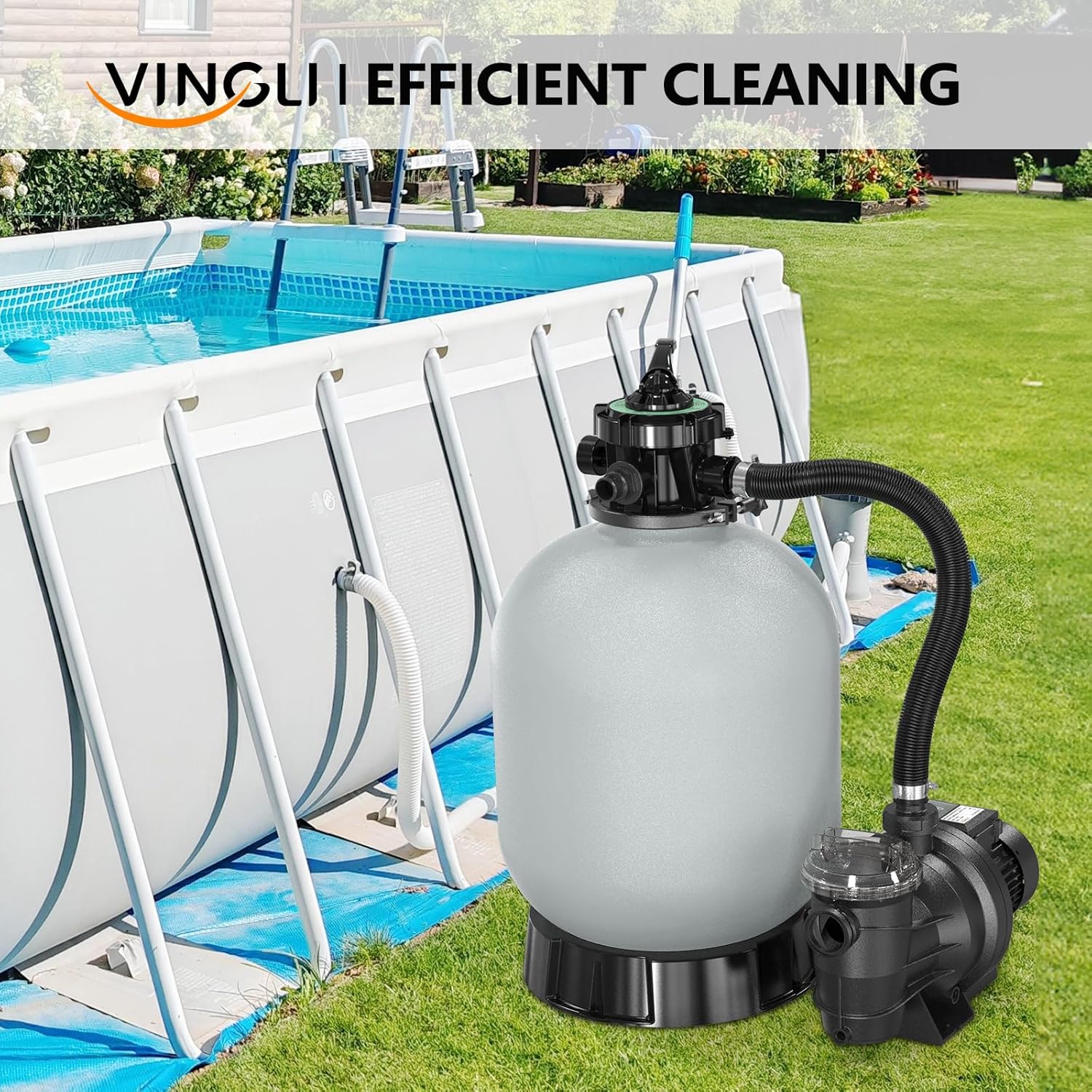
Figure 4.1: Illustration showing that both sand and filter balls are compatible filtration media for the system.
- Ensure the drain plug at the bottom of the tank is securely closed.
- Place the standpipe with its laterals inside the tank. Cover the top of the standpipe with a plastic cap or a piece of tape to prevent sand from entering.
- Carefully pour the filter sand into the tank. Distribute it evenly.
- Remove the cap/tape from the standpipe.
4.4 Installing the Multi-Port Valve
- Clean the rim of the filter tank.
- Carefully place the multi-port valve onto the tank, ensuring the standpipe aligns with the opening in the valve. Do not force it.
- Secure the multi-port valve to the tank using the provided clamp and bolts. Tighten evenly.
- Install the pressure gauge into the designated port on the multi-port valve.

Figure 4.2: Close-up view of the pressure gauge, which monitors the filter's internal pressure.
4.5 Connecting Hoses
Connect the pump to the multi-port valve and the filter system to your pool using the provided hoses and clamps. Ensure all connections are tight to prevent leaks.
- Connect the pump discharge port to the "PUMP" port on the multi-port valve.
- Connect the "RETURN" port on the multi-port valve to the pool's return line.
- Connect the pool's skimmer/main drain line to the pump's suction port.
- Connect a backwash hose to the "WASTE" port on the multi-port valve, directing it to an appropriate drainage area.

Figure 4.3: The VINGLI sand filter system connected to a pool, illustrating the water flow for effective filtration.
5. Operating Instructions
The multi-port valve offers 7 functions for various pool operations. Always turn off the pump before changing the valve position.

Figure 5.1: Diagram illustrating the 7 functions available on the multi-port valve for comprehensive pool maintenance.
- Filter: Normal filtering mode. Water flows through the sand bed, trapping debris, and returns to the pool.
- Backwash: Cleans the filter by reversing water flow, flushing trapped debris out the waste port. Use when pressure gauge reads 8-10 PSI above starting pressure.
- Rinse: Used after backwashing to flush out any remaining debris from the filter and settle the sand bed.
- Waste: Bypasses the filter, sending water directly out the waste port. Used for vacuuming heavy debris or lowering pool water level.
- Recirculate: Bypasses the filter, circulating water directly back to the pool. Used for chemical distribution without filtering.
- Closed: Shuts off all flow to the filter and pump. Never operate the pump in this position.
- Winter: Position for winterizing the system, allowing for drainage and preventing damage from freezing.
5.1 Initial Startup and Backwashing
- Ensure the pool is filled to the proper level and all connections are secure.
- Set the multi-port valve to the "BACKWASH" position.
- Turn on the pump. Backwash for 2-3 minutes or until the water in the sight glass (if present) runs clear.
- Turn off the pump.
- Set the multi-port valve to the "RINSE" position.
- Turn on the pump. Rinse for 30-60 seconds.
- Turn off the pump.
- Set the multi-port valve to the "FILTER" position.
- Turn on the pump. The system is now operating in normal filtration mode. Note the initial pressure gauge reading.
5.2 Using the 24-Hour Timer
The integrated 24-hour timer allows for automatic operation of the pump, which can be preset to run from 1 to 20 hours or continuously.

Figure 5.2: Digital display of the pump's 24-hour timer, allowing for programmable operation cycles.
- Refer to the pump's control panel for specific timer setting instructions.
- Press the timer button to cycle through preset operating durations.
- The pump will automatically start at the same time each day based on when the timer was initially set.
6. Maintenance
Regular maintenance ensures the efficiency and longevity of your filter system.
6.1 Routine Backwashing
Backwash the filter when the pressure gauge reads 8-10 PSI above the initial clean filter pressure, or when pool water clarity decreases. Follow the backwash and rinse procedure outlined in Section 5.1.
6.2 Pump Basket Cleaning
Periodically check and clean the pump's strainer basket. Turn off the pump, close isolation valves, and remove the lid to access the basket. Remove any debris and replace the basket and lid securely.
6.3 Winterizing
Before freezing temperatures arrive, prepare your filter system for winter storage:
- Turn off the pump and disconnect power.
- Set the multi-port valve to the "WINTER" position.
- Drain all water from the pump, filter tank, and connecting hoses. Remove drain plugs.
- Store the pump and multi-port valve in a dry, frost-free location.
- Cover the filter tank to protect it from elements.
7. Troubleshooting
Refer to the table below for common issues and their potential solutions.
| Problem | Possible Cause | Solution |
|---|---|---|
| Low water flow / Poor filtration | Clogged filter sand; Clogged pump basket; Low water level in pool; Air leak in suction line. | Backwash filter; Clean pump basket; Add water to pool; Check and tighten all connections. |
| Water leaking from connections | Loose clamps; Damaged O-rings/gaskets. | Tighten clamps; Inspect and replace O-rings/gaskets. |
| Pump not starting | No power; Tripped GFCI; Motor overload. | Check power supply; Reset GFCI; Allow motor to cool, then restart. |
| Cloudy pool water | Insufficient filtration time; Improper chemical balance; Clogged filter. | Increase filtration time; Test and adjust pool chemicals; Backwash filter. |
8. Specifications
Key technical specifications for the VINGLI 19-inch Sand Pool Filter System.
| Feature | Detail |
|---|---|
| Model Number | sand pool filter 19in |
| Tank Size | 19 inches |
| Pump Horsepower | 1 HP |
| Voltage | 115V |
| Flow Rate | Up to 3962 GPH |
| Recommended Pool Size | Up to 18000 gallons |
| Sand Required | Approx. 132 lbs (No. 20 silica sand) |
| Hose Connection Size | 1.5 inches |
| Certifications | UL and ETL listed |
| Product Dimensions | 53.34 x 48.26 x 38.1 cm; 25.85 kg |

Figure 8.1: A table detailing recommended pool sizes, pump horsepower, and sand requirements for various tank sizes, including the 19-inch model.
9. Warranty and Support
VINGLI products are manufactured to high-quality standards. For warranty information, technical support, or to order replacement parts, please contact VINGLI customer service. Keep your purchase receipt as proof of purchase.
Customer Support: Refer to the VINGLI official website or your purchase documentation for contact details.