
IFB CI2432D323G3
IFB AI Convertible 8-in-1 Cooling 2 Ton 3 Star Split Inverter AC User Manual
Model: CI2432D323G3
1. Introduction
Product Overview
The IFB AI Convertible 8-in-1 Cooling Split Inverter Air Conditioner is designed to provide efficient cooling for indoor environments. This model features an 8-in-1 convertible mode, allowing users to adjust the cooling capacity based on specific requirements, which can contribute to energy savings. It incorporates an HD Compressor engineered to operate effectively in ambient temperatures up to 55 degrees Celsius. The unit includes durability enhancements such as Nanotek coating on evaporator tubes, an automotive-grade weatherproof coating on the Outdoor Unit (ODU) to resist rust, and Dual Gold Fin heat exchangers. This air conditioner is suitable for maintaining comfort in various conditions.
Key features include a variable speed compressor that adjusts power according to the heat load, and a Flexi Convertible 8-in-1 mode for flexible cooling capacity management. It is rated for a 2.0 Ton capacity, suitable for rooms approximately 160 to 180 sq ft, and offers a 4-way air swing with a maximum cooling capacity of 6600 Watts.
2. Safety Information
Please read all safety instructions carefully before installation and operation to prevent injury or damage. Keep this manual for future reference.
- Professional Installation: Installation, maintenance, and repair should only be performed by qualified service personnel. Improper installation can lead to electric shock, fire, or water leakage.
- Power Supply: Ensure the power supply matches the specifications of the unit. Do not use damaged power cords or plugs.
- Grounding: The unit must be properly grounded to prevent electric shock.
- Clearance: Maintain adequate clearance around the indoor and outdoor units for proper airflow and maintenance.
- Cleaning: Disconnect power before cleaning the unit. Use a soft, dry cloth for cleaning. Do not use volatile liquids or abrasive cleaners.
- Children and Pets: Keep children and pets away from the unit during operation and maintenance.
- Ventilation: Ensure proper ventilation in the room, especially when using the unit for extended periods.
3. Package Contents
Verify that all items listed below are included in your package:
- 1 Indoor Unit
- 1 Outdoor Unit
- 1 Remote Control
- Inter Connecting Pipe
- 2 Manuals with Warranty Card
- 2 Batteries (for remote control)
4. Product Overview
Key Components
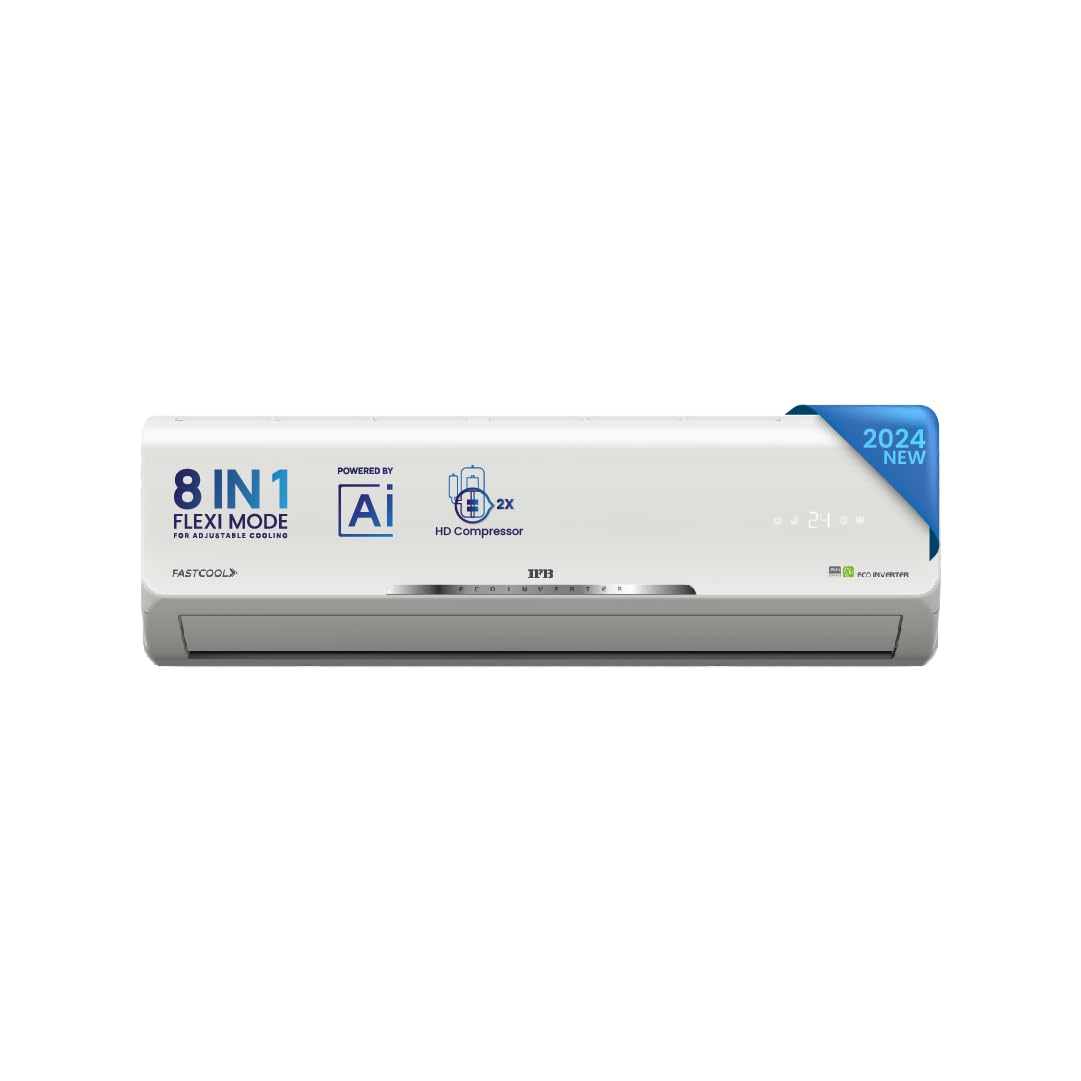
Figure 4.1: IFB AI Convertible Split Inverter AC Indoor Unit. This image displays the front view of the indoor unit, highlighting its sleek design and digital display.
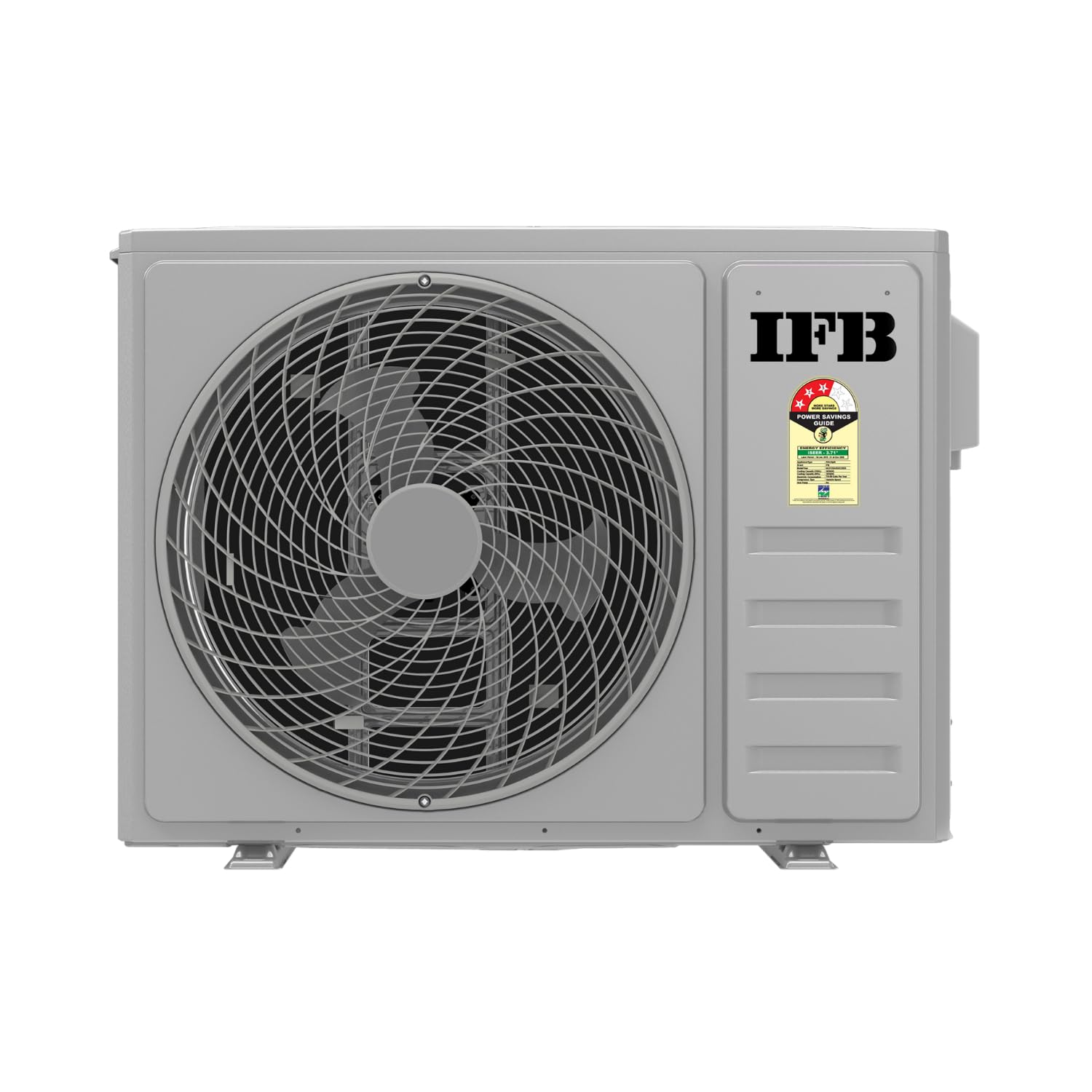
Figure 4.2: IFB AI Convertible Split Inverter AC Outdoor Unit. This image shows the outdoor compressor unit, featuring the fan grille and the IFB branding.
Key Features

Figure 4.3: FastCool Key Features. This infographic illustrates features such as AI-powered operation, 8-in-1 Flexi Mode, 115% capacity, long air throw, iFeel function, Nano Tek coating, virgin plastic construction, and filter clean alert.
- AI-Powered Operation: The system utilizes artificial intelligence for optimized performance.
- 8-in-1 Flexi Mode: Offers adjustable cooling capacity to suit varying needs and save energy.
- High Cooling Capacity: Capable of operating at 115% capacity for rapid cooling.
- Long Air Throw: Designed to distribute cool air effectively across larger spaces.
- iFeel Function: Detects ambient temperature for precise comfort control.
- Nano Tek Coating: Applied to evaporator tubes to prevent corrosion and enhance durability.
- Virgin Plastic: Construction materials are made from virgin plastic.
- Filter Clean Alert: Notifies users when the air filter requires cleaning.

Figure 4.4: Outdoor Unit Features. This infographic highlights the VVTR HD Compressor, stabilizer-free operation, cooling capability at 55°C, silent operation, power savings, air-cooled PCB, R32 refrigerant, and UV protection.
- Heavy Duty Compressor: Delivers consistent cooling and operates in extreme temperatures up to 55°C. It adjusts compressor speed for power savings.
- Stabilizer-Free Operation: Designed to operate without an external voltage stabilizer within a specified range.
- Silent Operation: Engineered for reduced noise levels during operation.
- Air Cooled PCB: The Printed Circuit Board is air-cooled for enhanced reliability.
- R32 Refrigerant: Utilizes R32 refrigerant, which has a lower environmental impact.
- UV Protection: Components are designed with UV protection for extended lifespan.

Figure 4.5: Heavy Duty Compressor. This diagram illustrates the internal components of the compressor, emphasizing its ability to deliver faster cooling, operate in high temperatures, and adjust speed for efficiency.

Figure 4.6: Nano Tek Coating. This diagram shows the application of Nano Tek coating on the heat exchanger fins, indicating its role in preventing corrosion and ensuring durable cooling performance.
5. Setup and Installation
Installation of a split air conditioner requires specialized tools and knowledge. It is strongly recommended that installation be performed by a certified IFB service technician or a qualified professional.
- Site Selection: Choose a location for the indoor unit that allows for even air distribution and easy access for maintenance. The outdoor unit should be placed in a well-ventilated area, away from direct sunlight and obstructions.
- Electrical Requirements: Ensure the electrical wiring and circuit breaker capacity meet the specifications for a 2-ton AC unit. A dedicated circuit is often required.
- Drainage: Proper drainage for condensate water from the indoor unit must be established to prevent water leakage.
- Refrigerant Piping: The interconnecting pipe between the indoor and outdoor units must be installed correctly to prevent refrigerant leaks.
Refer to the detailed installation guide provided with the product for specific instructions, diagrams, and safety warnings.
6. Operating Instructions
Using the Remote Control

Figure 6.1: Ergonomic Remote Control. This image highlights the features of the remote control, including a larger screen, white backlight, remote battery indicator, spot temperature display, and iFeel function for ambient temperature sensing.
Insert the two provided Alkaline batteries into the remote control. The remote allows you to control various functions of the AC unit:
- Power Button: Turns the AC unit On/Off.
- Mode Button: Cycles through operating modes (Cool, Fan, Dry, Auto).
- Temperature Adjustment: Use '+' and '-' buttons to set the desired temperature.
- Fan Speed: Adjusts the fan speed (Auto, Low, Medium, High).
- Swing Button: Controls the horizontal and vertical louver movement for air direction.
- Flexi Button: Activates and cycles through the 8-in-1 Flexi Modes.
- Sleep Mode: Optimizes temperature and fan speed for comfortable sleep.
- iFeel: Activates the sensor in the remote to measure ambient temperature for precise cooling.
8-in-1 Flexi Mode Operation

Figure 6.2: 8-in-1 Flexi Mode. This infographic displays the eight distinct modes with their corresponding cooling capacities, allowing users to select based on their needs.
The 8-in-1 Flexi Mode allows you to adjust the AC's cooling capacity to match your specific comfort and energy-saving requirements. Press the 'Flexi' button on the remote control to cycle through the following modes:
- Party Mode: 115% Capacity (for maximum cooling)
- Power Mode: 100% Capacity (standard full cooling)
- Active Mode: 85% Capacity (for moderate cooling needs)
- Play Mode: 80% Capacity (suitable for active environments)
- Chill Mode: 75% Capacity (for comfortable, relaxed cooling)
- Easy Mode: 70% Capacity (for light cooling requirements)
- Sleep Mode: Optimized Capacity (for quiet, energy-efficient overnight cooling)
- Eco Mode: Reduced Capacity (for maximum energy savings)
7. Maintenance
Regular maintenance ensures optimal performance and longevity of your air conditioner. Always disconnect power to the unit before performing any maintenance.
Filter Cleaning
The indoor unit's air filter should be cleaned regularly, typically every two weeks, or when the filter clean alert is displayed.
- Open the front panel of the indoor unit.
- Carefully remove the air filters.
- Clean the filters using a vacuum cleaner or wash them with lukewarm water and a mild detergent.
- Rinse thoroughly and allow them to dry completely in a shaded area before re-installing.
- Close the front panel securely.
Outdoor Unit Care
The outdoor unit requires periodic cleaning to ensure efficient heat exchange.
- Clear any debris, leaves, or obstructions from around the outdoor unit.
- Gently clean the outdoor coil fins with a soft brush or vacuum cleaner. Avoid bending the fins.
- Ensure the area around the unit is free from vegetation that could impede airflow.
For detailed cleaning of internal components or refrigerant checks, contact a qualified service technician.
8. Troubleshooting
Before contacting customer service, refer to the following table for common issues and their potential solutions.
| Problem | Possible Cause | Solution |
|---|---|---|
| AC does not turn on | No power supply; Remote control batteries low/dead; Circuit breaker tripped. | Check power connection; Replace remote batteries; Reset circuit breaker. |
| Insufficient cooling | Dirty air filter; Blocked outdoor unit; Incorrect mode/temperature setting; Room size exceeds capacity. | Clean air filter; Clear obstructions from outdoor unit; Set to Cool mode and lower temperature; Ensure appropriate mode (e.g., Power Mode). |
| Water leakage from indoor unit | Blocked drain pipe; Improper installation. | Clear drain pipe obstruction; Contact service technician for inspection. |
| Unusual noise | Loose parts; Fan obstruction; Compressor issue. | Check for loose components; Clear any fan obstructions; If noise persists, contact service technician. |
| Remote control not working | Dead batteries; Obstruction between remote and AC; Remote sensor issue. | Replace batteries; Remove obstructions; Contact service technician if issue persists. |

Figure 8.1: Smart Diagnosis. This image illustrates the Smart Diagnosis feature, allowing users to initiate a service request and receive smart diagnostics via the My IFB app.
For issues not listed or if troubleshooting steps do not resolve the problem, utilize the Smart Diagnosis feature via the My IFB app or contact IFB customer support.
9. Specifications

Figure 9.1: Dimensions and Energy Label. This image provides a visual representation of the indoor and outdoor unit dimensions, along with the energy efficiency label indicating a 3-star rating and ISEER value.
| Specification | Detail |
|---|---|
| Brand | IFB |
| Model | CI2432D323G3 |
| Energy Efficiency | 3 Star |
| Capacity | 2 Tons |
| Annual Energy Consumption | 1248 Kilowatt Hours Per Year |
| Noise Level | 39 Decibels |
| Installation Type | Split System |
| Form Factor | Split System |
| Special Features | 4 Way Swing, Dust Filter, Fast Cooling, Remote Controlled |
| Colour | OFF WHITE |
| Voltage | 240 Volts |
| Wattage | 6350 Watts |
| Included Components | 1 Indoor Unit, 1 Outdoor Unit, 1 Remote, Inter Connecting Pipe, 2 Manuals with Warranty Card, 2 Batteries |
| Batteries Required | Yes |
| Battery Cell Type | Alkaline |
| Item Weight | 45 kg |
| Indoor Unit Dimensions (LxWxH) | 101 x 31.6 x 22 Centimeters |
| Cooling Power | 6600 British Thermal Units |
| Date First Available | 2 March 2024 |
10. Warranty and Support
Your IFB AI Convertible 8-in-1 Cooling Split Inverter AC comes with a manufacturer's warranty. Please refer to the warranty card included in your package for specific terms, conditions, and duration.
- Compressor Warranty: The HD Compressor typically carries a 10-year warranty.
- General Product Warranty: Other components are covered under a standard warranty period, as detailed in your warranty documentation.
For service requests, technical assistance, or warranty claims, please contact IFB customer support. You can find contact information on the warranty card or the official IFB website. When contacting support, please have your model number (CI2432D323G3) and purchase details readily available.
Ask a question about this manual
Ask about setup, troubleshooting, compatibility, parts, safety, or missing instructions. Manuals+ will review the question and use this page’s manual context to help answer it.