
1. Introduction
This manual provides detailed instructions for the operation and maintenance of your MUCAR VO6 OBD2 Diagnostic Tool. Please read this manual thoroughly before using the device to ensure proper function and to maximize its capabilities. The MUCAR VO6 is a professional automotive diagnostic tool designed to perform comprehensive system diagnostics, reset functions, and provide real-time data for a wide range of vehicles.
2. Product Overview
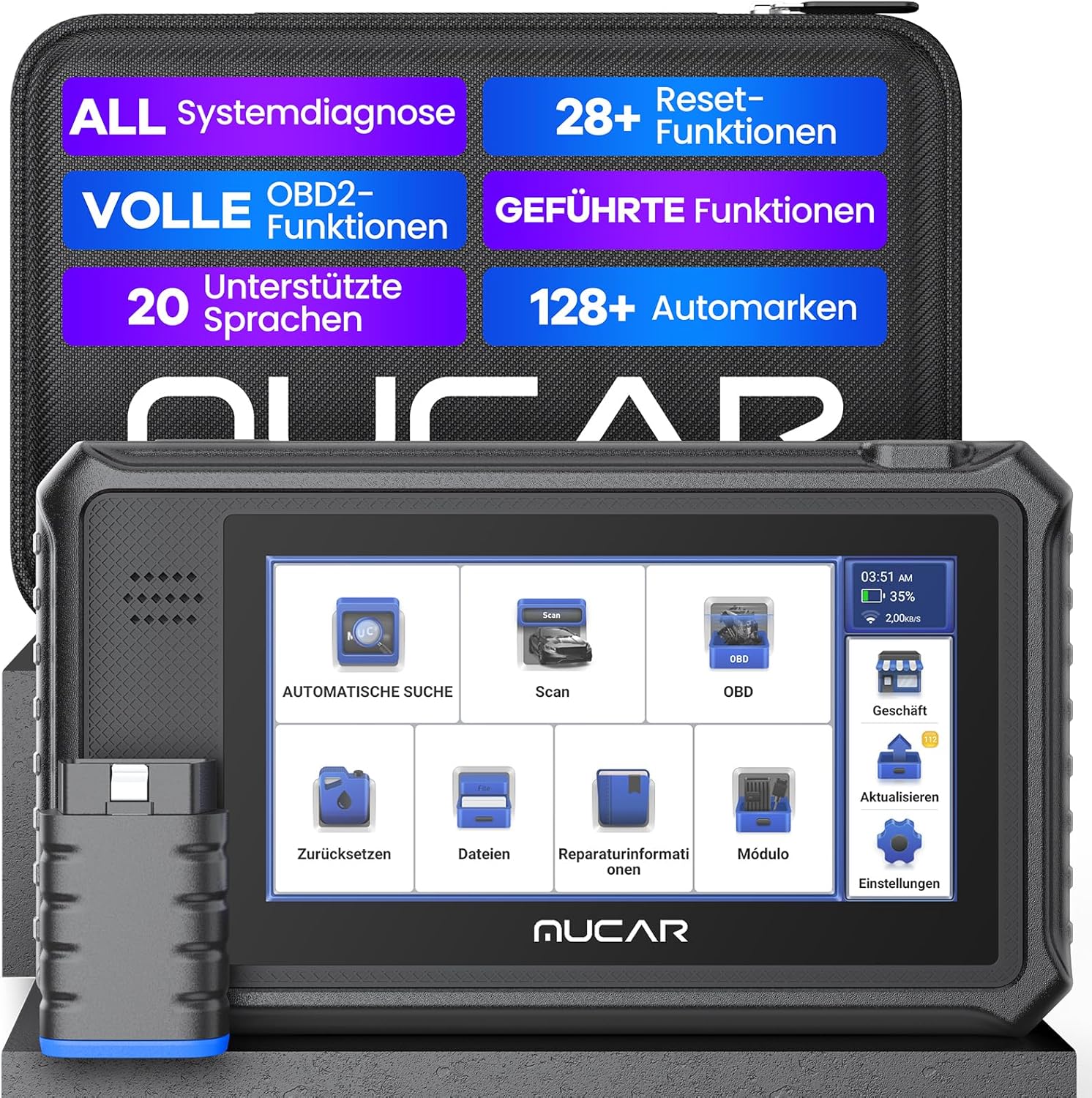
The MUCAR VO6 is an all-in-one professional diagnostic tool featuring a 6-inch high-resolution touchscreen and wireless Bluetooth connectivity. It supports OE-level full system diagnostics, 28 service functions, and covers over 128 car brands.
Key Features:
- All System Diagnostics: Comprehensive scanning of all vehicle electronic control units.
- 28+ Reset Functions: Essential maintenance and service functions.
- Full OBD2 Functions: Standard OBD2 diagnostic modes.
- Guided Functions: Step-by-step diagnostic procedures.
- 20 Supported Languages: Multi-language interface for global users.
- 128+ Car Brands Coverage: Extensive vehicle compatibility.
- Bidirectional Control & ECU Coding: Advanced control and programming capabilities.
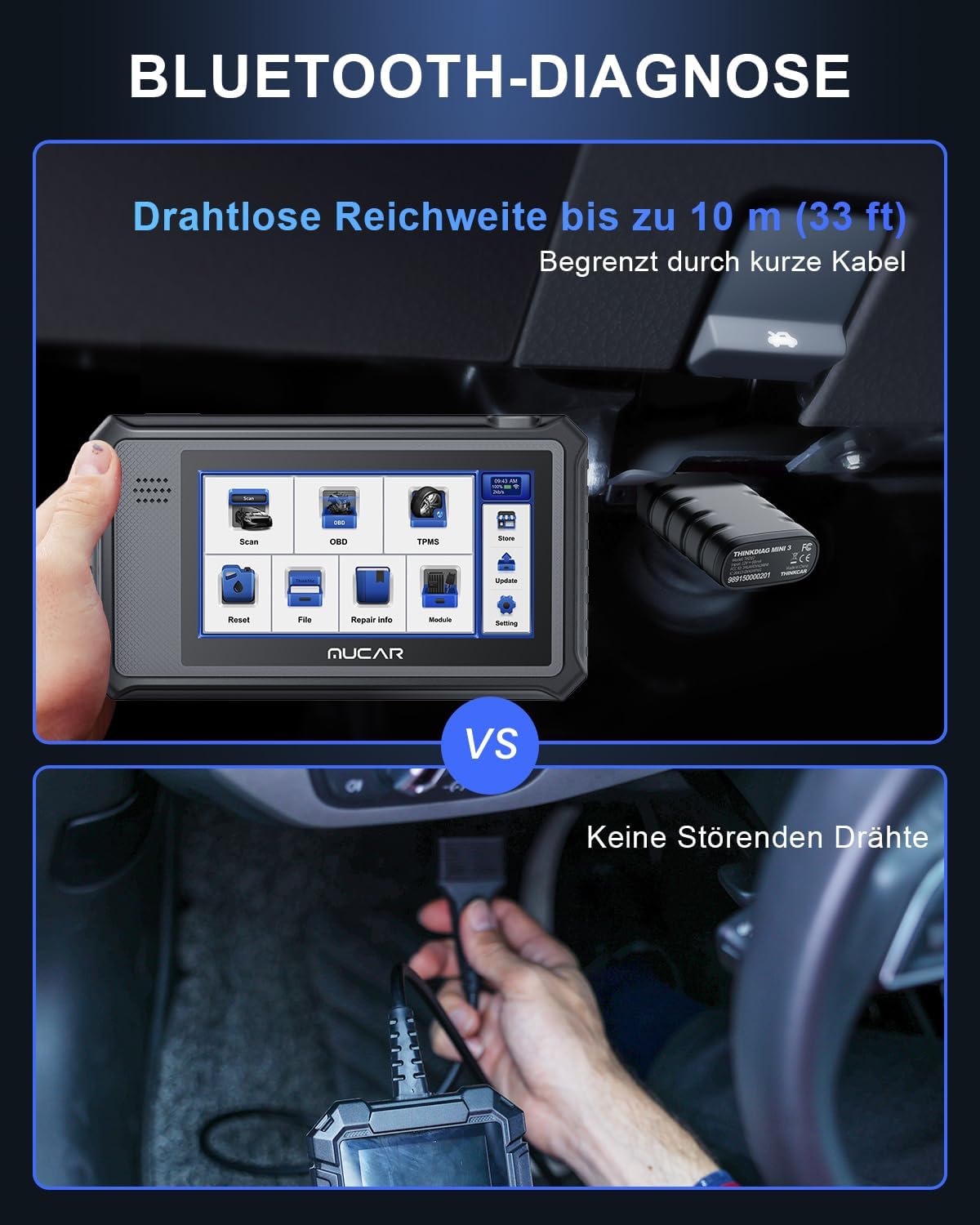
- Bluetooth Diagnosis: Wireless connection for convenience.
- 6-inch HD Touchscreen: Clear and intuitive user interface.
Components:
The MUCAR VO6 package typically includes the diagnostic tablet, an OBD2 Bluetooth connector, and a charging cable.
3. Setup
3.1 Initial Power On and Software Download
- Power on the MUCAR VO6 device by pressing and holding the power button.
- Follow the on-screen prompts to complete the initial setup, including language selection and Wi-Fi connection.
- Connect to a stable Wi-Fi network to download necessary software updates and vehicle diagnostic packages. The initial software download may take some time depending on your internet speed.
3.2 Connecting to the Vehicle
- Locate the vehicle's OBD2 port, typically found under the dashboard on the driver's side.
- Plug the MUCAR OBD2 Bluetooth connector into the vehicle's OBD2 port. Ensure a secure connection.
- Turn the vehicle's ignition to the 'ON' position (engine off).
- On the MUCAR VO6 device, navigate to the 'Bluetooth' settings and pair with the OBD2 connector.
4. Operating Instructions
4.1 Vehicle Diagnostics
- From the main menu, select 'Automatic Search' or 'Scan'.
- The device will attempt to automatically identify the vehicle's VIN (Vehicle Identification Number). For older vehicles (e.g., 2003-2010), manual VIN entry may be required.
- Once the vehicle is identified, select 'Full System Diagnostics' to scan all available control modules.
- The scan results will display any detected Diagnostic Trouble Codes (DTCs). Tap on a DTC to view its description and common causes.
- Select 'Clear Codes' to erase fault codes after repairs have been made.

4.2 Reset Functions
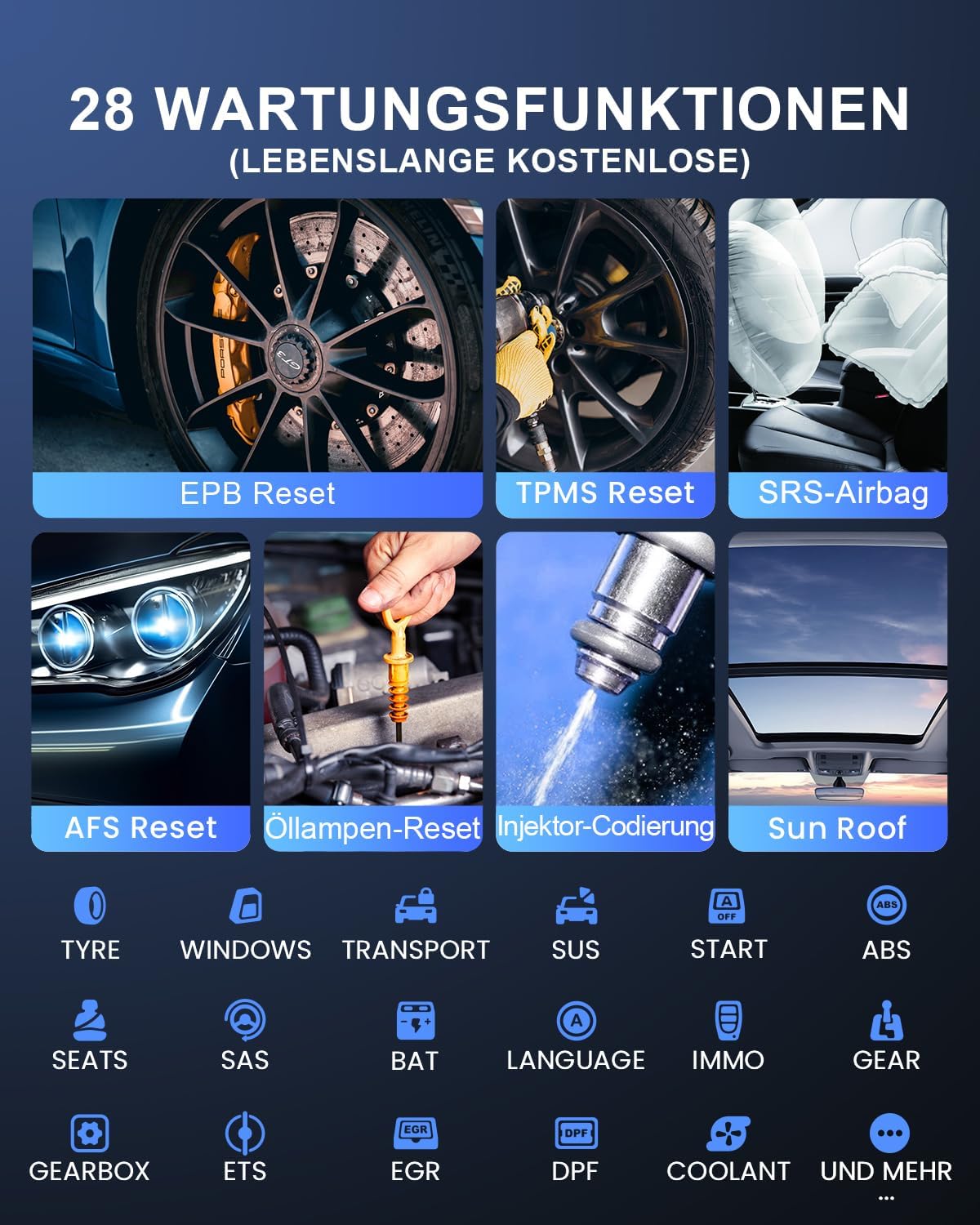
The MUCAR VO6 offers 28+ common maintenance and reset functions. The availability of specific functions may vary depending on the vehicle make, model, and year.
- EPB Reset: Electronic Parking Brake reset.
- TPMS Reset: Tire Pressure Monitoring System reset.
- SRS-Airbag: Airbag system reset.
- AFS Reset: Adaptive Front-lighting System reset.
- Oil Lamp Reset: Oil service light reset.
- Injector Coding: Coding new injector values.
- Sun Roof: Sunroof initialization.
- DPF Regeneration: Diesel Particulate Filter regeneration.
- ABS Bleeding: ABS brake bleeding.
- And many more, including SAS (Steering Angle Sensor) Reset, Battery Management System (BMS) Reset, Throttle Adaptation, Gearbox Adaptation, etc.
4.3 Live Data Stream
The device can display real-time data from various sensors and modules in graphical or numerical format. This is useful for monitoring vehicle performance and diagnosing intermittent issues.
- Select 'Live Data' from the diagnostic menu.
- Choose the parameters you wish to monitor. The MUCAR VO6 supports 6-in-1 real-time data streaming.
- Data can be recorded for later review.
4.4 Diagnostic Report
After completing a diagnostic scan, a detailed report can be generated.
- Select 'Report' to view the diagnostic summary.
- Reports can be printed or shared via email for record-keeping or consultation.

4.5 Bidirectional Control and ECU Coding
The MUCAR VO6 supports bidirectional control, allowing the tool to send commands to vehicle systems to perform active tests (e.g., turning on/off components) and ECU coding for component replacement or modification. Note that some advanced bidirectional control features may require an annual subscription.

5. Maintenance
5.1 Software Updates
The MUCAR VO6 comes with lifetime free software updates. Regularly update the device to ensure access to the latest vehicle coverage, bug fixes, and new features.
- Connect the device to a stable Wi-Fi network.
- Navigate to the 'Update' section on the main menu.
- Select and download available updates.
5.2 Device Cleaning
Use a soft, damp cloth to clean the device's screen and body. Avoid using abrasive cleaners or solvents that could damage the screen or casing.
5.3 Battery Care
To prolong battery life, avoid fully discharging the device frequently. Charge the device regularly, especially if it will be stored for an extended period.
5.4 Managing Vehicle Software
If you wish to remove specific vehicle software packages to free up storage, navigate to the 'Upgrade software' section in the interface. Long-press on the desired software package, and a prompt to delete it will appear. These packages can be reinstalled later if needed.
6. Troubleshooting
- Device not powering on: Ensure the battery is charged. Connect the device to the charger and try again.
- No communication with vehicle: Verify the OBD2 connector is securely plugged into the vehicle's port. Ensure the vehicle's ignition is in the 'ON' position. Check Bluetooth connection between the device and the connector.
- Slow software download: Ensure a strong and stable Wi-Fi connection. Large updates may naturally take longer.
- Inaccurate VIN detection: For some older vehicles, manual VIN entry is required.
- Function not available: The availability of specific diagnostic or reset functions depends on the vehicle's make, model, and year. Refer to the device's vehicle coverage list.
7. Specifications
| Feature | Specification |
|---|---|
| Model | MUCAR VO6 (YHDE-VO6) |
| Manufacturer | MUCAR |
| Operating System | Android 10.0 |
| CPU | 2.4 GHz Quad-Core |
| RAM | 2GB |
| ROM | 32GB |
| Display | 6-inch HD Touchscreen |
| Battery | 6400 mAh |
| Connectivity | WLAN, Bluetooth |
| Product Dimensions | 21 x 12 x 2.5 cm |
| Item Weight | 1.61 Kilograms |
| Supported Protocols | ISO 14230-4 (KWP2000), ISO 15765-4 (CAN), ISO 9141-2 (ISO), SAE J1850 (VPW), SAE J1850 (PWM) |

8. Warranty and Support
The MUCAR VO6 diagnostic tool is designed for reliability and performance. MUCAR provides:
- Lifetime Free Updates: Enjoy continuous software enhancements and vehicle coverage updates at no additional cost.
- 24/7 Professional Technical Support: Access round-the-clock assistance for any operational questions or technical issues you may encounter.
For support, please refer to the contact information provided with your product packaging or visit the official MUCAR website.