
Introduction
The HABOTEST HT691 is an electronic intelligent food thermometer designed for precise temperature measurement of various food items. This manual provides detailed instructions for its safe and effective use, ensuring optimal performance and longevity of your device.

Image: Contents of the HABOTEST HT691 package, including the thermometer, packaging box, instruction manual, and CR2032 batteries.
Product Overview
Key Features
- Rapid Temperature Measurement: Provides quick and accurate readings within approximately 3 seconds.
- Folding Stainless Steel Probe: Made from 304-grade stainless steel for durability and hygiene, designed to fold for convenient and safe storage.
- Wide Temperature Range: Capable of measuring temperatures from -50℃ to 300℃ (-58℉ to 572℉).
- Digital Display with Backlight: Features a clear digital display with a backlight for easy readability in various lighting conditions.
- Automatic Shut-off: Automatically powers off after a period of inactivity to conserve battery life.
- Data Hold Function: Allows users to freeze the current temperature reading on the display for easy viewing.
- Max/Min Function: Records and displays the highest and lowest temperatures measured during a session.
- ℃/℉ Unit Conversion: Easily switch between Celsius and Fahrenheit temperature units.
- Under Voltage Alert: Provides an alert when the battery level is low.
- Environmentally Friendly Material: Constructed with durable Acrylonitrile Butadiene Styrene (ABS) material.
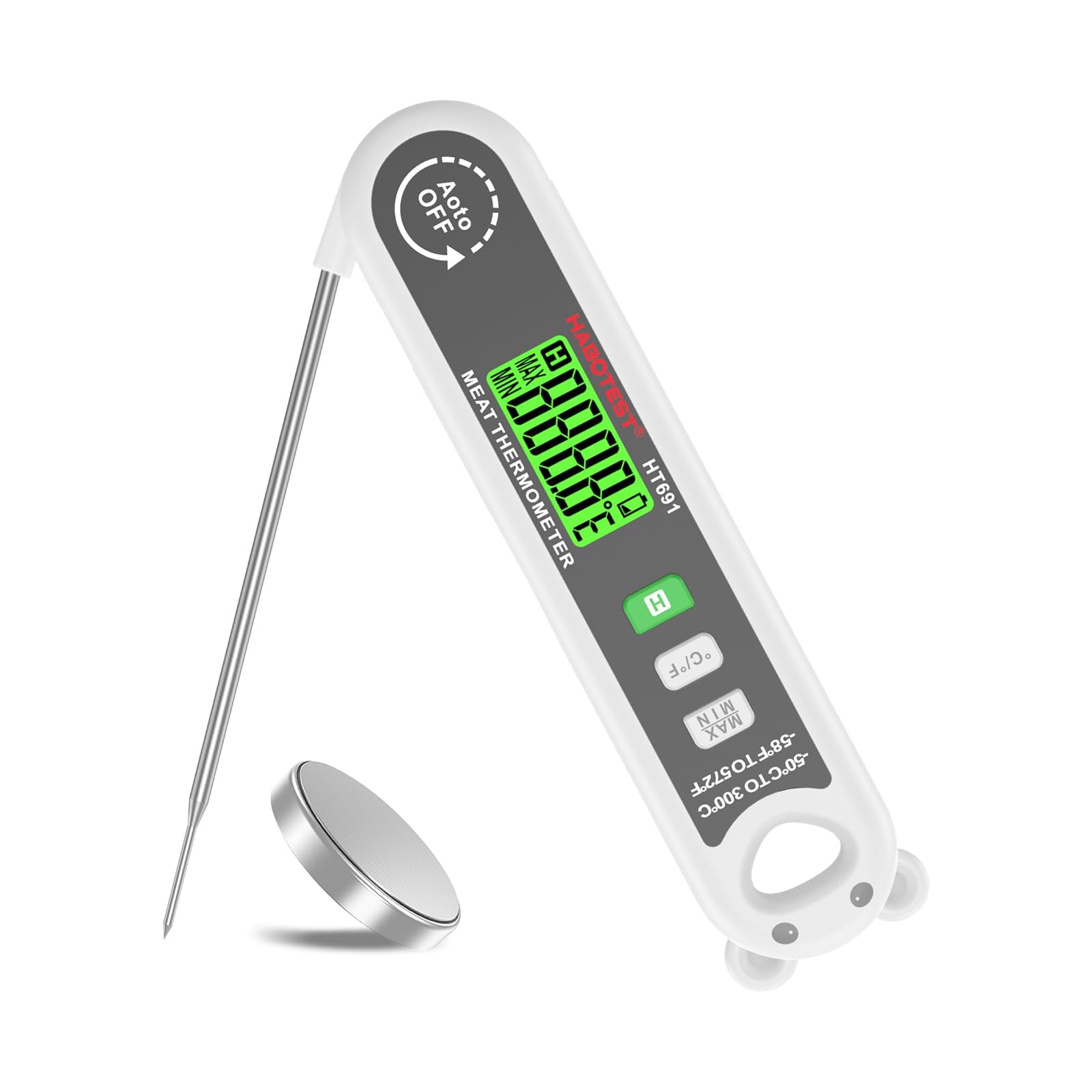
Image: Front and back view of the HABOTEST HT691 thermometer, highlighting its rapid temperature measurement, 304 stainless steel probe, and environmentally friendly ABS material construction.
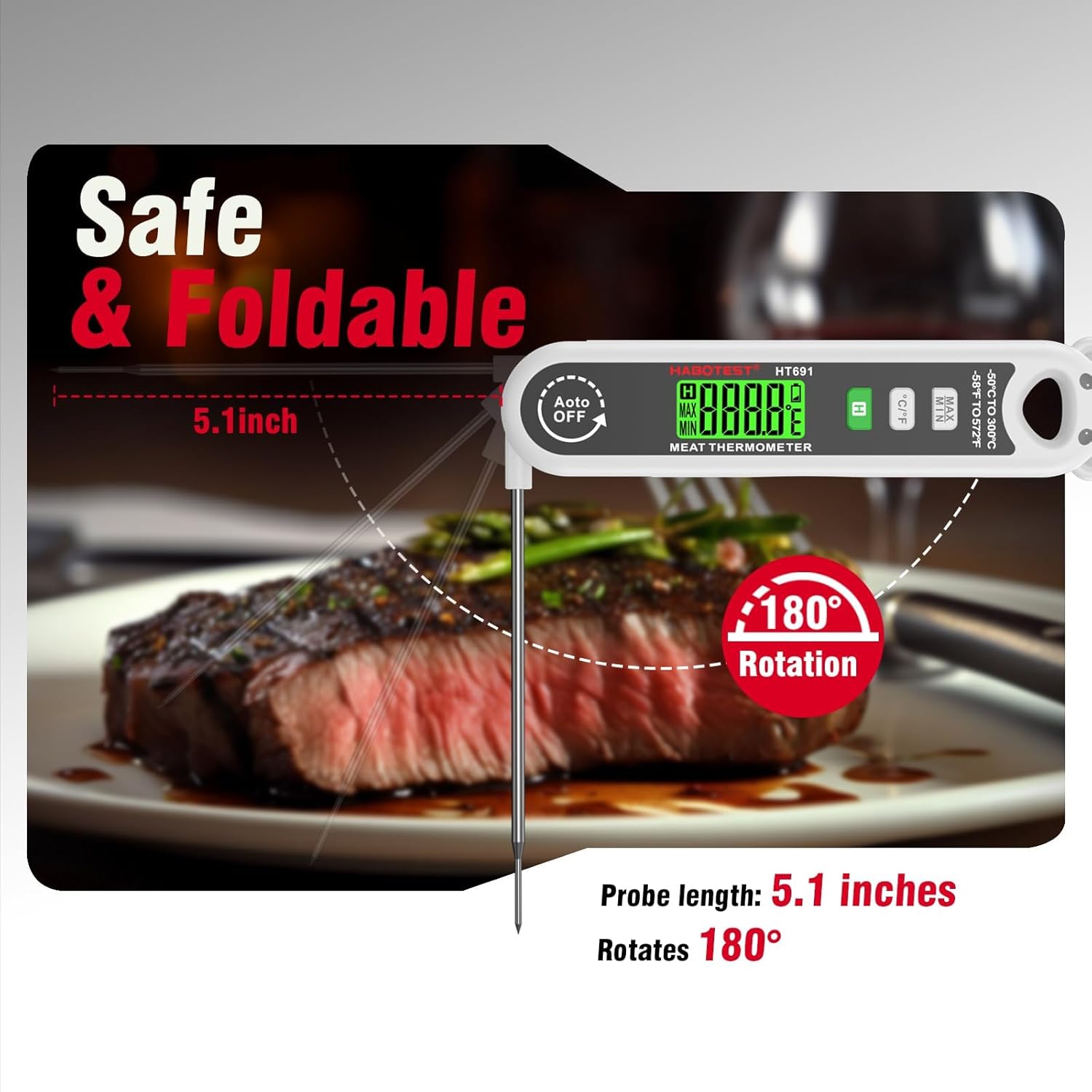
Image: The HABOTEST HT691 thermometer with its 5.1-inch probe extended and rotated 180 degrees, illustrating its safe and foldable design for convenient use and storage.
Setup
Battery Installation
The HABOTEST HT691 thermometer requires one CR2032 button cell battery (3V). A battery is typically included in the product package.
- Locate the battery compartment on the back of the thermometer. It is usually marked with "CR2032" and an "OPEN" indicator.
- Use a coin or a small flat-head screwdriver to gently twist the battery cover counter-clockwise to open it.
- Insert the CR2032 battery with the positive (+) side facing upwards.
- Replace the battery cover and twist it clockwise to secure it firmly.
Note: Ensure correct battery polarity to prevent damage to the device. Dispose of used batteries responsibly according to local regulations.
Operating Instructions
Power On/Off
To power on the thermometer, simply unfold the stainless steel probe. The display will illuminate automatically. To power off, fold the probe back into its housing. The device features an automatic shut-off function to conserve battery life if left idle with the probe extended for a certain period.
Temperature Measurement
- Unfold the probe to power on the device.
- Insert the stainless steel probe into the center of the food item you wish to measure. Ensure the probe tip is fully immersed and not touching any bones, fat, or the bottom of the cooking vessel, as these can affect accuracy.
- Wait for the temperature reading on the digital display to stabilize. The response time is approximately 3 seconds.
- Once the reading is stable, you can remove the probe.

Image: The HABOTEST HT691 thermometer demonstrating its ease of use, with illustrations of measuring temperatures in various cooking scenarios such as grilling, deep frying, and liquids.

Image: The HABOTEST HT691 thermometer applied to different culinary tasks such as measuring temperatures in liquids, baked goods, deep-fried items, and meat, ensuring accurate cooking results.
Unit Conversion (℃/℉)
Press the "℃/℉" button located on the front of the thermometer to switch between Celsius and Fahrenheit temperature units.
Data Hold Function
To hold the current temperature reading on the display, press the "H" button. Press it again to release the hold and resume live temperature measurement.
Max/Min Function
Press the "MAX/MIN" button to view the maximum temperature recorded since the thermometer was powered on. Press it again to view the minimum temperature. Press a third time to return to the current temperature display.
Maintenance
Cleaning
After each use, clean the stainless steel probe with a damp cloth and mild detergent. Rinse thoroughly and dry completely before folding the probe. Do not immerse the entire thermometer in water or place it in a dishwasher, as this can damage the electronic components.
Storage
Fold the probe back into the thermometer body for safe and convenient storage. Store the device in a cool, dry place, away from direct sunlight and extreme temperatures. Remove the battery if the thermometer will not be used for an extended period to prevent battery leakage and corrosion.
Troubleshooting
- No Display/Faint Display: Check the battery. Ensure it is correctly installed and has sufficient charge. Replace with a new CR2032 battery if necessary.
- Inaccurate Readings: Ensure the probe is fully inserted into the food and not touching bones, fat, or the cooking vessel. Allow sufficient time for the reading to stabilize. If issues persist, the battery might be low.
- "Lo" or "Hi" on Display: This indicates the measured temperature is outside the thermometer's specified operating range (-50℃ to 300℃).
If you encounter persistent issues not covered here, please contact customer support or your retailer for assistance.
Specifications
| Feature | Detail |
|---|---|
| Temperature Range | -50℃ ~ 300℃ (-58℉ ~ 572℉) |
| Accuracy | ±1℃ (-50℃ ~ 150℃) ±1.5℃ (151℃ ~ 200℃) ±2.0℃ (others) |
| Display Resolution | 0.1℃ |
| Measurement Frequency | 2 times/second |
| Probe Sensor Length | 130 mm (5.1 inches), foldable |
| Response Time | 3 Seconds |
| Working Temperature & Humidity | -10℃ ~ 50℃ / 20 ~ 90% RH |
| Storage Temperature & Humidity | -10℃ ~ 60℃ / 20 ~ 90% RH |
| Battery Type | 1 x CR2032 Button Cell (3V) |
| Material | Acrylonitrile Butadiene Styrene (ABS) |
| Weight | Approx. 55 Grams |
| Dimensions (Folded) | 160 x 38 x 21 mm |

Image: A comprehensive table outlining the technical specifications of the HABOTEST HT691 digital meat thermometer.
Safety Information
- Keep the thermometer out of reach of children.
- The probe tip is sharp; handle with care to avoid injury.
- Do not expose the thermometer to extreme heat, open flames, or direct sunlight for prolonged periods.
- Do not use the thermometer in a microwave oven.
- Always clean the probe thoroughly after each use to prevent cross-contamination.
- Do not attempt to disassemble or modify the thermometer, as this will void the warranty and may cause damage.
- Dispose of used batteries and the device itself according to local environmental regulations.
Warranty and Support
For warranty information or technical support, please refer to the specific warranty card included with your product or contact your retailer directly. You may also reach out to the manufacturer or importer for assistance:
Importer Contact Information:
MDS Automech Solutions, Q-106, Phase 3, Shivalik Nagar, BHEL, Haridwar, Uttarakhand-249403, India
Contact: +91-9870694636
Email: mohit@mdsautomech.in


