
TREBLAB HD-Max
TREBLAB HD-Max Wireless Speaker User Manual
Model: HD-Max
Introduction
Thank you for choosing the TREBLAB HD-Max Wireless Speaker. This manual provides essential information for the proper setup, operation, and maintenance of your device. Please read it thoroughly to ensure optimal performance and longevity of your speaker.
Package Contents
Verify that all items listed below are included in your package:
- TREBLAB HD-Max Bluetooth Speaker
- 3.5mm AUX cable
- Carrying strap
- Bottle Opener
- USB/Type-C Charging cable
- TREBLAB HD-Max User Manual
- Warranty Card
- Sticker
- Catalogue

Image: All items included in the TREBLAB HD-Max speaker package.
Product Overview
The TREBLAB HD-Max speaker features a robust design with intuitive controls and versatile connectivity options.

Image: Front view of the TREBLAB HD-Max speaker, showcasing its cylindrical shape and integrated carrying strap.

Image: Rear view of the TREBLAB HD-Max speaker, highlighting the protected port panel for charging and auxiliary connections.
Setup
Charging the Speaker
Before first use, fully charge your TREBLAB HD-Max speaker. Connect the provided USB Type-C charging cable to the speaker's charging port and a compatible USB power source. The LED indicator will show charging status. A full charge takes approximately 5 hours and provides up to 20 hours of playtime at 10% volume.
Power On/Off
- To power on: Press and hold the Power button until the LED indicator illuminates.
- To power off: Press and hold the Power button until the LED indicator turns off.
Bluetooth Pairing
- Ensure the speaker is powered on and in pairing mode (LED will flash).
- On your device (smartphone, tablet, computer), enable Bluetooth.
- Search for available devices and select "TREBLAB HD-Max".
- Once connected, the LED indicator will stop flashing and remain solid.
True Wireless Stereo (TWS) Pairing
To achieve a stereo sound experience, you can pair two TREBLAB HD-Max speakers together:
- Ensure both HD-Max speakers are powered on and not connected to any other Bluetooth device.
- On one speaker, press and hold the TWS button until you hear a confirmation tone. This speaker will be the primary unit.
- The primary speaker will automatically search for the secondary speaker. Once connected, you will hear another confirmation tone.
- Now, connect your device to the primary HD-Max speaker via Bluetooth as described above. Audio will play through both speakers in stereo.

Image: Two TREBLAB HD-Max speakers positioned to demonstrate True Wireless Stereo pairing for an immersive audio experience.
AUX Connection
Use the provided 3.5mm AUX cable to connect the speaker to devices without Bluetooth capability. Insert one end into the speaker's AUX input and the other into your device's audio output. The speaker will automatically switch to AUX mode.
USB Playback
Insert a USB flash drive containing audio files into the USB-A port. The speaker will automatically detect and begin playing music from the drive.
Operating Instructions
Basic Controls
- Volume Up/Down: Press the '+' or '-' buttons.
- Play/Pause: Press the Play/Pause button.
- Next Track: Press and hold the '+' button.
- Previous Track: Press and hold the '-' button.
Sound Modes
The HD-Max offers three distinct sound modes to optimize your listening experience:
- Indoor Mode: Balanced audio for enclosed spaces.
- Outdoor Mode: Enhanced volume and clarity for open environments.
- Bass Boost Mode: Amplified low frequencies for a deeper bass response.
Press the Mode button to cycle through these options.
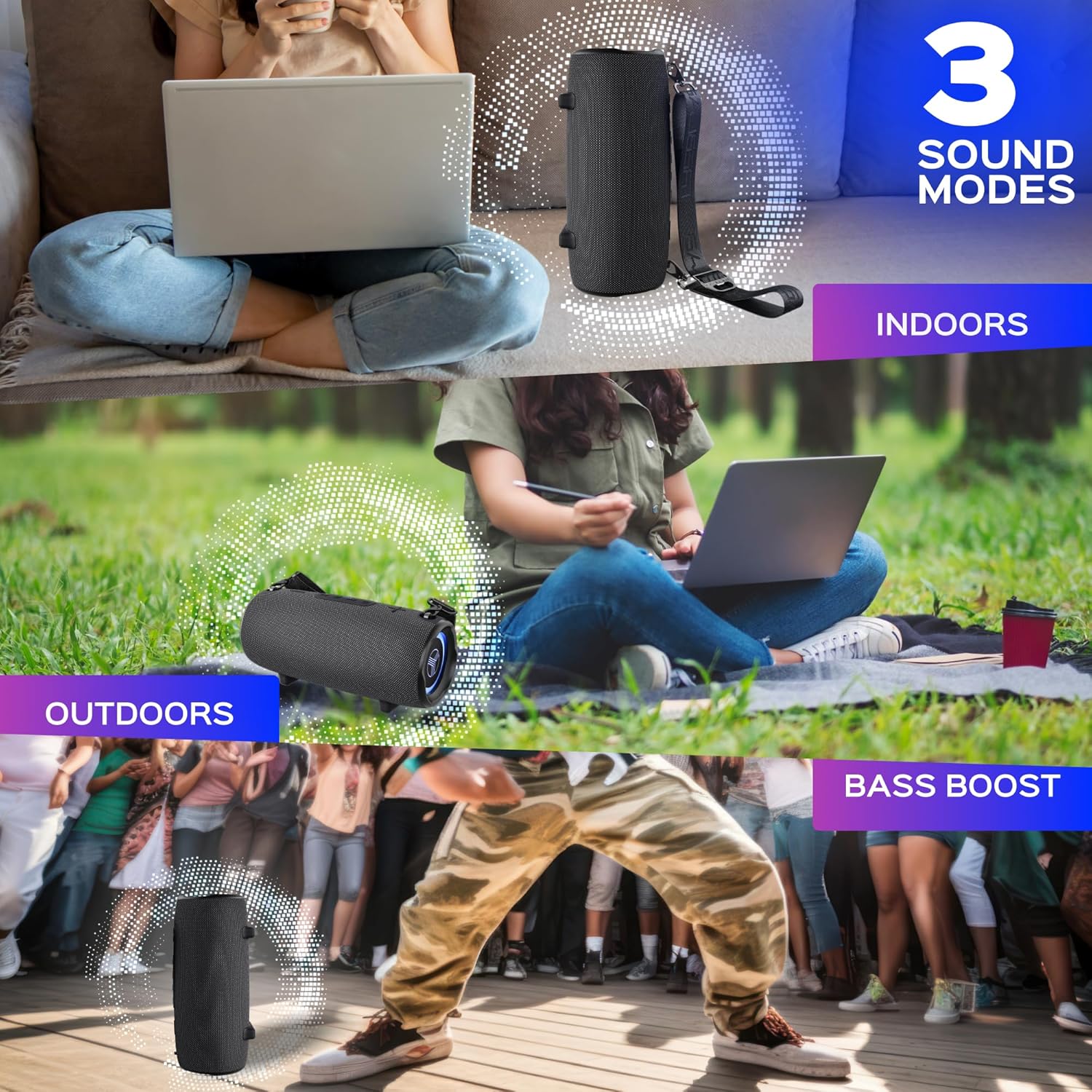
Image: Visual representation of the three sound modes (Indoor, Outdoor, Bass Boost) and their intended use scenarios.
Hands-free Calling
With the built-in microphone, you can answer calls directly through the speaker when connected via Bluetooth:
- Answer Call: Press the Play/Pause button.
- End Call: Press the Play/Pause button again.
- Reject Call: Press and hold the Play/Pause button.

Image: A user engaging in a hands-free call using the TREBLAB HD-Max speaker's integrated microphone.
Power Bank Function
The HD-Max can function as a power bank to charge your mobile devices. Connect your device's charging cable to the USB-A output port on the speaker. The speaker's 6600mAh battery will provide power to your device.
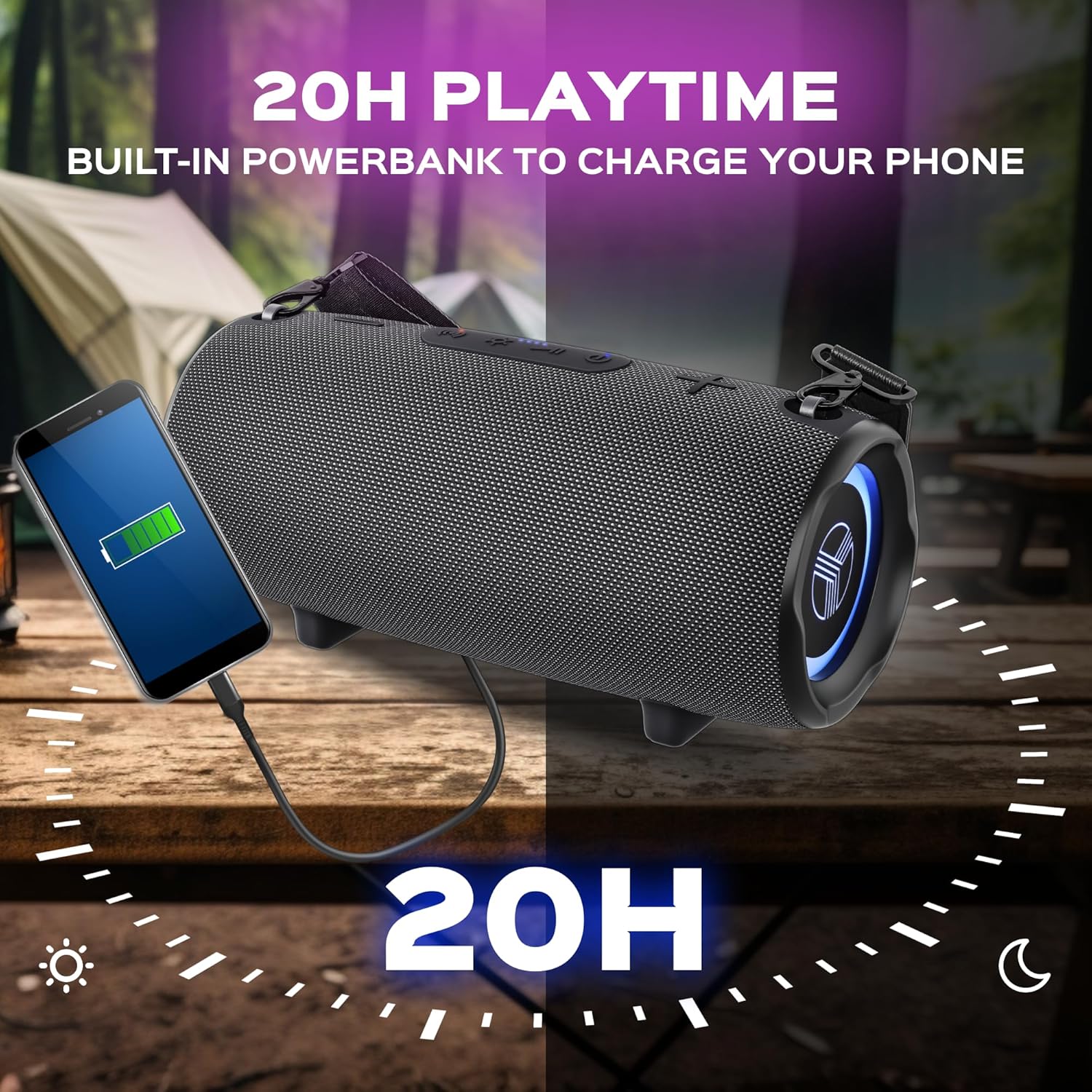
Image: The TREBLAB HD-Max speaker actively charging a smartphone, demonstrating its power bank capability.
RGB Lighting
The speaker features dynamic RGB lighting. Press the Light button to cycle through different lighting modes or to turn the lights off.
Maintenance
Cleaning
Wipe the speaker with a soft, damp cloth. Do not use abrasive cleaners or solvents. Ensure all port covers are securely closed before cleaning or exposing to water.
Storage
Store the speaker in a cool, dry place away from direct sunlight and extreme temperatures. If storing for an extended period, charge the battery to approximately 50% every few months to maintain battery health.
Water Resistance (IPX7)
The TREBLAB HD-Max is rated IPX7, meaning it can be submerged in water up to 1 meter (3 feet) for 30 minutes. Ensure all port covers are firmly sealed before exposing the speaker to water. This rating protects against accidental submersion but is not intended for prolonged underwater use.

Image: The TREBLAB HD-Max speaker shown partially submerged in water, highlighting its IPX7 water resistance feature.
Troubleshooting
| Problem | Possible Cause | Solution |
|---|---|---|
| Speaker does not power on | Low battery; Power button not pressed correctly | Charge the speaker; Press and hold the Power button for 3 seconds. |
| Cannot pair via Bluetooth | Speaker not in pairing mode; Device Bluetooth off; Speaker already connected to another device | Ensure speaker LED is flashing; Enable Bluetooth on your device; Disconnect from other devices. |
| No sound | Volume too low; Incorrect input source; Device not playing audio | Increase speaker and device volume; Check AUX cable connection or Bluetooth status; Ensure audio is playing on your device. |
| TWS pairing fails | Speakers too far apart; One speaker already paired to a device; Incompatible Bluetooth versions (for older models) | Place speakers closer; Ensure both speakers are disconnected from other devices; Note that new Bluetooth 5.3 speakers may not pair with older 4.2/5.0 models in TWS mode. |
| Power bank not charging device | Speaker battery low; Cable issue; Device not compatible | Charge the speaker; Try a different USB cable; Ensure your device is compatible with USB charging. |
Specifications
| Feature | Detail |
|---|---|
| Model Name | HD-Max |
| Wireless Technology | Bluetooth 5.3 |
| Signal Range | 33 feet / 10 meters |
| Output Power | 60 Watts |
| Dynamics Quantity | 4 |
| Playtime | Up to 20 hours (at 10% volume) |
| Charging Time | Up to 5 hours |
| Battery Capacity | 6600mAh (13200 Milliamp Hours) |
| Water Resistance | IPX7 |
| Product Dimensions | 5.43"D x 5.51"W x 12.2"H |
| Item Weight | 5.94 pounds |
| Control Method | Touch |
| Audio Output Mode | Stereo |
| Special Features | Powerbank, 3 Sound Modes, Built-in Mic, RGB Lighting |
| UPC | 860005982578 |
Warranty and Support
The TREBLAB HD-Max Wireless Speaker comes with a 1-year warranty and a 30-day return policy, ensuring a risk-free purchase. For any questions, technical support, or warranty claims, please visit the official TREBLAB store or contact customer service through the retailer where you purchased the product.
For additional information and support, you may visit the TREBLAB Store on Amazon.
Related documentsHD-Max


Ask a question about this manual
Ask about setup, troubleshooting, compatibility, parts, safety, or missing instructions. Manuals+ will review the question and use this page’s manual context to help answer it.