
DynaScan EU-55 PMR Portable Radio Instruction Manual
Model: DYN-EU-55
Introduction
Thank you for choosing the DynaScan EU-55 PMR Portable Radio. This device is a professional-grade, license-free two-way radio designed for reliable communication. Featuring 16 channels, CTCSS/DCS tones, and an IP65 rating for dust and water resistance, it is suitable for various environments. This manual provides essential information for the proper setup, operation, and maintenance of your radio.
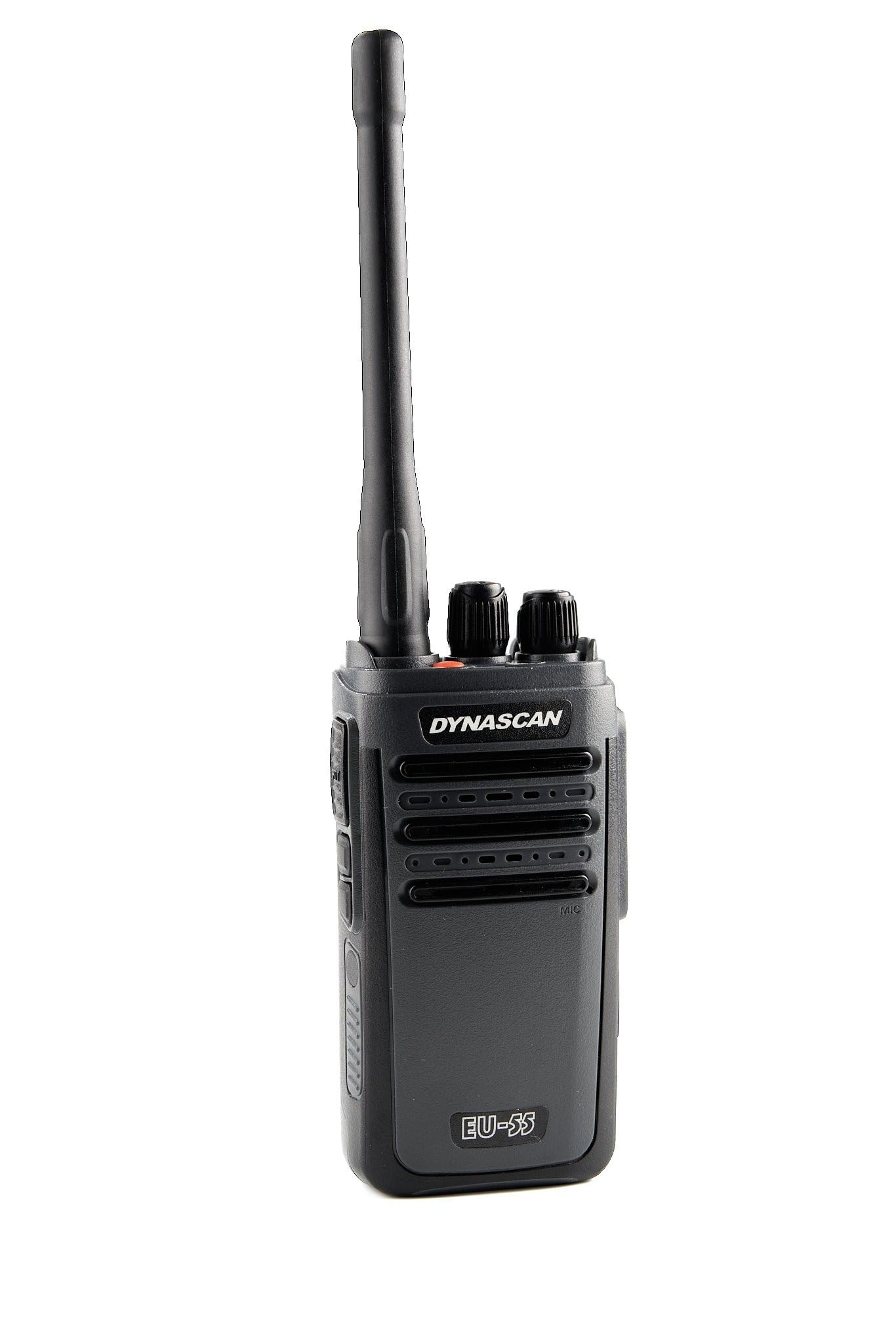
Front view of the DynaScan EU-55 PMR portable radio, showcasing its compact design and antenna.
Safety Information
Please read and understand all safety instructions before using the radio. Failure to do so may result in injury or damage to the device.
- Do not operate the radio in explosive atmospheres (e.g., flammable gases, dust particles, metallic powders).
- Do not disassemble or modify the radio. Repairs should only be performed by authorized personnel.
- Use only DynaScan approved batteries and chargers. Improper use may lead to fire, explosion, or injury.
- Avoid prolonged exposure to direct sunlight or extreme temperatures.
- Keep the radio away from medical devices to prevent interference.
- Do not transmit without an antenna attached.
Package Contents
Verify that all items listed below are present in your package:
- DynaScan EU-55 PMR Portable Radio
- Lithium-ion Battery (1500 mAh)
- Antenna
- Desktop Charging Cradle
- AC Power Adapter
- Belt Clip
- Wrist Strap
- User Manual

The DynaScan EU-55 radio and its complete set of included accessories, such as the antenna, battery, belt clip, charger, and wrist strap, laid out on a surface.
Product Overview
Familiarize yourself with the various parts of your DynaScan EU-55 radio.
Top View
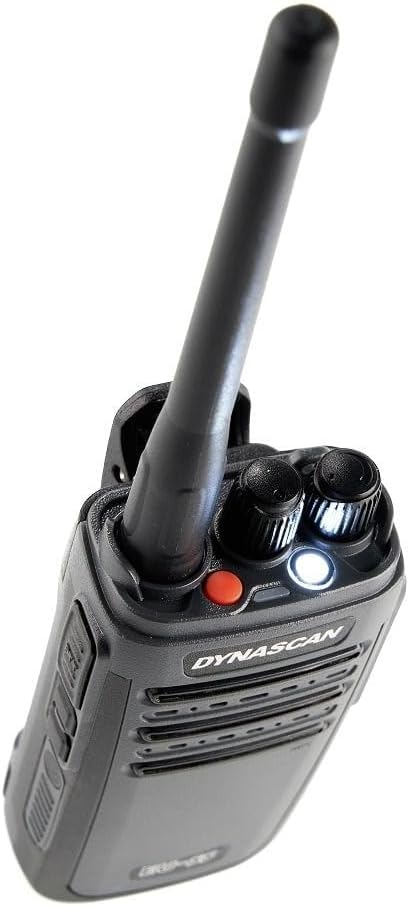
Close-up top view of the DynaScan EU-55 radio, displaying the antenna, channel selector knob, and volume/power knob.
- Antenna: For transmitting and receiving signals.
- Channel Selector Knob: Rotate to select one of the 16 available channels.
- Power/Volume Knob: Rotate clockwise to power on and increase volume; counter-clockwise to decrease volume and power off.
- LED Indicator: Illuminates for various status indications (e.g., transmitting, receiving, low battery).
- Flashlight Button: Activates the built-in LED flashlight.
Side and Back View

Rear view of the DynaScan EU-55 portable radio, highlighting the attached belt clip and battery compartment.
- PTT (Push-To-Talk) Button: Press and hold to transmit, release to receive.
- Accessory Jack: For connecting external audio accessories (e.g., earpiece, microphone) with Kenwood-type connector.
- USB-C Charging Port: For direct charging using a USB-C cable (not included).
- Belt Clip: For attaching the radio to your belt or clothing.
Setup
1. Installing the Battery
- Ensure the radio is powered off.
- Align the battery pack with the battery compartment on the back of the radio.
- Slide the battery into place until it clicks securely.
- To remove, press the battery release latch (if present) and slide the battery out.
2. Attaching the Antenna
- Screw the antenna clockwise into the connector on the top of the radio until it is finger-tight. Do not overtighten.
3. Charging the Battery
Before initial use, fully charge the battery. The radio offers two charging methods:

This image demonstrates the two available charging methods for the DynaScan EU-55 radio: charging via the desktop cradle and direct charging using a USB-C cable (cable not included).
Using the Desktop Charging Cradle:
- Connect the AC power adapter to the charging cradle and plug it into a power outlet.
- Place the radio (with battery installed) into the charging cradle. Ensure the charging contacts align.
- The LED indicator on the charger will show charging status (e.g., red for charging, green for fully charged).
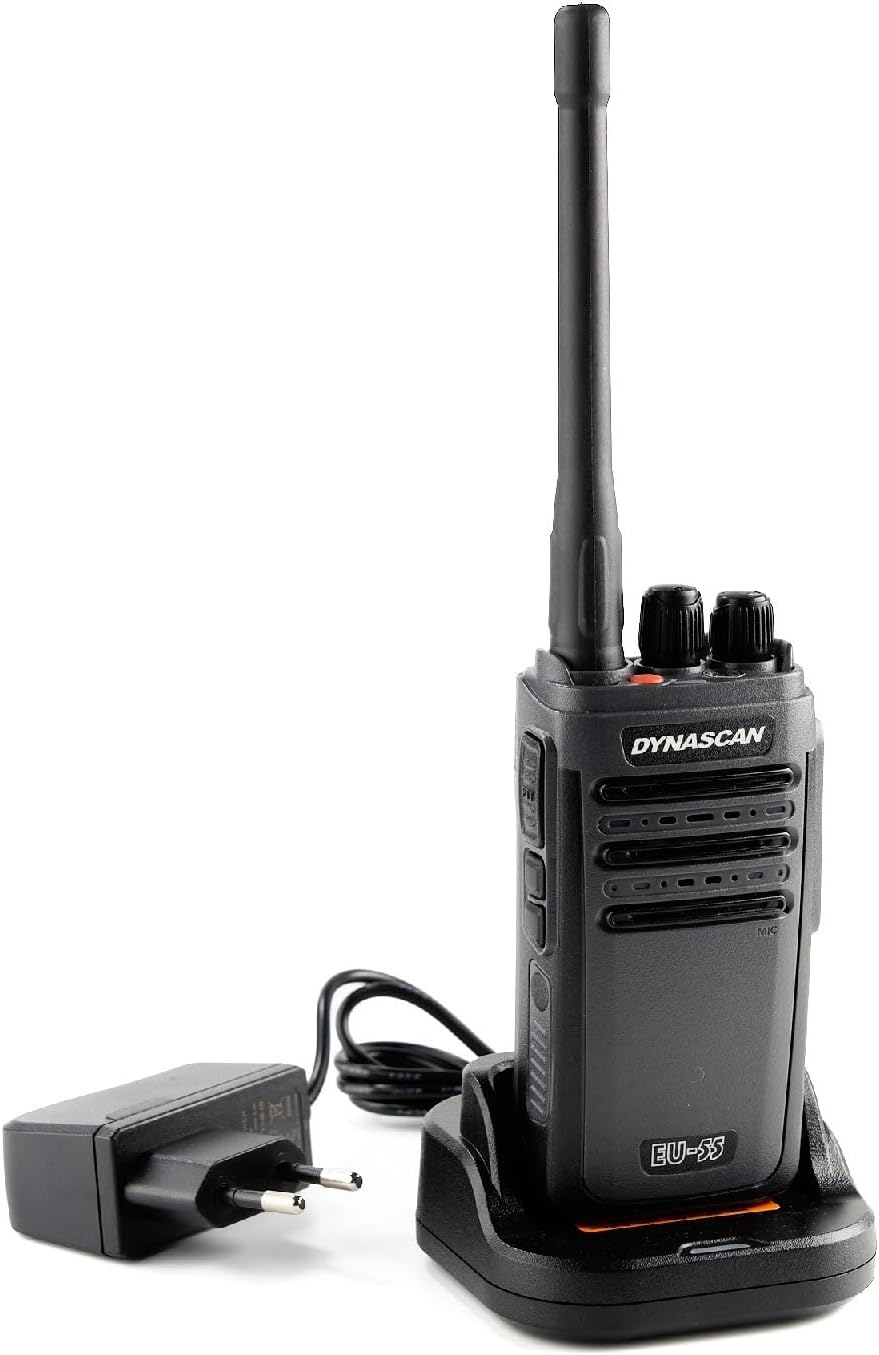
The DynaScan EU-55 radio placed in its charging cradle, connected to the power adapter for battery replenishment.
Using the USB-C Port:
- Connect a compatible USB-C cable (not included) to the USB-C port on the side of the radio.
- Connect the other end of the USB-C cable to a suitable USB power source (e.g., a USB wall adapter, power bank).
- The radio's LED indicator will show charging status.
Operating the Radio
1. Power On/Off and Volume Adjustment
- To power on the radio, rotate the Power/Volume knob clockwise until you hear a click.
- Continue rotating the knob clockwise to increase the volume, or counter-clockwise to decrease it.
- To power off, rotate the Power/Volume knob counter-clockwise until you hear a click.
2. Channel Selection
- Rotate the Channel Selector knob to choose one of the 16 available channels.
- The radio will announce the selected channel number.
3. Transmitting and Receiving
- To receive a transmission, ensure the radio is powered on and set to the desired channel. The LED indicator will glow green when a signal is received.
- To transmit, press and hold the PTT (Push-To-Talk) button on the side of the radio. Speak clearly into the microphone. The LED indicator will glow red during transmission.
- Release the PTT button to stop transmitting and return to receive mode.
4. LED Flashlight
The DynaScan EU-55 includes a built-in LED flashlight for convenience.
- Press the dedicated Flashlight button (usually located on the top or side) to turn the flashlight on.
- Press the button again to turn it off.
Advanced Features
CTCSS/DCS Tones
The DynaScan EU-55 supports CTCSS (Continuous Tone-Coded Squelch System) and DCS (Digitally Coded Squelch) tones. These tones help filter out unwanted conversations on a shared channel. When a CTCSS/DCS tone is set, your radio will only open its squelch and receive calls from other radios transmitting with the same tone. Similarly, your radio will only transmit with the set tone.
Note: CTCSS/DCS tones are typically pre-programmed per channel. Refer to your dealer or advanced programming guide for details on modifying these settings.
Weather Resistance (IP65)
The DynaScan EU-55 is rated IP65, meaning it is protected against dust ingress and low-pressure water jets from any direction. This makes it suitable for outdoor use in various weather conditions.
Note: IP65 rating does not mean the radio is submersible. Avoid intentionally submerging the device in water. Ensure all port covers are securely closed to maintain water resistance.

This image illustrates multiple features of the DynaScan EU-55. It shows the radio's compact design, an active LED flashlight, its IP65 rating for dust and water resistance, the USB-C charging port, and the Kenwood-type connector for accessories. A panel also displays the radio and its accessories in the box.
Maintenance
Cleaning
- Wipe the radio's surface with a soft, damp cloth. Do not use harsh chemicals or abrasive cleaners.
- Ensure the charging contacts and accessory jack are clean and free of debris.
Storage
- When not in use for extended periods, store the radio in a cool, dry place.
- Remove the battery if storing for more than a month to prevent battery degradation.
Troubleshooting
| Problem | Possible Cause | Solution |
|---|---|---|
| Radio does not power on | Battery is depleted or not installed correctly. | Charge the battery or ensure it is properly installed. |
| Cannot transmit or receive | Incorrect channel selected; out of range; antenna not attached; low battery. | Verify channel; move closer to other radios; attach antenna; charge battery. |
| Poor audio quality | Weak signal; volume too low/high; microphone/speaker obstructed. | Move to a clearer area; adjust volume; check for obstructions. |
| Battery does not charge | Charger/adapter faulty; poor contact; battery damaged. | Check connections; try another outlet/adapter; replace battery if damaged. |
Specifications
| Feature | Specification |
|---|---|
| Brand | DynaScan |
| Model Number | DYN-EU-55 |
| Frequency Range | 446 MHz (PMR446) |
| Output Power | 0.5 W |
| Number of Channels | 16 |
| CTCSS/DCS | Supported |
| Water Resistance Level | IP65 (Dust and Water Resistant) |
| Battery Type | Lithium-ion (1 included) |
| Voltage | 230 Volts (AC Adapter) |
| Product Dimensions (DxWxH) | 5.5 x 10 x 3.2 cm |
| Item Weight | 255 Grams |
| Special Features | Weather resistant, LED flashlight, USB-C charging |
| Compatible Devices | Cable, antenna, belt clip, Kenwood-type accessories |
Warranty and Support
Manufacturer Warranty
The DynaScan EU-55 PMR Portable Radio comes with a 2-year manufacturer's warranty from the date of purchase. This warranty covers defects in materials and workmanship under normal use. Please retain your proof of purchase for warranty claims.
The warranty does not cover damage caused by misuse, accidents, unauthorized modifications, or normal wear and tear.
Spare Parts and Software Updates
Information regarding the availability of spare parts and guaranteed software updates is currently unavailable.
Customer Support
For technical assistance, warranty service, or any questions regarding your DynaScan EU-55 radio, please contact your authorized dealer or visit the official DynaScan website for support contact information.


