Introduction
Thank you for purchasing the Nitigo JC06 Gesture RC Stunt Car. This manual provides essential information for the safe and optimal operation of your new remote-controlled vehicle. Please read it thoroughly before use and retain it for future reference.

Image: The Nitigo Gesture RC Stunt Car, featuring vibrant lights, a mist spray effect, and its two primary control devices: a traditional remote and a gesture-sensing watch.
What's in the Box
Please ensure all items listed below are present in your package:
- 1 x Nitigo 4WD RC Stunt Car
- 1 x 2.4GHz Remote Controller
- 1 x Gravity Sensor Watch Controller
- 2 x Rechargeable Lithium Ion Batteries (for car)
- 1 x USB Charging Cable
- 1 x Water Bottle (for spray function)
- 1 x Screwdriver
- 1 x Instruction Manual

Image: A visual representation of all components included in the Nitigo RC Stunt Car package.
Setup
1. Battery Installation & Charging
The RC car uses rechargeable Lithium Ion batteries. The remote controller and watch controller require separate batteries.
Car Batteries:
- Use the provided screwdriver to open the battery compartment on the underside of the car.
- Connect one of the rechargeable batteries to the car's battery connector.
- Close the battery compartment securely.
- To charge, disconnect the battery from the car and connect it to the USB charging cable. Plug the USB cable into a compatible USB power source. The indicator light on the USB cable will show charging status.
- Each battery provides approximately 30 minutes of play time. Two batteries are included for extended use. Charging time is approximately 40 minutes per battery.

Image: Step-by-step guide for connecting and charging the car's rechargeable batteries.
Remote Controller Batteries:
- The remote controller requires 2 AAA batteries (not included).
- Open the battery compartment on the back of the remote controller and insert the batteries, observing polarity.
- Close the compartment.
Gesture Sensing Watch Controller Batteries:
- The watch controller uses a button cell battery (included).
- Open the battery compartment on the watch and insert the button cell battery.
- Close the compartment.
2. Powering On & Pairing
- Ensure all controllers have fresh batteries and the car battery is charged.
- Turn on the power switch on the RC car. The car's lights will illuminate.
- Turn on your preferred controller (remote or watch). The controller will automatically pair with the car. A successful pairing is indicated by a steady light on both the car and controller.
Operating Instructions
1. Control Modes
The Nitigo JC06 offers three distinct control modes for a versatile experience:
- Remote Control: Use the traditional handheld remote for precise control over movements and stunts.
- Gravity Sensing Watch Control: Wear the watch controller and use hand gestures to command the car. This mode requires some practice for mastery.
- Gesture Sensing Control: This refers to the watch control, allowing intuitive hand movements to direct the car.
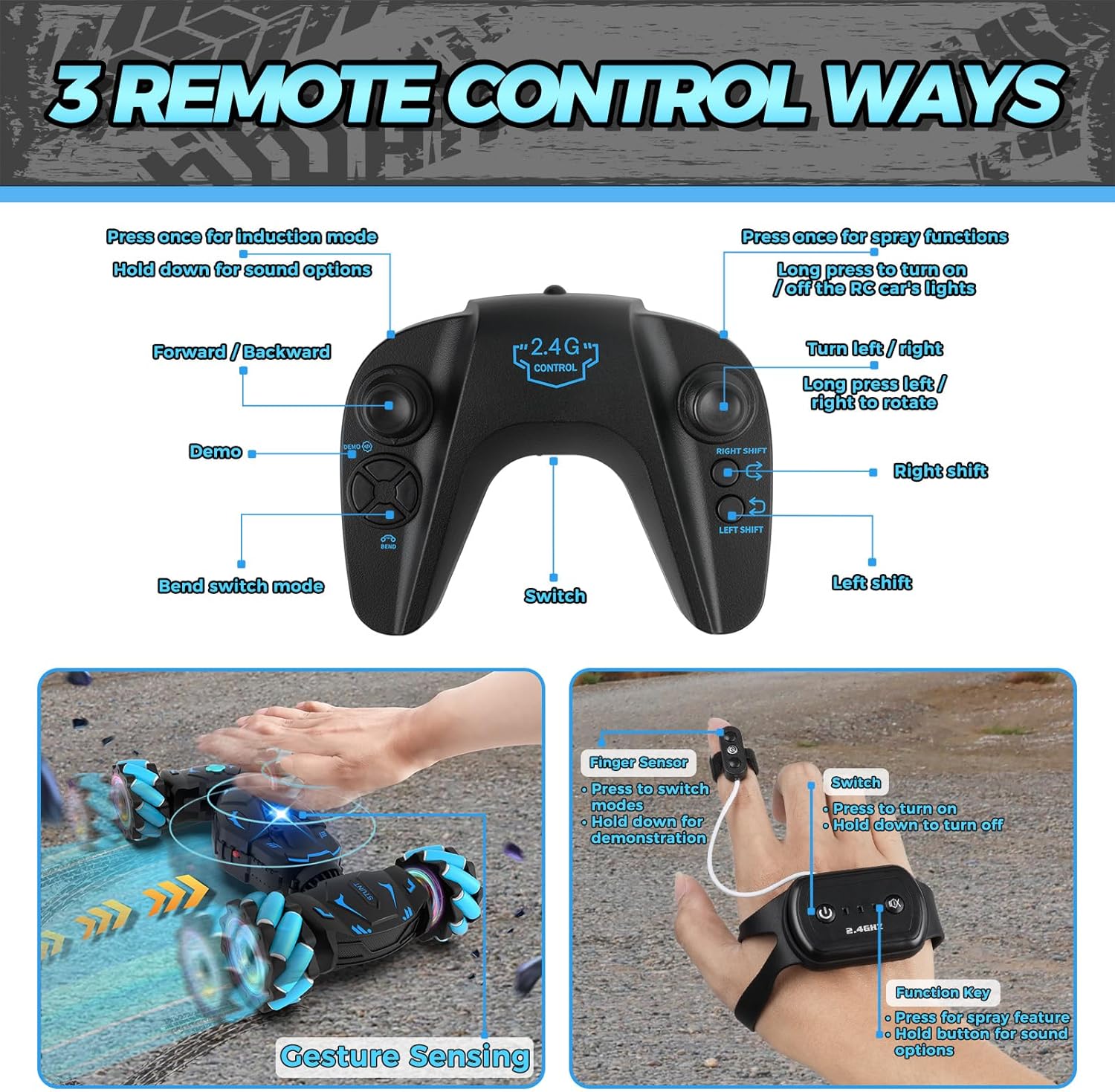
Image: Overview of the three control methods for the Nitigo RC Stunt Car.
2. Basic Movements & Stunts
This RC stunt car is designed for dynamic maneuvers:
- All Directions Drift: Move the car sideways or diagonally.
- 360° Rotation: Perform full rotations in place.
- Double-sided Flip: The car can continue driving even after flipping over.
- Serpentine Twist: The car can twist and deform for unique movements.
- 45° Climbing: Capable of climbing inclines up to 45 degrees.

Image: A collage demonstrating the diverse stunt actions of the RC car.
3. Special Features
- Cool Lights & Music: The car features vibrant LED lights and plays music during operation, enhancing the experience.
- Spray Effects: Fill the designated compartment with water using the provided bottle to activate a cool mist spray effect.
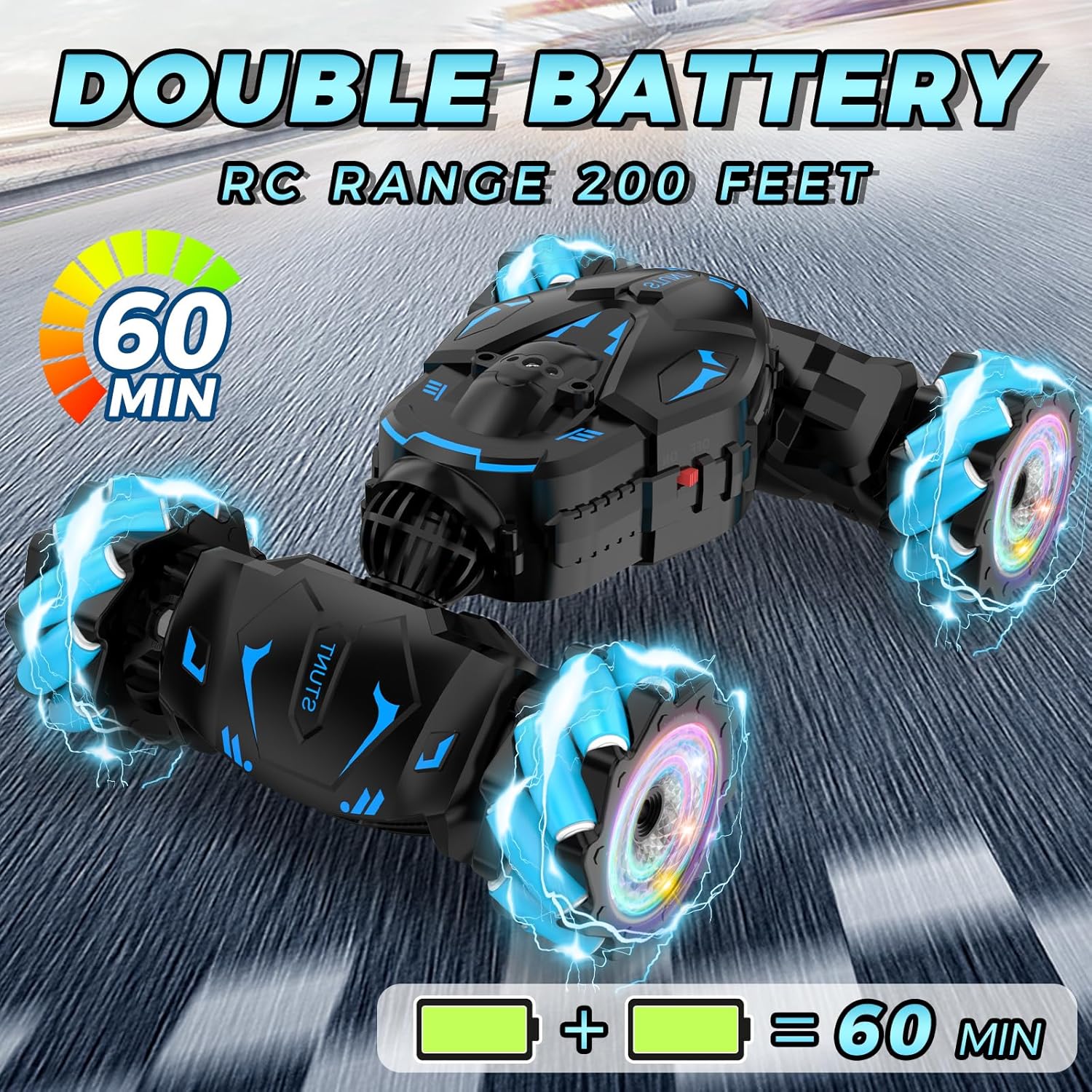
Image: The RC car showcasing its cool light and music features.
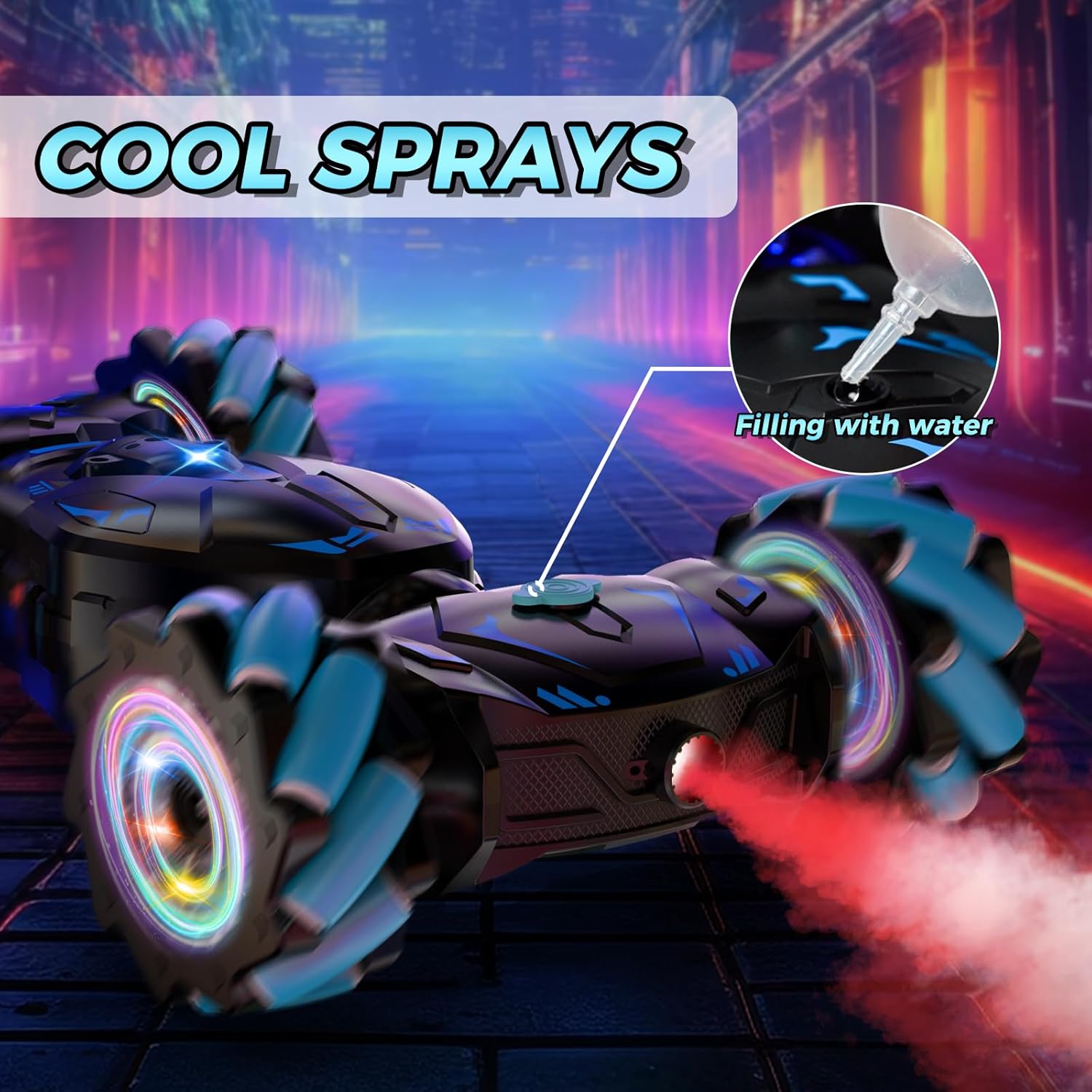
Image: The RC car's mist spray function in action, with instructions on how to fill the water tank.
4. Terrain Modes
The car can adapt to different environments:
- On-Road Mode: Ideal for smooth surfaces like pavement or indoor floors.
- Off-Road Mode: The car can adjust its chassis height to tackle rougher terrains such as sand, grass, dirt, and rocks.
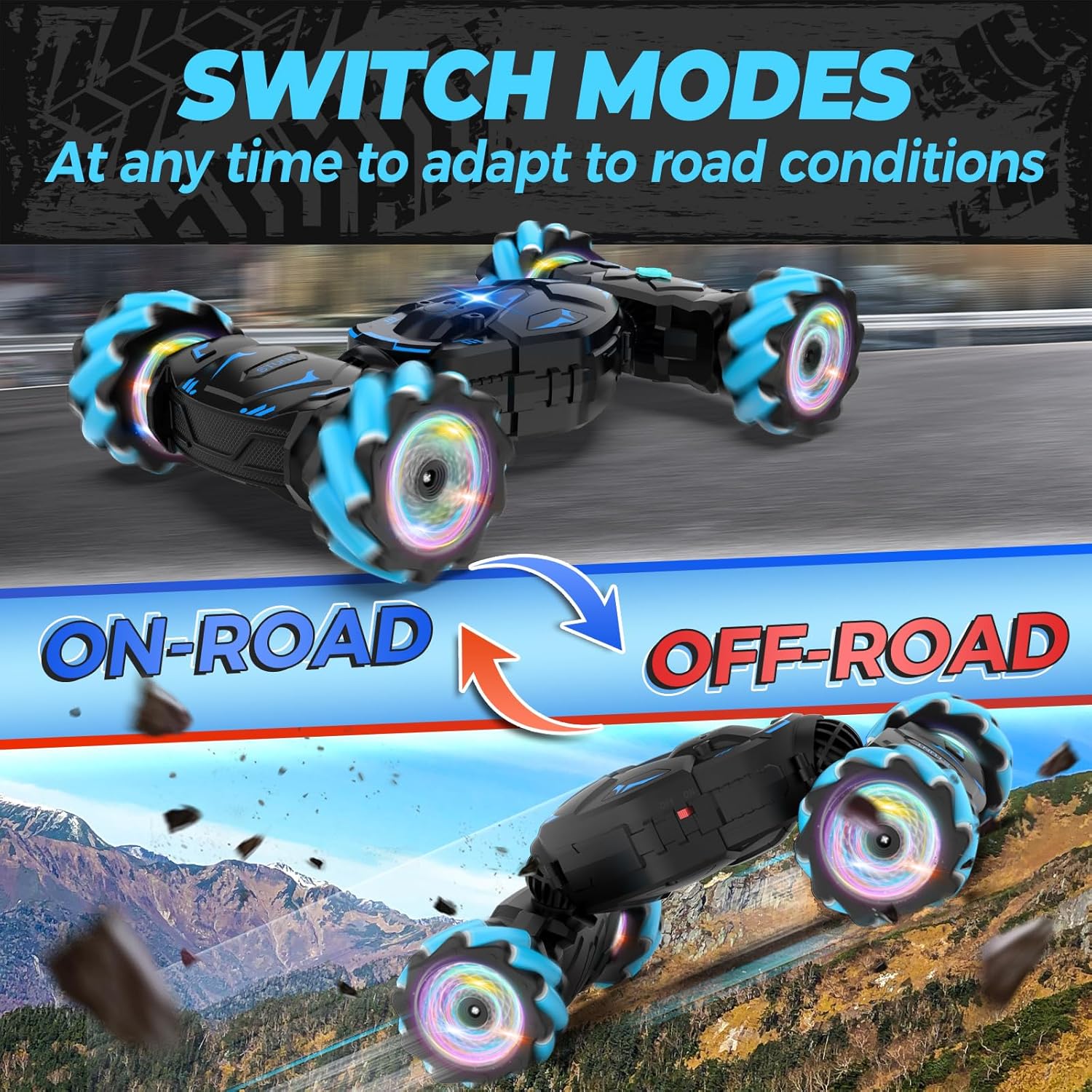
Image: The RC car demonstrating its ability to switch between On-Road and Off-Road modes.

Image: The RC car's performance across diverse terrains including rocky paths, grass, sand, and paved roads.
5. Official Product Videos
Video: A demonstration of the Nitigo RC Car's features and movements, highlighting its appeal as a gift for boys.
Video: A promotional video showcasing the Nitigo Gesture RC Car's various functions and control options, suitable for children aged 6-12.
Maintenance
- Keep the car clean by wiping it with a dry cloth after use.
- Avoid exposing the car to water or extreme temperatures.
- Store the car and accessories in a cool, dry place when not in use.
- Remove batteries from controllers if storing for extended periods.
Troubleshooting
| Problem | Possible Cause | Solution |
|---|---|---|
| Car does not respond to controller. | Low battery in car or controller; not paired. | Charge car battery; replace controller batteries; re-pair car and controller. |
| Car moves slowly or erratically. | Low car battery; obstruction in wheels. | Charge car battery; clear any debris from wheels. |
| Spray function not working. | Water tank empty. | Refill water tank using the provided bottle. |
| Car makes beeping sound. | Low car battery. | Charge car battery immediately. |
Specifications
- Brand: Nitigo
- Model Number: JC06
- Product Dimensions: 7.87 x 7.87 x 4.13 inches
- Item Weight: 1.74 pounds
- Manufacturer Recommended Age: 6 - 12 years
- Car Batteries: 2 Lithium Ion batteries (included)
- Remote Controller Batteries: 2 AAA batteries (not included)
- Watch Controller Batteries: 1 Button Cell battery (included)
Warranty and Support
For warranty information or technical support, please refer to the contact details provided on the product packaging or visit the official Nitigo website. Keep your purchase receipt as proof of purchase.


