
Introduction
Thank you for choosing the HiFuture Yacht TWS Qualcomm Bluetooth 5.2 Earbuds. This manual provides essential information for setting up, operating, and maintaining your earbuds to ensure optimal performance and longevity. Please read these instructions carefully before use.
Package Contents
- HiFuture Yacht TWS Earbuds (Left and Right)
- Charging Case
- USB Type-C Charging Cable (not explicitly listed but standard)
- User Manual (this document)
- Eartips (various sizes, not explicitly listed but standard)
Setup
1. Charging the Earbuds and Case
Before first use, fully charge the earbuds and the charging case. Connect the provided USB Type-C cable to the charging port on the case and a compatible USB power source. The charging indicators on the case will show the charging status. A full charge typically takes approximately 2 hours.
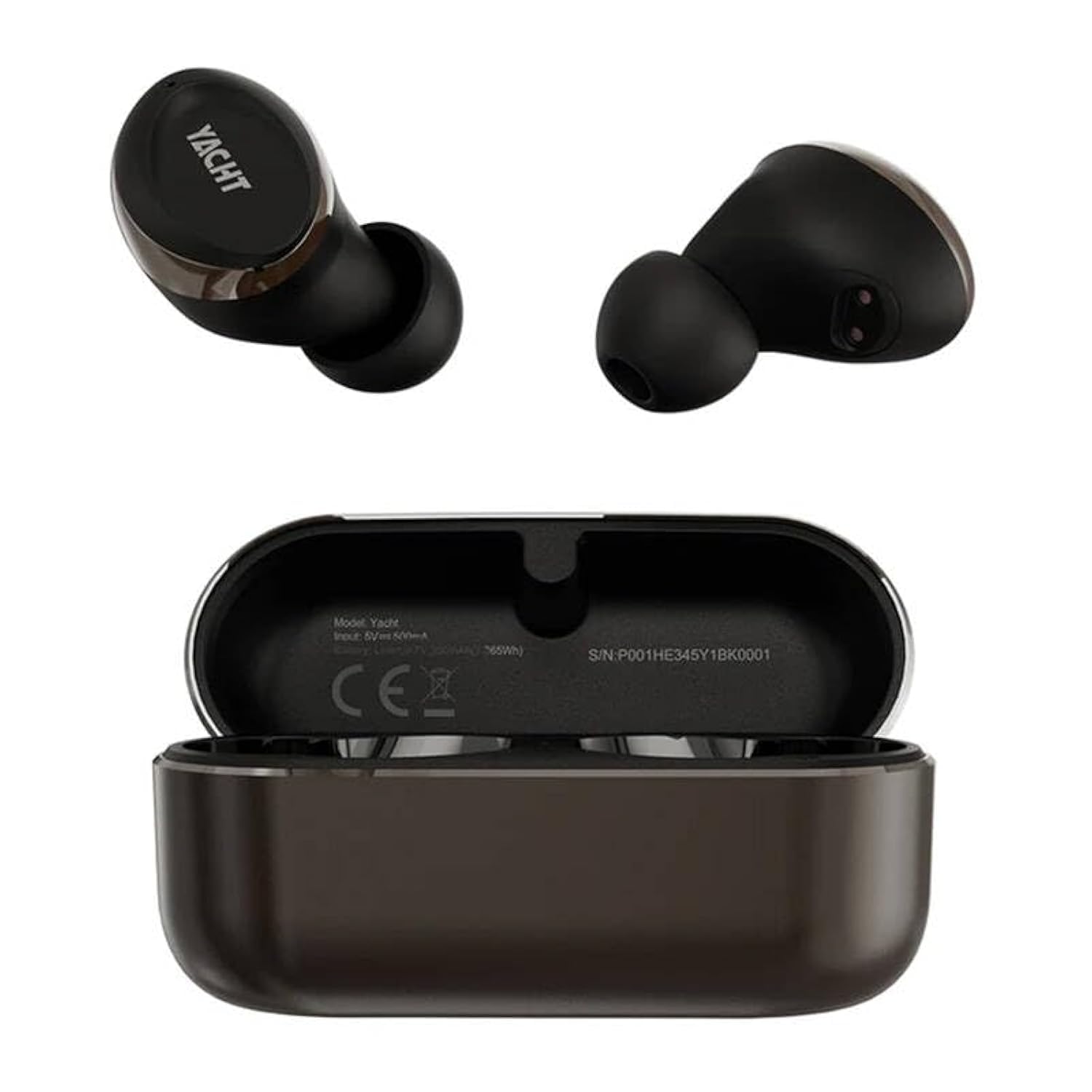
Image: The HiFuture Yacht TWS earbuds, one removed from the charging case and one placed inside the open charging case. The earbuds and case are black and gold. The charging case displays model information and a serial number.
2. Pairing with a Device
- Ensure the earbuds are charged.
- Open the charging case. The earbuds will automatically enter pairing mode, indicated by a flashing LED light (specific color/pattern not provided, refer to LED behavior section if available).
- On your smartphone, tablet, or other Bluetooth-enabled device, go to the Bluetooth settings.
- Search for available devices and select "HiFuture Yacht" from the list.
- Once connected, the LED indicator on the earbuds will stop flashing, and you will hear a confirmation tone.
The earbuds will automatically reconnect to the last paired device when removed from the case, if Bluetooth is enabled on the device.
3. Wearing the Earbuds
Gently insert the earbuds into your ears. Adjust them for a comfortable and secure fit. A proper fit is crucial for optimal sound quality and noise isolation.
Operating Instructions
Power On/Off
- Power On: Open the charging case, and the earbuds will power on automatically.
- Power Off: Place the earbuds back into the charging case and close the lid. They will power off automatically and begin charging.
Touch Controls (Remote Control Method)
The HiFuture Yacht earbuds feature touch-sensitive controls on each earbud. Specific functions may vary, but common controls include:
- Play/Pause: Single tap on either earbud.
- Next Track: Double tap on the right earbud.
- Previous Track: Double tap on the left earbud.
- Answer/End Call: Single tap on either earbud during an incoming call or active call.
- Reject Call: Press and hold either earbud for 2 seconds during an incoming call.
- Activate Voice Assistant: Triple tap on either earbud.
Call Functions
The CVC8.0 wind noise cancellation feature enhances call clarity by reducing background wind noise.
- Answer/End calls using the touch controls as described above.
- Ensure the microphone on the earbuds is not obstructed for clear communication.
Maintenance
Cleaning
- Regularly clean the earbuds and charging case with a soft, dry, lint-free cloth.
- Do not use harsh chemicals, cleaning solvents, or strong detergents.
- Gently remove any earwax or debris from the eartips and speaker mesh using a small, soft brush or cotton swab.
Storage
When not in use, store the earbuds in their charging case to protect them from dust, damage, and to keep them charged.
Water Resistance (IPX5)
The earbuds are rated IPX5 water resistant, meaning they can withstand splashes of water and sweat. They are not designed for submersion in water. Avoid exposing them to heavy rain, showering, or swimming.
Troubleshooting
- Earbuds not pairing:
- Ensure both earbuds are charged.
- Turn off Bluetooth on your device, then turn it back on.
- Forget/delete "HiFuture Yacht" from your device's Bluetooth list and try pairing again.
- Place earbuds back in the case, close the lid, wait a few seconds, then open to re-initiate pairing mode.
- Only one earbud working:
- Ensure both earbuds are charged.
- Try resetting the earbuds (refer to specific reset instructions if available, otherwise, place them back in the case and re-pair).
- Clean the charging contacts on both earbuds and inside the case.
- No sound or low volume:
- Check the volume level on both your device and the earbuds.
- Ensure the earbuds are properly connected to your device.
- Clean the speaker mesh for any obstructions.
- Charging issues:
- Ensure the charging cable is securely connected to both the case and the power source.
- Try a different USB Type-C cable and power adapter.
- Clean the charging contacts on the earbuds and inside the case.
Specifications
| Model Name | Yacht |
| Bluetooth Version | 5.2 |
| Connectivity Technology | Wireless |
| Audio Driver Type | Dynamic Driver |
| Battery Life (Earbuds + Case) | Up to 32 Hours |
| Charging Time | Approx. 2 Hours |
| Water Resistance Level | IPX5 (Water Resistant) |
| Control Method | Remote (Touch Controls) |
| Material | Plastic |
| Item Weight | 80 Grams |
| Product Dimensions (LxWxH) | 10 x 5 x 1.3 Centimeters |
| Special Features | Lightweight, Qualcomm Chipset, APTX Adaptive, CVC8.0 Wind Noise Cancellation |
Warranty and Support
HiFuture products are designed for reliability and performance. For warranty information, please refer to the warranty card included with your purchase or visit the official HiFuture website. For technical support or further assistance, please contact HiFuture customer service through their official channels.
You can find more information and support at the HiFuture Store on Amazon.


