Introduction
The Hilitand Transparent Bluetooth Speaker combines clear audio with dynamic LED lighting. Designed for portability and versatility, it features Bluetooth 5.0 connectivity, True Stereo+ pairing, and a durable ABS construction. This manual provides essential information for setting up, operating, and maintaining your speaker.
Key Features
- LED Lights: Built-in LED lights flicker and sync with music, creating an enhanced visual experience.
- Wide Applications: Suitable for various environments including homes, offices, parties, travel, and showers.
- Bluetooth 5.0: Offers quick and seamless connection to Bluetooth-enabled devices with a range of up to 100ft.
- True Stereo+ Sound: Pair two speakers for a true stereo sound experience.
- High Power Output: Delivers crisp highs, deep lows, and high-definition sound quality with 5W x 2 output.
Package Contents
- 1 x Hilitand Transparent Bluetooth Speaker
- 1 x User Manual
- 1 x USB Type-C Charging Cable
Setup
Charging the Speaker
Before first use, fully charge the speaker using the provided USB Type-C charging cable. Connect the Type-C end to the speaker's charging port and the USB-A end to a compatible power adapter (not included).
Power On/Off
Press and hold the power button (usually indicated by a universal power symbol) on the speaker to turn it on or off. A voice prompt will indicate the power status.
Operating Instructions
Bluetooth Pairing
- Ensure the speaker is powered on and in Bluetooth pairing mode (indicated by a voice prompt or flashing LED).
- On your device (smartphone, tablet, etc.), enable Bluetooth and search for available devices.
- Select "V8" or "JQ BT" (or similar, refer to your device's Bluetooth list) from the list to connect.
- Once connected, a voice prompt will confirm "Bluetooth Connected". You can now play audio from your device.
Light Modes
The speaker features multiple LED lighting modes. Use the dedicated light switching button (often labeled with a light bulb icon or similar) to cycle through the available light patterns and colors.
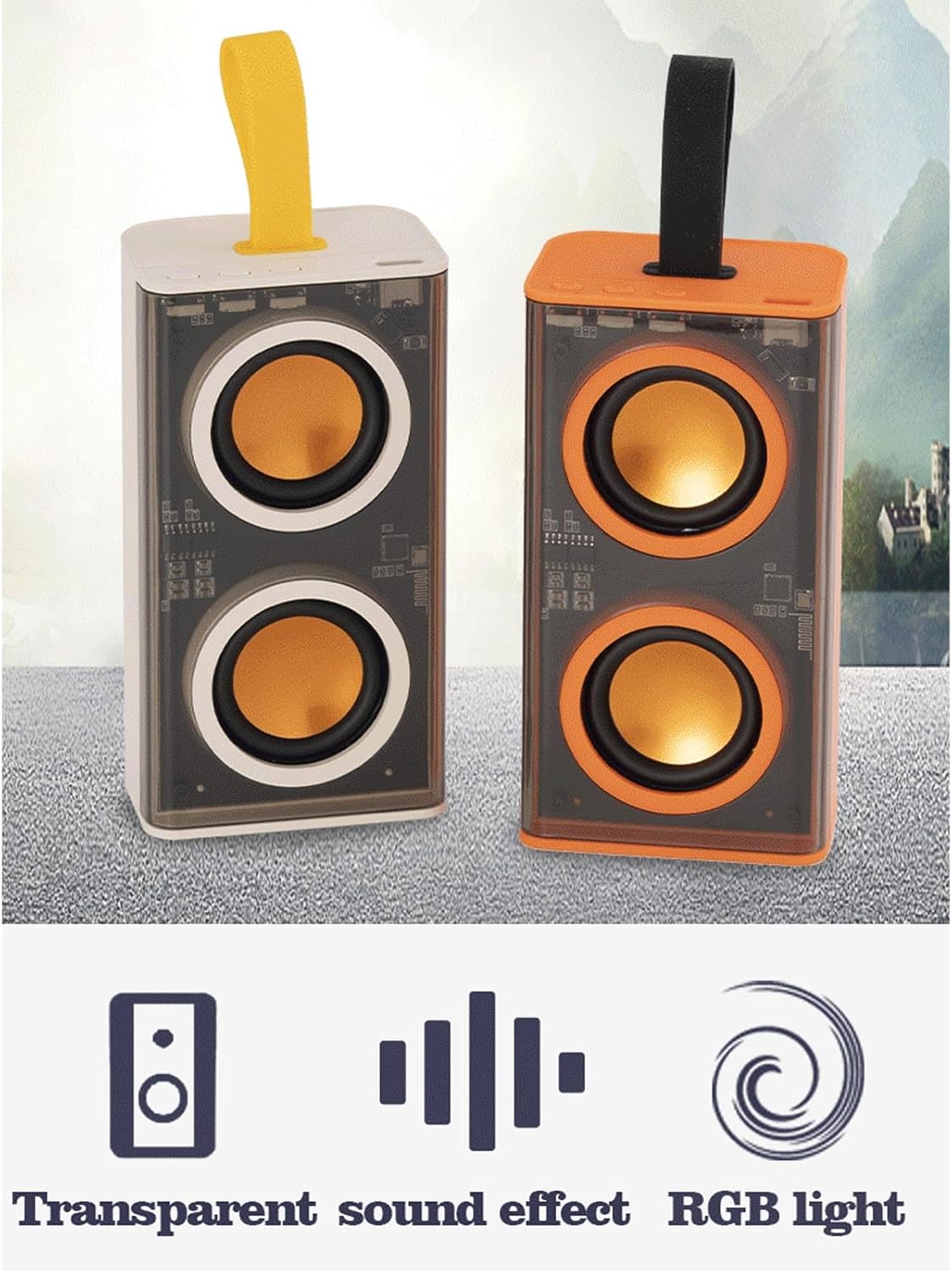
Image: The transparent speaker showcasing its vibrant LED light modes.
True Wireless Stereo (TWS) Pairing
To achieve a true stereo sound experience, you can pair two Hilitand Transparent Bluetooth Speakers together:
- Ensure both speakers are powered on and not connected to any other Bluetooth device.
- Press the TWS interconnection button on one of the speakers (refer to the button layout image for location).
- The speakers will automatically search and pair with each other. A voice prompt will confirm successful TWS pairing.
- Connect your device to one of the paired speakers via Bluetooth. Audio will now play in stereo through both speakers.

Image: Two speakers demonstrating the TWS pairing feature for enhanced audio.
Playback Controls
The speaker features integrated buttons for controlling playback:
- Play/Pause: Press the Play/Pause button (often a triangle or two vertical bars) to start or pause audio playback.
- Volume Up/Next Track: Press the '+' button to increase volume. Long press to skip to the next track.
- Volume Down/Previous Track: Press the '-' button to decrease volume. Long press to go to the previous track.

Image: Detailed view of the speaker's control panel and ports.
Product Overview

Image: Front view of the speaker, showcasing its transparent design and internal components.

Image: The speaker alongside its charging cable.
Official Product Videos
Transparent BT Speaker Overview
Video: A brief overview of the Hilitand Transparent Bluetooth Speaker, demonstrating its design and basic functions.
Specifications
| Brand | Hilitand |
| Model Name | Serounder510b4oekwn-11 |
| Material | Acrylonitrile Butadiene Styrene (ABS) |
| Output Power | 5W x 2 |
| Charging Port | Type C |
| Bluetooth Version | 5.0 |
| Bluetooth Range | Up to 100 feet |
| Battery Capacity | 800mAh Lithium Polymer |
| Product Dimensions | 5.11"D x 3.93"W x 1.96"H |
| Item Weight | 10.1 ounces |
| Water Resistance Level | Water Resistant |
| Control Method | Touch |
Maintenance
- Clean the speaker with a soft, dry cloth. Avoid using harsh chemicals or abrasive materials.
- Keep the speaker away from extreme temperatures, direct sunlight, and moisture to prevent damage.
- Do not attempt to disassemble or repair the speaker yourself, as this will void the warranty.
- Store the speaker in a cool, dry place when not in use for extended periods.
Troubleshooting
- Speaker not turning on: Ensure the battery is charged. Connect the charging cable and try again.
- Unable to pair via Bluetooth:
- Make sure the speaker is in pairing mode.
- Ensure your device's Bluetooth is enabled and within range (up to 100ft).
- Forget the speaker from your device's Bluetooth list and try pairing again.
- Restart both the speaker and your device.
- Poor sound quality or disconnections:
- Move the speaker closer to your device.
- Ensure there are no obstructions between the speaker and your device.
- Check for interference from other wireless devices.
- Ensure the speaker is fully charged.
- TWS pairing issues: Ensure both speakers are not connected to any other device before attempting TWS pairing. Follow the TWS pairing steps carefully.
Warranty and Support
This product comes with a limited warranty. Please refer to the warranty card included in your package for specific terms and conditions. For technical support or further assistance, please contact Hilitand customer service through the retailer where the product was purchased.


