
Introduction
This manual provides comprehensive instructions for the operation and maintenance of your Baofeng K5 Plus Ham Radio. The K5 Plus is an upgraded handheld two-way radio featuring a 1.77-inch color screen, tri-power adjustment, and versatile charging options. It supports one-click frequency copying, NOAA weather alerts, and offers up to 999 channels. Please read this manual thoroughly to ensure proper use and to maximize the performance of your device.
What's in the Box
Upon opening the package, verify that all the following components are included:
- 2 x Portable radio (Baofeng K5 Plus)
- 2 x 2500mAh Li-ion battery
- 2 x Desktop Charger
- 2 x USB-C Cable
- 2 x Belt clip
- 2 x Headset
- 2 x User's manual
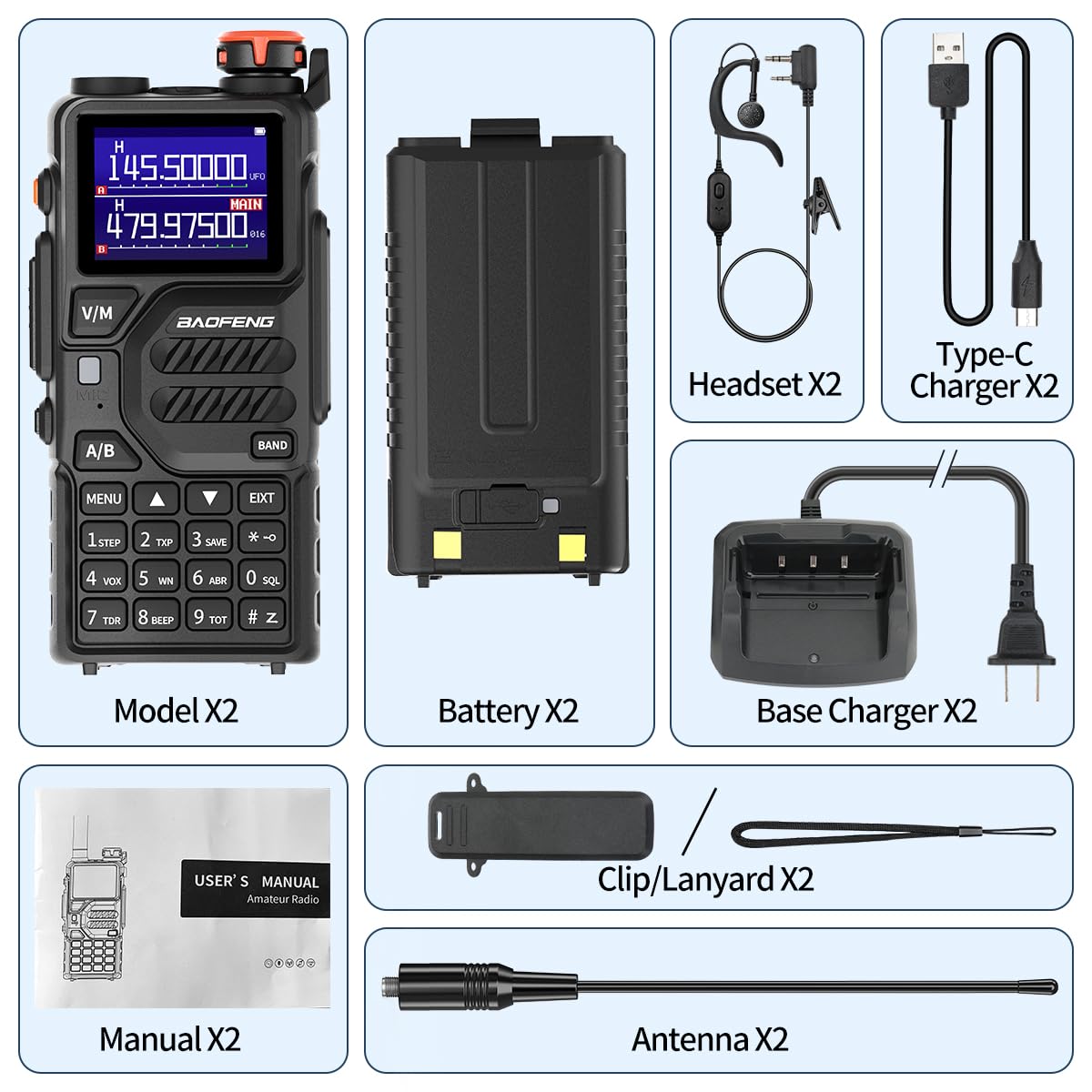
Image: All components included in the Baofeng K5 Plus package, showing two radios, two batteries, two desktop chargers, two USB-C cables, two belt clips, two headsets, and two user manuals.
Product Overview and Features
The Baofeng K5 Plus is designed for enhanced communication with several key features:
- Upgraded UV-5R Platform: The K5 Plus features a 1.77-inch color screen for improved visibility, especially in low light conditions. Power output can be adjusted to low, medium, or high settings.
- Dual Charging Methods: Supports both traditional desktop charging and direct USB-C charging, offering flexibility for various power sources.
- One-Click Frequency Copy: Simplifies frequency matching with other radios without requiring computer programming.
- NOAA Weather Channels: Access to 10 NOAA channels for emergency weather alerts, enhancing safety during outdoor activities.
- Multiple Functions: Includes up to 999 channels, Airband reception, FM radio, LED flashlight, Stopwatch, DTMF, VOX, Alarm function, and CTCSS/DCS.

Image: Two Baofeng K5 Plus radios displayed with their antennas, batteries, desktop chargers, and USB-C cables, highlighting the complete package.

Image: A side-by-side comparison illustrating the differences between the Baofeng UV-K5 Plus and the older UV-5R model, emphasizing the K5 Plus's larger screen, Type-C charger, and increased channel capacity.
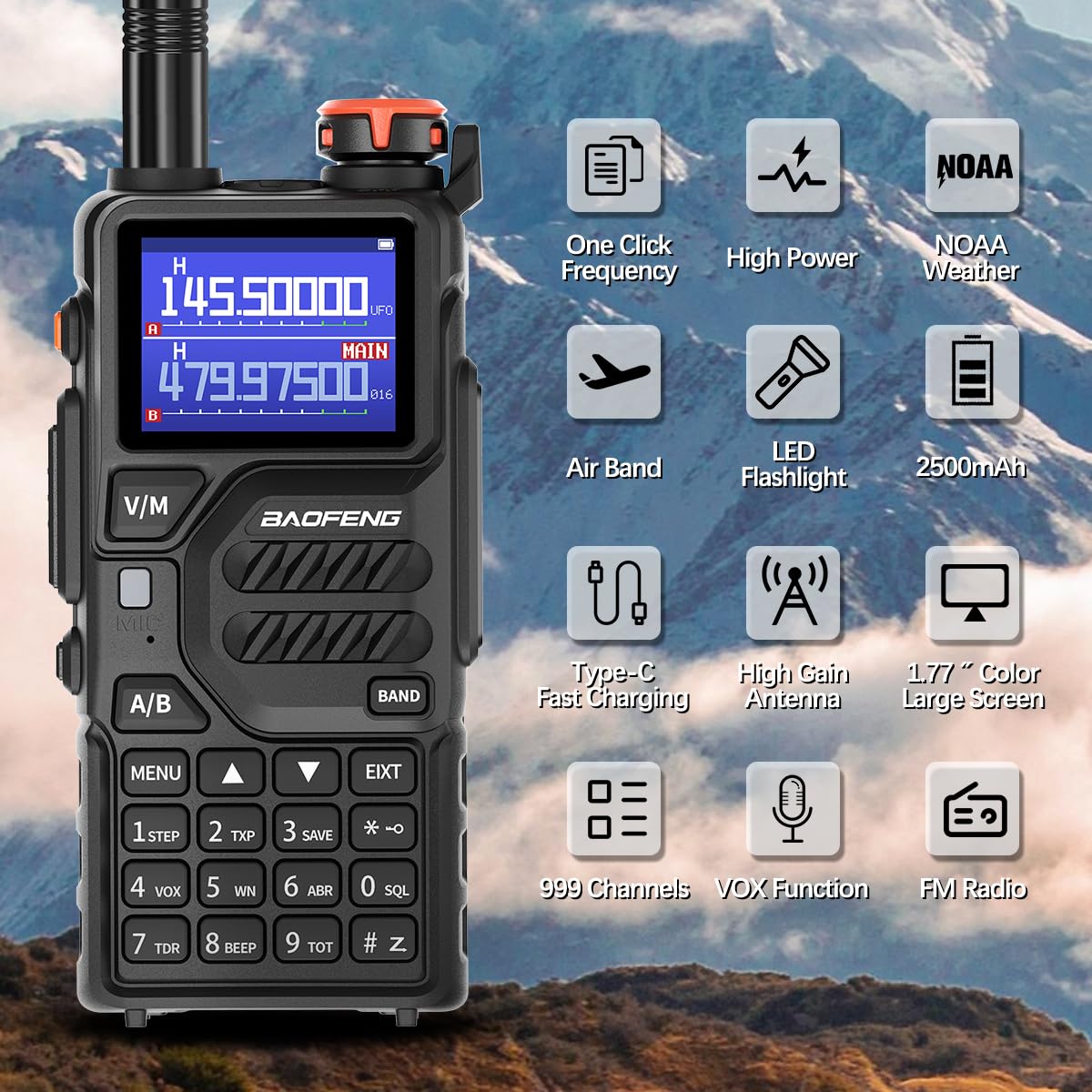
Image: The Baofeng K5 Plus radio surrounded by icons representing its key features: One Click Frequency, High Power, NOAA Weather, Airband, LED Flashlight, 2500mAh battery, Type-C Fast Charging, High Gain Antenna, 1.77" Color Large Screen, 999 Channels, VOX Function, and FM Radio.
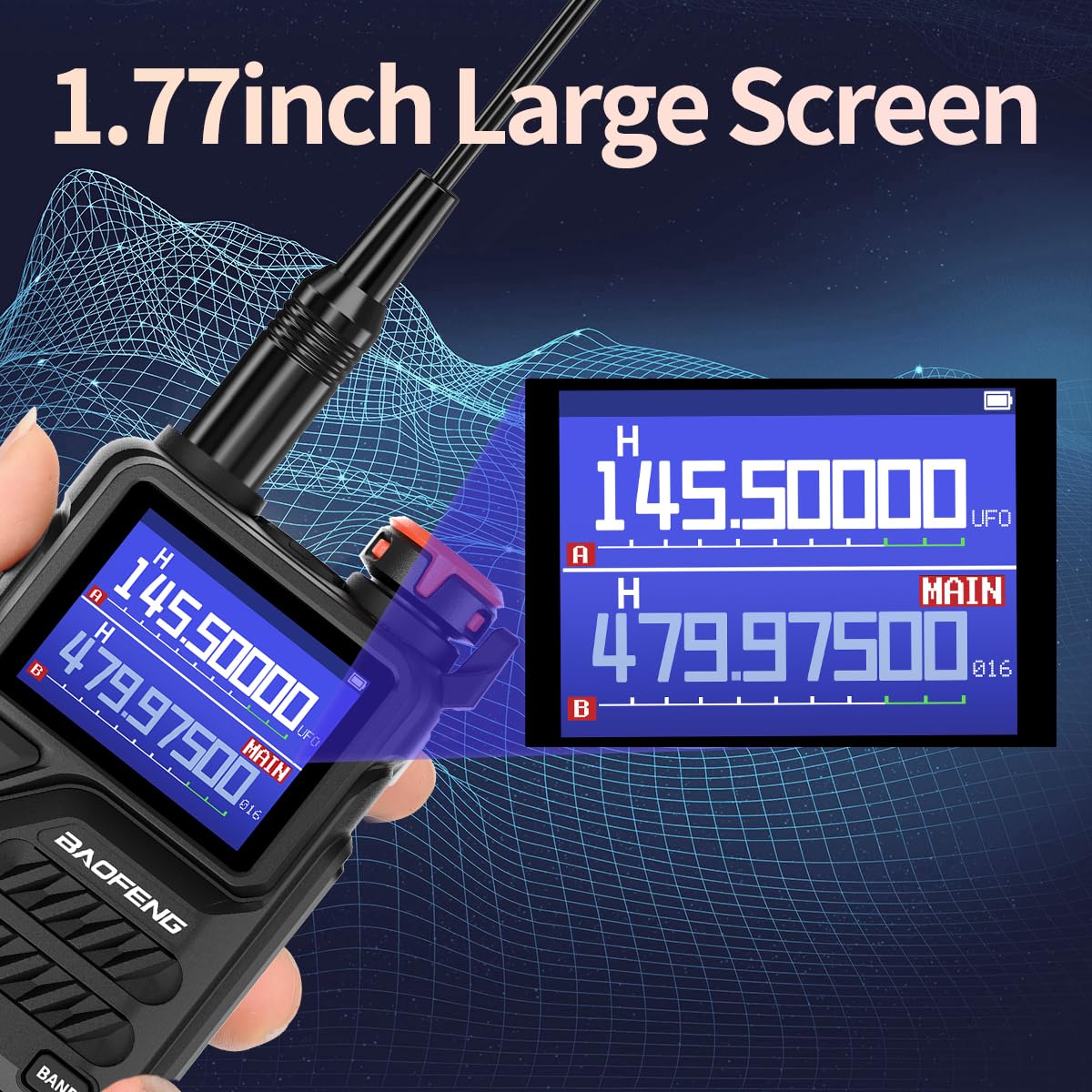
Image: A close-up view of the Baofeng K5 Plus's 1.77-inch large color screen, demonstrating its clear display of frequencies and settings.
Setup
Battery Installation and Charging
The Baofeng K5 Plus comes with a 2500mAh Li-ion battery. Ensure the battery is fully charged before first use.
- To install the battery, align the battery pack with the grooves on the back of the radio and slide it upwards until it clicks into place.
- To remove, press the release latch at the bottom of the battery and slide it downwards.
- Desktop Charger: Place the radio (with battery installed) into the desktop charging cradle. Ensure the charging contacts align. The indicator light will show charging status.
- USB-C Charging: Connect a USB-C cable to the port on the side of the radio and plug the other end into a compatible USB power source (e.g., wall adapter, power bank, computer USB port).

Image: The Baofeng K5 Plus demonstrating its two charging methods: direct USB-C cable connection and charging via the included desktop cradle. Also shown are charging from a power bank and in a car.
Antenna Attachment
Screw the provided antenna clockwise onto the antenna connector at the top of the radio until it is finger-tight. Do not overtighten.
Operating Instructions
Power On/Off and Volume
Rotate the power/volume knob clockwise to turn on the radio and increase volume. Rotate counter-clockwise to decrease volume and turn off the radio.
One-Click Frequency Copy
This feature allows for quick frequency matching with another walkie-talkie without complex programming.
- Long press the "BAND" button on your K5 Plus.
- The display will show "SEARCH".
- Transmit a frequency from the other walkie-talkie you wish to copy. The K5 Plus will search for and display the frequency and privacy code.
- Press the "MENU" button to save the frequency.

Image: Two Baofeng radios illustrating the "One Key Frequency Match" process, showing how one radio can quickly copy the frequency from another.
Video: This video demonstrates the "K5 Plus Function", including the one-click frequency copy feature, showing how to quickly match frequencies between two radios.
Tri-Power Adjustment
The K5 Plus allows you to adjust the transmission power to High, Medium, or Low, optimizing battery life and range as needed.

Image: The Baofeng K5 Plus display showing the three power output settings: High (H), Middle (M), and Low (L), indicating the adjustable transmission power.
NOAA Weather Channels
The radio can receive emergency alerts from 10 NOAA weather channels. This feature is crucial for staying informed about severe weather conditions.

Image: The Baofeng K5 Plus radio set against a stormy background with lightning, emphasizing its NOAA Weather Radio capability to withstand extreme weather conditions and provide alerts.
CHIRP Programming
For advanced programming and channel management, the Baofeng K5 Plus supports CHIRP software. A USB programming cable (K2 pin Baofeng port) is required.
- Download and install the latest version of CHIRP software from the official CHIRP website (chirp.danplanet.com).
- Connect the radio to your computer using the USB programming cable. Ensure the radio is turned ON.
- In CHIRP, go to "Radio" -> "Download From Radio" to read the current configuration.
- Select the correct COM port, Vendor (Baofeng), and Model (K5 Plus).
- After making desired changes, go to "Radio" -> "Upload To Radio" to write the new configuration to the device.
Video: This video provides a step-by-step guide on "Programming video for K5Plus" using CHIRP software, including downloading the software, connecting the radio, and uploading configurations.
LED Flashlight
The integrated LED flashlight provides illumination in dark environments. Refer to the radio's specific button layout for activation (usually a dedicated button or a long press of a function key).
Maintenance
- Cleaning: Use a soft, damp cloth to clean the radio's exterior. Do not use harsh chemicals or abrasive cleaners.
- Battery Care: Store batteries in a cool, dry place. Avoid extreme temperatures. If not used for extended periods, charge the battery periodically to maintain its life.
- Storage: When not in use, store the radio in a dry, dust-free environment.
- Water Resistance: This product is Not Water Resistant. Avoid exposure to water or high humidity.
Troubleshooting
| Problem | Possible Cause | Solution |
|---|---|---|
| Radio does not power on. | Battery is low or not installed correctly. | Charge the battery or re-install it securely. |
| Poor reception or transmission. | Antenna not properly attached; out of range; obstacles. | Ensure antenna is tight. Move to an open area. Check power setting. |
| Cannot program with CHIRP. | Incorrect COM port; radio not on; driver issues. | Verify COM port in Device Manager. Turn radio on. Reinstall USB cable drivers. |
| Display is dim or unreadable. | Low battery; display settings. | Charge battery. Adjust backlight settings in radio menu. |
Specifications
- Model: K5 Plus
- Brand: BAOFENG
- Item Weight: 2.66 pounds
- Package Dimensions: 9.49 x 8.39 x 4.53 inches
- Batteries: 1 C batteries required (included)
- Color: Black
- Number of Channels: 999
- Special Feature: Long Range
- Frequency Range: 400-480 MHz (UHF)
- Voltage: 7.4 Volts (DC)
- Water Resistance Level: Not Water Resistant
Warranty Information
According to product specifications, there is no explicit warranty provided for this product. Please refer to the retailer's return policy for any issues within the return period.
Support
For additional support or inquiries, please visit the official BAOFENG Store on Amazon:
You may also find helpful resources and community support online for Baofeng radios, including forums and video tutorials for advanced programming and usage tips.


