
Olafus 3-LBC65M
Olafus Floodlight Camera Outdoor User Manual
Model: 3-LBC65M
Introduction
Thank you for choosing the Olafus Floodlight Camera Outdoor. This smart security camera combines powerful floodlighting with advanced surveillance features to provide comprehensive outdoor protection for your home or property. This manual will guide you through the installation, operation, and maintenance of your new device.
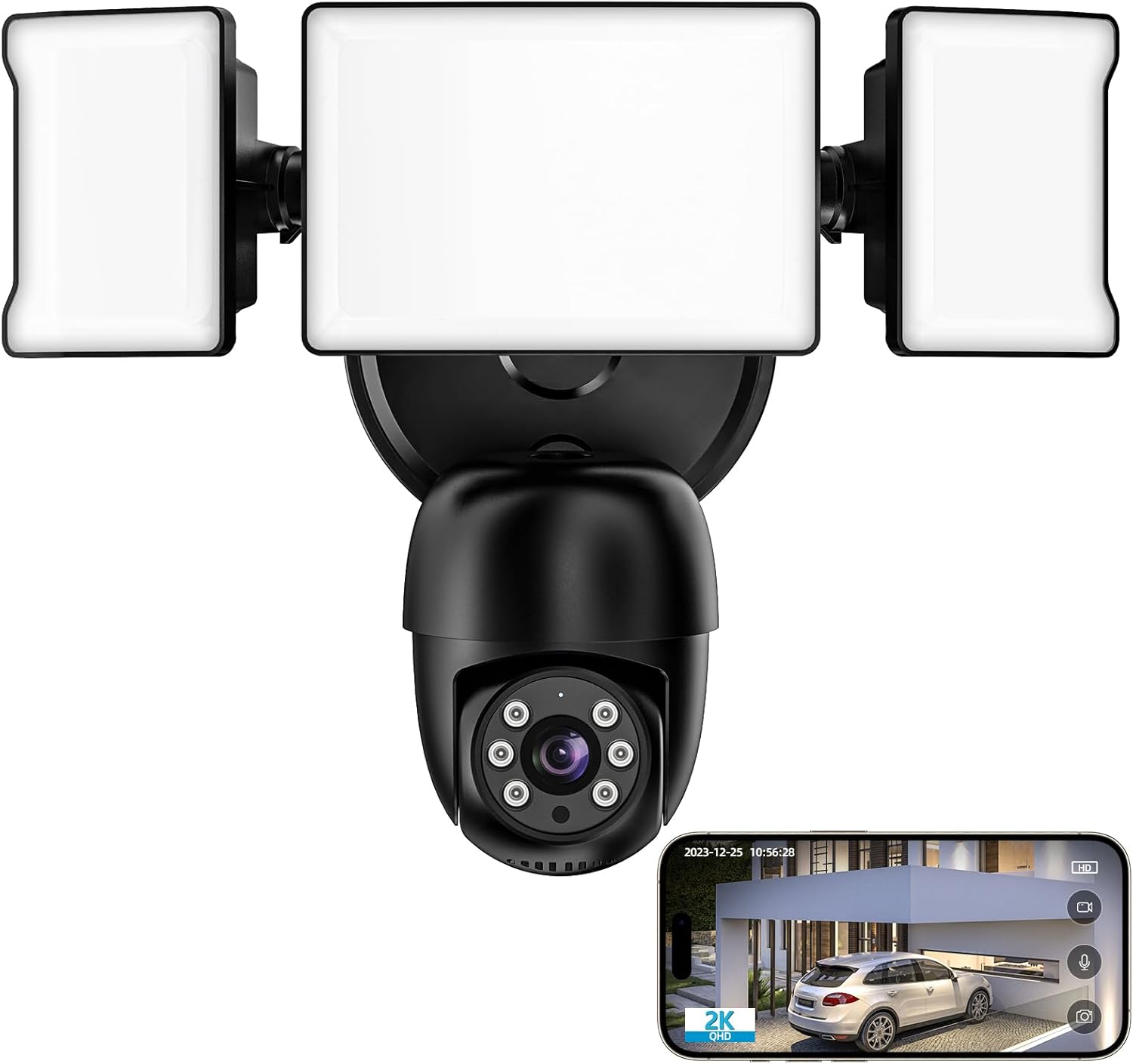
The Olafus Floodlight Camera Outdoor, featuring two adjustable floodlights and a central camera unit, shown with a smartphone displaying its live video feed.
Safety Information
Please read all safety instructions carefully before installation and use. Failure to follow these instructions may result in electric shock, fire, or other injuries.
- Electrical Safety: Installation should be performed by a qualified electrician or in accordance with local electrical codes. Ensure power is disconnected at the circuit breaker before installation.
- Mounting: Mount the camera securely on a stable surface that can support its weight.
- Water Resistance: The camera is IP65 waterproof, suitable for outdoor use. However, avoid submerging it in water.
- Temperature Range: Operate the device within the specified temperature range (-22°F to 140°F / -30°C to 60°C).
- Children and Pets: Keep the device and its components out of reach of children and pets.
Package Contents
Verify that all items are present in your package:
- Olafus Floodlight Camera Outdoor (1 unit)
- Mounting Hardware (screws, anchors)
- User Manual (this document)
Product Overview
Familiarize yourself with the main components of your floodlight camera:
- Floodlights: Two adjustable LED light panels providing 55W 5500LM brightness.
- Camera Lens: Captures 2K QHD video.
- PIR Motion Sensor: Detects movement within its 180° field.
- Microphone: For two-way audio communication.
- Speaker: For two-way audio communication and siren.
- Pan/Tilt Mechanism: Allows 340° horizontal and 120° vertical rotation.
- Micro SD Card Slot: Supports up to 128GB for local storage (card not included).

Overview of the 4MP Floodlight Camera's key features, including 360° view, AI lock & tracking, color night vision, 2-way audio, motion detection push, 2.4GHz & 5GHz WiFi, and waterproof design.
Setup
Follow these steps to install and set up your Olafus Floodlight Camera:
- Download the App: Scan the QR code below or search for "Smart Life" in the App Store (iOS) or Google Play Store (Android) to download the application.

Step-by-step guide for setting up the camera: 1. Download 'Smart Life' APP (QR code provided). 2. Connect to 2.4GHz & 5GHz WiFi. 3. Install the floodlight camera. 4. Camera is online.
You can also access the app directly via this link: http://app.ubianet.com/app/ubox/
- Power Off: Before installation, ensure the power to the installation area is turned off at the circuit breaker.
- Mounting: Securely mount the floodlight camera to a wall using the provided mounting hardware. Ensure it is positioned to cover your desired surveillance area.
- Wiring: Connect the camera's wiring to your existing outdoor electrical wiring. If unsure, consult a qualified electrician.
- Power On: Restore power at the circuit breaker. The camera will power on and enter pairing mode.
- Connect to Wi-Fi: Open the Smart Life app, register or log in, and follow the in-app instructions to add your new device. The camera supports both 2.4GHz and 5GHz Wi-Fi networks.
- Initial Configuration: Once connected, you can adjust camera settings, such as pan/tilt angles, motion detection zones, and light brightness, through the app.
Operating
Your Olafus Floodlight Camera offers a range of features for enhanced security and convenience:
2K QHD Clarity & Color Night Vision
The camera delivers crisp 2K QHD video resolution for clear day and night viewing. Its advanced color night vision ensures vivid recordings even in low-light conditions, providing round-the-clock surveillance.

The camera provides crystal clear images by day and vibrant color images by night, ensuring comprehensive surveillance.

The camera offers Smart Night Mode, Color Night Vision, and traditional IR Black & White modes for clear visibility in various low-light conditions.
360° Panoramic View and Auto Tracking
Control the camera's pan (340° horizontal) and tilt (120° vertical) functions via the app to monitor every corner of your property. The camera can automatically lock onto and track moving objects, ensuring continuous coverage.

The camera provides 360° surveillance, eliminating blind spots around your property.

The camera's 'Lock and Track' feature records every detail by automatically following moving objects.

With AI Lock and Tracking, the camera's rotating lens automatically tracks movement when people pass through its field of view.
55W Super Brightness & Adjustable Heads
The integrated floodlights provide 55W (5500LM) of super brightness. The three adjustable heads allow you to direct light precisely where needed. Customize brightness levels through the app for personalized lighting.

The 5500LM dimmable sensor light can be adjusted from 10% to 100% brightness, illuminating your outdoor space effectively.

The powerful 5500LM floodlight with 6500K color temperature effectively turns night into day, covering an area of 1150 sq ft, with adjustable brightness and motion activation.

Tailor your lighting timetable through the app to ensure the lights activate precisely when required.
Advanced Motion Detection with Alerts
The 180° PIR motion sensor triggers instant illumination upon detecting movement. Receive real-time notifications on your phone, keeping you informed about any detected activity.

The camera features motion-activated lights and a sound alarm, triggered by PIR motion detection, sending instant alerts to your phone.

Upon human body detection, the floodlight activates, and a notification is pushed to your phone, allowing you to deter intruders with a voice message.

The versatile motion detector allows you to adjust sensitivity levels (Low, Medium, High) via the app to suit your environment and reduce false alarms.
Two-Way Talk & Versatile Storage Solutions
Communicate with visitors or deter intruders using the camera's built-in microphone and speaker. Choose between cloud storage (subscription required) or local storage via a Micro SD card (up to 128GB, not included) for surveillance footage.

Engage in two-way communication with visitors or delivery personnel directly through the camera.

Listen and talk in real-time, wherever you are, using the 2-way audio feature.

The camera supports both private cloud storage and local storage via an SD card (Max 128GB, not included) for video playback. Note: Cloud storage may incur a monthly fee.

Securely store your footage with encryption cloud storage or on a Micro SD card (up to 128GB).
Convenient App Management & Smart Home Integration
Monitor your home from anywhere using the Smart Life app on your smartphone. The camera is compatible with Alexa Show and supports voice control for added convenience.
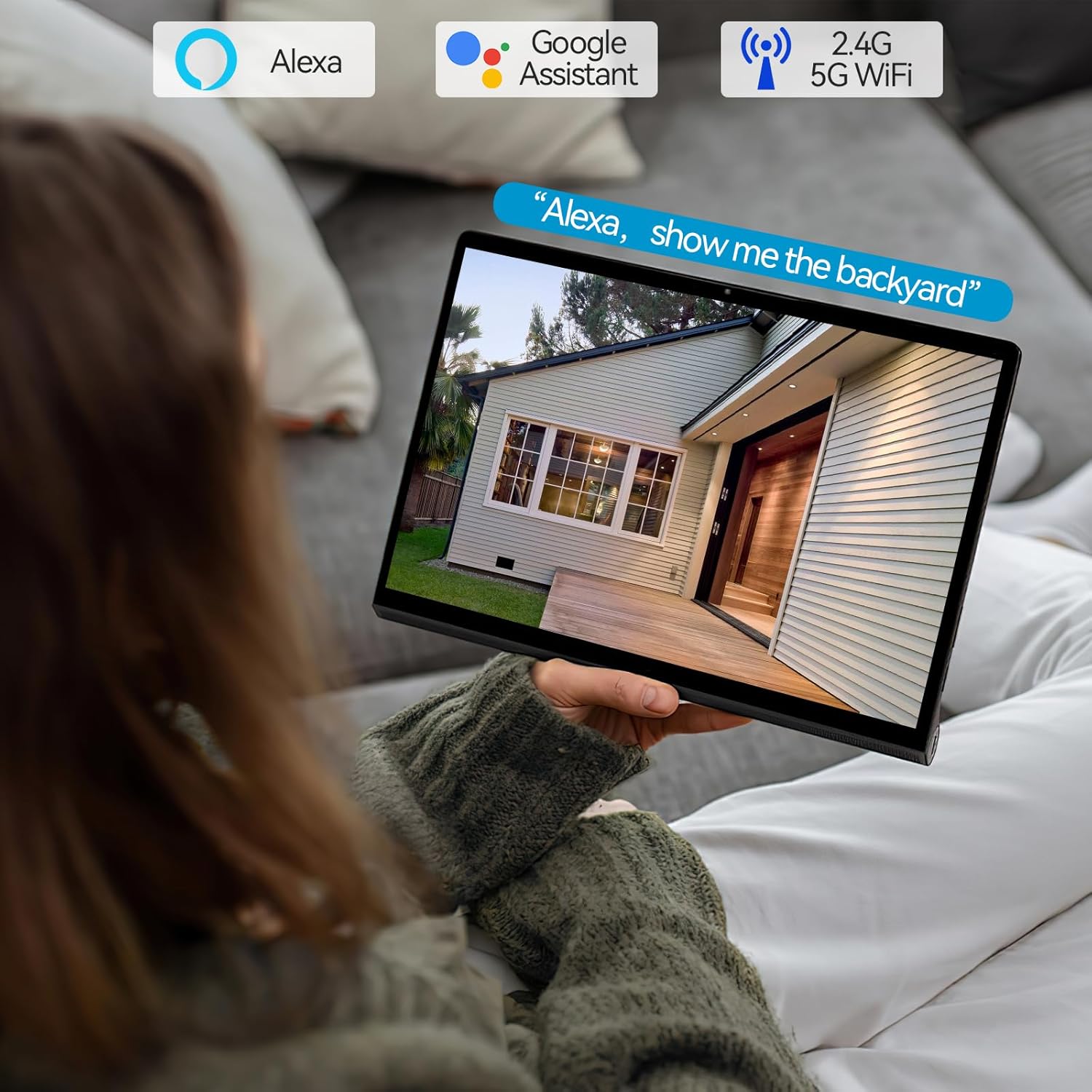
The camera works seamlessly with Alexa and Google Assistant, allowing voice control and viewing on compatible smart displays.

Control your camera via the Smart Life app and integrate it with Amazon Alexa and Google Assistant for voice commands. Supports 2.4G and 5G WiFi.
Maintenance
To ensure optimal performance and longevity of your Olafus Floodlight Camera, follow these maintenance guidelines:
- Cleaning: Regularly wipe the camera lens and floodlight surfaces with a soft, damp cloth to remove dust and dirt. Do not use harsh chemicals or abrasive cleaners.
- Firmware Updates: Check the Smart Life app periodically for firmware updates. Keeping your device updated ensures you have the latest features and security enhancements.
- Cable Inspection: Periodically inspect the power cable and connections for any signs of wear or damage.
- Environmental Protection: While the camera is waterproof (IP65), extreme weather conditions (e.g., severe storms, prolonged heavy snow) may warrant additional protection or temporary removal if possible.

The camera boasts an IP65 waterproof rating, ensuring reliable operation in various weather conditions, from -22°F to 140°F.
Troubleshooting
If you encounter issues with your Olafus Floodlight Camera, try the following solutions:
| Problem | Possible Cause | Solution |
|---|---|---|
| Camera not connecting to Wi-Fi | Incorrect Wi-Fi password, weak signal, router issues, incorrect frequency band. | Ensure correct password. Move camera closer to router. Restart router. Confirm router supports 2.4GHz/5GHz and camera is connecting to the correct band. |
| No video feed | Camera offline, network issue, power supply problem. | Check camera's power connection. Verify Wi-Fi connection. Restart camera. Check internet connection. |
| Motion detection too sensitive/not sensitive enough | Sensitivity settings, environmental factors. | Adjust motion detection sensitivity in the Smart Life app. Configure detection zones to exclude irrelevant areas. |
| Two-way audio not working | Microphone/speaker blocked, app permissions, volume settings. | Ensure nothing is obstructing the microphone or speaker. Check app permissions for microphone access. Adjust volume settings in the app. |
| Night vision unclear | Dirty lens, IR interference, insufficient ambient light for color night vision. | Clean the camera lens. Ensure no reflective surfaces are too close to the camera. Check night vision mode settings in the app. |
Specifications
| Feature | Specification |
|---|---|
| Model Number | 3-LBC65M |
| Indoor/Outdoor Usage | Outdoor |
| Video Capture Resolution | 2K QHD (4MP Effective Still Resolution) |
| Connectivity Protocol | Wi-Fi (2.4GHz & 5GHz) |
| Power Source | Corded Electric (110 Volts) |
| Wattage | 55 watts |
| Luminous Flux | 5500LM |
| Pan/Tilt Range | 340° Horizontal, 120° Vertical |
| Motion Sensor | 180° PIR |
| Night Vision | Color Night Vision, IR Black & White (5 Meters Range) |
| Storage Options | Micro SD Card (Max 128GB), Cloud Storage |
| Two-Way Audio | Supported |
| Smart Home Integration | Alexa, Google Assistant |
| Water Resistance Level | IP65 Waterproof |
| Operating Temperature | -22°F to 140°F (-30°C to 60°C) |
| Material | Aluminum |
| Dimensions (L x W x H) | 10.7 x 9.5 x 5.7 inches |
| Item Weight | 2 pounds |
Warranty and Support
For warranty information and technical support, please refer to the official Olafus website or contact their customer service. You can also find additional resources and a downloadable PDF user manual via the following link:
Download Official User Manual (PDF)
For further assistance, please visit the Olafus Store on Amazon.
Related documents3-LBC65M


Ask a question about this manual
Ask about setup, troubleshooting, compatibility, parts, safety, or missing instructions. Manuals+ will review the question and use this page’s manual context to help answer it.