
Redragon 6950376714633
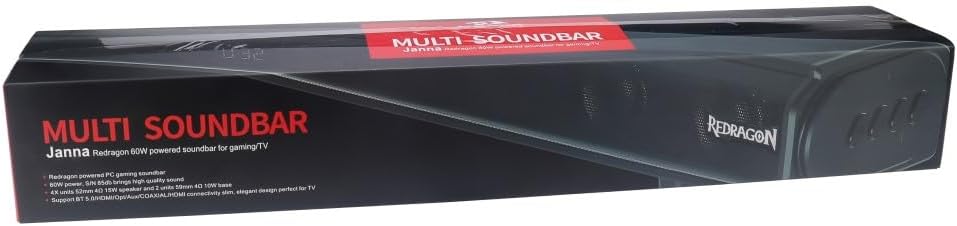
Redragon GS815 Jana Multi Soundbar Speaker User Manual
Brand: Redragon | Model: GS815 Jana
1. Product Overview
The Redragon GS815 Jana Multi Soundbar Speaker is designed to deliver an enhanced audio experience with integrated dual subwoofers for deep, immersive bass. It offers a variety of connection options for broad compatibility and features dedicated buttons for power, mode selection, and volume adjustment. Installation is straightforward with included brackets for secure wall mounting. The controls are intuitive, ensuring a user-friendly experience.
Key Features:
- Integrated dual subwoofers for deep, immersive bass sound.
- Variety of connection options for versatile audio and device compatibility.
- Dedicated buttons for power, mode selection, and volume adjustment.
- Included brackets for easy installation and secure wall mounting.
- Intuitive controls designed for easy operation and seamless user experience.

2. Setup Guide
2.1 Unboxing
Carefully remove the soundbar and all accessories from the packaging. Ensure all components listed in the 'Included Components' section of the specifications are present.
2.2 Physical Placement
Place the soundbar on a stable, flat surface in front of your television or monitor. For optimal audio performance, ensure there are no obstructions directly in front of the speaker drivers. The soundbar can also be wall-mounted using the included brackets. Refer to the wall mounting instructions provided with the brackets for detailed steps.

2.3 Connections
The Redragon GS815 Jana offers multiple connectivity options:
- Auxiliary (AUX): Connect devices using a standard 3.5mm audio cable.
- Bluetooth: For wireless audio streaming from compatible devices.
- Optical: For high-quality digital audio connection to TVs or other optical output devices.
- RCA: For connecting to devices with RCA audio outputs.
- USB: For playing audio files directly from a USB storage device.
Connect the power cable to the soundbar and then to a suitable power outlet. Ensure all audio cables are securely connected to both the soundbar and your audio source device.
3. Operating Instructions
3.1 Power On/Off
Locate the dedicated power button on the soundbar. Press it once to turn the unit on. Press and hold (or press again, depending on design) to turn the unit off.
3.2 Mode Selection
Use the 'Mode' button to cycle through the available input sources: Auxiliary, Bluetooth, Optical, RCA, and USB. The current mode will typically be indicated on the soundbar's display.
3.3 Volume Adjustment
Adjust the volume using the dedicated volume up (+) and volume down (-) buttons on the soundbar. You may also control the volume from your connected audio source device.
3.4 Bluetooth Pairing
- Turn on the soundbar and select Bluetooth mode using the 'Mode' button. The soundbar will enter pairing mode, indicated by a flashing light or specific display message.
- On your Bluetooth-enabled device (e.g., smartphone, tablet, computer), go to the Bluetooth settings and search for available devices.
- Select 'Redragon GS815 Jana' (or similar name) from the list of found devices.
- Once paired, the soundbar will indicate a successful connection, and you can begin streaming audio wirelessly.
4. Maintenance and Care
4.1 Cleaning
To clean the soundbar, gently wipe the exterior surfaces with a soft, dry, lint-free cloth. Do not use liquid cleaners, aerosols, or abrasive solvents, as these may damage the finish or internal components. Ensure the soundbar is powered off and unplugged before cleaning.
4.2 Storage
When not in use for extended periods, store the soundbar in a cool, dry place away from direct sunlight and extreme temperatures. If possible, use the original packaging for protection.
5. Troubleshooting
If you encounter issues with your Redragon GS815 Jana soundbar, please refer to the following common problems and solutions:
5.1 No Power
- Ensure the power cable is securely connected to both the soundbar and a working power outlet.
- Check if the power outlet is functional by plugging in another device.
- Verify that the power button on the soundbar has been pressed to turn the unit on.
5.2 No Sound
- Confirm that the correct input mode (Aux, Bluetooth, Optical, RCA, USB) is selected on the soundbar.
- Check the volume level on both the soundbar and your connected audio source device. Ensure neither is muted.
- Verify that all audio cables are securely connected and not damaged. Try a different cable if possible.
- If using Bluetooth, ensure the device is properly paired and within range.
5.3 Bluetooth Pairing Issues
- Ensure the soundbar is in Bluetooth pairing mode.
- Make sure your Bluetooth device is within 10 meters (33 feet) of the soundbar and there are no significant obstructions.
- Turn off Bluetooth on your device and then turn it back on.
- If previously paired, try unpairing the soundbar from your device's Bluetooth list and then re-pairing.
- Disconnect any other Bluetooth devices that might be connected to the soundbar.
6. Technical Specifications
| Feature | Specification |
|---|---|
| Model Name | Soundbar Speaker |
| Item Model Number | 6950376714633 |
| Brand | Redragon |
| Speaker Type | Soundbar |
| Material | Plastic |
| Colour | Black |
| Product Dimensions | 32D x 18W x 14H Centimetres |
| Item Weight | 400 Grams |
| Surround Sound Channel Configuration | 2.0 |
| Speaker Maximum Output Power | 60 Watts |
| Connectivity Technology | Auxiliary, Bluetooth, Optical, RCA, USB |
| Wireless Communication Technology | Bluetooth |
| Control Method | Touch |
| Mounting Type | Wall Mount |
| Recommended Uses for Product | For Computers |
| Compatible Devices | Desktop |
| Included Components | 1 x Redragon GS815 Jana Multi Soundbar Speaker, Black |
7. Warranty Information
The Redragon GS815 Jana Multi Soundbar Speaker is covered by a manufacturer's warranty. Please refer to the warranty card included in your product packaging or visit the official Redragon website for detailed warranty terms and conditions. Keep your proof of purchase for warranty claims.
8. Customer Support
For further assistance, technical support, or inquiries regarding your Redragon GS815 Jana Multi Soundbar Speaker, please contact Redragon customer service. You can often find contact information on the official Redragon website or through the retailer where you purchased the product.
Visit the official Redragon Store: Redragon Store on Amazon.ca
Ask a question about this manual
Ask about setup, troubleshooting, compatibility, parts, safety, or missing instructions. Manuals+ will review the question and use this page’s manual context to help answer it.