
SRJTEK WP27
Instruction Manual for SRJTEK Oukitel WP27 LCD Digitizer Screen Replacement Kit
Model: WP27
1. Product Overview
This SRJTEK LCD Digitizer Screen Replacement Kit is designed specifically for the Oukitel WP27 smartphone. It provides a high-quality replacement for a defective, cracked, or malfunctioning screen, restoring full display and touch functionality to your device.

Image 1.1: The SRJTEK Oukitel WP27 LCD Digitizer Screen Replacement Kit, including the screen assembly and a set of repair tools.
2. Package Contents
The package includes the following components:
- 1x LCD Touch Screen Digitizer Assembly Replacement for Oukitel WP27
- 1x Free Double-sided Adhesive Tape
- 1x Set of Universal Installation Tools (may require additional professional tools)

Image 2.1: Visual representation of the package contents, including the screen and various repair tools.
3. Pre-Installation Checks and Precautions
Before proceeding with the installation, it is crucial to perform the following checks and observe these precautions to ensure a successful replacement and prevent damage to the new screen or your device.
- Inspect Product Condition: Carefully check the new LCD screen assembly for any physical damage, scratches, or defects upon arrival. Do not remove any protective films or labels before testing.
- Test Before Installation: The screen is a fragile glass component. It is strongly recommended to connect the new screen to your phone's motherboard and test its functionality (display, touch response, color accuracy, dead pixels) before fully installing it.
- Static Electricity Awareness: Be mindful of static electricity. Take necessary anti-static precautions (e.g., using an anti-static wrist strap) to prevent damage to sensitive electronic components.
- Flex Cable Handling: The flex cable is delicate. Do not bend the cable excessively, especially at angles greater than 90 degrees, during installation or testing. Excessive bending can lead to a black screen or other display issues.
- Professional Installation Recommended: If you lack experience in repairing electronic devices, it is highly recommended to seek assistance from a professional repair technician. Self-replacement without proper knowledge can lead to further damage to your device.

Image 3.1: Front view of the replacement LCD screen, showing the display area and top sensor cutouts.

Image 3.2: Back view of the replacement LCD screen, highlighting the flex cable and connector which must be handled with care.

Image 3.3: Close-up of critical screen components including the camera hole, flex cable, and ARC frame, emphasizing areas requiring careful handling.
4. Installation Guidelines
This section provides general guidelines for installing the screen. For detailed, step-by-step instructions, it is highly recommended to refer to relevant video tutorials available on platforms like YouTube, specifically for Oukitel WP27 screen replacement.
- Power Off Device: Ensure your Oukitel WP27 is completely powered off before beginning any disassembly.
- Remove Old Screen: Carefully remove the damaged screen assembly. This typically involves heating the edges to loosen adhesive, then using prying tools to separate the screen from the frame. Disconnect the flex cables.
- Transfer Components: The new screen assembly does not include components like the power buttons, volume buttons, earpiece speaker, or front camera. These must be carefully removed from your old screen and transferred to the new replacement screen.
- Connect New Screen: Connect the flex cables of the new screen assembly to the corresponding connectors on the phone's motherboard. Ensure connections are secure and properly seated.
- Test Functionality: Before fully sealing the phone, power on the device and thoroughly test the new screen's display, touch response, and all transferred components.
- Secure New Screen: Once tested and confirmed working, apply the provided double-sided adhesive tape or a suitable screen adhesive to secure the new screen to the phone frame. Apply gentle, even pressure.
- Reassemble Device: Reassemble any other components and secure the phone's back cover.
5. Troubleshooting and Maintenance
5.1. Common Troubleshooting Scenarios
- Black Screen After Installation: If the phone displays a black screen but vibrates when powered on, this often indicates that the main flex cable is not properly installed or connected. Power off the device, disconnect and reconnect the flex cable, ensuring it is securely seated.
- Display Issues (Lines, Pixels, Wrong Colors): These issues can arise from a damaged flex cable (e.g., bent more than 90 degrees), a faulty connection, or a defective screen. Recheck the flex cable connection. If the issue persists after re-seating, the screen itself might be faulty.
- Unresponsive Touch: Ensure the touch digitizer flex cable is properly connected. If the issue persists, the touch layer of the screen might be damaged.
5.2. Screen Maintenance
To prolong the life and maintain the quality of your new screen:
- Avoid Drops and Impacts: Despite its durability, the screen is still glass and can break if dropped or subjected to strong impacts.
- Clean Gently: Use a soft, lint-free cloth to clean the screen. Avoid harsh chemicals or abrasive materials.
- Protect from Scratches: Consider using a screen protector for added scratch resistance, even though the screen features 9H hardness.

Image 5.1: Key features of the SRJTEK replacement screen, including enhanced durability and visual quality.
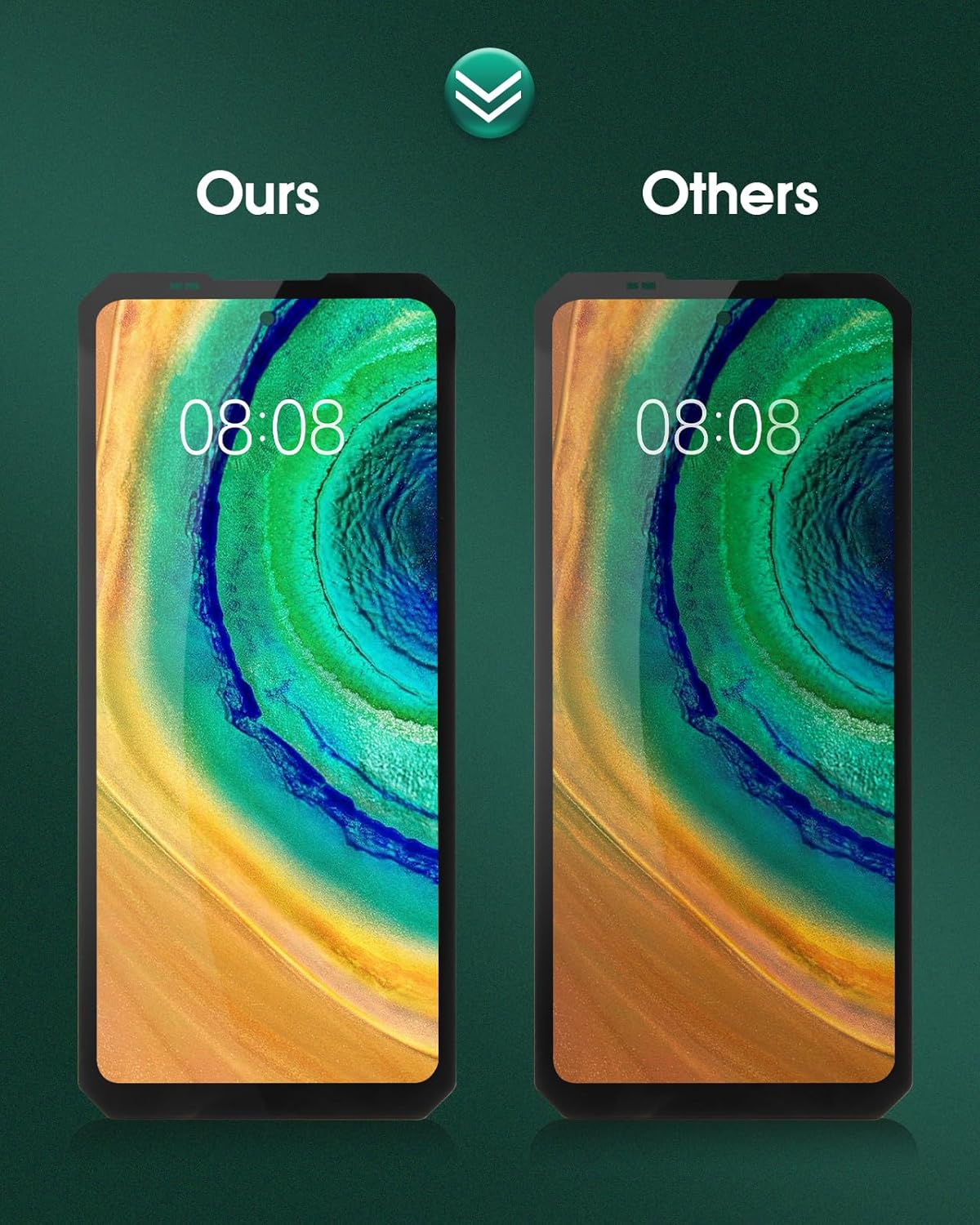
Image 5.2: Visual comparison illustrating the superior display quality of the SRJTEK screen compared to generic alternatives.
6. Product Specifications
| Feature | Description |
|---|---|
| Model Compatibility | For Oukitel WP27 |
| Material | IPS LCD |
| Screen Size | 6.8 inches |
| Resolution | 1080 x 2460 pixels |
| Color | Black |
| Key Features | High Color Saturation, High Resolution, Wide Color Gamut, Smooth Hand Feel, 9H Hardness, Scratchproof, HD Effect, Waterproof |
| Manufacturer | SRJTEK |
7. Support and Contact Information
For any questions, concerns, or assistance regarding the SRJTEK Oukitel WP27 LCD Digitizer Screen Replacement Kit, please do not hesitate to contact our customer support team. We aim to respond to all inquiries within 24 hours.
Contact: Please refer to your purchase platform or packaging for specific contact details, or visit the official SRJTEK store on Amazon: SRJTEK Amazon Store
Quality Guarantee: All SRJTEK products undergo strict Quality Control (QC) testing before shipment to ensure they are 100% intact, free from scratches, dead zones, dot pixels, or lines.
Ask a question about this manual
Ask about setup, troubleshooting, compatibility, parts, safety, or missing instructions. Manuals+ will review the question and use this page’s manual context to help answer it.