
Introduction
This manual provides detailed instructions for the installation, operation, and maintenance of your BLITZWILL 52-inch Flush Mount Ceiling Fan. Please read this manual thoroughly before installation and use to ensure proper function and safety. Keep this manual for future reference.
Safety Information
Always follow basic safety precautions when installing and operating electrical appliances. Failure to do so may result in fire, electric shock, or personal injury.
- Ensure the power is turned off at the circuit breaker before installation or maintenance.
- All wiring must be in accordance with national and local electrical codes.
- Consult a qualified electrician if you are unsure about wiring procedures.
- Mount the fan to a ceiling joist or a suitable support structure capable of holding the fan's weight.
- Do not insert objects into the fan blades while the fan is operating.
- This fan is designed for indoor use and covered outdoor spaces. Avoid direct exposure to rain.
Package Contents
Verify that all components are present and undamaged before beginning installation.

Image: Diagram illustrating the components included in the package, such as the main body, ABS blades, lamp base, lamp shade, remote control, receiver, and various screws and mounting hardware.
- Main Fan Body
- Fan Blades (3)
- LED Light Kit / Lamp Shade
- Remote Control
- Mounting Hardware (screws, expansion screws, wire caps, balance pack)
- Instruction Manual
Setup and Installation
This section outlines the steps for installing your ceiling fan. For detailed visual guidance, refer to the provided installation videos and diagrams.
Pre-Installation Considerations
- Room Size: Recommended for rooms 12 ft. x 12 ft. to 18 ft. x 18 ft.
- Ceiling Height: Recommended ceiling height is 8-10 ft.
- Ensure the mounting location can support the fan's weight and is free from obstructions.
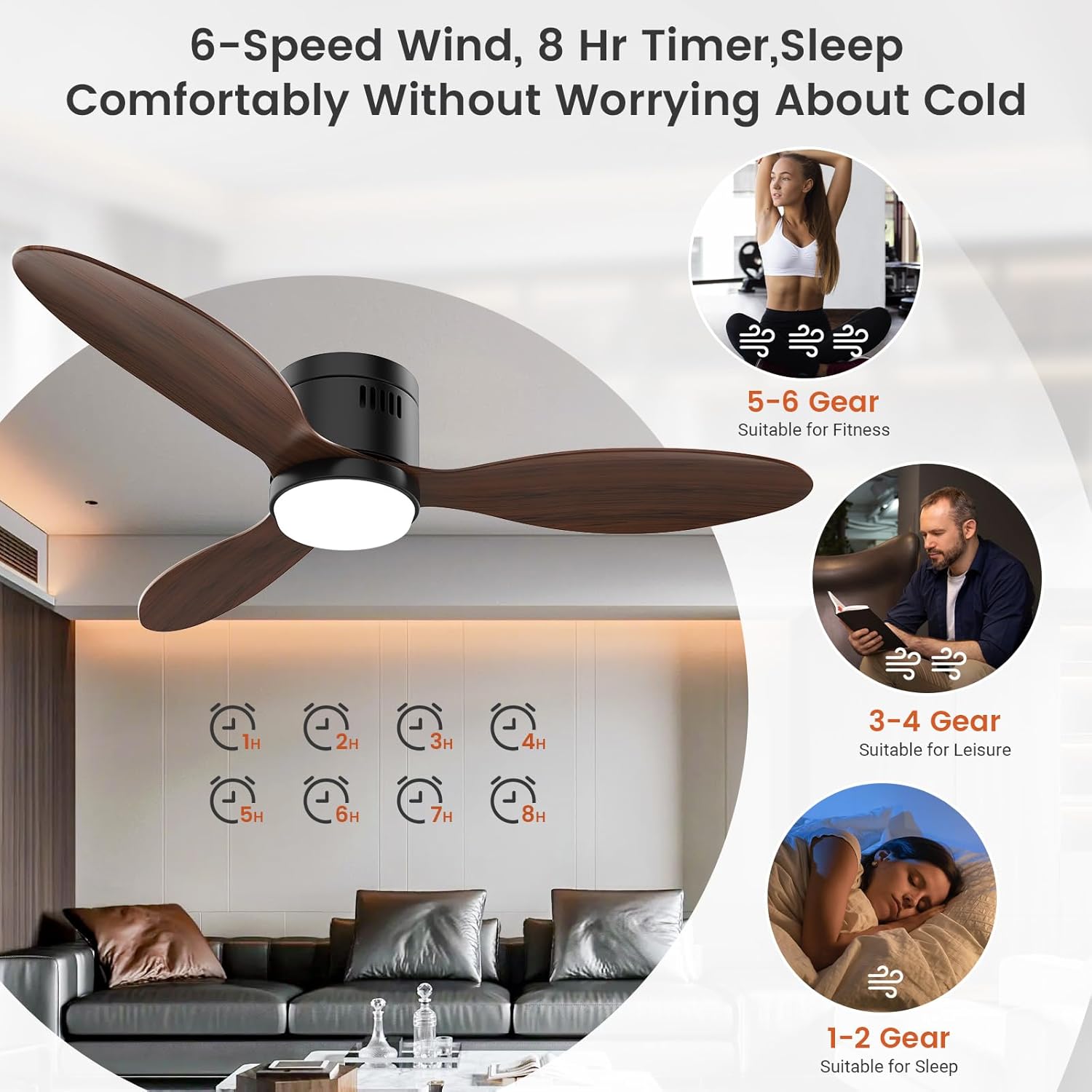
Image: A BLITZWILL 52-inch ceiling fan installed in a room, illustrating its dimensions (52 inches wide, 8.7 inches high) and recommended room sizes (12x12 ft to 18x18 ft) and ceiling height (8-10 ft).
Installation Steps
- Turn off Power: Before starting, ensure the power supply to the installation area is completely off at the circuit breaker.
- Mounting Bracket: Secure the mounting bracket to the ceiling junction box. Ensure it is firmly attached to a structural support.
- Wiring: Connect the fan's electrical wires to the household wiring according to local electrical codes. Use the provided wire caps.
- Attach Fan Body: Carefully lift and attach the main fan body to the mounting bracket.
- Install Blades: Attach the three fan blades to the motor housing using the provided screws.
- Install Light Kit: Connect the light kit wiring and secure the lamp shade to the fan body.
- Restore Power: Once installation is complete, restore power at the circuit breaker.
For any installation or post-purchase inquiries, contact our professional support team.
Operating Instructions
Your BLITZWILL ceiling fan offers versatile control options via remote control and a dedicated mobile application.
Remote Control Operation

Image: A BLITZWILL ceiling fan shown with its remote control and a smartphone displaying the control app interface, highlighting dual control options.
The included remote control allows for convenient adjustment of fan and light settings.
- Fan On/Off: Press the fan switch button.
- Fan Speed: Select from 6 wind speed gears (1-6).
- Fan Direction: Use the forward (F) or reverse (R) buttons to change airflow direction.
- Light On/Off: Press the light switch button.
- Brightness Adjustment: Use the brightness +/- buttons for stepless dimming.
- Color Temperature: Adjust between 3000K (warm), 4000K (natural), and 6500K (cool) using the color temperature +/- buttons.
- Timing: Set a timer for 1 or 2 hours.
The remote control has a range of approximately 26-65 feet. It requires 2 AAA batteries (not included). A wall mounting bracket for the remote is included.
Mobile Application Control
For enhanced control and additional features, download the "Blitzhome" app from your smartphone's app store (Google Play or App Store).

Image: A series of smartphone screenshots demonstrating the Blitzhome app's interface for controlling the ceiling fan's lighting functions, lighting scenes, fan functions, timing, night light/sound switch, default light settings, and device sharing.
App Setup Steps:
- Scan the QR code in the manual or product packaging to install the "Blitzhome" app.
- Open the app, enable Bluetooth and 2.4G WiFi on your device.
- Turn on the fan lights via the wall switch or remote.
- Press and hold the "Fan switch" button on the remote for 5+ seconds until you hear a beep/light flash, indicating successful network configuration.
- Add the device on the app and enter your WiFi password to complete settings.
App Features:
- Lighting Control: Adjust 3-color temperature (3000K/4000K/6500K) and stepless dimming (1%-100%).
- Lighting Scenes: Access preset lighting scenes (e.g., Night, Reading, Work, Casual).
- Fan Control: Select from 6 wind speed gears, normal or natural wind modes, and change fan direction (forward/reverse).
- Timing Function: Set timers from 1 to 8 hours.
- Memory Function: The fan remembers your last light color and brightness settings.
- Device Sharing: Share control of the fan with other users.
- Night Mode/Sound Switch: Additional customizable settings.
Reversible Motor Function
The fan features a reversible DC motor for year-round comfort.

Image: Illustration demonstrating the fan's reversible motor function, showing downward airflow for cooling in summer (forward rotation) and upward airflow for circulating warm air in winter (reverse rotation).
- Summer Mode (Forward Rotation): Air flows downward, creating a cooling effect.
- Winter Mode (Reverse Rotation): Air flows upward, circulating warm air evenly throughout the room.
Switch between modes using the remote control or the mobile application.
Maintenance
Regular maintenance ensures optimal performance and longevity of your ceiling fan.
- Cleaning: Wipe the fan blades and motor housing with a soft, damp cloth. Do not use abrasive cleaners or solvents.
- Blade Balance: If the fan wobbles, check that all blade screws are tight and the blades are balanced. A balance kit is included if needed.
- Light Source: The integrated LED light source is designed for long life. If issues occur, contact customer support. Do not attempt to replace individual LEDs.
- Motor: The DC motor is maintenance-free. No lubrication is required.
Troubleshooting
Refer to this section for common issues and their solutions.
| Problem | Possible Cause | Solution |
|---|---|---|
| Fan does not start | No power supply; Loose wiring; Remote control battery low/dead. | Check circuit breaker; Verify all wire connections; Replace remote batteries. |
| Light does not work | Loose wiring; LED module failure; Remote control issue. | Check light kit wiring; Contact customer support for LED issues; Check remote batteries. |
| Fan wobbles | Loose blade screws; Unbalanced blades; Improper mounting. | Tighten all blade screws; Use the included balance kit; Ensure mounting bracket is secure. |
| Remote/App not responding | Remote batteries low/dead; App not paired; WiFi connectivity issues. | Replace remote batteries; Re-pair the app (refer to App Setup Steps); Check WiFi connection. |
| Fan is noisy | Loose screws; Motor housing rubbing; Improper installation. | Check and tighten all screws; Ensure no parts are rubbing; Re-check installation. |
Specifications
| Feature | Detail |
|---|---|
| Brand | BLITZWILL |
| Model Name | BLITZWILL-52FM |
| Size | 52 inch |
| Color | Walnut |
| Electric Fan Design | Ceiling Fan |
| Power Source | DC |
| Style | 3 Blades |
| Product Dimensions | 51.97"D x 51.97"W x 17.72"H |
| Room Type | Bedroom, Covered Outdoor, Dining Room, Indoor, Living Room |
| Special Features | 3 Color Temperatures and Stepless Dimming, 6 Wind Speed Gears and 1-8H Timing Range, App Control and Remote Control, Easy to Install, Reversible Motor |
| Noise Level | 35 dB |
| Wattage | 24 watts |
| Voltage | 120 Volts |
| Control Method | App, Remote |
| Installation Type | Flush Mount |
Warranty and Support
BLITZWILL offers customer support and warranty services for its products.
- Customer Support: For any installation, operation, or product-related inquiries, please contact BLITZWILL customer service.
- Warranty: Refer to the product packaging or official BLITZWILL website for specific warranty details.

Image: The BLITZWILL brand logo.


