1. Introduction
Thank you for choosing the iPlay, iLearn Toddler Musical Workbench. This interactive toy is designed to provide engaging and educational play for toddlers, fostering fine motor skills, hand-eye coordination, and cognitive development through various activities.
What's Included:
- 1 x Robot Workbench
- 3 x Tool Toys (Hammer, Wrench, Screwdriver)
- 4 x Shape Sorter Blocks
- 1 x Pounding Ball

Image 1.1: The iPlay, iLearn Toddler Musical Workbench in use, showing a baby interacting with the toy.
2. Setup
Battery Installation:
The workbench requires 2 AA batteries (not included) for its musical and light features.
- Locate the battery compartment on the underside of the workbench.
- Using a screwdriver, open the battery compartment cover.
- Insert 2 AA batteries, ensuring correct polarity (+/-).
- Replace the battery compartment cover and secure it with the screw.
Note: Always use new batteries of the same type. Do not mix old and new batteries. Remove batteries if the toy is not used for an extended period.
3. Operating Instructions
The iPlay, iLearn Toddler Musical Workbench offers multiple interactive play modes:
3.1. Pounding Game:
Use the included toy hammer to pound the colorful pegs on the workbench surface. This action activates lights and sounds, enhancing the play experience and developing hand-eye coordination.

Image 3.1: A child engaging with the pounding game feature of the workbench.
3.2. Shape Sorter Activities:
Match the four colorful shape sorter blocks (square, circle, triangle, heart) to their corresponding holes on the workbench. Successful matches trigger sounds and lights, teaching shapes and colors.
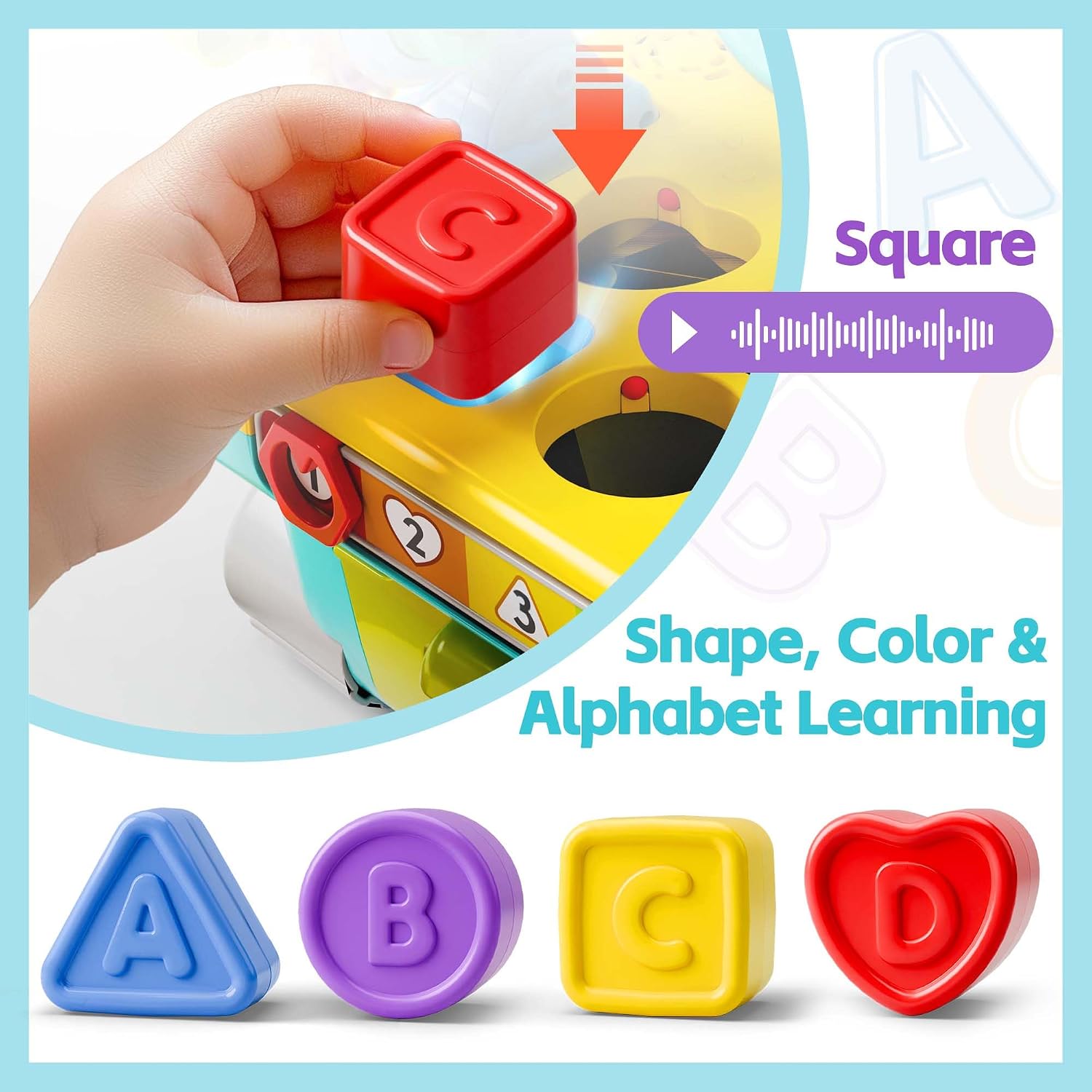
Image 3.2: Close-up of the shape sorter, showing the various shapes and their corresponding slots.
3.3. Musical Number Slider:
Slide the number bar located at the front of the workbench to activate different musical tunes and sounds. This feature introduces numbers and encourages musical exploration.
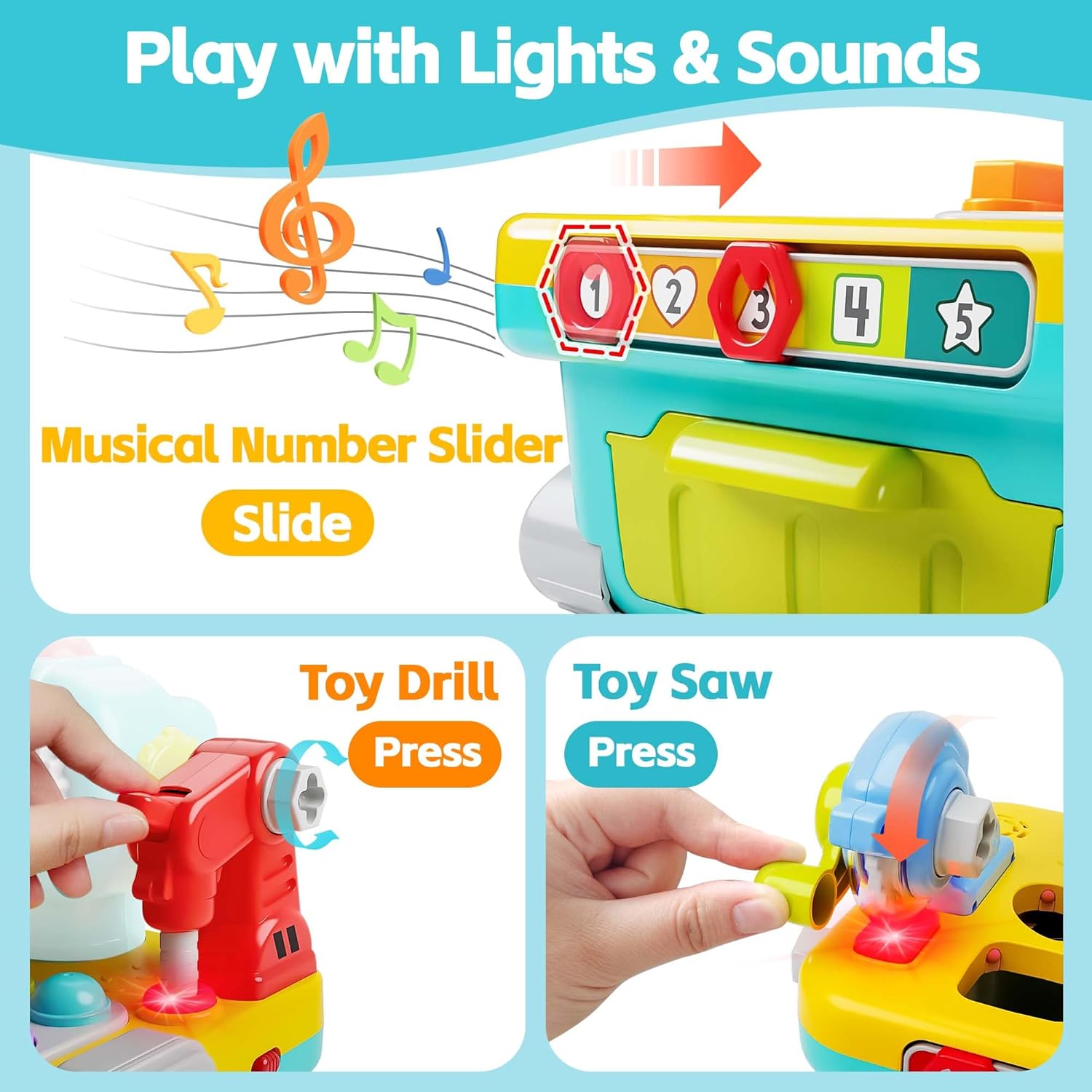
Image 3.3: The musical number slider and interactive toy drill and saw features.
3.4. Pretend Play Tools:
The workbench includes a toy electric drill, chainsaw, bench clamp, wrench, hammer, screwdriver, screws, and gears for imaginative play. Children can use these tools to simulate real-world tasks, fostering creativity and problem-solving skills.
- Toy Electric Drill: Press the button to activate drilling sounds and lights.
- Toy Chainsaw: Press the button to activate chainsaw sounds and lights.
- Bench Clamp: Turn the knob to operate the clamp, securing toy pieces.
- Screws & Nails: Use the toy wrench and screwdriver to interact with the various screws and nails on the workbench.
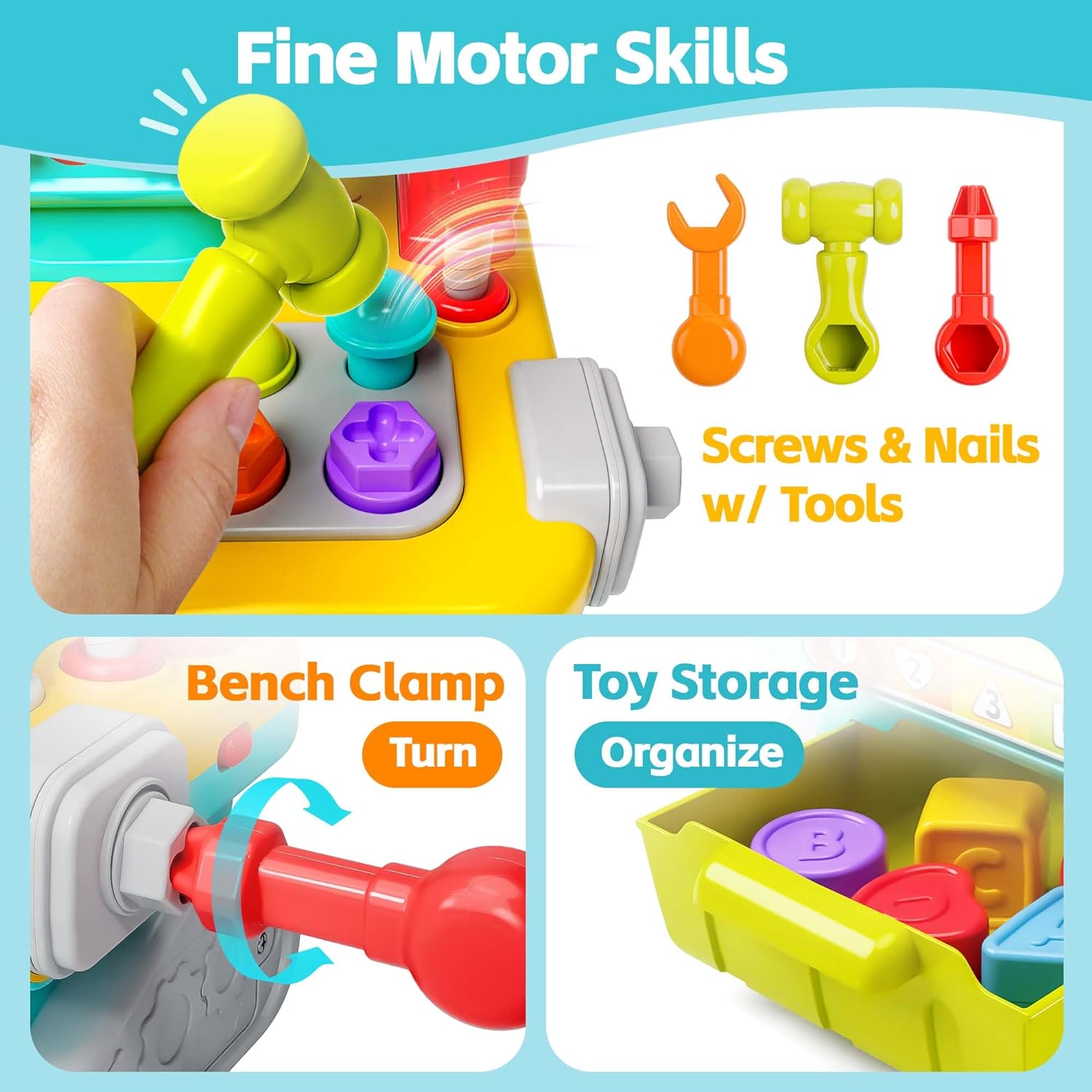
Image 3.4: Demonstrates the fine motor skill activities, including screws, bench clamp, and toy storage drawer.

Image 3.5: An overview of the workbench highlighting its 9-in-1 features, including hammering, gear eyes, toy drill, toy saw, shape sorter, number slider, toy screws & nails, bench clamp, and toy storage.
4. Maintenance
Cleaning:
To clean the workbench, wipe surfaces with a soft, damp cloth. Do not immerse the toy in water. Avoid using harsh chemicals or abrasive cleaners.
Storage:
Store the workbench and its accessories in a cool, dry place away from direct sunlight. The toy features a convenient drawer for storing all small pieces and tools when not in use.
5. Troubleshooting
| Problem | Possible Cause | Solution |
|---|---|---|
| No sound or lights | Batteries are dead or incorrectly installed. | Check battery polarity. Replace with new AA batteries. |
| Intermittent sound/lights | Loose battery connection or low battery power. | Ensure batteries are securely seated. Replace batteries if needed. |
| Parts do not fit into sorter holes | Incorrect shape being inserted. | Ensure the correct shape is matched to its corresponding hole. |
6. Specifications
- Product Dimensions: 10.63 x 6.75 x 8.63 inches
- Item Weight: 2.68 pounds
- Model Number: 0928
- Manufacturer Recommended Age: 12 months - 12 years
- Batteries Required: 2 AA batteries
- Manufacturer: iPlay, iLearn
7. Warranty and Support
iPlay, iLearn products are designed with quality and durability in mind. For any questions, concerns, or support needs regarding your Toddler Musical Workbench, please contact iPlay, iLearn customer service.
For more information and product registration, please visit the official iPlay, iLearn store: iPlay, iLearn Store on Amazon.


