
7KEYS TW1867Pro
7KEYS Typewriter Keyboard Wireless Retro Style Instruction Manual
Brand: 7KEYS | Model: TW1867Pro
1. Introduction
This manual provides detailed instructions for the setup, operation, and maintenance of your 7KEYS Typewriter Keyboard Wireless Retro Style. Designed with a vintage aesthetic, this mechanical keyboard offers modern connectivity and features for an enhanced typing experience across various devices.
2. What's in the Box
Upon unboxing your 7KEYS Typewriter Keyboard, please ensure all the following components are present:
- 7KEYS TW1867Pro Keyboard
- USB Cable (Type-C)
- Mechanical Switch Puller
- Dust Cover
- Hand Support / Wrist Rest
- User Manual
- 2.4G Receiver

Figure 2.1: Packaging contents of the 7KEYS Typewriter Keyboard.
3. Setup
3.1 Connectivity Modes
The 7KEYS Typewriter Keyboard supports three connection methods: Bluetooth 5.0, 2.4G Wireless (RF), and Wired (USB-C). This allows for versatile use across various devices.
- Bluetooth 5.0: For wireless connection to compatible devices like tablets, smartphones, and laptops. Offers faster switching between up to three paired devices (A, B, or C).
- 2.4G Wireless (RF): Utilizes the included 2.4G receiver for a stable wireless connection to devices with a USB port.
- Wired (USB-C): Connect directly to your computer or laptop using the provided USB-C cable. This mode also charges the keyboard.
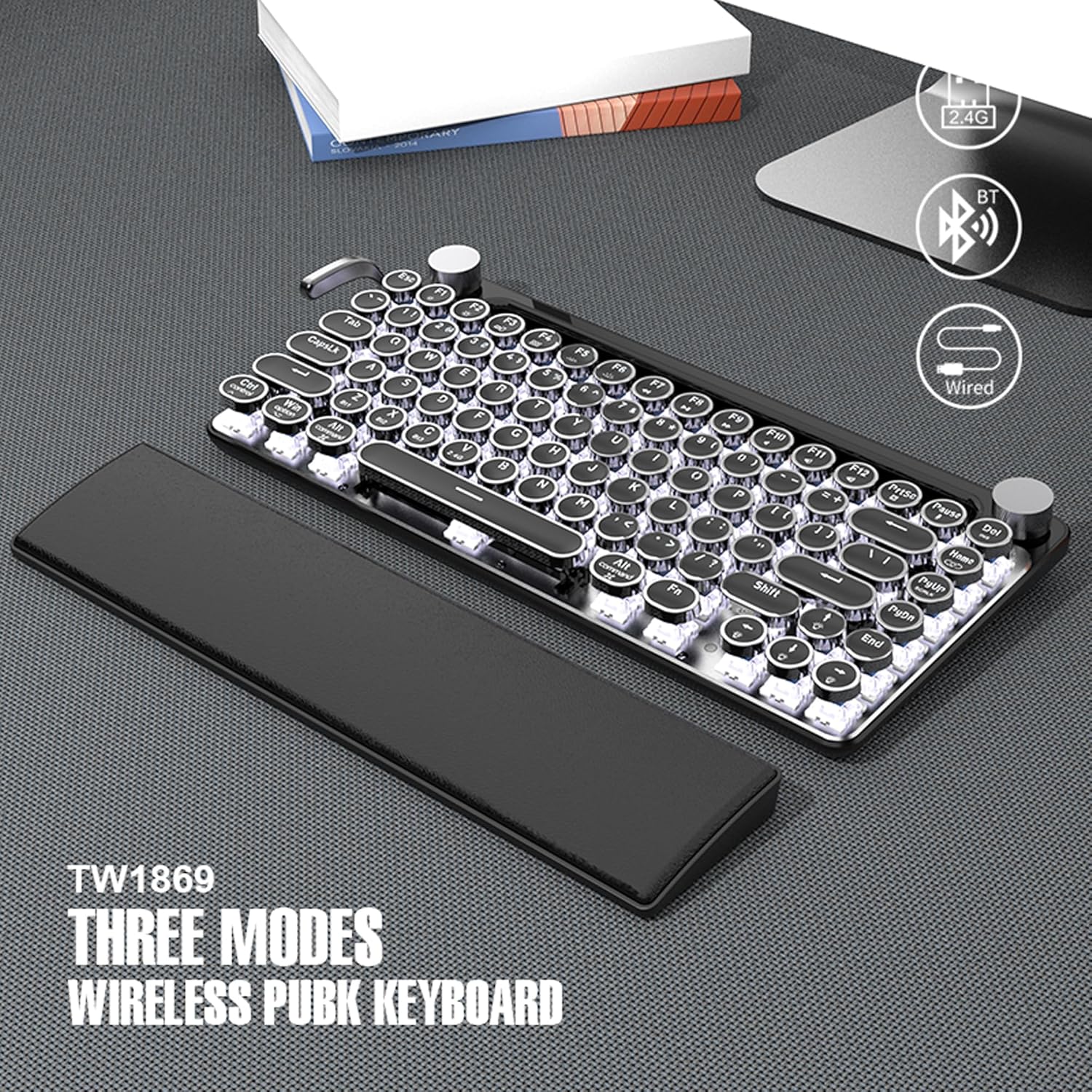
Figure 3.1: The keyboard supports 2.4G, Bluetooth, and Wired connections.
3.2 Charging the Keyboard
The keyboard features a built-in 2000mAh rechargeable battery. To charge, connect the provided Type-C USB cable to the keyboard's charging port and a power source (e.g., computer USB port, USB wall adapter).

Figure 3.2: Connecting the Type-C charging cable to the keyboard.
3.3 Compatibility
The keyboard is compatible with a wide range of operating systems, including Android, Windows 10, iOS, and Mac OS. It can be used with cellphones, tablets, laptops, and desktop PCs.
Video 3.1: An overview of the 7KEYS Wireless Typewriter Keyboard Mini, Vintage Style, demonstrating its features and connectivity.
4. Operating Instructions
4.1 Backlight Control
The keyboard features white LED backlights with multiple modes. You can adjust the lighting effects by pulling the lever located on the left side of the keyboard. This lever allows you to cycle through 14 different light effects. The brightness of the backlights can be adjusted using the left metal wheel.
4.2 Volume Control
The right metal wheel on the keyboard functions as a volume control for your connected device.

Figure 4.1: The right knob controls the volume.
4.3 Multimedia Functions
Access various multimedia functions by pressing the Fn key in combination with the F1-F12 keys. Refer to the keycap legends for specific functions.

Figure 4.2: Multimedia functions are available via Fn key combinations.
5. Key Features
5.1 Retro Design and Build Quality
The keyboard features a classic typewriter style with an aluminum alloy metal electroplated wood grain panel, matte black pull rods, rollers, and electroplated round keycaps. This design provides a vintage aesthetic combined with modern durability.

Figure 5.1: Detail of the electroplated round keycaps.
5.2 Hot-Swappable Blue Switches
Equipped with hot-swappable blue mechanical switches, the keyboard offers a tactile and audible "click" feedback reminiscent of traditional typewriters. The hot-swappable design allows users to replace switches according to personal preference without soldering.
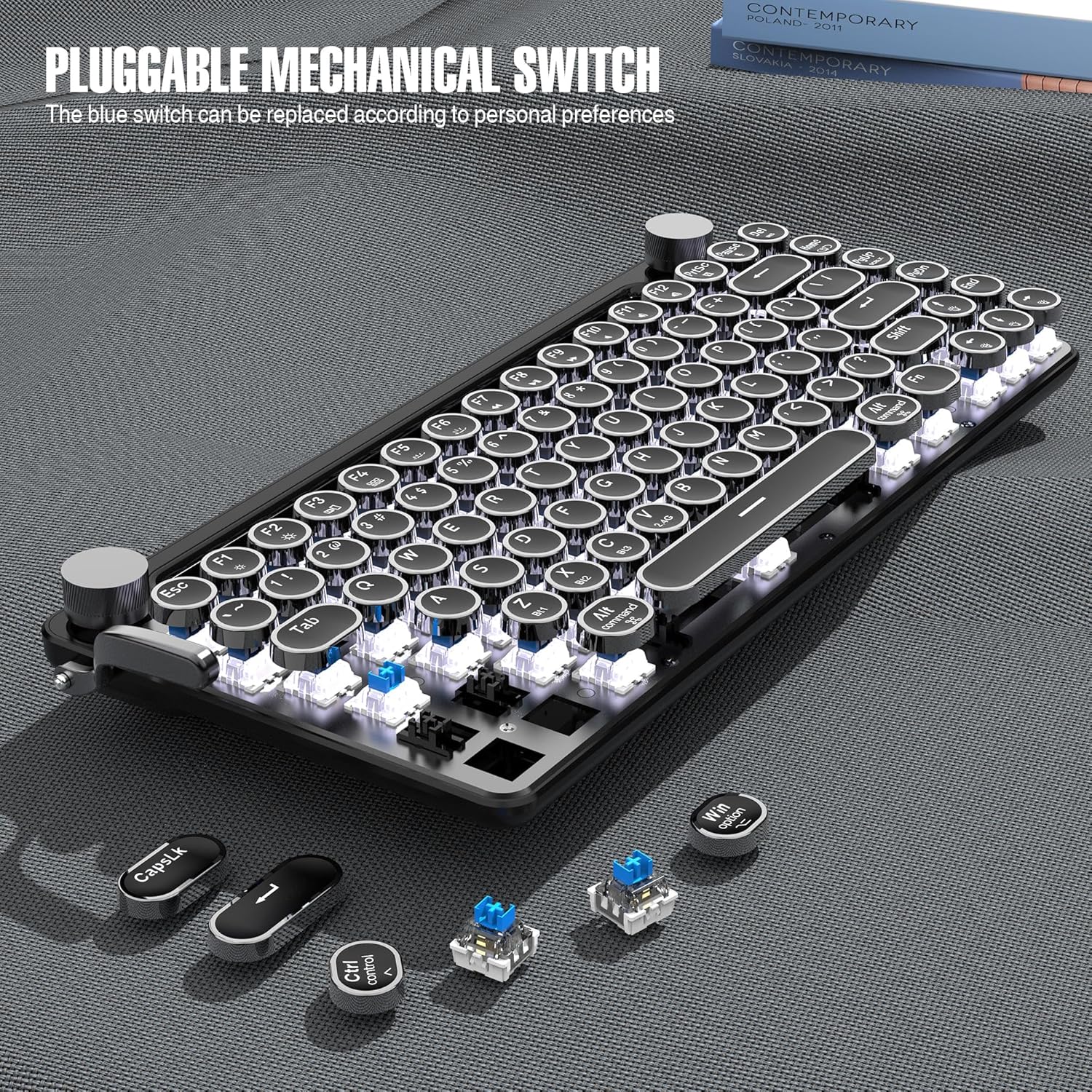
Figure 5.2: The hot-swappable mechanical switches.
5.3 Portable and Ergonomic Design
The keyboard's compact size (12.8 x 6.65 inches) makes it highly portable, fitting easily into a 13-inch computer bag. Its ergonomic design provides a comfortable typing angle, reducing strain during extended use.

Figure 5.3: The keyboard's compact size for portability.

Figure 5.4: Ergonomic design with a 15-degree typing angle.
5.4 Integrated Device Holder
A convenient slot is integrated into the keyboard's design to hold various sizes of tablets and phones, allowing for an upright display while typing.

Figure 5.5: The integrated holder supports various devices.
5.5 Leather Hand Rest
The included leather hand rest provides additional comfort and support for your wrists during prolonged typing sessions. It is designed for convenient disassembly and assembly.

Figure 5.6: The comfortable leather hand rest.
6. Maintenance
Proper maintenance ensures the longevity and optimal performance of your keyboard.
6.1 Cleaning
- Regularly dust the keyboard using a soft brush or compressed air.
- For stubborn dirt, gently wipe the keycaps and keyboard surface with a slightly damp, lint-free cloth. Avoid excessive moisture.
- Do not use harsh chemicals or abrasive cleaners.
6.2 Switch Replacement
Thanks to the hot-swappable design, individual mechanical switches can be replaced if needed. Use the provided switch puller to carefully remove a switch by gripping it firmly and pulling straight up. Align the pins of the new switch with the sockets and press down gently until it clicks into place.
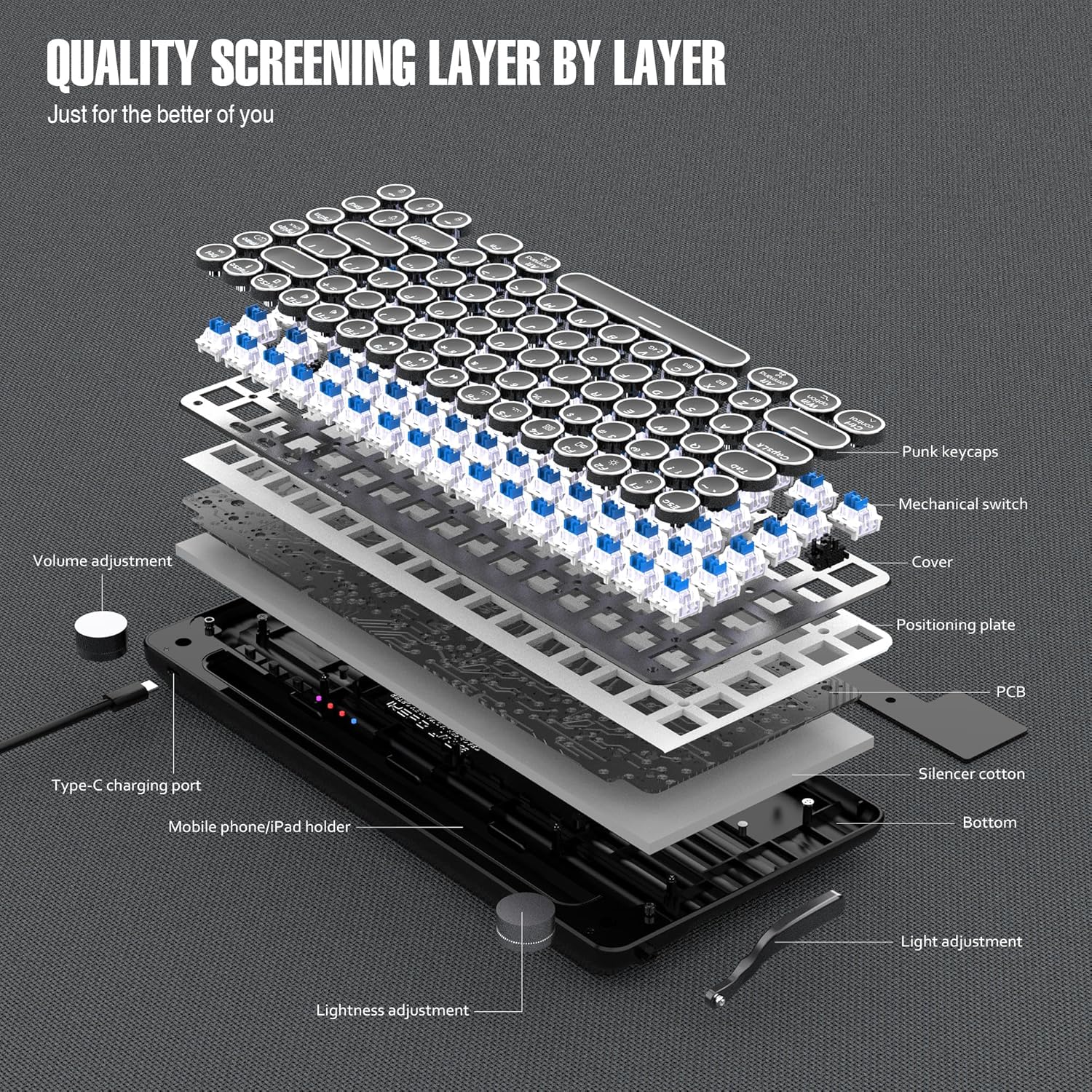
Figure 6.1: Internal components and layers of the keyboard, illustrating the mechanical switches.
7. Troubleshooting
If you encounter any issues with your keyboard, refer to the following common troubleshooting steps:
- Keyboard not connecting via Bluetooth: Ensure the keyboard is in Bluetooth mode and discoverable. Check your device's Bluetooth settings to ensure it's enabled and attempting to pair. Try forgetting the device on your host and re-pairing.
- 2.4G Wireless connection issues: Ensure the 2.4G receiver is securely plugged into your device. Try plugging the receiver into a different USB port.
- Keys not responding: Ensure the keyboard is powered on and properly connected. If using wireless, check battery level. For individual keys, consider if the switch might need replacement (refer to Maintenance section).
- Backlights not working or dim: Check the keyboard's battery level. Use the left lever and knob to cycle through light modes and adjust brightness.
- Keyboard goes to sleep too quickly: This is a power-saving feature. Tap any key to wake it up.
- Device not fitting in the holder: The holder is designed for devices without thick cases. Remove the case if your device does not fit.
8. Specifications
| Feature | Specification |
|---|---|
| Product Dimensions | 12.99 x 5.98 x 1.81 inches |
| Item Weight | 1.9 pounds |
| Item Model Number | TW1867Pro |
| Batteries | 1 Lithium Polymer batteries required (included) |
| Battery Capacity | 2000mAh |
| Compatible Devices | Laptop, PC, Smart TV, Cellphone, Tablet |
| Connectivity Technology | Bluetooth, RF (2.4G), USB-C |
| Keyboard Description | Multi Functional |
| Recommended Uses | Personal, Education |
| Special Features | Round Key, Volume Roller, Backlit, Hot-Swappable |
| Color | Black Mini |
| Number of Keys | 83 |
| Keyboard Backlighting | RGB (White LED) |
| Style | Classic |
| Country of Origin | China |
9. Warranty and Support
7KEYS keyboards offer lifetime after-sales quality service. For any inquiries or support needs, please contact the 7KEYS service team.
Ask a question about this manual
Ask about setup, troubleshooting, compatibility, parts, safety, or missing instructions. Manuals+ will review the question and use this page’s manual context to help answer it.