
Introduction
This manual provides essential information for the safe and efficient operation of your Panasonic NA-F70CH3CRB 7 Kg Smart Fully-Automatic Top Load Washing Machine. Please read all instructions carefully before using the appliance and retain this manual for future reference.
Safety Information
Always follow basic safety precautions when using electrical appliances to reduce the risk of fire, electric shock, and injury to persons. This appliance is intended for household use only.
- Ensure the washing machine is properly grounded.
- Do not allow children to play on or in the appliance.
- Unplug the appliance before cleaning or performing any maintenance.
- Do not wash items that are soiled with flammable substances.
- Keep the area around the washing machine clear of obstructions.
- Do not operate the machine if it is damaged or malfunctioning.
What's in the Box
Upon unpacking, verify that all components are present:
- 1 Washer unit
- 1 User Manual
- 1 IoT Manual
- 1 Anti Rat Cover
- 1 Snap Ring
- 1 Warranty Card
- Inlet Pipe: 1.25 meters
- Drain Pipe: 0.8 meter
Setup and Installation
Proper installation is crucial for the performance and longevity of your washing machine. It is recommended to have the appliance installed by a qualified technician.
Location Requirements
- Place the machine on a firm, level surface.
- Ensure adequate space around the machine for ventilation and maintenance.
- Avoid direct sunlight or extreme temperatures.
Connecting Water and Drain Hoses
- Connect the inlet pipe to a cold water tap and the designated inlet on the machine. Ensure connections are tight to prevent leaks.
- Position the drain pipe to allow for proper water drainage, ensuring it is not kinked or obstructed.
Power Connection
- Plug the power cord into a grounded electrical outlet.
- Do not use extension cords or adapters.

Image: Front view of the Panasonic NA-F70CH3CRB washing machine, showcasing its design and control panel.
Operating Instructions
Your washing machine offers a variety of features and wash programs for optimal laundry care.
Control Panel Overview
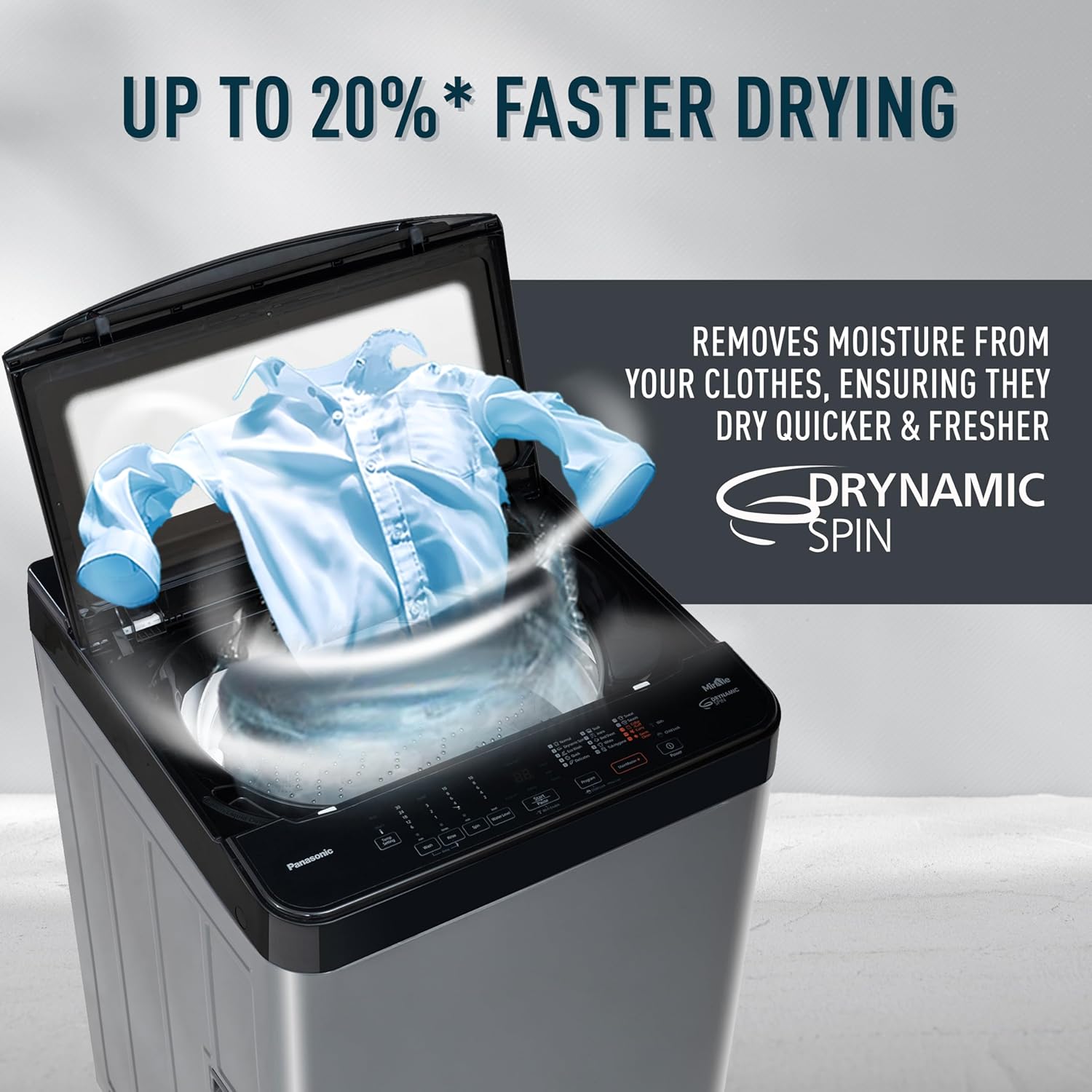
Image: Overview of the washing machine's control panel and icons representing features like Big Lint Filter, Child Lock, Delay Wash, 12 Wash Programs, and Auto Restart.
The control panel allows you to select wash programs, adjust settings, and monitor the wash cycle. Refer to the IoT Manual for detailed instructions on smart features.
Wash Programs
The machine features 15 wash programs, including:
- Quick Wash
- Delicate Wash
- Ecowash
- Heavy Duty
- Baby Care (with Built-in Heater)
- And more, accessible via the control panel or MirAie app.
Key Technologies
- Active Foam Wash Technology: This system creates fine, high-density foam before the washing cycle begins. The foam effectively lifts, separates, and removes dirt particles from deep within fabric fibers, ensuring a thorough clean.

Image: Illustration of the Active Foam System, demonstrating how high-density foam penetrates fabrics to remove dirt.
- Built-In Heater: The integrated heater allows for washing at higher temperatures, effectively eliminating up to 99.9% of bacteria and sanitizing clothes, especially beneficial for baby wear.

Image: The washing machine highlighting its built-in heater feature for gentle and hygienic baby clothes care, showing temperature options.
- Drynamic Spin: The high spin speed of 700 RPM, combined with Drynamic Spin technology, helps remove more moisture from clothes, leading to faster drying times.

Image: A shirt being spun inside the washing machine drum, illustrating the Drynamic Spin feature for up to 20% faster drying.
- MirAie - Smart Washing Machine: Connect your washing machine to the MirAie app for enhanced control and smart features.

Image: A smartphone displaying the MirAie app interface, showing options for voice command integration (Ok Google, Alexa), Stain Genius, and Wash Wizard features.
- Wash Wizard: The app can weigh the load accurately and recommend the appropriate washing program and water level. It also allows scheduling wash cycles.
- Stain Genius: Provides tailored pre-treatment courses and guidance for removing over 50 types of stains.
- Voice Control: Compatible with Ok Google and Alexa for hands-free operation.
- Energy and Water Tracking: Monitor your appliance's performance and consumption in real-time.
- Smart Scheduling: Schedule wash cycles, pause, and add items without resetting a program.
- Maintenance Alerts: Receive timely alerts and schedule service visits via the app.
- Weather Alerts: Get recommendations to plan your laundry based on weather forecasts.
Maintenance
Regular maintenance ensures optimal performance and extends the lifespan of your washing machine.
Cleaning the Big Lint Filter

Image: A detailed view of the large capacity lint filter, designed for easy removal and cleaning.
The large capacity lint filter should be cleaned regularly to prevent lint buildup and maintain washing efficiency. Remove the filter, rinse it under running water to remove lint, and reinsert it securely.
General Cleaning
- Wipe the exterior of the machine with a soft, damp cloth.
- Clean the detergent dispenser periodically to prevent residue buildup.
- Leave the lid slightly ajar after use to allow the drum to air dry and prevent odors.
Troubleshooting
Before contacting customer service, refer to the following common issues and solutions:
| Problem | Possible Cause | Solution |
|---|---|---|
| Machine does not start | Power cord unplugged, lid not closed properly, power outage. | Check power connection, ensure lid is fully closed, check household circuit breaker. |
| Water not filling | Water tap closed, inlet hose kinked, water supply issue. | Open water tap, straighten inlet hose, check household water supply. |
| Excessive vibration/noise | Machine not level, load unbalanced, shipping bolts not removed. | Adjust leveling feet, redistribute laundry, ensure shipping bolts are removed (if applicable). |
| Water not draining | Drain hose kinked or clogged, pump filter blocked. | Straighten drain hose, clear any blockages, clean pump filter (refer to IoT Manual for location). |
| Error Alarm | Specific malfunction detected by the machine. | Refer to the IoT Manual for specific error codes and their solutions. |
Specifications
Detailed technical specifications for the Panasonic NA-F70CH3CRB washing machine:
| Feature | Detail |
|---|---|
| Model Number | NA-F70CH3CRB |
| Capacity | 7 kg |
| Color | Charcoal Inox Grey |
| Product Dimensions (D x W x H) | 58.5D x 52.5W x 95H Centimeters |
| Item Weight | 31 Kilograms |
| Maximum Rotational Speed | 700 RPM |
| Access Location | Top Load |
| Controller Type | Fully Automatic |
| Number of Wash Programs | 15 |
| Special Features | Smart Connectivity (Wi-Fi), Built-In Heater, Active Foam Wash, Drynamic Spin, MirAie App Integration, Big Lint Filter, Child Lock, Auto Balancing, Overheating Control, Auto Power off with Memory Backup. |
| Pulsator and Body Type | Aqua type pulsator and PCM body |
| Laundry Appliance Drum Material | Plastic Covered Metal |

Image: Side view of a Panasonic washing machine with dimensions (1.03m H, 52.5cm W, 60.4cm D) and an energy savings guide label indicating 0.0085 kWh/cycle.
Warranty and Support
Warranty Information
Your Panasonic NA-F70CH3CRB washing machine comes with a manufacturer's warranty:
- Product Warranty: 2 years
- Motor Warranty: 10 years
Please retain your purchase receipt and warranty card for any claims. The warranty covers manufacturing defects under normal use conditions.
Customer Support
For technical assistance, service requests, or inquiries regarding your product, please contact Panasonic customer support. Refer to the warranty card or the Panasonic website for contact details.
Manufacturer: Panasonic Life Solutions India Private Limited
Address: 12th floor, Ambience Tower, Ambience Island, NH-8, Gurugram, Haryana-122002, India


