
1. Introduction
Thank you for purchasing the SOLUM 25W Type-C AC Adapter. This adapter is designed to provide efficient and safe charging for a wide range of devices, including smartphones, tablets, and laptops, utilizing Power Delivery (PD) and Programmable Power Supply (PPS) technologies. Please read this manual carefully before use to ensure proper operation and to maximize the lifespan of your product.
2. Safety Information
- Do not expose the adapter to water, moisture, or extreme temperatures.
- Avoid dropping or subjecting the adapter to strong impacts.
- Do not attempt to disassemble, modify, or repair the adapter yourself. Contact qualified service personnel if needed.
- Ensure the adapter is used with devices that are compatible with its voltage and current specifications.
- Unplug the adapter from the power outlet when not in use or during electrical storms.
- Keep out of reach of children.
- This product is PSE certified, ensuring compliance with Japanese electrical appliance safety standards.
3. Package Contents
- SOLUM 25W Type-C AC Adapter (Model: ADS025C1)
- Instruction Manual
4. Product Overview
The SOLUM 25W Type-C AC Adapter is a compact and efficient charging solution. It features a single USB Type-C output port and a fixed plug design for enhanced durability.
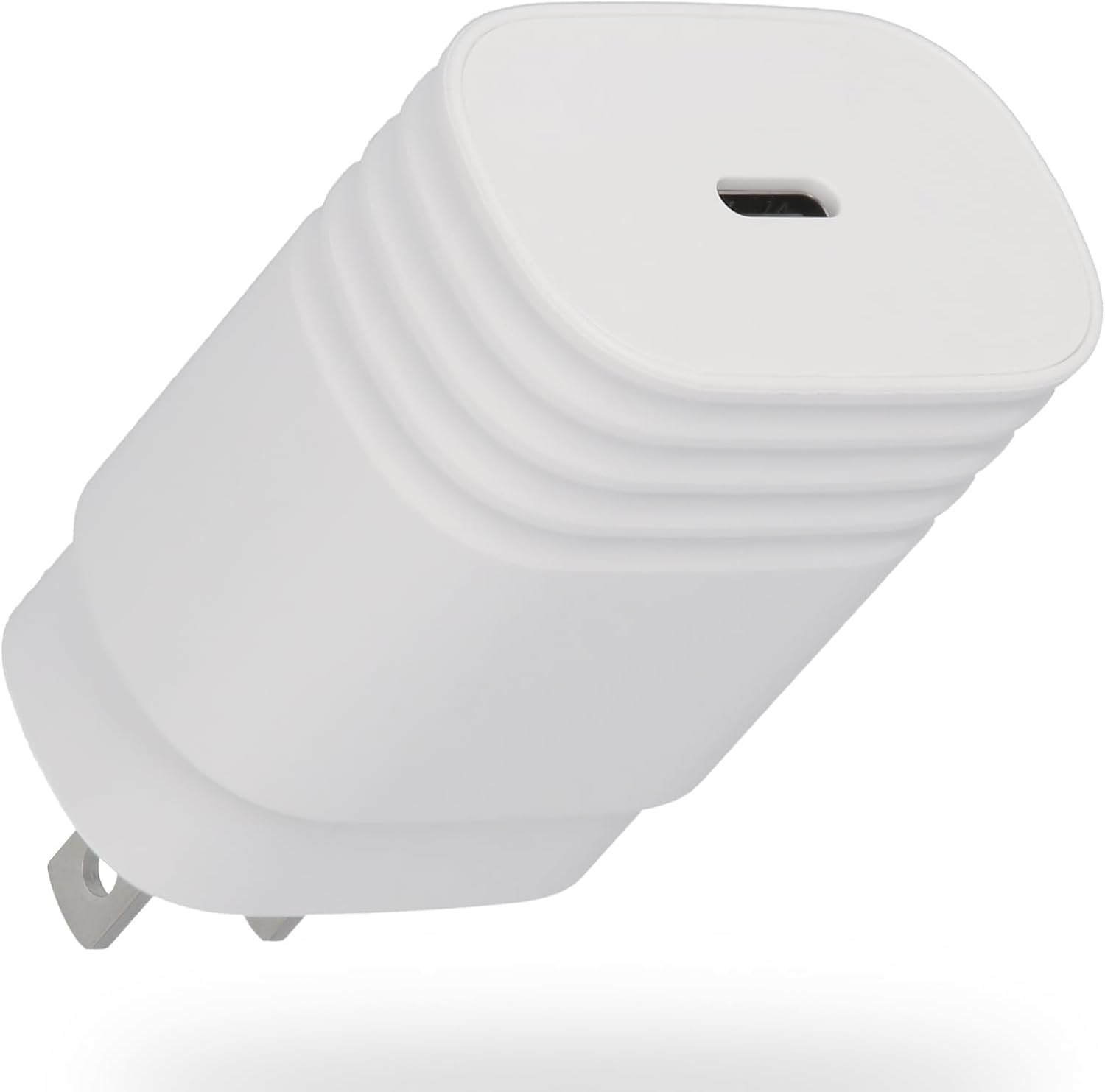
Image 1: Front view of the SOLUM 25W Type-C AC Adapter, showing the USB-C port.

Image 2: Back view of the adapter, displaying model number, input/output specifications, and safety certifications.
5. Setup
- Unpack the SOLUM 25W Type-C AC Adapter from its packaging.
- Insert the adapter's plug into a standard AC power outlet (90-246V).
- Connect a compatible USB Type-C charging cable (not included) to the adapter's Type-C port.
- Connect the other end of the charging cable to your device.
6. Operating Instructions
Once connected, the adapter will automatically detect your device and begin charging. The adapter supports Power Delivery (PD) and Programmable Power Supply (PPS) for optimized fast charging, particularly for devices like Samsung Galaxy smartphones that utilize the 'Super Fast Charging' standard.
- For optimal charging speed, use a high-quality USB Type-C to Type-C cable that supports PD and PPS.
- Charging speed may vary depending on the device's battery level, device model, and the quality of the charging cable used.
- The adapter is designed to minimize heat generation during high-speed charging.

Image 3: Illustrates the compact size of the adapter next to a smartphone, highlighting its 25W fast charging capability and PD & PPS support.
7. Compatibility
This adapter offers broad compatibility with various devices equipped with a USB Type-C charging port. It is optimized for devices supporting PD and PPS protocols.
- Smartphones: Compatible with most Android smartphones (e.g., Samsung Galaxy series, Google Pixel) and iPhones (iPhone 8 and later models) that support USB-C charging.
- Tablets: Compatible with iPads (e.g., iPad Pro, iPad Air, iPad mini) and Android tablets with a Type-C port.
- Laptops: Can charge some smaller laptops and notebooks that support USB-C Power Delivery up to 25W.
Note: Charging performance may vary based on your device's specific charging requirements and the cable used. Always verify your device's power input specifications before use.

Image 4: A visual guide showing various SOLUM adapters and their compatibility with different devices like Android phones, iPhones, iPads, and AirPods.
8. Maintenance
- To clean the adapter, disconnect it from the power outlet and your device. Wipe it gently with a dry, soft cloth.
- Do not use liquid cleaners or abrasive materials.
- Store the adapter in a cool, dry place away from direct sunlight and excessive heat.
9. Troubleshooting
Device not charging:
- Ensure the adapter is securely plugged into a working power outlet.
- Check that the charging cable is properly connected to both the adapter and your device.
- Try using a different charging cable to rule out a faulty cable.
- Test the adapter with another compatible device to confirm its functionality.
- Verify that your device's charging port is clean and free of debris.
Slow charging:
- Ensure your charging cable supports fast charging (PD/PPS) and is in good condition.
- Confirm that your device supports fast charging and is compatible with the adapter's output specifications.
- Close unnecessary applications running in the background on your device during charging.
- Avoid using your device intensively while it is charging.
10. Specifications
| Feature | Specification |
|---|---|
| Model Number | ADS025C1 |
| Brand | SOLUM |
| Input Voltage | 90-246V (International Voltage Compatible) |
| Output Power | Max 25W |
| Output Ports | 1 x USB Type-C |
| Output (PD) | 5V/3A, 9V/2.77A |
| Supported Protocols | Power Delivery (PD), Programmable Power Supply (PPS) |
| Certifications | PSE Certified |
| Dimensions | 2.6cm x 4cm x 6.7cm (approx. 41.4 x 26.2 x 67.0 mm) |
| Weight | 52g |
| Color | White |
11. Warranty and Support
SOLUM products are manufactured with high-quality standards. While specific warranty details are not provided in this manual, SOLUM maintains a very low defect rate (0.00069%), reflecting its commitment to quality.
For product support, technical assistance, or warranty inquiries, please refer to the retailer where you purchased the product or visit the official SOLUM website for contact information.
Please retain your proof of purchase for any warranty claims.