
ACEFAST A55
ACEFAST A55 USB C Charger Block 30W Instruction Manual
Model: A55 | Brand: ACEFAST
1. Product Overview
The ACEFAST A55 USB C Charger Block is a 30W fast wall charger featuring a unique crystal design and an intelligent LED screen display. Engineered with the latest GaN chipset, it provides efficient and rapid charging for a wide range of devices, including smartphones, tablets, and laptops. Its compact and foldable design makes it ideal for both home and travel use, while multiple built-in protections ensure safe operation.

Figure 1: Front view of the ACEFAST A55 charger, highlighting its crystal design and LED display.
2. Key Features
- Strong Power Delivery: Equipped with the latest GaN chipset, this 30W charger delivers fast charging to various devices, including phones, tablets, and laptops.
- Wide Compatibility: Supports fast charging for virtually all USB-A and USB-C devices, such as MacBook Pro, iPad Pro, iPhone 13/14/15 Pro/Pro Max, and more.
- LED Intelligent Display: Features a real-time LED screen that displays charging power. The screen automatically turns off once the device is fully charged.
- Intelligent Output & Multiple Protection: FCC certified, the charger includes comprehensive safety features such as Over Temperature Protection, Overcurrent Protection, Overvoltage Protection, Over Power Protection, and Short-Circuit Protection.
- Portable Design: Compact size with foldable prongs for easy transport and storage.
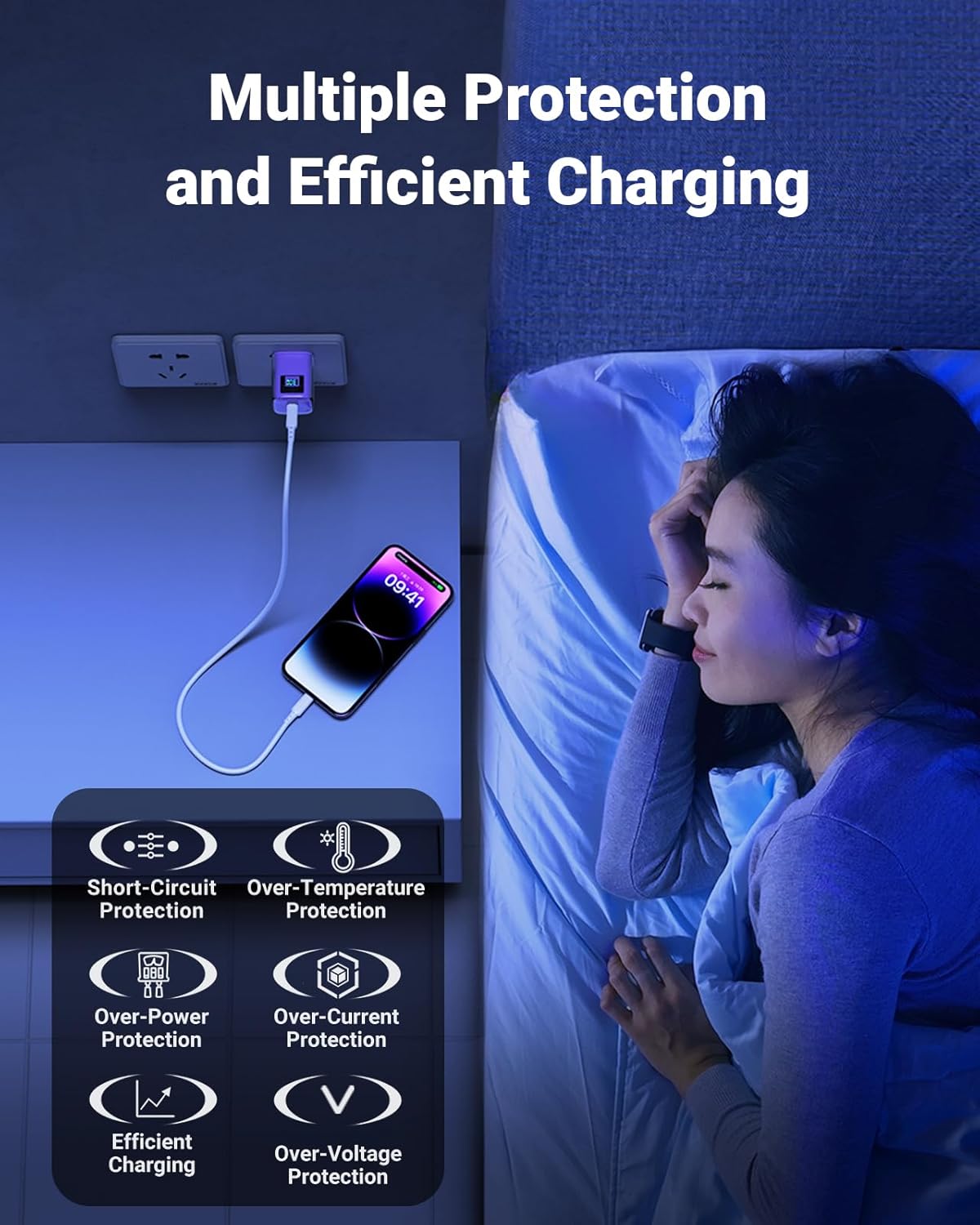
Figure 2: Overview of the multiple protection mechanisms integrated into the charger for safe and efficient operation.
3. What's in the Box
Your ACEFAST A55 USB C Charger Block package includes:
- 1 x ACEFAST Charger 30W
- 1 x USB-C Cable
- 1 x Manual Guide
4. Setup Instructions
- Unpack: Carefully remove the ACEFAST A55 charger and included USB-C cable from its packaging.
- Unfold Prongs: If the charger's prongs are folded, gently flip them out until they lock into place.
- Connect Cable: Insert one end of the USB-C cable into the USB-C port on the charger.
- Plug into Outlet: Insert the charger into a standard wall power outlet (120 Volts AC).
- Connect Device: Plug the other end of the USB-C cable into your compatible device (e.g., smartphone, tablet, laptop).

Figure 3: Proper connection of the charger to a wall outlet and a mobile device.
5. Operating Instructions
Once connected, the ACEFAST A55 charger will automatically begin charging your device. The intelligent LED screen display will activate to show the real-time charging power (wattage) being delivered to your device.
- Real-time Power Display: Observe the LED screen to monitor the charging wattage. This display provides immediate feedback on the charging speed.
- Automatic Screen Off: The LED display is designed to automatically turn off once your connected device reaches a full charge, conserving energy and indicating completion.
- Temperature Control: The charger incorporates an intelligent temperature control chip that continuously monitors and regulates the internal temperature to prevent overheating during charging.

Figure 4: The charger's intelligent temperature control system ensures stable and safe charging.
Official Product Video: ACEFAST A55 PD30W USB C Charger Purple
Video 1: An official product video from ACEFAST demonstrating the features and usage of the A55 PD30W USB C Charger in purple. This video highlights the LED display, GaN technology, and compatibility with various devices.
6. Maintenance
To ensure the longevity and optimal performance of your ACEFAST A55 charger, follow these maintenance guidelines:
- Cleaning: Disconnect the charger from the power outlet and your device before cleaning. Use a soft, dry cloth to wipe the surface. Avoid using liquid cleaners or abrasive materials.
- Storage: When not in use, store the charger in a cool, dry place away from direct sunlight and extreme temperatures. The foldable prongs allow for compact storage.
- Handling: Avoid dropping the charger or subjecting it to strong impacts. Do not attempt to disassemble or modify the charger, as this will void the warranty and may cause damage.
7. Troubleshooting
If you encounter issues with your ACEFAST A55 charger, please refer to the following common solutions:
| Problem | Possible Cause | Solution |
|---|---|---|
| Charger not powering on / LED display off | No power from outlet; loose connection; faulty outlet. | Try plugging the charger into a different, known-working wall outlet. Ensure the charger is firmly seated in the outlet. |
| Device not charging | Loose cable connection; incompatible cable; device issue; charger fault. | Ensure both ends of the USB-C cable are securely connected. Try using a different USB-C cable. Test the charger with another compatible device. |
| LED display not showing wattage or flickering | Intermittent connection; device not drawing power; specific device behavior. | Ensure a stable connection. Note that some devices may not draw consistent power, causing the display to fluctuate. The display may also turn off automatically when fully charged. |
| Slow charging | Cable not supporting fast charging; device not supporting fast charging; background apps on device. | Use the included ACEFAST USB-C cable or another high-quality, fast-charging compatible cable. Ensure your device supports 30W fast charging. Close unnecessary background applications on your device. |
If the problem persists after trying these solutions, please contact ACEFAST customer service for further assistance.
8. Specifications
| Attribute | Detail |
|---|---|
| Brand | ACEFAST |
| Model Number | A55 |
| Output Power | 30W |
| Connectivity Technology | Wired (USB Type C) |
| Connector Type | USB Type C |
| Compatible Devices | Phones, Tablets, Laptops (e.g., iPhone 14, MacBook Pro, iPad Pro) |
| Special Feature | Fast Charging, LED Intelligent Screen Display, Foldable Prongs |
| Color | Purple |
| Input Voltage | 120 Volts (AC) |
| Item Weight | 4.6 ounces |
| Package Dimensions | 5.79 x 3.62 x 1.61 inches |
| Manufacturer | ShenZhen Houshuxia Technology Co.,LTD |
9. Warranty and Support
ACEFAST provides a worry-free 24-month warranty for the A55 USB C Charger Block. For any product-related inquiries, technical support, or warranty claims, please contact our friendly customer service team. Refer to the contact information provided in your product packaging or visit the official ACEFAST website for support details.
Related documentsA55


Ask a question about this manual
Ask about setup, troubleshooting, compatibility, parts, safety, or missing instructions. Manuals+ will review the question and use this page’s manual context to help answer it.