
Introduction
This manual provides detailed instructions for the installation, operation, and maintenance of your ESSAGER MagSafe Car Mount. Designed for secure and convenient phone placement in your vehicle, this magnetic phone holder ensures your device remains stable during driving.
The mount features powerful magnets for strong attraction, wide compatibility with MagSafe-enabled devices and other phones using a magnetic metal plate, 360° rotation for optimal viewing angles, and an extended arm design to keep your phone clear of the air vent. Its durable metal hook ensures a stable connection to the air vent.
Product Overview
Familiarize yourself with the components of your ESSAGER MagSafe Car Mount:
- Magnetic Head: The circular surface with strong magnets for attaching your phone.
- Adjustable Arm: Connects the magnetic head to the vent clip, allowing for angle adjustments.
- Vent Clip with Hook: Securely attaches the mount to your car's air vent louver. Features a tightening knob for stability.
- Universal Ball Joint: Allows for 360-degree rotation of the magnetic head.
- Magnetic Metal Plate (Included): For use with non-MagSafe compatible phones or cases.

Figure 1: ESSAGER MagSafe Car Mount with a phone attached, showing the magnetic connection and air vent placement.

Figure 2: Illustration of the strong magnetic suction force, capable of holding up to 1.2kg, equivalent to approximately 6 iPhone 15 units.

Figure 3: Compatibility guide for direct use with MagSafe-enabled iPhones (12-15 series) and use with the included magnetic sheet for other smartphone models.
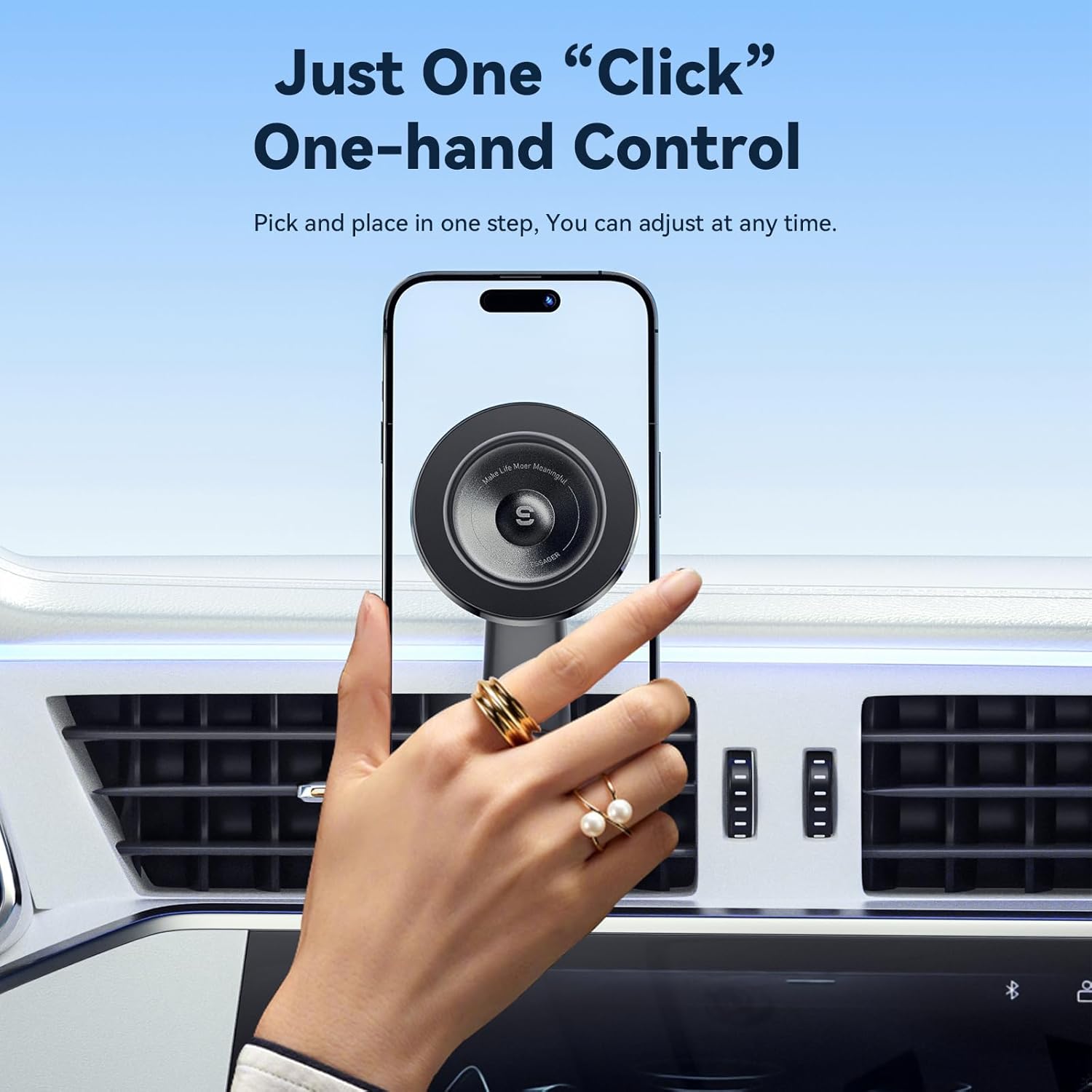
Figure 4: Product dimensions: 80mm (3.14 inches) in width and 120mm (4.72 inches) in height.
Setup and Installation
- Choose a Suitable Air Vent: Select a sturdy air vent louver in your car. Ensure the chosen location does not obstruct your view or interfere with vehicle controls. The hook clip design is optimized for various vent types.
- Attach the Mount: Insert the hook of the vent clip into one of the air vent louvers.
- Secure the Mount: Rotate the tightening knob on the vent clip to firmly secure the mount to the louver. Ensure it is stable and does not wobble. The metal hook provides enhanced stability compared to plastic alternatives.
- Adjust the Arm: The adjustable arm allows you to position the magnetic head away from the air vent, preventing hot or cold air from directly affecting your phone and reducing obstruction of airflow.

Figure 5: The hook clip design securely locks into the air vent, ensuring stability and allowing for unobstructed airflow.
Operating Instructions
- Attaching Your Phone:
- For MagSafe Compatible Phones (iPhone 12/13/14/15 series): Simply bring your phone close to the magnetic head. The strong magnets will automatically snap your phone into place.
- For Other Phones: Attach the provided magnetic metal plate to the back of your phone or phone case. Ensure the plate is centered for optimal magnetic connection. Then, bring your phone close to the magnetic head to attach it.
- Adjusting Viewing Angle:
- The magnetic head features a 360-degree rotatable ball joint, allowing you to adjust your phone to any desired portrait or landscape orientation.
- The adjustable arm also allows for multi-angle positioning to achieve your preferred viewing angle and avoid obstructions.
- One-Handed Operation: The strong magnetic connection allows for easy one-handed attachment and detachment of your phone, promoting safer driving.

Figure 6: Demonstrating the ease of one-handed operation for attaching and detaching your phone.
Figure 7: The universal ball head allows for full 360-degree rotation, providing flexible viewing angles.
Maintenance
To ensure the longevity and optimal performance of your ESSAGER MagSafe Car Mount, follow these simple maintenance guidelines:
- Cleaning: Wipe the mount regularly with a soft, dry cloth to remove dust and debris. Avoid using abrasive cleaners or solvents.
- Check Connections: Periodically check that the vent clip is securely tightened to the air vent louver.
- Avoid Extreme Temperatures: While designed for automotive use, prolonged exposure to extreme heat or cold may affect the material integrity.
Troubleshooting
| Problem | Possible Cause | Solution |
|---|---|---|
| Mount is not stable on the air vent. | Vent clip not tightened sufficiently or incompatible vent type. | Ensure the tightening knob is fully secured. Try a different louver or a different air vent if available. Some car vent designs (e.g., vertical slats, curved surfaces) may offer less stability. |
| Phone does not attach securely or falls off. | Phone not MagSafe compatible, magnetic plate not properly placed, or phone/case is too heavy/thick. | For non-MagSafe phones, ensure the magnetic metal plate is correctly applied to your phone or case. Verify the phone's weight is within the mount's capacity. Remove excessively thick cases if necessary. |
| Limited rotation or adjustment. | Obstruction from car dashboard, radio buttons, or other interior components. | The mount's adjustability may be limited by specific car interior designs. Try adjusting the arm and ball joint to find the optimal position that avoids obstructions. Consider if a different mounting location might be more suitable for your vehicle's layout. |
| Phone vibrates or bounces while driving. | Mount not fully secured or inherent vibration from vehicle movement. | Ensure the vent clip is as tight as possible. While the mount is designed for stability, some minor vibration may occur depending on road conditions and vehicle suspension. |
Specifications
- Model Number: ES-ZJ27
- Product Dimensions: 1.59 x 2.52 x 1.62 inches
- Item Weight: 3.2 ounces
- Color: Black
- Mounting Type: Vent
- Special Features: Magnetic, MagSafe Compatible
- Compatible Devices: Smartphones (Directly fits iPhone 12/13/14/15 series; compatible with other smartphones using magnetic sheet)
- Manufacturer: Dongguan Jiangzuo Meng Hardware Co., Ltd
- Country of Origin: China
Warranty and Support
For warranty information or technical support, please refer to the product packaging or contact ESSAGER customer service through the retailer where the product was purchased. Keep your purchase receipt as proof of purchase.
For additional resources and product updates, visit the official ESSAGER store or website.