
Fanttik X9 Ultra
Fanttik X9 Ultra™ Portable Tire Inflator & 65W USB C Car Charger User Manual
Model: X9 Ultra
Brand: Fanttik
Introduction
Thank you for choosing the Fanttik X9 Ultra™ Portable Tire Inflator and 65W USB C Car Charger. This versatile device combines a powerful tire inflator, a portable power station, and a bright flashlight, designed for convenience and reliability on the go. The accompanying 65W USB C Car Charger ensures your devices stay powered. Please read this manual thoroughly before operation to ensure safe and optimal performance.
Product Overview
The Fanttik X9 Ultra™ is engineered for efficiency and multi-functionality. It features a high-speed inflation system, a robust battery for power delivery, and integrated lighting.
Key Features:
- 6× Faster 18.5V Cordless Tire Inflator: Capable of inflating a 33-inch truck tire from 30-35 PSI in approximately 58 seconds with ±1 PSI accuracy.
- Adventure-Ready 3-in-1 Companion: Functions as a tire inflator, a 92.5Wh portable power station, and a powerful flashlight.
- Powerful Battery Life: Equipped with a 10*2500mAh (25000mAh total) battery, capable of refilling 25 pickup tires (30-35 PSI) or inflating 4.5 pickup tires (0-35 PSI) on a single charge.
- Quickly Set Up: Features four customizable modes (M1/M2/M3/M4) for storing preferred pressure settings.
- Long Air Hose for Pickup Truck Tires: An ultra-long 45-inch inflation hose with dedicated storage for accessories.
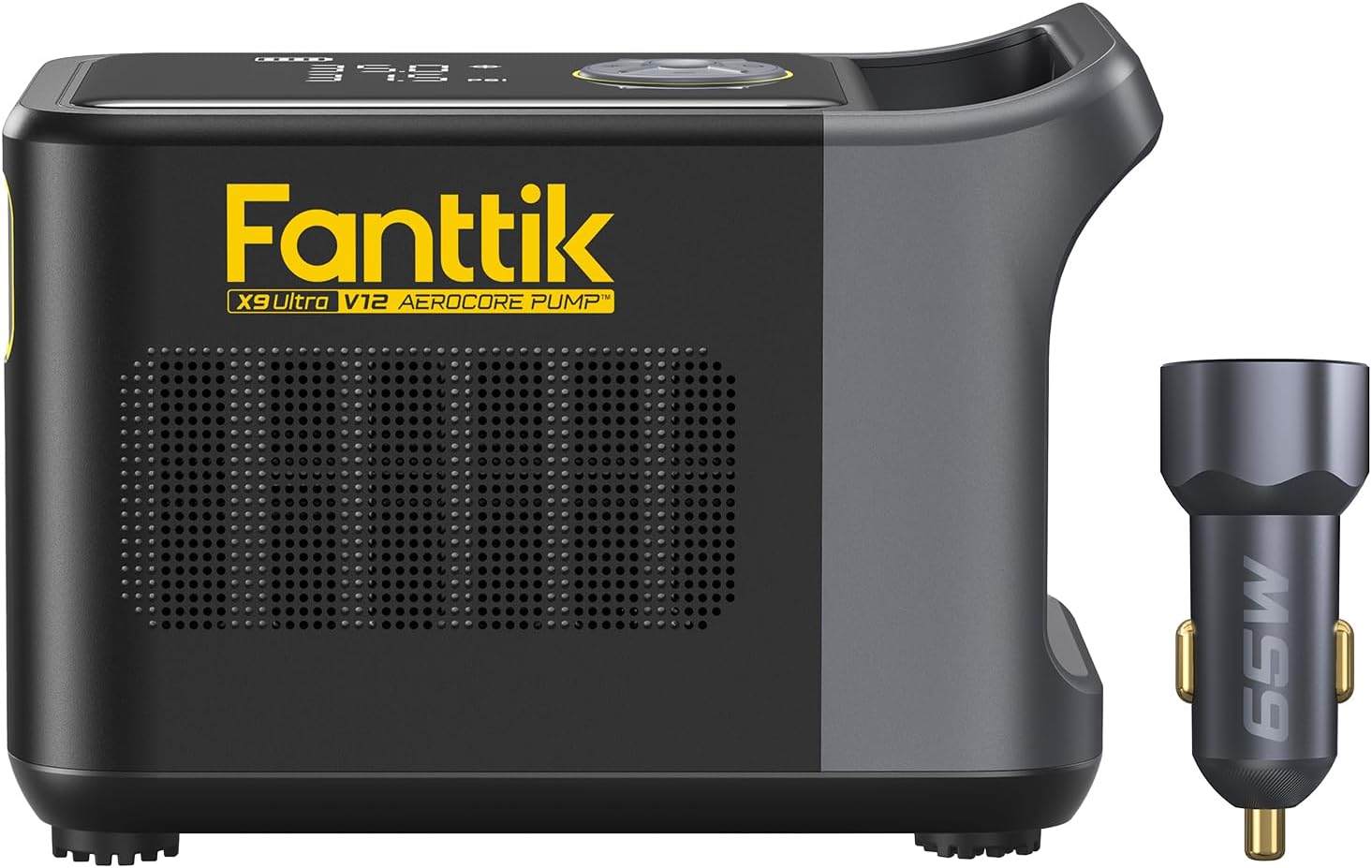
Image: The Fanttik X9 Ultra Portable Tire Inflator and the included 65W USB C Car Charger. The inflator features a compact design with a digital display and integrated hose storage.

Image: The Fanttik X9 Ultra in action, demonstrating its super fast inflation capability on a large truck tire. The display shows the target PSI.

Image: The Fanttik X9 Ultra functioning as a portable power station, charging a laptop and a drone. It highlights the 92.5Wh capacity and various USB output ports (USB-A 12W, USB-C 18W, USB-C 65W).

Image: The Fanttik X9 Ultra demonstrating its integrated light feature with SOS Emergency, Cold Light, and Warm Light modes, useful for various outdoor scenarios.
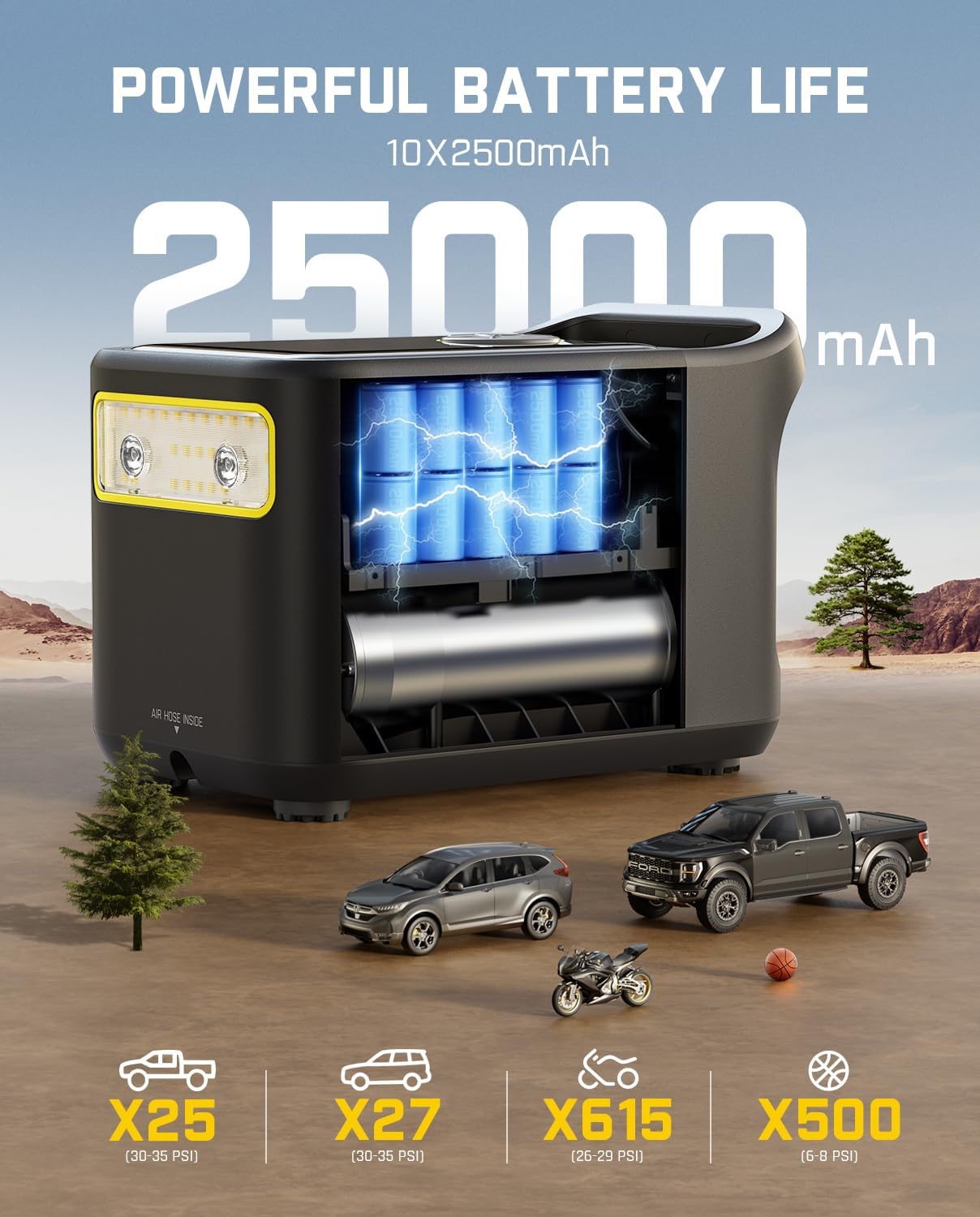
Image: An internal view of the Fanttik X9 Ultra showing its 10x2500mAh battery cells, illustrating its 25000mAh total capacity. Icons below indicate the number of inflations for different vehicle types (pickup, car, motorcycle, ball).

Image: The Fanttik 65W USB C Car Charger in a car's power outlet, illustrating its 9X faster charging capability compared to a standard 5W charger. A progress bar shows 85% charge in 30 minutes.

Image: The Fanttik 65W USB C Car Charger simultaneously charging an iPhone (18W) and an iPad (45W), demonstrating its 63W total output for fast charging two devices.

Image: The Fanttik 65W USB C Car Charger showcasing its universal compatibility with various devices including iPad Pro/Air, Macbook Air, Samsung Notebook, Samsung Note 8+, iPhone 8+, Google/Sony/LG phones, and iPad mini/iPad.

Image: A transparent view of the Fanttik 65W USB C Car Charger highlighting its internal components and superior safety features: Over-Current Protection, Over-Voltage Protection, Overcharge Protection, and High-Temperature Protection.
Setup
Charging the X9 Ultra:
- Before first use, fully charge the X9 Ultra. Connect the included USB-C cable to the device's input port and to a compatible USB power adapter (not included) or the 65W USB C Car Charger.
- The display will indicate charging status. A full charge is recommended for optimal battery life.
Attaching the Air Hose:
- Locate the 45-inch inflation hose stored at the bottom of the inflator.
- Screw the hose securely onto the air outlet port of the X9 Ultra.
- Select the appropriate nozzle adapter (Presta valve, ball needle, swim ring valve) for your inflation needs and attach it to the end of the hose.
Operating Instructions
Tire Inflation:
- Power On: Press the power button to turn on the device. The display will show the current pressure.
- Select Mode: Use the mode button to cycle through preset modes (car, motorcycle, bicycle, ball) or the four customizable modes (M1/M2/M3/M4).
- Set Target Pressure: Use the '+' and '-' buttons to adjust the desired pressure (PSI, BAR, KPA, KG/CM²).
- Connect to Tire: Securely attach the hose nozzle to the tire valve stem. Ensure a tight seal to prevent air leakage.
- Start Inflation: Press the inflation button to begin. The device will automatically stop when the target pressure is reached.
- Disconnect: Carefully remove the nozzle from the tire valve.
Using as a Power Station:
- The X9 Ultra features USB-A (12W) and USB-C (18W, 65W) output ports.
- Connect your electronic devices (smartphones, laptops, drones, etc.) to the appropriate USB port using their charging cables.
- The device will automatically begin charging. Monitor the battery level on the X9 Ultra's display.
Using the Flashlight:
- Press the flashlight button to cycle through different lighting modes: Cold Light, Warm Light, and SOS Emergency signal.
- Press again to turn off the light.
Using the 65W USB C Car Charger:
- Insert the car charger into your vehicle's 12V power outlet (cigarette lighter socket).
- Connect your USB-C compatible devices (laptops, tablets, smartphones) to the USB-C port for up to 65W fast charging.
- The USB-A port provides standard charging for other devices.
Maintenance
- Cleaning: Wipe the device with a soft, dry cloth. Do not use harsh chemicals or abrasive cleaners.
- Storage: Store the X9 Ultra in a cool, dry place away from direct sunlight and extreme temperatures. Ensure the hose and accessories are properly stored in their designated compartments.
- Battery Care: For optimal battery longevity, charge the device at least once every three months if not in regular use. Avoid fully discharging the battery frequently.
Troubleshooting
| Problem | Possible Cause | Solution |
|---|---|---|
| Device does not power on. | Low battery or no charge. | Charge the device fully using the provided USB-C cable. |
| Inflation is slow or not reaching target pressure. | Hose not securely attached; nozzle leakage; low battery. | Ensure hose and nozzle are tightly connected. Check for leaks. Recharge the device. |
| Device stops unexpectedly during inflation. | Overheat protection activated; low battery. | Allow the device to cool down. Recharge the device. |
| Car charger not working. | Vehicle's 12V outlet is faulty; charger not fully inserted. | Check vehicle's fuse. Ensure charger is firmly seated in the outlet. |
Safety Protections:
The Fanttik X9 Ultra and 65W USB C Car Charger are equipped with multiple safety features for your protection:
- Over-Current Protection: Prevents damage from excessive current flow.
- Over-Voltage Protection: Safeguards against voltage surges.
- Overcharge Protection: Protects the battery from being overcharged.
- High-Temperature Protection: Shuts down the device if it overheats.
Specifications
| Feature | Detail |
|---|---|
| Brand | Fanttik |
| Model Name | X9 Ultra |
| Voltage | 12 Volts |
| Power Source | Battery Powered |
| Recommended Uses | Tire Inflation |
| Special Feature | Portable |
| Included Components | Battery |
| Hose Length | 45 Inches |
| Battery Capacity | 10*2500mAh (25000mAh total) / 92.5Wh |
| Car Charger Output | Up to 65W (USB-C), 12W (USB-A) |
Warranty and Support
For detailed warranty information and customer support, please refer to the official Fanttik website or contact their customer service directly. Keep your purchase receipt as proof of purchase.
Fanttik Official Website: www.fanttik.com (Note: This is a placeholder URL, please refer to the actual manufacturer's website for accurate information.)
Related documentsX9 Ultra


Ask a question about this manual
Ask about setup, troubleshooting, compatibility, parts, safety, or missing instructions. Manuals+ will review the question and use this page’s manual context to help answer it.