
1. Introduction
Thank you for choosing the Airdog X3D Black Air Purifier. This manual provides essential information for the safe and efficient operation, maintenance, and troubleshooting of your device. Please read this manual thoroughly before use and retain it for future reference.

Figure 1: Front view of the Airdog X3D Black Air Purifier.
2. Safety Information
To reduce the risk of electric shock, fire, or injury, always follow basic safety precautions when operating electrical appliances. This device is for indoor use only.
- Do not immerse the unit in water or other liquids.
- Keep the power cord away from heated surfaces.
- Do not operate the unit with a damaged cord or plug.
- Ensure the air inlets and outlets are not blocked.
- Unplug the unit before cleaning or performing any maintenance.
- Keep out of reach of children and pets.
3. Package Contents
Verify that all items are present in the package:
- Airdog X3D Black Air Purifier Unit
- Power Adapter
- Remote Control
- User Manual (this document)
4. Product Overview
The Airdog X3D features a compact design with advanced air purification technology, including a TPA filter system, light sensor, human sensor, and a 3-way wide-angle exhaust system for efficient air circulation.
4.1. Main Unit Components
- Control Panel/Display: Shows air quality index (AQI) and operational status.
- Air Inlet: Located on the sides and back of the unit.
- Air Outlet: Top of the unit, designed for 3-way wide-angle exhaust.
- TPA Filter System: Internal, washable filter components.
- Sensors: Integrated light and human presence sensors.
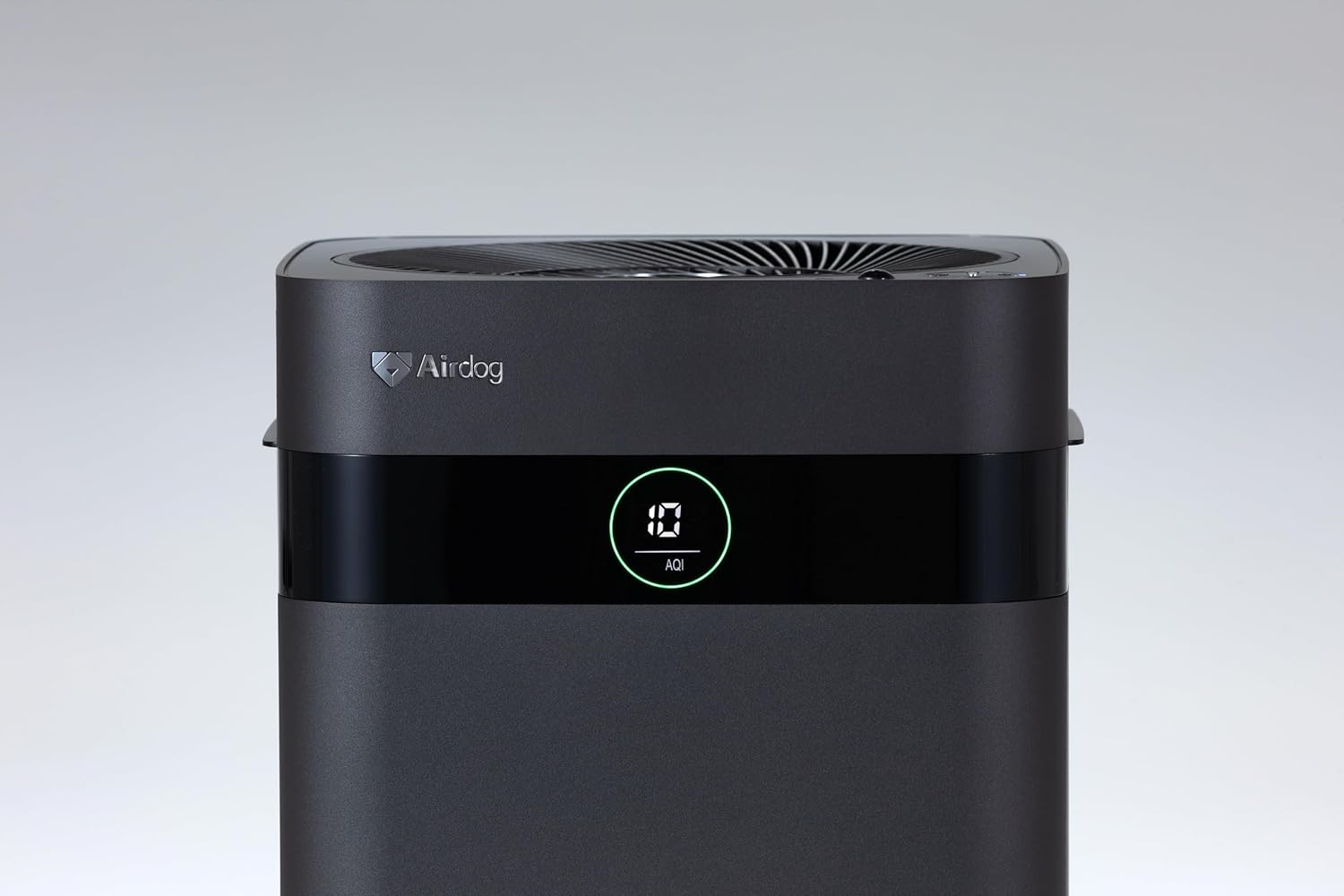
Figure 2: Close-up of the control panel and AQI display.

Figure 3: Top view illustrating the air outlet design.

Figure 4: The bottom light indicator provides visual feedback on air quality.
5. Setup
5.1. Unpacking
- Carefully remove the air purifier from its packaging.
- Remove all protective films and packaging materials from the unit.
- Ensure all components listed in Section 3 are present.
5.2. Placement
Place the air purifier on a flat, stable surface. For optimal performance, ensure there is adequate space around the unit for air circulation. Avoid placing it directly against walls or furniture that might obstruct the air inlets or the 3-way wide-angle exhaust.

Figure 5: Example placement in a kitchen area.

Figure 6: Example placement in a living room.
5.3. Power Connection
Connect the power adapter to the power input port on the back of the unit, then plug the adapter into a suitable electrical outlet.
6. Operating Instructions
6.1. Power On/Off
Press the power button on the control panel or the remote control to turn the unit on or off. The display will illuminate when the unit is active.
6.2. Mode Selection
The Airdog X3D offers various operating modes:
- Auto Mode: The unit automatically adjusts fan speed based on detected air quality (AQI).
- Manual Mode: Allows you to manually select the desired fan speed.
- Sleep Mode: Operates at the lowest fan speed with reduced display brightness for quiet operation.
Use the mode button on the control panel or remote control to cycle through the available modes.
6.3. Sensor Functions
- Light Sensor: Automatically adjusts display brightness based on ambient light conditions.
- Human Sensor: Detects human presence to optimize operation, potentially saving energy when the room is unoccupied.
6.4. Remote Control
The included remote control allows for convenient operation from a distance. Point the remote control directly at the unit's sensor. Note that the effective range of the remote control may be limited (approximately 1 meter).
7. Maintenance
Regular maintenance ensures the longevity and optimal performance of your Airdog X3D air purifier.
7.1. TPA Filter Cleaning
The TPA filter system is washable and reusable. Refer to the detailed instructions in the full user manual for specific cleaning procedures. Generally, the collector plates should be cleaned regularly to maintain purification efficiency.
- Turn off and unplug the unit before opening the filter compartment.
- Remove the collector plates and wash them with water and mild detergent.
- Ensure all filter components are completely dry before reinserting them into the unit.
7.2. Exterior Cleaning
Wipe the exterior of the unit with a soft, damp cloth. Do not use abrasive cleaners or solvents.
8. Troubleshooting
If you encounter issues with your Airdog X3D, please refer to the following common problems and solutions:
| Problem | Possible Cause | Solution |
|---|---|---|
| Unit does not power on. | No power, loose connection. | Check power cord connection and wall outlet. |
| Poor air purification performance. | Dirty TPA filter, obstructed air inlets/outlets. | Clean TPA filter components. Ensure clear airflow paths. |
| Remote control not responding. | Low battery, out of range, obstruction. | Replace remote battery. Ensure direct line of sight within 1 meter. |
| Unusual noise. | Foreign object, improper filter installation. | Check for obstructions. Reinstall filter components correctly. |
If the problem persists after attempting these solutions, please contact customer support.
9. Specifications
| Feature | Detail |
|---|---|
| Brand | Airdog |
| Model Number | AIR-X3-AMB310 |
| Color | Matte Black |
| Product Dimensions | 26 cm (D) x 27 cm (W) x 56 cm (H) |
| Package Weight | 7.5 kg |
| Battery Use | Yes (for remote control) |
| Battery Included | No |
| Manufacturing Year | 2024 |
| Special Features | Light & Human Sensor, 3-way Wide-Angle Exhaust System, TPA Filter |
10. Warranty and Support
The Airdog X3D Black Air Purifier comes with a manufacturer's warranty. Please refer to the warranty card included with your product for specific terms and conditions. For technical support, service, or warranty claims, please contact Airdog customer service through their official website or the contact information provided in your product documentation.


