
Introduction
Thank you for choosing the ExBrite 72"x36" LED Bathroom Mirror. This manual provides essential information for the safe installation, operation, and maintenance of your new mirror. Please read these instructions thoroughly before installation and retain them for future reference.

Image: The ExBrite 72"x36" LED Bathroom Mirror, showcasing its frontlit and backlit illumination above a modern double vanity.
Important Safety Information
Please observe the following safety precautions to prevent injury or damage to the product:
- This mirror is heavy and has sharp edges. Always use two people for handling and installation.
- Keep electrical components dry and away from heat sources.
- Do not install near water sources to prevent electrical shock.
- In case of breakage, clean up carefully to avoid injury from sharp edges.
- Ensure the power supply is disconnected before any installation or maintenance.
- Consult a qualified electrician if you are unsure about hardwiring procedures.
Product Features
The ExBrite LED Bathroom Mirror is equipped with several advanced features for enhanced functionality and user experience:
- Frontlit & Backlit Illumination: Features two LED light strips for brighter, more comprehensive lighting.
- 3-Color Temperature Settings: Easily switch between warm light (3000K), natural light (4000K), and cool white light (6000K) using touch control.
- Dimmable Brightness: Adjust light intensity from 10% to 100% with a long press on the touch control.
- Memory Function: The mirror retains the last used light color and brightness settings when powered off and on.
- Anti-Fog Feature: Quickly clears condensation from the mirror surface. Automatically shuts off after one hour to prevent overheating.
- Durable Construction: Made with 5mm tempered glass, offering increased strength and shatter resistance compared to standard glass.
- Flexible Installation: Can be mounted horizontally or vertically and supports both plug-in and hardwired power connections.
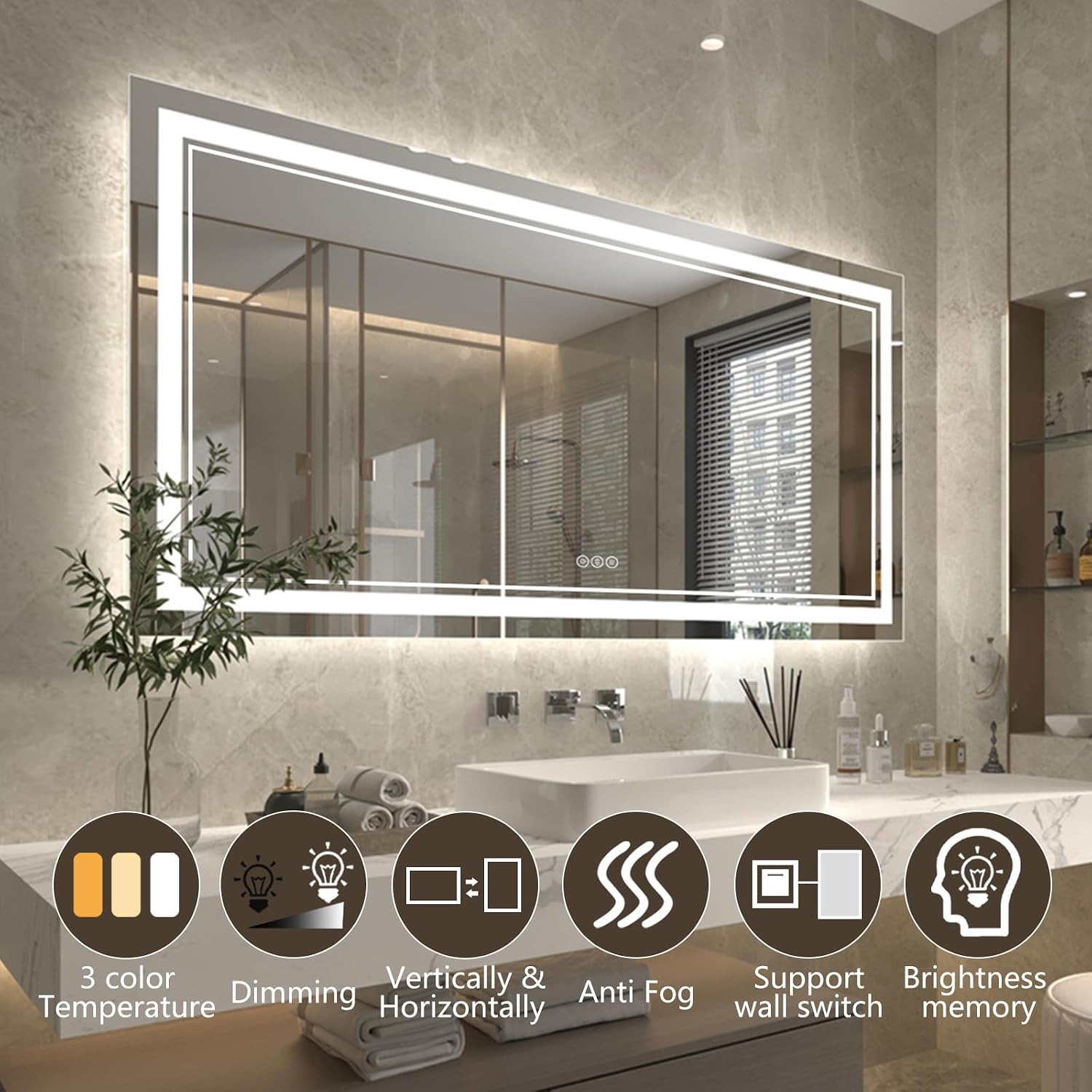
Image: Visual representation of the mirror's key features, including adjustable color temperature, dimming, anti-fog, and mounting options.
Setup & Installation
The ExBrite LED mirror is designed for straightforward installation. It can be mounted horizontally or vertically and connected via a standard electrical outlet or hardwired to a wall switch.
Mounting Options
Determine your preferred orientation (horizontal or vertical) before beginning installation. The mirror includes mounting accessories and detailed instructions.
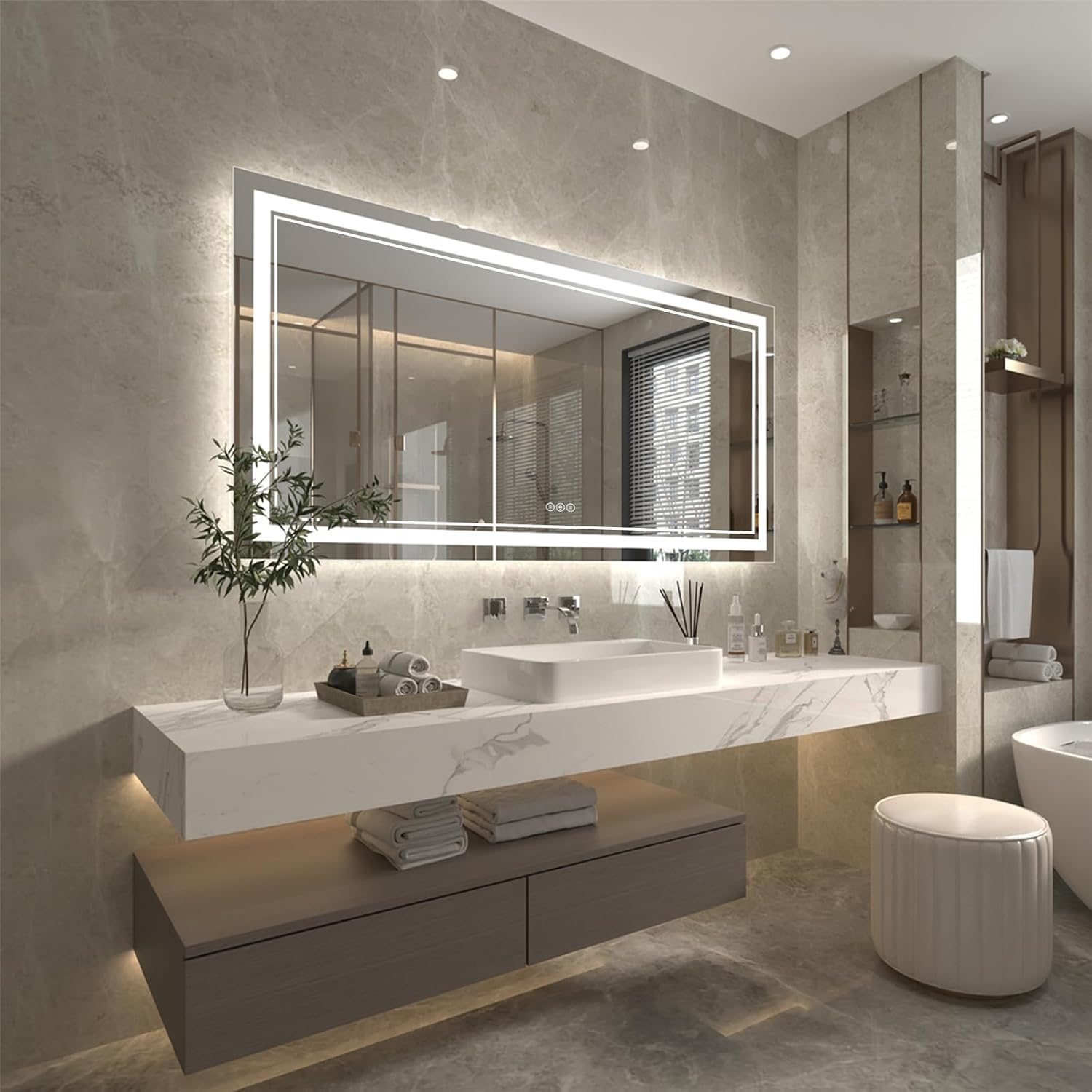
Image: Illustration of the mirror mounted in both horizontal and vertical orientations.
Power Connection
You have two options for connecting power:
- Plug into an outlet: Use the provided power cord to plug the mirror into a standard electrical outlet.
- Hardwire to a wall switch: For a seamless look, the mirror can be hardwired directly into your home's electrical system, controlled by a wall switch. This option requires professional installation or advanced electrical knowledge.

Image: Depiction of the two power connection methods: plugging into an outlet or hardwiring to a wall switch.
Installation Steps
Follow the detailed instructions included in the packaging for mounting the mirror. A general overview of the process includes:
- Secure the mounting bracket to the wall using appropriate hardware.
- Connect the electrical wiring (if hardwiring) or prepare for plug-in.
- Carefully hang the mirror onto the installed bracket.

Image: Step-by-step visual guide for installing the mirror, from mounting the bracket to hanging the mirror.
Operating Instructions
The mirror features intuitive touch controls located on the mirror surface.
Power On/Off and Color Temperature Adjustment
Tap the power button icon to turn the mirror lights on or off. Repeatedly tapping the power button will cycle through the three color temperature settings: warm (3000K), natural (4000K), and cool white (6000K).

Image: Touch control interface showing options for 3 color temperature settings.
Brightness Dimming
To adjust the brightness, press and hold the brightness control icon. The light intensity will gradually change from 10% to 100%. Release the button when the desired brightness is achieved.

Image: Touch control interface demonstrating brightness adjustment from 10% to 100%.
Anti-Fog Function
Activate the anti-fog feature by tapping the defogger icon. This will quickly clear any condensation from the mirror surface. The anti-fog function automatically deactivates after one hour of continuous use.

Image: The anti-fog function in operation, showing a clear area on a previously fogged mirror.
Memory Function
The mirror's intelligent memory function automatically saves your last chosen brightness and color temperature settings. When the mirror is turned back on, it will resume these previous settings.
Maintenance
To ensure the longevity and optimal performance of your ExBrite LED mirror, follow these maintenance guidelines:
- Cleaning: Use a soft, damp cloth and a mild, non-abrasive glass cleaner to clean the mirror surface. Avoid harsh chemicals or abrasive materials that could damage the mirror or its frame.
- Electrical Components: Ensure all electrical connections remain dry. Do not spray water directly onto the mirror's electrical components.
- Inspection: Periodically inspect the mirror for any signs of damage or loose connections. If any issues are found, disconnect power and contact customer support.
Troubleshooting
If you encounter any issues with your ExBrite LED mirror, refer to the following common solutions:
| Problem | Possible Cause | Solution |
|---|---|---|
| Mirror lights do not turn on. | No power supply; loose connection; faulty switch. | Check if the mirror is properly plugged in or hardwired. Ensure the wall switch (if applicable) is on. Verify circuit breaker. |
| Lights are dim or flickering. | Incorrect brightness setting; unstable power supply. | Adjust brightness using the touch control. Ensure stable power supply. |
| Anti-fog function not working. | Function not activated; automatic shut-off. | Tap the anti-fog icon to activate. Note that it automatically turns off after one hour. |
| Buzzing noise from mirror. | Loose wiring; internal component issue. | Disconnect power immediately. Contact customer support for assistance. Do not attempt to repair yourself. |
| Difficulty with installation. | Unclear instructions; specific wall type. | Refer to the detailed installation guide provided with the product. Consider professional installation if needed. |
Specifications
Detailed technical specifications for the ExBrite 72"x36" LED Bathroom Mirror:
| Attribute | Detail |
|---|---|
| Brand | ExBrite |
| Model Number | TFDBQ100011-3672-HSCA |
| Product Dimensions | 72"L x 36"W |
| Thickness | 1.57" (approximate, based on image) |
| Item Weight | 54.9 pounds |
| Material | Glass (5mm tempered glass) |
| Frame Material | PVC+Glass |
| Mounting Type | Wall Mount (Horizontal or Vertical) |
| Light Source | LED (Frontlit & Backlit) |
| Color Temperature | 3000K (Warm), 4000K (Natural), 6000K (Cool White) |
| Brightness | Dimmable (10% to 100%) |
| Special Features | Color Changing, Dimmable, LED Lights, Shatterproof, Touch Sensor, Anti-Fog, Memory Function |
| Power Connection | Plug-in or Hardwired |
| UPC | 658215386091 |

Image: Diagram illustrating the dimensions of the 72"L x 36"W mirror with a thickness of 1.57 inches.
Warranty & Support
ExBrite is committed to product quality and customer satisfaction.
- Warranty: This product comes with up to a 1-year warranty. Please refer to the warranty card included with your purchase for specific terms and conditions.
- Returns: A 30-day free return policy is available for this product.
- Customer Support: For any questions, technical assistance, or warranty claims, please contact ExBrite customer service. We aim to reply to emails within 24 hours.
For further assistance, please visit the official ExBrite store or contact us directly through the platform where you purchased the product.


