
Holy Stone HS440G
Holy Stone HS440G Drone User Manual
Model: HS440G | Brand: Holy Stone
1. Introduction
The Holy Stone HS440G is a lightweight, portable drone designed for both beginners and experienced pilots. Weighing under 250 grams, it does not require FAA or Remote ID registration, making it an accessible option for many users. Equipped with a 4K UHD camera, brushless motors, and intelligent GPS flight features, the HS440G offers a stable and enjoyable flying experience with high-quality aerial photography and videography capabilities.
2. Setup Guide
2.1 Package Contents
Before beginning, ensure all components are present in the package:
- Holy Stone HS440G Drone ×1
- Remote Control ×1
- Drone Battery ×1
- USB Charging Cables ×1
- Shoulder Bag ×1
- Extra Propellers ×4
- Screwdriver ×1
- Instructions For Use ×1

Figure 2.1: Holy Stone HS440G Drone and Included Accessories.
2.2 Battery Charging and Installation
Charge the drone battery using the provided USB charging cable. A full charge typically takes approximately 3 hours. Once charged, insert the battery into the drone until it clicks securely into place. Ensure the remote control also has sufficient power.
2.3 Drone and Remote Control Pairing
Power on the drone and then the remote control. Follow the on-screen prompts in the Holy Stone app to pair the devices. This typically involves calibrating the drone's compass and gyroscope. Ensure you are in an open area away from magnetic interference during calibration.
Video 2.1: Holy Stone HS440G Video Tutorial. This video provides a step-by-step guide for initial setup and basic operations of the drone.
3. Operating Instructions
3.1 Basic Flight
After successful pairing and GPS signal acquisition, place the drone on a flat, open surface. Use the one-key takeoff button for automatic ascent. Control the drone's movement using the joysticks on the remote control. For landing, use the one-key landing function or manually descend.
3.2 Advanced Flight Features
The HS440G includes several intelligent flight modes:
- Follow Me: The drone will automatically follow the remote controller or the mobile device, capturing footage as you move.
- Waypoint Flight: Plan a custom flight path by tapping desired points on the map within the app. The drone will fly along this predefined route.
- Point of Interest: Select a central point, and the drone will circle around it at a specified radius and altitude, keeping the point in frame.
- Auto Return (RTH): With GPS enabled, the drone can automatically return to its takeoff point in cases of low battery, signal loss, or manual activation.

Figure 3.1: Advanced APP Flight Functions.

Figure 3.2: Intelligent Return to Home Functionality.
3.3 Camera Operation
The HS440G features a 4K UHD camera capable of capturing photos at 3840x2160 resolution and real-time 2K video transmission. The camera offers a 120° wide-angle view and can be remotely adjusted up to 90° for optimal shooting angles. Live FPV feed is transmitted via 5GHz Wi-Fi to your connected mobile device.
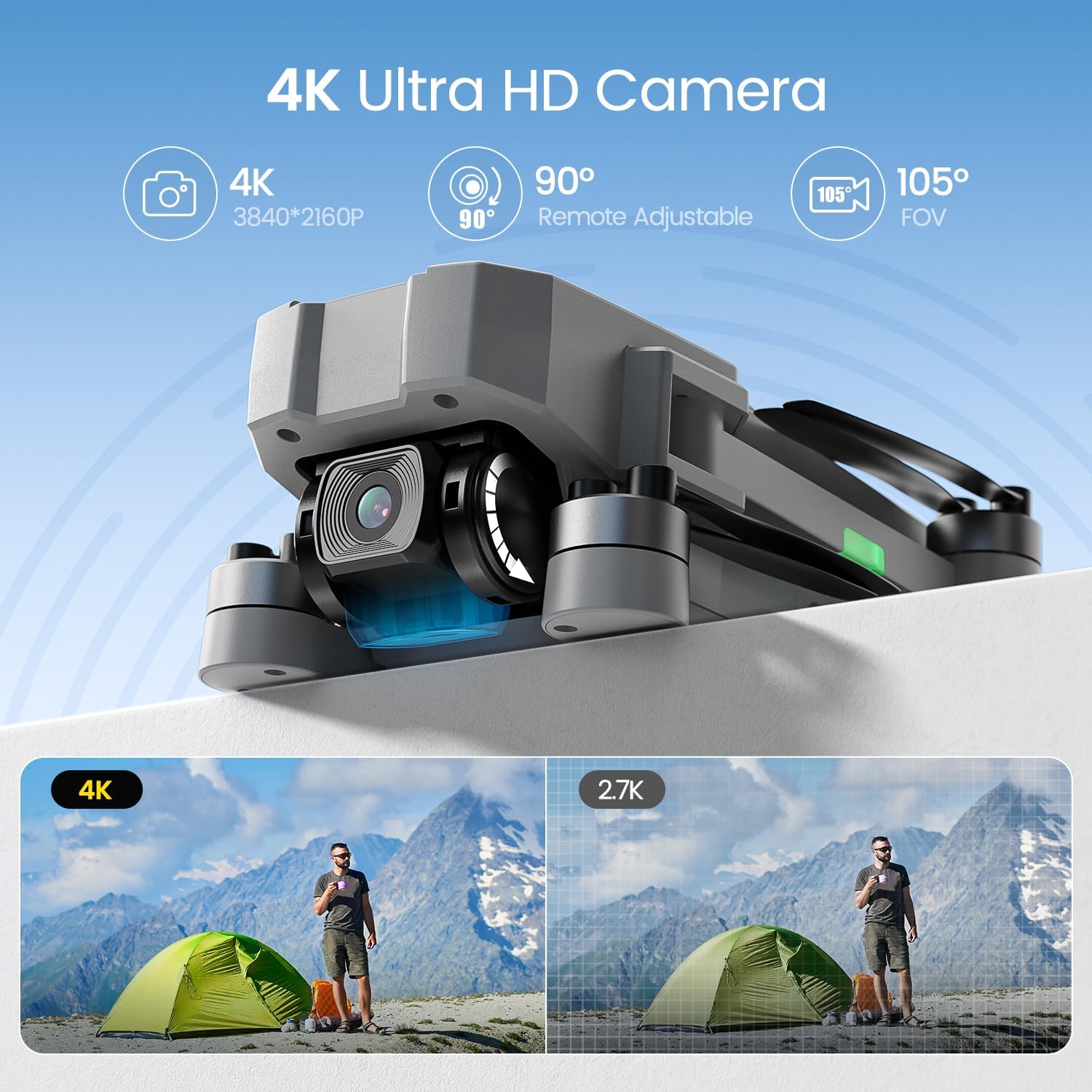
Figure 3.3: 4K UHD Camera Details.
3.4 Flight Environment and Safety
Always operate the drone in open, clear areas away from obstacles, people, and animals. Avoid flying in strong winds or adverse weather conditions. Due to its weight (under 250g), the HS440G does not require FAA registration, but local regulations should always be observed. Maintain visual line of sight with the drone during flight.
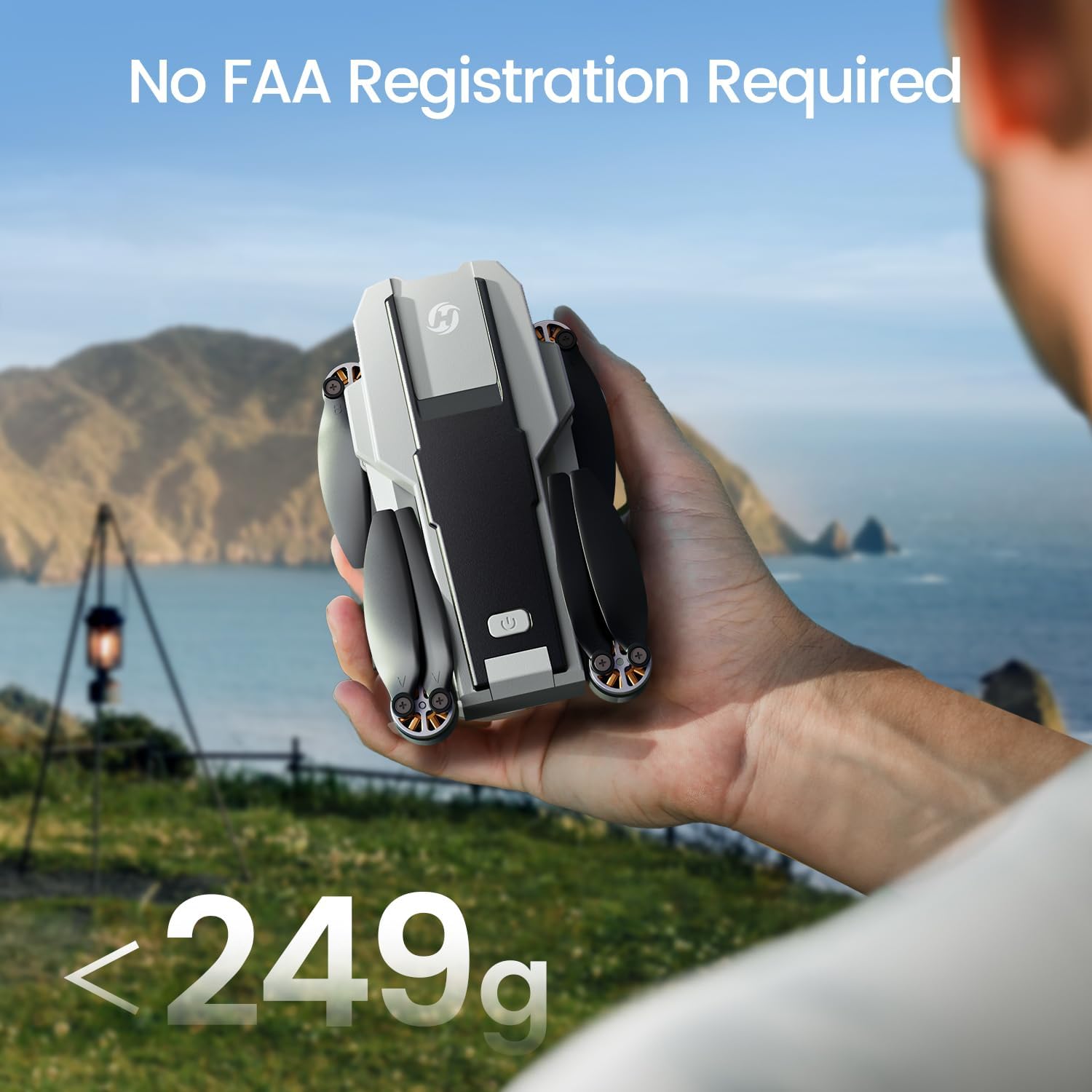
Figure 3.4: Lightweight Design and FAA Compliance.
4. Maintenance
4.1 Cleaning
Regularly clean the drone's body, propellers, and camera lens with a soft, dry cloth. Avoid using liquid cleaners directly on electronic components.
4.2 Propeller Replacement
Inspect propellers for any damage (cracks, bends, chips) before each flight. If damaged, replace them immediately using the provided extra propellers and screwdriver. Ensure propellers are installed correctly according to their markings (A or B).
4.3 Battery Care and Storage
To prolong battery life and ensure safety, store batteries in a cool, dry place away from direct sunlight and extreme temperatures. Do not fully discharge batteries before storing them for extended periods. Avoid overcharging. If a battery appears swollen or damaged, discontinue use immediately and dispose of it properly.
5. Troubleshooting
| Problem | Possible Cause | Solution |
|---|---|---|
| Drone does not power on | Low or uncharged battery; improperly installed battery | Charge battery fully; ensure battery is securely installed. |
| Cannot connect to remote control/app | Incorrect pairing procedure; Wi-Fi interference; app issues | Re-pair drone and remote; restart app and devices; try a different Wi-Fi channel if possible. |
| Unstable flight/Drifting | Improper calibration; strong winds; damaged propellers | Recalibrate drone (compass/gyroscope); fly in calm conditions; replace damaged propellers. |
| Poor camera image quality | Dirty lens; low light conditions; signal interference | Clean camera lens; ensure adequate lighting; minimize Wi-Fi interference. |
| Short flight time | Battery not fully charged; old/degraded battery; aggressive flying | Ensure full charge; consider replacing old batteries; fly more conservatively. |
6. Specifications
| Feature | Detail |
|---|---|
| Model Name | HS440G |
| Item Weight | 154 Grams (5.4 ounces) |
| Product Dimensions | 10.7"L x 7.7"W x 2"H |
| Camera Resolution | 4K UHD (3840x2160) |
| Video Transmission | 2K via 5GHz FPV |
| Flight Time | Up to 23 minutes (per battery) |
| Motor Type | Brushless Motors |
| Positioning System | GPS and GLONASS, Optical Flow, Infrared |
| Control Type | Remote Control, Wi-Fi App |
| Skill Level | Beginner |
| Battery Type | Lithium Polymer |
7. Warranty and Support
Holy Stone products typically come with a manufacturer's warranty. For specific warranty details, please refer to the documentation included with your purchase or visit the official Holy Stone website. For technical support, troubleshooting assistance, or inquiries regarding parts and service, please contact Holy Stone customer service directly. Contact information can usually be found on the product packaging or the official website.
Return Policy: This product is eligible for a 30-day refund/replacement return policy from the date of purchase.
Related documentsHS440G


Ask a question about this manual
Ask about setup, troubleshooting, compatibility, parts, safety, or missing instructions. Manuals+ will review the question and use this page’s manual context to help answer it.