
Ctronics 710-4K
Ctronics 4K 8MP 5G Wi-Fi PTZ Security Camera (Model 710-4K) User Manual
Model: 710-4K
1. Introduction
This manual provides essential information for the proper installation, operation, and maintenance of your Ctronics 4K 8MP 5G Wi-Fi PTZ Security Camera. Please read it thoroughly before using the product to ensure safe and efficient operation.
The Ctronics 4K 8MP camera offers high-resolution video, advanced motion detection, and flexible control options for comprehensive indoor surveillance.
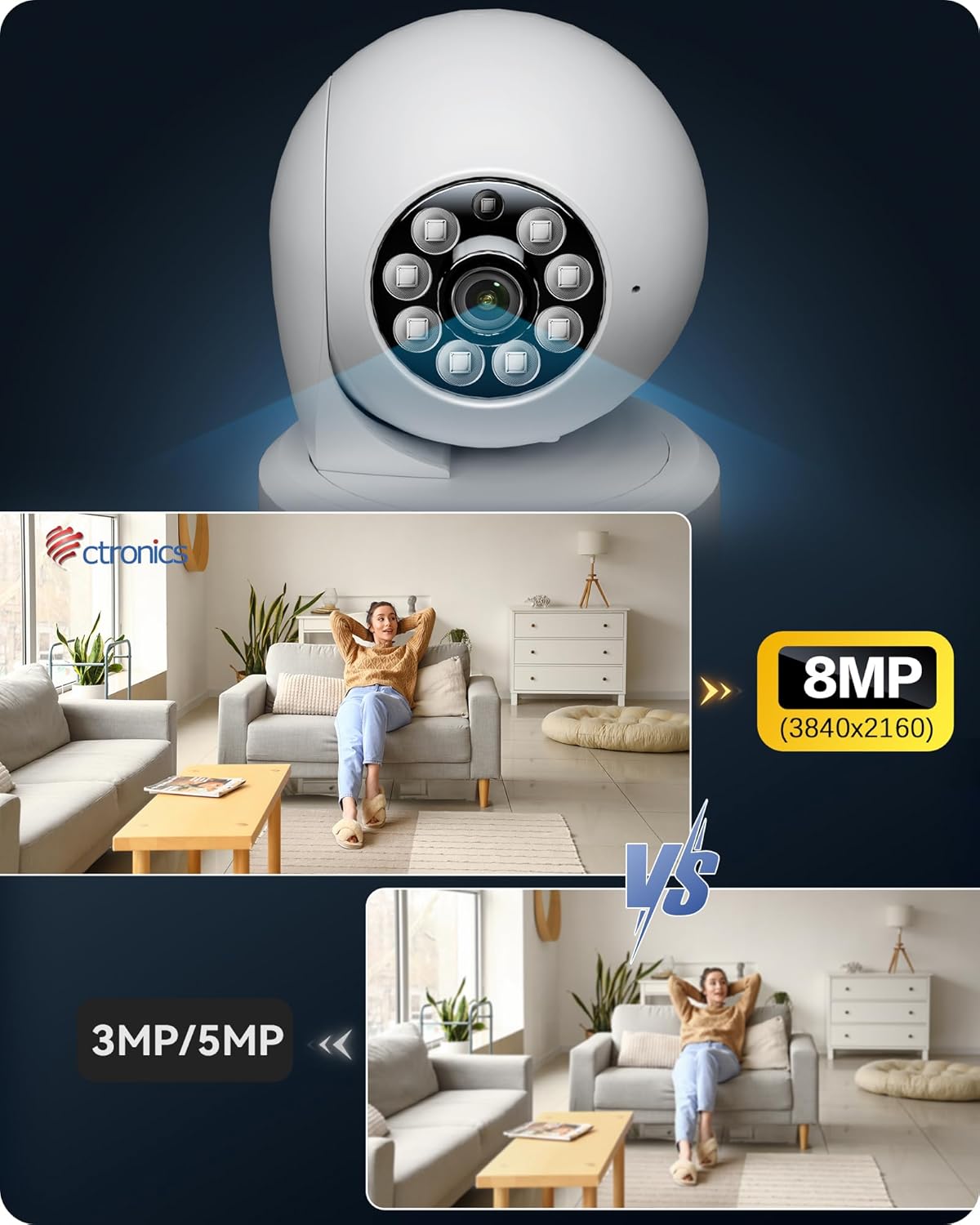
Image: Ctronics 4K 8MP PTZ Security Camera, showcasing its design and lens.
2. Package Contents
Verify that all items are present in the package:
- Ctronics 4K 8MP PTZ Security Camera (Model 710-4K)
- Power Adapter
- Mounting Accessories (screws, wall plugs)
- Quick Start Guide
- Security Sticker
3. Setup
3.1 Powering On
- Connect the power adapter to the camera's power input port.
- Plug the power adapter into a power outlet.
- The camera will initiate its self-test, indicated by a rotating lens and status light.
3.2 App Installation
- Download the 'Ctronics' app from your smartphone's app store (iOS or Android).
- Register an account or log in if you already have one.
3.3 Network Connection (Wi-Fi)
- In the app, tap 'Add Camera' or the '+' icon.
- Select the camera model or scan the QR code located on the camera.
- Follow the on-screen instructions to connect the camera to your 2.4GHz or 5GHz Wi-Fi network. Ensure your phone is connected to the same Wi-Fi network during setup.
Video: This video demonstrates the process of connecting the camera to a wired LAN and setting up Wi-Fi connectivity using the Ctronics app.
3.4 Mounting
The camera supports tabletop placement and ceiling mounting. For ceiling mounting, use the provided accessories to secure the camera. Ensure the mounting surface is stable and can support the camera's weight.

Image: The Ctronics camera demonstrating its 360-degree horizontal and 120-degree vertical rotation capabilities, highlighting no blind spots and 8 preset positions.
4. Operating Instructions
4.1 Live View & Control
- Open the Ctronics app and select your camera to view the live feed.
- Use the on-screen controls to pan (360° horizontal) and tilt (120° vertical) the camera.
- Utilize the digital zoom feature to get a closer look.
- Access the two-way audio function to communicate through the camera.

Image: The Ctronics camera can be accessed and controlled from various devices including PCs, tablets, and smartphones, allowing for unified management of multiple cameras.
4.2 Recording Options
The camera supports various recording modes:
- 24/7 Continuous Recording: Records continuously, ensuring no moment is missed.
- Motion Detection Recording: Records only when motion is detected, saving storage space.
- Scheduled Recording: Set specific times for the camera to record.
Recordings can be stored on a MicroSD card (up to 256GB), NVR/NAS, via FTP, or on the Ctronics Cloud service.

Image: Various storage options for the Ctronics camera, including MicroSD card support up to 256GB, NVR/NAS/ONVIF compatibility for 24/7 recording, FTP support, and cloud storage.
4.3 AI Detection & Alerts
The camera features advanced AI detection to differentiate between humans, pets, and vehicles, reducing false alarms. When an event is detected, you will receive instant notifications on your smartphone.

Image: The Ctronics camera features AI detection for humans, pets, and vehicles, providing smart alerts and auto-tracking capabilities.
4.4 Night Vision
Equipped with high-sensitivity lenses and F1.6 aperture, the camera provides clear 4K images even at night. It offers clear and vivid images day and night, ensuring reliable surveillance.

Image: A Ctronics 4K monitoring camera demonstrating its clear night vision capabilities, capturing details in low-light conditions.
5. Maintenance
- Cleaning: Regularly wipe the camera lens with a soft, dry cloth to ensure clear image quality. Do not use harsh chemicals.
- Firmware Updates: Check the Ctronics app periodically for firmware updates. Keeping your camera's firmware updated ensures optimal performance and security.
- Storage Management: If using a MicroSD card, regularly back up important recordings and format the card to maintain performance. For cloud storage, manage your subscription and storage limits through the app.
6. Troubleshooting
| Problem | Possible Solution |
|---|---|
| Camera offline | Check Wi-Fi connection, power supply, and router. Restart the camera and router. |
| Poor image quality | Clean the lens. Ensure sufficient lighting. Check network bandwidth. |
| Motion detection not working | Adjust sensitivity settings in the app. Ensure detection zones are correctly configured. |
| Cannot connect to Wi-Fi | Verify Wi-Fi password. Ensure camera is within router range. Try 2.4GHz if 5GHz fails, or vice-versa. |
7. Specifications
- Color: White
- Number of Items: 1
- Wireless Communication Technology: Wi-Fi (2.4GHz/5GHz dual-band)
- Form Factor: Compact
- Field of View: 80 degrees
- Frame Rate: 15 fps
- Product Dimensions (Length x Width x Height): 15 x 15 x 5 cm
- Product Model Number: 710-4K
- Product Size: 15 x 15 x 4.99 cm; 380 g
- Light Source: LED
- Laser Class: 4K, PTZ Technology
- Product Weight: 380 g
- Recommended Uses: Home Security, Motion Detection
- Connection Technology: Wi-Fi
- Features: 4K, PTZ Technology
- Indoor/Outdoor Use: Indoor
- Compatible Devices: Smartphone, Tablet, Laptop, PC
- Mounting Type: Tabletop Mount
- Video Capture Resolution: 4K
8. Warranty and Support
Ctronics products typically come with a limited warranty. Please refer to the warranty card included in your package or visit the official Ctronics website for detailed warranty terms and conditions.
For technical support, troubleshooting assistance, or any product-related inquiries, please contact Ctronics customer service through the contact information provided in your product documentation or on the official Ctronics website. Online resources, FAQs, and software downloads may also be available.
Related documents710-4K


Ask a question about this manual
Ask about setup, troubleshooting, compatibility, parts, safety, or missing instructions. Manuals+ will review the question and use this page’s manual context to help answer it.