
Timex TW2W475000Q
Timex M79 Automatic 40mm Watch User Manual
Model: TW2W475000Q
1. Introduction
Thank you for choosing the Timex M79 Automatic 40mm Watch. This timepiece combines classic design with modern automatic movement technology, featuring a distinctive blue sunray dial with a unique Snoopy design, a blue and red unidirectional bezel, and a durable stainless steel bracelet. This manual provides essential information for setting up, operating, maintaining, and troubleshooting your watch to ensure its longevity and optimal performance.

2. Setup
2.1 Initial Winding and Time Setting
Your Timex M79 watch is powered by an automatic movement, which means it is wound by the motion of your wrist. However, for initial setup or after a period of inactivity, manual winding is recommended.
- Winding: To manually wind the watch, unscrew the crown (if applicable) and turn it clockwise approximately 20-30 times. This will build up a power reserve.
- Setting Time: Pull the crown out to the furthest position (Position 3). Turn the crown clockwise or counter-clockwise to set the hour and minute hands. Push the crown back in to Position 1 to start the watch.
- Setting Date/Day: Pull the crown out to the middle position (Position 2). Turn the crown clockwise or counter-clockwise to adjust the date and day. Be careful not to set the date between 9 PM and 3 AM, as this can damage the movement. Push the crown back in to Position 1 when done.

2.2 Bracelet Adjustment
The stainless steel bracelet features quick-release spring bars for easy removal and an adjustable clasp for a comfortable fit. To adjust the length, locate the micro-adjustment holes on the clasp or the removable links. Professional assistance is recommended for link removal to avoid damage.

3. Operating Your Timex M79
3.1 Automatic Movement
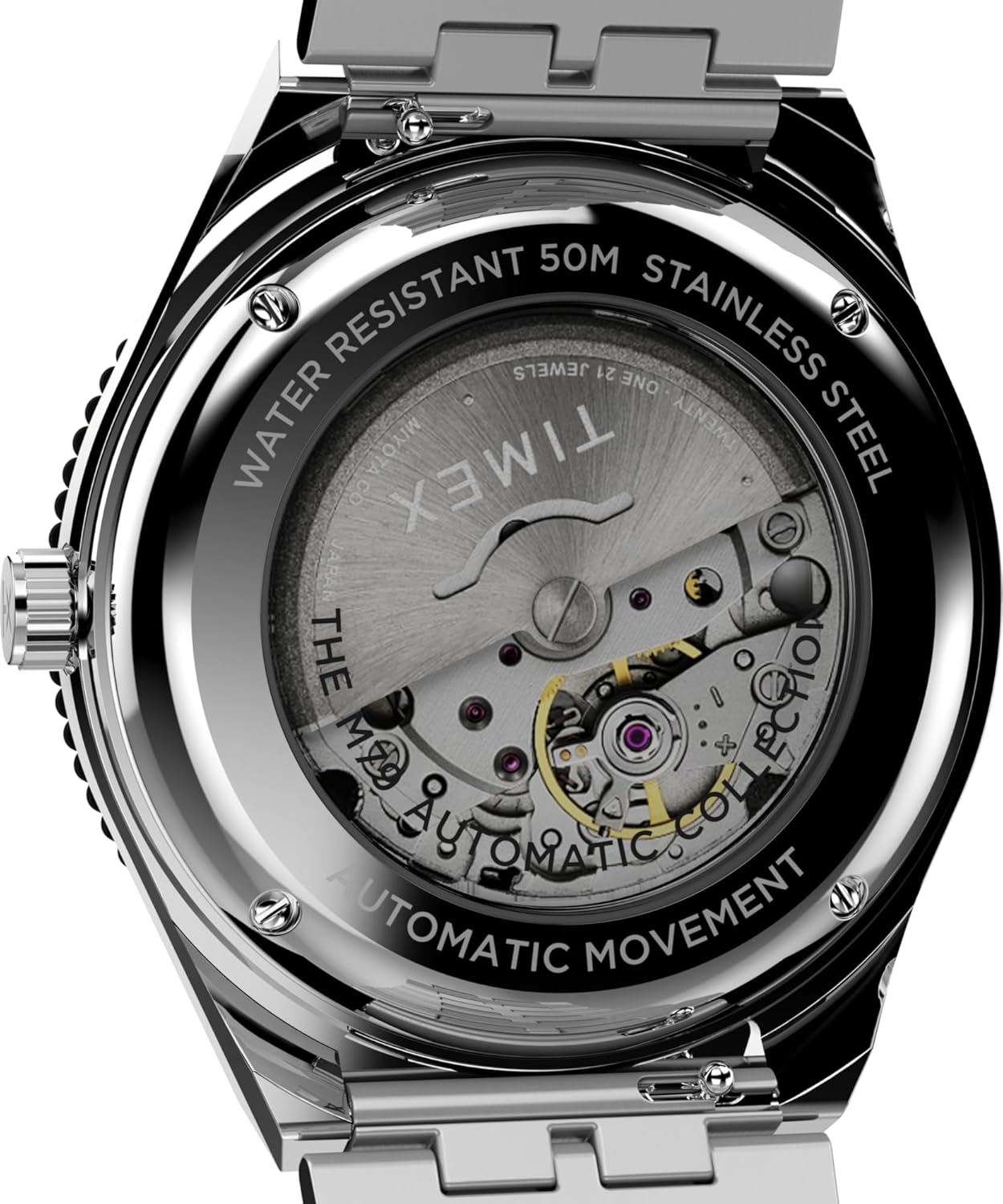
The M79 utilizes an automatic mechanical movement. This means the watch is powered by the natural motion of your arm. When worn daily, it should maintain its power reserve. If the watch stops, it can be restarted by gently shaking it or by manually winding it as described in Section 2.1.
3.2 Unidirectional Bezel
The watch features a blue and red unidirectional rotating bezel. This bezel can be used to measure elapsed time, typically for diving or other timed activities. Rotate the bezel counter-clockwise to align the zero marker with the minute hand at the start of an activity. The minute hand's position on the bezel will then indicate the elapsed time.
3.3 Luminous Features
The hands and dial markers of your M79 watch are treated with luminous material, allowing for readability in low-light conditions. Exposure to light will charge the luminous elements, causing them to glow in the dark.
4. Maintenance
4.1 Cleaning
To maintain the appearance of your watch, wipe the case and bracelet regularly with a soft, dry cloth. For stainless steel, a slightly damp cloth can be used, followed by a dry one. Avoid using harsh chemicals or abrasive materials.
4.2 Water Resistance
Your Timex M79 watch is water-resistant up to 50 meters (5 ATM). This means it is suitable for short periods of recreational swimming, but not for diving or prolonged submersion. Ensure the crown is fully pushed in before any contact with water. Do not operate the crown while the watch is wet.
4.3 Storage
When not wearing your watch for extended periods, store it in a cool, dry place away from direct sunlight and extreme temperatures. A watch box or pouch is ideal to protect it from dust and scratches.
5. Troubleshooting
If you encounter any issues with your Timex M79 watch, please refer to the table below for common problems and their solutions.
| Problem | Possible Cause | Solution |
|---|---|---|
| Watch not running or stops frequently. | Insufficient power reserve. | Manually wind the watch (20-30 turns of the crown) or wear it consistently for several hours. |
| Time is inaccurate. | Watch not fully wound or exposed to strong magnetic fields. | Ensure watch is fully wound. Keep away from magnets. If problem persists, seek professional service. |
| Date/Day not changing correctly. | Incorrect setting or setting during restricted hours. | Reset the date/day outside of 9 PM - 3 AM. Ensure the crown is fully pushed in after setting. |
| Condensation inside the crystal. | Temperature change or water ingress. | Immediately seek professional service. Do not attempt to dry it yourself. |
6. Specifications
| Feature | Detail |
|---|---|
| Model Number | TW2W475000Q |
| Case Diameter | 40mm |
| Case Material | Stainless Steel |
| Bracelet Material | Stainless Steel |
| Dial Color | Blue |
| Movement Type | Automatic |
| Water Resistance | 50 meters (5 ATM) |
| Lens Material | Acrylic |
| Package Dimensions | 12.4 x 10.3 x 10.2 cm |
| Item Weight | 132 g |
7. Warranty Information
Timex watches are manufactured to the highest quality standards and are covered by a limited warranty against manufacturing defects. The specific terms and duration of your warranty may vary by region. Please retain your proof of purchase for warranty claims.
For detailed warranty information, please visit the official Timex website or refer to the warranty card included with your purchase. You can also find more information on the Timex Brand Store on Amazon.
8. Customer Support
If you require further assistance or have questions not covered in this manual, please contact Timex customer support. Contact details can typically be found on the official Timex website or on your warranty documentation.
Please have your watch model number (TW2W475000Q) and purchase details ready when contacting support.
Related documentsTW2W475000Q


Ask a question about this manual
Ask about setup, troubleshooting, compatibility, parts, safety, or missing instructions. Manuals+ will review the question and use this page’s manual context to help answer it.