
Introduction
This instruction manual provides comprehensive guidance for the safe and efficient use of your Ledvion LV10068 4-Light Dimmable GU10 LED Ceiling Spotlight. Please read this manual thoroughly before installation and operation, and retain it for future reference.
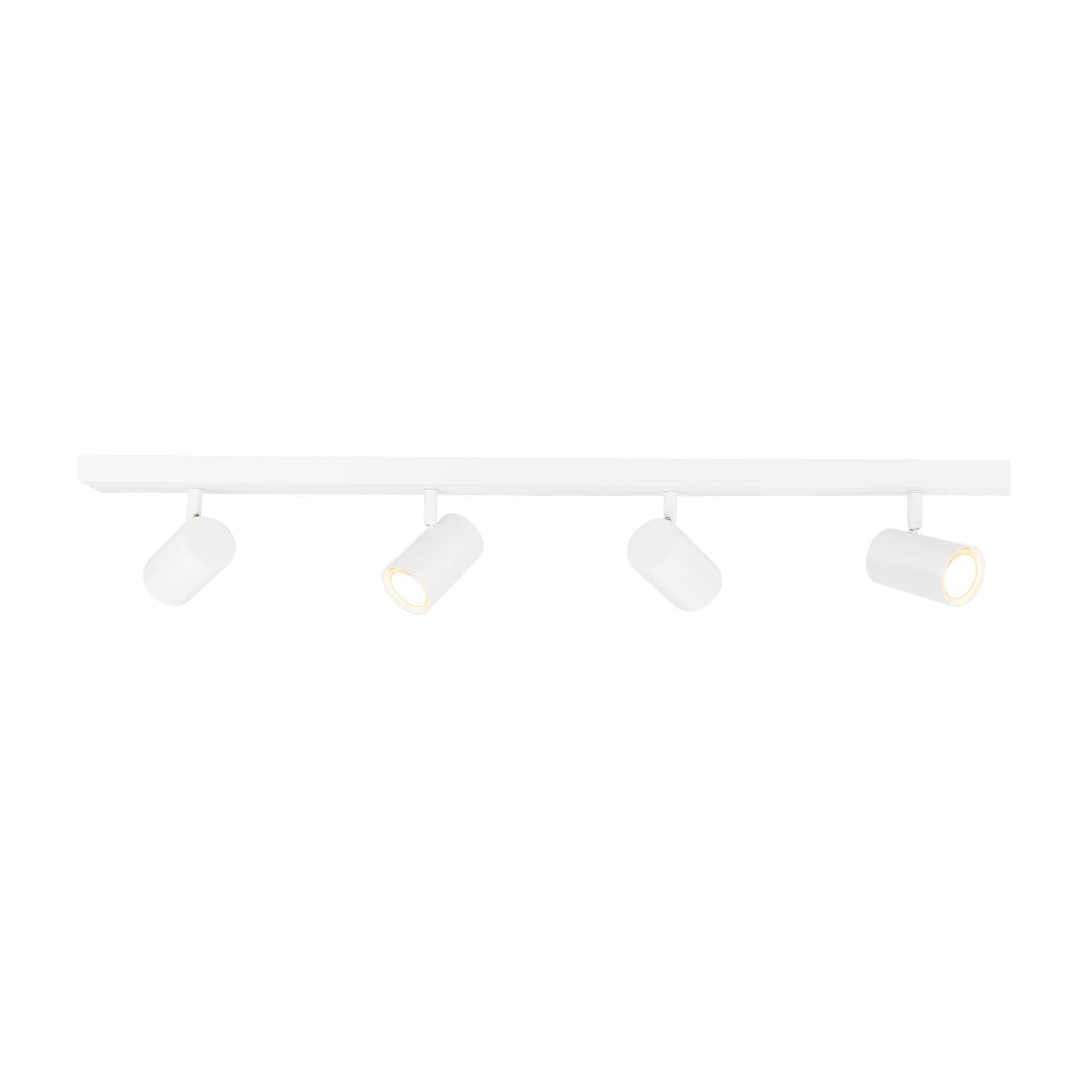
Figure 1: Ledvion LV10068 4-Light Dimmable GU10 LED Ceiling Spotlight, white finish.
Safety Information
WARNING: Always disconnect power before installation, maintenance, or bulb replacement to prevent electric shock. Installation should be performed by a qualified electrician in accordance with local electrical codes.
- Ensure the supply voltage matches the fixture's requirements (230 Volts).
- Do not exceed the maximum wattage for GU10 bulbs.
- This product is designed for indoor use only (IP20 rating). Do not expose to water or high humidity.
- Keep packaging materials out of reach of children.
- Do not look directly into the LED light source when illuminated.
For detailed safety guidelines, refer to the official safety document: Safety Information (PDF).
What's in the Box
Carefully unpack the contents and ensure all items are present and undamaged. If any parts are missing or damaged, contact Ledvion customer support.

Figure 2: Package contents for the Ledvion LV10068. Includes the 4-light ceiling spotlight, mounting screws, wall plugs, and this manual.
- 1x Ledvion 4-Light Ceiling Spotlight (Model LV10068)
- 2x Mounting Screws
- 2x Wall Plugs
- 1x Instruction Manual
Note: GU10 LED bulbs are not included and must be purchased separately.
Setup & Installation
This ceiling spotlight is designed for semi-flush mounting on ceilings. Ensure the mounting surface is suitable to support the weight of the fixture.
Dimensions

Figure 3: Product dimensions. Overall length 91 cm, width 13 cm, height 7 cm. Individual spotlight diameter 5.5 cm, length 9 cm.
- Overall Dimensions (L x W x H): 91 cm x 13 cm x 7 cm
- Individual Spotlight Dimensions (Diameter x Length): 5.5 cm x 9 cm
Installation Steps
- Power Disconnection: Before starting, turn off the main power supply at the circuit breaker to avoid electrical shock.
- Mounting Bracket: Attach the mounting bracket (integrated into the fixture) to the ceiling using the provided screws and wall plugs. Ensure it is securely fastened.
- Wiring: Connect the household electrical wires to the fixture's terminals. Ensure correct polarity (Live, Neutral, Earth) according to local wiring regulations.
- Secure Fixture: Carefully attach the spotlight fixture to the mounting bracket, ensuring all connections are secure and the fixture is flush against the ceiling.
- Install GU10 Bulbs: Insert GU10 LED bulbs (not included) into each of the four lamp holders. Twist to secure them in place.
- Power Reconnection: Restore power at the circuit breaker.
- Test: Turn on the light switch to test the installation.
Figure 4: The internal structure and mounting bracket designed for quick installation.

Figure 5: The GU10 fitting, compatible with standard GU10 LED bulbs.
Operation
Turning On/Off
Operate the spotlight using a standard wall switch connected to the fixture. This fixture is compatible with remote control and touch-type switches, depending on your home's electrical setup.
Adjusting Light Direction
Each of the four spotlights can be individually adjusted to direct light precisely where needed.
- Tilt: Each light source can be tilted up to 90 degrees.
- Rotate: Each light source can be rotated up to 350 degrees.

Figure 6: Individual spotlights can be tilted up to 90 degrees and rotated up to 350 degrees.
Dimming Function
This fixture is dimmable. To utilize the dimming feature, ensure you are using dimmable GU10 LED bulbs and a compatible dimmer switch (not included) in your electrical circuit. Follow the dimmer switch manufacturer's instructions for installation and operation.
Maintenance
Regular maintenance ensures optimal performance and longevity of your Ledvion ceiling spotlight.
- Cleaning: Disconnect power before cleaning. Wipe the fixture with a soft, dry cloth. Do not use abrasive cleaners, solvents, or polishes as they may damage the finish.
- Bulb Replacement: Ensure power is off before replacing bulbs. Allow bulbs to cool completely before handling. Replace with GU10 LED bulbs of the same type and wattage.
- Inspection: Periodically check for any loose connections or signs of wear. If any issues are found, consult a qualified electrician.
Troubleshooting
| Problem | Possible Cause | Solution |
|---|---|---|
| Light does not turn on. |
|
|
| Light flickers or dims unexpectedly. |
|
|
| Spotlight is difficult to adjust. |
|
|
If you encounter issues not listed here or if solutions do not resolve the problem, please contact Ledvion customer support.
Specifications
| Brand | Ledvion |
| Model Number | LV10068 |
| Color | White |
| Material | Metal |
| Bulb Base | GU10 |
| Number of Lights | 4 |
| Voltage | 230 Volts |
| Max Wattage (per bulb) | 4 Watts (LED) |
| Dimmable | Yes (with compatible bulbs and dimmer) |
| Light Direction | Adjustable (90° tilt, 350° rotation) |
| Color Temperature | 5000 Kelvin (Daylight White, depends on bulb) |
| Luminous Flux (per bulb) | 450 Lumens (depends on bulb) |
| IP Rating | IP20 (Indoor use only) |
| Mounting Type | Semi-flush ceiling mount |
| Dimensions (L x W x H) | 91 cm x 13 cm x 7 cm |
| Product Weight | 1550 Grams |
| GTIN | 08720707007349 |
Warranty & Support
Warranty Information
This Ledvion product comes with a 2-year warranty from the date of purchase, covering manufacturing defects. Please retain your proof of purchase for warranty claims.

Figure 7: Product packaging indicating a 2-year warranty and IP20 rating.
Customer Support
For technical assistance, warranty claims, or any questions regarding your Ledvion product, please contact Ledvion customer support through their official channels or visit their store page:

